← Gazillion Industries/Reading material
How to master a beat
The beat is done. It sounds enormous in your room and thin next to anything on the playlist you are about to upload it to, and the gap between those two facts is where a lot of people start buying plugins they do not need.
To master a beat, start from a mix that peaks around −6 dBFS with nothing on the master bus, then apply gentle corrective EQ, one or two decibels of compression, a clipper or saturation to shave the loudest transients, and a limiter last, with the ceiling at −1 dBTP. Check the result against a reference track at matched loudness, on a phone, in mono and at low volume. Most of the work is deciding what the mix needs, and most of the damage comes from doing all five steps whether it needs them or not.
The short version
- Before
- mix peaks near −6 dBFS, master bus empty
- Chain
- EQ, light compression, clipper or saturation, limiter
- Ceiling
- −1 dBTP for anything that will be encoded
- Loudness
- decide it against a reference, not a number on a meter
- Checks
- phone, mono, car, quiet
- Rule
- if the mix needs saving, go back to the mix
What mastering is doing here
For a beat headed to a streaming service or a client, mastering is three jobs: fix anything the mix got broadly wrong, get the record to a competitive loudness without wrecking the transients, and make sure it holds up on the systems people actually use. It is not a rescue service. A mix with a boomy 200 Hz and a buried snare arrives at the end of this chain as a louder mix with a boomy 200 Hz and a buried snare.
The most useful thing you can do before any of it is leave headroom. A mix that peaks around −6 dBFS with a clean master bus gives every stage room to work, and it costs nothing: loudness is added later, on purpose, by the stage designed to do it.
How to master a beat
- Bounce the mix with the master bus empty and peaks around −6 dBFS.
- Listen to it next to a reference track, with the reference turned down to match.
- Fix broad tonal problems with gentle EQ: cuts under 2 dB, wide bandwidths.
- Add a compressor only if the record moves unevenly, and keep it to 1 to 2 dB.
- Use a clipper or saturation to shave the loudest transients before the limiter sees them.
- Set the limiter last, ceiling at −1 dBTP, and push into it until it is competitive.
- Back the limiter off by a decibel and listen for what comes back.
- Check on a phone, in mono, in the car, and at conversation volume.
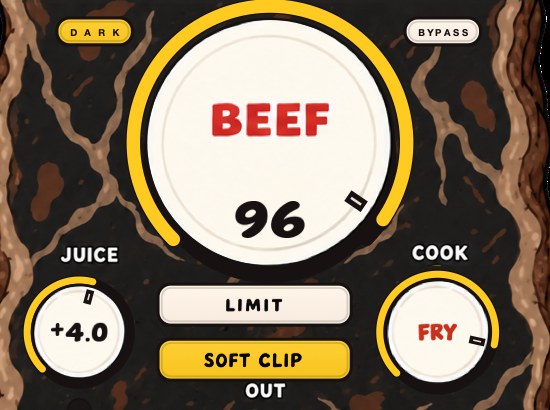
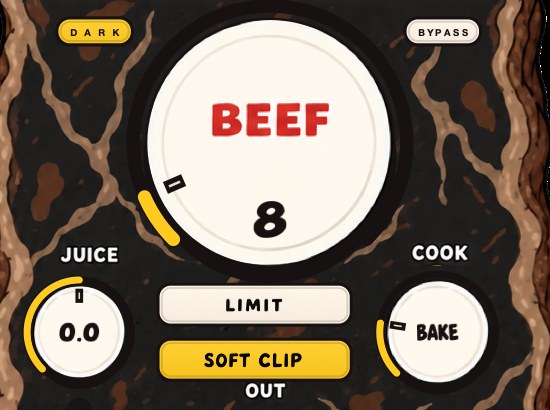
BEEFY is our saturation and loudness effect, with SOFT CLIP switched on when it opens and LIMIT as the other choice. Both, and the two clip lights, live on the same three-knob panel.
Clipping before the limiter
The single biggest jump in perceived loudness comes from dealing with transients before the limiter rather than asking the limiter to do everything. A clipper rounds or shears the tops off the few samples that are far above everything else, which lowers the peak without touching the body, so the limiter has much less to pull down and the record stops pumping. Drums take this well because their peaks are short. Clipper before limiter covers the order and the amounts in detail.
How loud, honestly
Streaming services turn loud masters down to a normalization target rather than rewarding them, so chasing the last decibel mostly costs you dynamics that nobody hears anyway. Competitive rap and beat masters still sit well above those targets, because the character of a heavily limited record is part of the genre, and that is a musical decision rather than a technical one. How loud should my master be has the numbers and what each platform does with them.
The practical version: level-match your master against a reference you admire, and stop when yours holds up. Loudness compared at unmatched volume is not a comparison, it is a trick, and it is the reason people master three decibels too hard.
Where it costs you
Every stage takes something. EQ moves the balance the mix was built on. Compression on the master ties the kick to the vocal, so one starts moving the other. Clipping trades transient detail for level, and the trade is audible on hats and snares before anything else. Limiting flattens what is left. The whole chain is also seductive because each stage sounds better as you push it, right up until you bounce it and hear the record as a listener does, once.
Questions people ask
How do you master a beat?
Bounce the mix with headroom, then apply corrective EQ, light compression, a clipper or saturation for the transients, and a limiter with the ceiling at −1 dBTP. Judge it against a reference at matched loudness and check it on small speakers before you call it finished.
Is mastering hard?
The moves are simple and the judgment is not. The difficulty is hearing what a record needs rather than applying a chain, and the fastest way to build that is level-matched comparison with records you know.
Is it better to mix quiet or loud?
Mix quiet and check loud. At low volume your ears are flatter, so balances made there travel better. Turn up briefly to check the low end and the excitement, then turn back down before you make decisions.
Can I master my own beats?
Yes, and for beats sold or uploaded by the person who made them it is the normal case. The risk is familiarity: after four hours you cannot hear the record any more. Leave it overnight and check it on a different system before it goes out.
What BEEFY does
BEEFY is a saturation and loudness effect for making sounds thicker, punchier and more up front. It adds body, squeezes some space out of the peaks, and brings out harmonics that help a sound feel bigger. SOFT CLIP opens switched on and takes care of the initial gain staging, bringing rounded, fuzzy edges to the loudest parts, and you can switch to LIMIT to keep the output peaks in check instead, or turn both off and push it yourself. BEEF brings weight, density and loudness; COOK changes the color and bite; JUICE sets the level going in.
The gap between your room and the playlist was never a plugin you had not bought yet.
BEEFY — saturation and loudness plugin for Mac and Windows. There is a 28-second demo with three without/with comparisons on the page.
Keep reading
- How to mix drums — Balance first, then EQ, compression, saturation and the bus.
- How to make 808s hit harder — Tuning, the kick, the envelope, saturation, soft clipping and a mono low end.