← Gazillion Industries/Reading material
How loud should a master be
Loudness works like inflation. When every record prints more of it, each extra dB buys less, and the CD era ended with a lot of albums that were louder than ever and harder to listen to.
There is no single right number. Streaming services normalize playback; Spotify adjusts tracks to -14 LUFS, so a louder master doesn't play louder there, it just keeps less punch. Master as loud as the music takes without audible damage, keep true peaks below -1 dBTP (or -2 dBTP if you're louder than -14 LUFS, per Spotify), and measure the integrated LUFS of records you're competing with instead of chasing a number.
The short version
- Loudness
- integrated LUFS, measured over the whole song
- Spotify
- adjusts tracks to -14 LUFS
- Peaks
- below -1 dBTP, or -2 dBTP if louder than -14 LUFS
- Target
- as loud as it sounds good, checked against references
- Test
- listen to it turned down to -14, not just at full level
- The math
- a -7 LUFS master gets turned down 7 dB at Normal, 4 dB at Loud
- Free meter
- ffmpeg -i master.wav -af ebur128=peak=true -f null -
What LUFS actually measures
A peak meter tells you how close the loudest sample gets to the ceiling. A loudness meter tells you how loud the song feels. LUFS weights the signal the way hearing does and averages it over time: momentary loudness uses a 400 ms window, short-term uses 3 seconds, and integrated covers the whole track. Integrated LUFS is the number streaming services use.
True peak is the other number that matters. It estimates peaks that fall between samples and can show up after conversion or lossy encoding, so a file that never touches 0 dBFS on a sample meter can still clip once it's encoded.
The weighting curve, measured
The meter does not treat every frequency alike, and the tilt is bigger than most producers expect. Sine tones at a fixed peak of -20.0 dBFS, twenty seconds each, integrated reading back. Only the frequency changes.
- 20 Hz
- -34.0 LUFS
- 30 Hz
- -29.0 LUFS
- 50 Hz
- -24.6 LUFS
- 100 Hz
- -21.8 LUFS
- 200 Hz
- -21.0 LUFS
- 1 kHz
- -20.0 LUFS
- 2 kHz
- -17.6 LUFS
- 4 kHz
- -16.7 LUFS
- 8 kHz
- -16.7 LUFS
Read the two ends of that. A 50 Hz tone and a 4 kHz tone sitting at exactly the same peak measure 7.9 LU apart, and 20 Hz is 14.0 LU below 1 kHz. The weighting is a shelf that lifts the top and a high-pass that drops the bottom, which is roughly the shape of a person listening on a phone rather than a soffit.
That has a hard practical edge. Sub weight costs you loudness twice: it eats the limiter's headroom on the way in, and it barely registers on the meter on the way out. An 808-led beat can shake a car and still read three or four LU under a vocal-led record. If your low end is doing the work, kick and 808 separation and the Fletcher-Munson curves matter more to your final number than the limiter does.
Momentary, short-term, integrated: which window to watch
Three windows, three jobs. Momentary runs a 400 ms average and follows individual hits, so it is the one that jumps on a snare. Short-term runs 3 seconds and follows sections, so it tells you whether your hook is actually bigger than your verse. Integrated is the whole file, and it is the only one a streaming service reads.
Watch short-term while you work and integrated when you deliver. Momentary is diagnostic: if it slams 6 LU above short-term on every kick, the transient is doing all the level and none of the loudness, which is a crest factor problem the limiter cannot solve for you.
Loudness range, LRA, is the fourth number on most meters: the spread in LU between the quiet and loud parts. A rap record lands low because the whole thing sits in one band. It is a description, not a target.
The gate: why silence and intros do not drag the number down
Integrated LUFS is gated, which surprises people who think it is a plain average. Two gates run: an absolute one at -70 LUFS, and a relative one 10 LU below the ungated loudness of the track. Anything under those does not count toward the number.
The gate, measured. Ten seconds of a 1 kHz tone at -20.0 LUFS followed by ten seconds of digital silence reads -20.1 LUFS integrated; the tone alone reads -20.0. Swap the silence for the same tone 25 dB quieter and it still reads -20.1, because 25 LU down is past the gate.
Now bring the second block up so it is only 8 dB quieter. The file reads -22.4 LUFS, and both halves are counted, because 8 LU down clears the 10 LU gate. Check the arithmetic: the energy average of one block at -20 and one at -28 over equal time is 10 × log10((1 + 0.158) / 2) = -2.4, so -22.4. The meter and the calculator agree.
What this means for you: a long fade-out or a quiet count-in will not pull your integrated reading down, but a whole verse mixed 8 dB under the hook will. If your track reads quieter than it feels, check the verses before you reach for more limiting.
What Spotify does with your master
Spotify adjusts tracks to -14 dB LUFS. Louder masters get turned down to it and quieter ones turned up, and Premium listeners can choose Loud (-11), Normal (-14) or Quiet (-19). Spotify recommends keeping true peaks below -1 dBTP, and below -2 dBTP for masters louder than -14 LUFS.
Other services normalize too, and not all of them publish their targets as plainly. The safe assumption is that your master will be turned down somewhere, so it has to sound good at a lower level than you mastered it.
The turning-down is plain subtraction. A master at -7.0 LUFS plays 7 dB quieter than you printed it at the Normal setting, and 4 dB quieter at Loud. A master at -12.0 LUFS loses 2 dB. Both arrive at the listener at the same level. Every dB you bought between -12 and -7 was spent on nothing except the crest factor you gave up to get it.
Turning up is not symmetrical. Spotify states that it leaves 1 dB of headroom for lossy encoding when it applies positive gain, and gives the worked case: a track at -20 LUFS with a true peak of -5 dBFS is only lifted to -16 LUFS, because +4 dB puts that peak at -1 dBTP and the lift stops there. A very quiet master with tall peaks stays quiet. That is the one direction where your peak ceiling changes your playback loudness.
Spotify also states that the web player and third-party devices such as TVs and speakers do not apply loudness normalization at all. Somebody will hear your record at the level you printed it.
Album, single, playlist: three different adjustments
The gain applied depends on how the listener is playing you. Spotify normalizes an entire album at once, so the gain does not change between tracks and a soft interlude stays soft in album order. When someone shuffles that album, or plays you inside a playlist with other artists, tracks are adjusted individually.
So how loud for rap and beats?
Louder than -14 is common in rap and trap, and that's fine as long as the master still hits once it's turned down. The honest way to pick a number is to measure your competition. Load three or four records in your lane into a loudness meter, note their integrated LUFS, and get your master into the same neighborhood, only if it still sounds better there.
Then listen to your master and the references level-matched. If yours loses its punch next to them at the same loudness, it was pushed too hard, and no extra dB will fix that.
Measure the reference the same way you measure yourself: whole track, integrated, from the file rather than from the stream. A stream you play back has already been through the service's gain adjustment, so metering it tells you the service's target, not the mastering engineer's decision. Buy the download, or measure a copy you own.
Loudness that survives normalization comes from density, not limiting. That's what BEEFY is for. The demo on the page is 28 seconds.
Peak-to-loudness ratio: the number that predicts how it survives
Subtract integrated LUFS from true peak and you have the peak-to-loudness ratio. A master at -1.0 dBTP and -9.0 LUFS has a PLR of 8.0 dB. It is one subtraction and it tells you more about how a record will behave than either figure alone.
Normalization moves both numbers together. Two masters played at -14 LUFS arrive at the same loudness, and the one with the larger PLR arrives with taller peaks above it. Those peaks are what a kick hits you with.
Some measured anchors, taken on twenty seconds of pink noise so the only variable is processing. Unclipped, with the true peak set to -0.1 dBTP, it measures -12.9 LUFS: a PLR of 12.8 dB. Clipped 6 dB and set to the same -0.1 dBTP ceiling, it measures -8.5 LUFS: a PLR of 8.4 dB. Same ceiling, 4.4 LU louder, 4.4 dB less peak left over. Nothing is free.
What each extra dB of clipping actually buys
Loudness past the limiter comes from flattening peaks, and the return on that falls off. Here is the falloff measured: pink noise, driven into a hard clipper by a set amount, then renormalized so the sample peak lands at -0.1 dBFS every time.
- no clipping
- -12.9 LUFS, true peak -0.1 dBTP
- +3 dB drive
- -9.9 LUFS (3.0 LU gained), true peak +0.6 dBTP
- +6 dB drive
- -6.9 LUFS (6.0 LU gained), true peak +1.5 dBTP
- +9 dB drive
- -4.4 LUFS (8.5 LU gained), true peak +2.2 dBTP
- +12 dB drive
- -2.4 LUFS (10.5 LU gained), true peak +3.0 dBTP
Two things in that table. The first 6 dB of drive returns almost a full LU per dB; the second 6 returns 4.5 LU for 6 dB, and it keeps shrinking. And the true peak climbs the whole way even though the sample peak was pinned at -0.1 every single time, because flat tops between samples are exactly what an intersample peak is made of.
Music is not pink noise, so the figures move with the material. The shape holds: diminishing returns on loudness, undiminished growth in true peak. See what clipping is and soft clipping explained for what the flattening does to the harmonics.
True peak, and what the encoder does to it
A file whose samples never exceed full scale can still be over. Take a sine at a quarter of the sample rate, offset so its samples land on ±1.0. The samples read 0.0 dBFS. The waveform they describe peaks at √2 = 1.414, which is 20 × log10(1.414) = +3.01 dB above full scale. Nothing clipped in your session and the converter still has to reproduce it.
Encoding is where that gets expensive, and only on loud material. Measured: the unclipped pink noise delivered at -0.1 dBTP came back from AAC at 256 kbps reading -0.5 dBTP. The 6 dB-clipped version delivered at the same -0.1 dBTP came back at +0.4 dBTP. Over full scale, from a file that was legal on delivery.
Deliver the same clipped file at -1.0 dBTP instead and it came back at -0.7 dBTP: still under, with room to spare. That is the whole argument for the -1 and -2 guidance in one measurement. The ceiling is not about your converter. It is about the reconstruction that happens after you stop having a say. More on the mechanism in true peak and oversampling.
How to check your master
- Put a loudness meter after the limiter on your master.
- Play the whole song and read the integrated LUFS and the maximum true peak.
- Make sure the true peak is below -1 dBTP (below -2 dBTP if integrated is louder than -14 LUFS).
- Measure two or three reference records the same way.
- Turn everything down to -14 LUFS and compare by ear.
- Subtract integrated from true peak and write the PLR down next to each reference.
- Bounce the file, then measure the bounce, not the session.
- Play the bounce on a phone at low volume and in a car at the volume you actually drive at.
If you want more loudness than the limiter can give cleanly, go back to the mix: how to make your mix louder without clipping and clipper before limiter cover the chain.
Measuring the bounce with something free
Step seven matters more than it sounds. Meters inside a session read the bus; the file is what ships, and sample rate conversion, dither and any export normalization happen after the plugin chain. If your bounce dialog offers to normalize, switch it off.
You do not need to buy a meter to check a file. ffmpeg is free, runs on Mac and Windows, and carries an ITU-1770 scanner. One line in a terminal:
- Command
- ffmpeg -i master.wav -af ebur128=peak=true -f null -
- I
- integrated LUFS, the delivery number
- Threshold
- the relative gate, always 10 LU under the ungated reading
- LRA
- loudness range in LU
- Peak
- maximum true peak in dBFS, printed under "True peak"
The summary block at the end is the part you want. Every measurement on this page was taken that way.
Where the meter and the ceiling sit in the chain
Order on the master bus: tone and dynamics first, then clipping or saturation, then the limiter, then dither if you are reducing bit depth, then the loudness meter last, reading everything. A meter placed before the limiter tells you an interesting number about a file nobody will hear.
Set the limiter's ceiling to -1.0 dBTP and make sure its true-peak detection is switched on, because a limiter working on sample values will let intersample peaks straight through and report a clean ceiling while doing it. If your limiter offers oversampling, that is what it is for. Limiter settings and headroom go deeper.
What too loud sounds like
The failures have distinct signatures, and each one tells you where it broke. Learn them and you stop guessing.
- Pumping
- the whole mix ducks on every kick and breathes back between hits; the limiter is doing gain reduction slower than the tempo
- Sucked-out 808
- the sub loses its tail and the note stops early; low-frequency energy is triggering the limiter and taking everything with it
- Flat hats
- hats and shakers lose their front edge and turn into a continuous hiss; the transients have been clipped away
- Grainy top
- a fizzy, granular edge on cymbals and sibilance; intermodulation from clipping, and it gets worse after encoding
- Smaller when quiet
- it sounds impressive at full volume and collapses when you turn it down; the crest factor is gone and the normalization will expose it on every service
- Wandering low end
- the bass image moves or the mix narrows on loud sections; check mono compatibility, because limiters react to the sum
The last one is the test that matters, and it costs nothing. Turn the master down 10 dB and play it next to a reference turned down the same amount. A record with headroom left keeps its shape. A crushed one goes flat and small, and it will do that on every phone that plays it.
What the loudness costs
Say the cost plainly. Every LU past the point the mix wanted comes out of the crest factor, and the measurements above put a figure on it: at the same -0.1 dBTP ceiling, 4.4 LU of extra loudness cost 4.4 dB of peak. On a service that normalizes you spent that and got nothing back.
The case for pushing is real too. A record played off a laptop speaker at a session, cut to a promo nobody normalizes, or handed to a rapper who will hear it once in a car, benefits from arriving loud. Know which one you are making.
Questions people ask
How many LUFS should my master be?
There is no single correct figure. Pick it by measuring three or four released records in your style and landing in that range, then check that your master still sounds better than them when everything is level-matched. The services that normalize will bring you to their target regardless.
How do I know if my master is loud enough?
Measure its integrated LUFS and compare it with a few released records in the same style, then listen to all of them level-matched. If yours sounds as full and punchy at the same loudness, it's loud enough.
What dB should my master be at?
Two different numbers: keep true peaks below -1 dBTP (Spotify's recommendation), and set loudness in LUFS by comparing with references. Peak level alone doesn't tell you how loud a master sounds.
Why isn't my master loud enough?
Usually the mix's peaks, often the kick and 808, hit the ceiling before the average gets loud, so the limiter runs out of room. Controlling the low end and transients in the mix gives the limiter far less to do.
Should I master to -14 LUFS?
Not necessarily. -14 LUFS is where Spotify plays tracks back, not a rule for how loud to master. Many releases are louder; what matters is that the master still sounds good after it's turned down.
Is -8 LUFS too loud for streaming?
Not automatically. A master at -8 LUFS gets 6 dB of negative gain at Spotify's Normal setting and arrives at the same level as a -12 LUFS master. The question is what you gave up to reach -8. If the record shrinks when you turn it down, it is too loud for what it gained.
Does loudness normalization mean loudness no longer matters?
It matters less than it did and it has not stopped mattering. Spotify states that its web player and third-party devices such as TVs and speakers do not normalize, and plenty of other playback paths do not either. Your master should survive both being turned down and being played as printed.
Why does my master read -1 dBTP in the DAW but clip after export?
Almost always a limiter measuring sample values rather than true peak, or intersample peaks created by lossy encoding. Samples pinned at 0.0 dBFS can describe a waveform +3.01 dB over full scale. Switch on true-peak detection and oversampling, and measure the bounce rather than the bus.
How do I measure LUFS without buying a meter?
Run ffmpeg on the bounce: ffmpeg -i master.wav -af
ebur128=peak=true -f null -. The summary at the end prints integrated
LUFS, loudness range, the gate threshold and the maximum true peak. Free on
Mac and Windows.
Does a quiet intro lower my integrated LUFS?
Only if it is within 10 LU of the rest of the track. Integrated loudness is gated: an absolute gate at -70 LUFS and a relative gate 10 LU below the ungated reading. Ten seconds of silence added to a -20.0 LUFS tone measures -20.1. A verse mixed 8 dB down does count.
Do I need a different master for each platform?
For most releases, no. One master that keeps its true peak under the ceiling and holds up turned down will do everywhere. A separate louder version is worth it only when you know the destination does not normalize.
Why does my master sound quieter than a commercial record at the same LUFS?
Frequency distribution, usually. The meter weights 4 kHz nearly 8 LU above 50 Hz, so two records at identical integrated LUFS can feel very different depending on where the energy sits. If yours is sub-heavy and theirs is midrange-forward, theirs will feel louder on small speakers at the same reading. See bass on phone speakers.
What LUFS should a beat be before I send it to an artist?
Quieter than a finished master, with headroom for the vocal. Around 3 to 6 dB of peak room and no limiter pinned at the ceiling gives whoever mixes the song something to work with. Send the loud version separately.
What BEEFY does
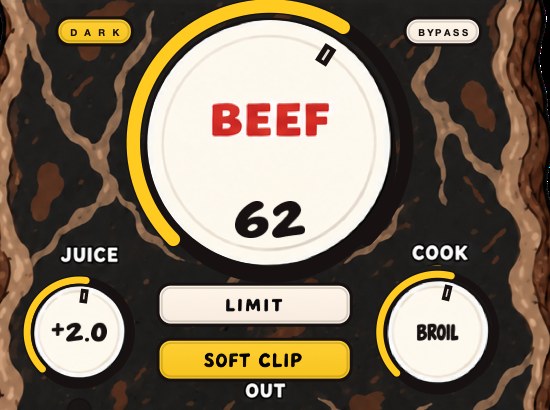
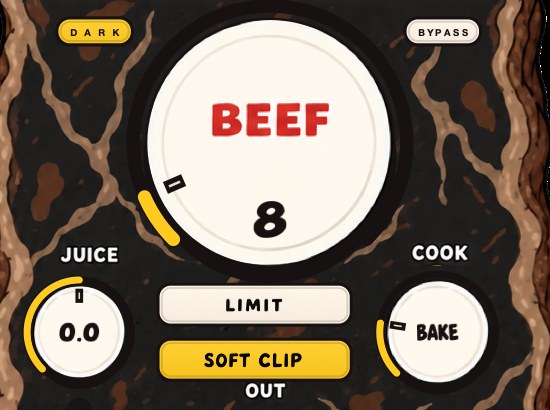
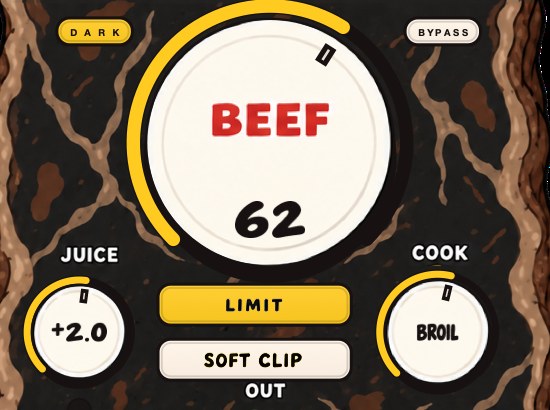
BEEFY is our saturation and loudness plugin, and it works on the kind of loudness that holds up at -14: density. BEEF adds weight, density and loudness to drums, 808s and bass as you turn it up. SOFT CLIP opens switched on and rounds off the loudest parts, and LIMIT keeps output peaks in check instead if you prefer. Use a loudness meter for the number and your ears for the rest. It runs as AU, VST3 and standalone on Mac and Windows.
Density is the half of the job a limiter cannot do. A limiter removes peaks; it does not add anything under them. Saturation raises the average by filling in, which is why the same integrated reading can be reached with less gain reduction and a larger PLR left over. Set BEEF by ear with the meter open and watch the integrated number move while the true peak stays where you put it. Related reading: how to master a beat, gain staging and the cheapest way to make beats louder.
Print all the loudness you want. The records that still sound rich at -14 are the ones that saved some.
BEEFY — saturation and loudness plugin for Mac and Windows. There is a 28-second demo with three without/with comparisons on the page.
Keep reading
- How to make your mix louder without clipping — Low end, balance, density, soft clipping and a true-peak limiter, plus what streaming does to loud masters.
- Clipper before limiter — Why the clipper goes first, how to set both, and why the true-peak limiter stays last.
- Gain staging for beatmakers — Channel levels, plugin input, buses and the master, plus the common mistakes.
- How to master a beat — Headroom, a plain chain, clipping before the limiter, and the checks.