← Gazillion Industries/Reading material
True peak
Your limiter says the ceiling is at zero and nothing is over it. The file goes to a streaming service, gets encoded, comes back, and there is distortion on the loudest hits that was not there when you bounced it. Nothing went wrong. Your meter was measuring the wrong thing.
True peak is the highest level the waveform actually reaches once it is converted back to analog, including the parts between samples. A normal peak meter only shows you the sample values, and the reconstructed waveform passes through points higher than any individual sample, so a file that reads exactly 0 dBFS can genuinely exceed 0 when played. Set your final ceiling at −1 dBTP and the problem disappears.
The short version
- Sample peak
- the highest sample value in the file
- True peak
- the highest point of the reconstructed waveform
- Why they differ
- the real waveform passes between the samples
- Measured by
- oversampling, at least four times, per the standard
- Ceiling
- −1 dBTP for anything that will be encoded
- Louder than −14 LUFS
- −2 dBTP, which is what Spotify's own artist pages ask for
- Worst offenders
- heavily limited material and bright transients
- Worst case, a tone
- 3.01 dB hidden, at a quarter of the sample rate
What is actually happening
Digital audio stores a series of points. To play it back, a converter reconstructs a smooth waveform that passes through those points, and between any two of them the curve can rise above both. If two consecutive samples sit just under full scale, the curve joining them may go over it. The file is legal, the meter is honest, and the analog signal clips anyway.
A true-peak meter estimates that by oversampling: it calculates extra points between the real ones and reports the highest value it finds. The broadcast standard specifies at least four times oversampling for this measurement, which is why a true-peak reading is always equal to or higher than the sample-peak reading, never lower.
Encoding makes it worse. Lossy formats do not reproduce the waveform exactly, and the decoded result can peak higher than the file you uploaded. That is the mechanism behind the specific complaint that a master sounded fine locally and crunchy on a streaming service.
The arithmetic, and how much is hiding
You can calculate the worst case exactly, and it is worth doing once because the answer explains every rule of thumb you have been handed. Take a tone at frequency f, sampled at rate fs, positioned so the crest of the wave falls exactly halfway between two samples. Those two samples sit a phase angle of πf / fs either side of the crest, so each reads A cos(πf / fs) where A is the real peak. The overshoot your meter misses is therefore −20 log₁₀ cos(πf / fs).
Run it at 44.1 kHz. At 1 kHz the angle is 4.08°, the cosine is 0.99746, and the hidden overshoot is 0.02 dB — nothing. At 5 kHz it is 0.56 dB. At 8 kHz, 1.49 dB. At 11,025 Hz, exactly a quarter of the sample rate, the samples land at ±0.7071 of the peak and the overshoot is 20 log₁₀√2 = 3.01 dB. At 15 kHz it is 6.35 dB.
- 1 kHz
- 0.02 dB hidden at 44.1 kHz — 0.005 dB at 96 kHz
- 5 kHz
- 0.56 dB — 0.12 dB at 96 kHz
- 8 kHz
- 1.49 dB — 0.30 dB at 96 kHz
- 11,025 Hz
- 3.01 dB — 0.58 dB at 96 kHz
- 15 kHz
- 6.35 dB — 1.09 dB at 96 kHz
- 16 kHz
- 7.58 dB — 1.25 dB at 96 kHz
Two things fall out of that column. The first is that intersample peaks are a top-end problem and only a top-end problem: below about 2 kHz there is less than a tenth of a decibel in it, which is why a bass-heavy, dark master rarely surprises anybody. The second is that the number has no ceiling you can quote. There is no fixed amount of headroom that covers intersample peaks in the abstract. What makes −1 dBTP work is that music has very little energy sitting at 15 kHz with a flat top on it.
The same arithmetic grades the meter doing the measuring. A meter oversampling four times is looking at points 1 / 4fs apart, so its own worst-case miss is −20 log₁₀ cos(πf / 4fs): 0.36 dB for content at 16 kHz, 0.56 dB at 20 kHz, 0.69 dB right at the Nyquist limit. Eight times oversampling takes those to 0.09, 0.14 and 0.17 dB. The four-times minimum is a floor, not a promise, and the gap between a four-times meter and the truth is most of the reason the recommended ceiling is a whole decibel rather than three tenths of one. Oversampling in audio plugins covers the same mechanism where it does the other job.
How often the worst case actually lands
That table is a bound on one crest, not a forecast. At most frequencies the sample grid walks through the cycle instead of sitting still, so sooner or later a sample lands near the top and the hidden part collapses. A Hann-gated tone burst, normalized so its loudest sample sits at exactly 0.00 dBFS, three thousand random start phases at each frequency, true peak read at thirty-two times the rate. Two milliseconds long, which is about the length of the top end of a hat:
- 2 kHz
- median +0.02 dBTP, worst of 3,000 +0.09 — bound +0.09
- 5 kHz
- median +0.08, worst +0.26 — bound +0.56
- 8 kHz
- median +0.10, worst +0.35 — bound +1.49
- 11,025 Hz
- median +0.65, worst +3.01 — bound +3.01
- 15 kHz
- median +0.18, worst +0.74 — bound +6.35
One row behaves nothing like the others, and it is the quarter-rate one. At exactly a quarter of the sample rate the pattern repeats every four samples, so whichever phase the burst starts on is the phase it keeps, and the full 3.01 dB is reachable, and three hundred of the three thousand tries came in above +2.39. At 15 kHz the grid drifts a little every cycle, some sample lands near a crest within the first millisecond, and the median reading is 0.18 dB against a bound of 6.35.
Stretch the burst to ten milliseconds and everything except the quarter-rate case falls to about two hundredths of a decibel — 0.023 at 2 kHz, 0.022 at 5, 0.025 at 8, 0.021 at 15 — while 11,025 Hz stays at a median of 0.67. Give a sustained tone enough cycles and it gives its peak up to the sampler. Sustained tones are not what puts a master over. Short, dense, broadband events and flattened tops are, which is the rest of this page.
What to do about it
- Use a limiter with true-peak detection and turn it on.
- Set the ceiling to −1 dBTP for anything that will be encoded or streamed.
- Set it to −2 dBTP if the master is louder than −14 LUFS integrated, which most rap and beat masters are.
- For a file that will only ever be played as-is, −0.3 to −0.5 dBTP is defensible.
- Check the bounced file with a true-peak meter rather than trusting the limiter's own display.
- If you are over, do not simply pull the output down: find the transient causing it and deal with it upstream, with a clipper or with saturation.
- Turn off any normalize option in your export dialog before you bounce, or it will rescale the file after the limiter has finished and hand you a different peak than the one you approved.
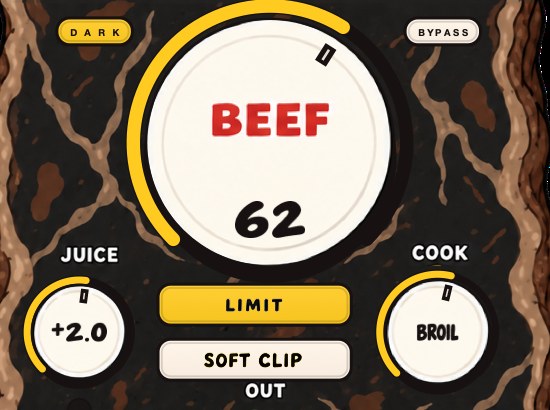
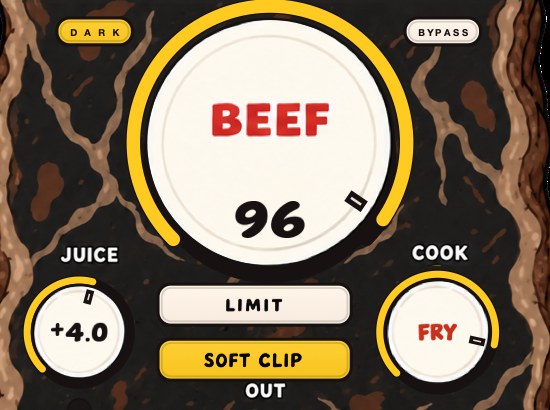
BEEFY is our saturation and loudness effect, and its SOFT CLIP is the upstream answer: round the peaks before the limiter ever sees them.
What clipping does to the number, measured
Here is the part nobody tells you, and it is easy to demonstrate. A clipper working on the samples does not remove intersample peaks. It can make them considerably worse.
For this page I built a two-bar loop at 90 BPM: a 55 Hz kick with a 90 ms decay constant and a 3 ms click, a snare of noise plus a 190 Hz body, eighth-note hats made of noise between 4 kHz and 18 kHz. The whole thing was band-limited at 18 kHz and normalized so the loudest sample sat exactly at 0 dBFS. True peak was measured by zero-padding the spectrum out to thirty-two times the rate, which is accurate to well under a hundredth of a decibel. Undisturbed, that loop reads +0.26 dBTP with a sample peak of 0.00 dBFS. A quarter of a decibel over, and nothing has been done to it yet.
Then hard clip it at 44.1 kHz and renormalize each result so the sample peak is again exactly 0 dBFS.
- No clipping
- +0.26 dBTP
- +1 dB into the clipper
- +0.84 dBTP
- +2 dB
- +1.88 dBTP
- +3 dB
- +2.64 dBTP
- +6 dB
- +4.08 dBTP
Read that again with the sample peaks in mind: every one of those files reads 0.0 dBFS on an ordinary peak meter, and their real peaks are four decibels apart. The clipper shears every sample above the line, and the reconstruction between those flattened samples bulges right back up, because flattening the tops is exactly the operation that puts energy up where the overshoot lives.
The same loop with the hats rolled off above 12 kHz reached only +1.40 dBTP at that same +6 dB of clipping, against +4.08 for the bright one. Top end is where this lives, so a bright master and a dark master clipped by the same amount are not the same risk.
And the arithmetic of trying to fix it with the output fader alone is brutal, because pulling the fader down moves true peak and sample peak together. To get the +3 dB version under −1 dBTP you would have to sit at −3.64 dBFS sample peak; the +6 dB version needs −5.08 dBFS. That is the case for a limiter that detects true peak and reduces gain only at the offending moments, instead of taxing the whole record for four bad milliseconds. Clipper before limiter and how to use a limiter cover the two halves of that chain.
Why flattening a peak raises it
There is a mechanism under that table, and it is the oldest result in the subject. A band-limited reconstruction of a flat top rings above the flat top, and the size of the ring is set by the shape of the edge rather than by how loud you made it. Compute it on the clean case. Sum the odd harmonics of a 100 Hz square wave up to 22,050 Hz and scale so the ideal top is 1.0; the reconstructed peak comes out at 1.1790. That is 17.90 percent over the line the clipper drew, and 20 log₁₀ 1.1790 = +1.430 dB. Set a clipper to 0 dBFS and the waveform that comes out of the converter reaches about a decibel and a half above zero wherever the flat sections are long and clean.
Real clipped drums go further than that, which the loop already showed: +4.08 dBTP at +6 dB of clipping, against +1.43 for the idealized single edge. Each flattened top has ringing on both sides of it, the tops arrive milliseconds apart in dense material, and the rings add. Clip harder and you are not making the ring bigger so much as making more of them.
Clip at a higher rate and most of it goes away
Take the identical loop and apply the identical +3 dB of hard clipping, but do the clipping at a higher internal rate, band-limit the result and bring it back to 44.1 kHz. Normalized so every version has the same 0 dBFS sample peak:
- Clipped at 44.1 kHz
- +2.64 dBTP
- Clipped at 88.2 kHz
- +0.51 dBTP
- Clipped at 176.4 kHz
- +0.42 dBTP
- Clipped at 352.8 kHz
- +0.44 dBTP
Two point two decibels of hidden peak removed by nothing but doing the arithmetic at a finer spacing, and the curve flattens after the first doubling. That is the whole argument for an oversampled clipping stage, stated in one number, and it is also the answer to the producer who swears their master is fine because the meter reads zero. Working at 96 kHz for the whole session gets you the same benefit for free: the column in the table above shows the same content hiding 0.58 dB at 96 kHz where it hid 3.01 dB at 44.1.
A second loop, and which part of the kit is guilty
Whole-master numbers hide which element is paying. So, a second test file, built for this section and kept deliberately plain: two bars at 92 BPM at 44.1 kHz, a 50 Hz kick with a 90 ms decay constant and a 4 ms click, a snare of noise band-passed between 900 Hz and 9 kHz over a 185 Hz body, sixteenth hats of noise between 5 kHz and 16 kHz, everything low-passed at 17 kHz. Solo each part, normalize it so its loudest sample sits at exactly 0.00 dBFS, and measure the reconstruction at thirty-two times.
- Kick alone
- +0.003 dBTP
- Snare alone
- +0.221 dBTP
- Hats alone
- +0.226 dBTP
- All three together
- +0.331 dBTP
The kick hides three thousandths of a decibel. Normalize it to 0.00 dBFS, press it to anything, and nobody will ever complain, because its energy sits far below where this problem starts. The snare and the hats hide two tenths each, and the three together hide more than any of them alone, because the hat that lands on the snare adds its top end to a waveform already near the line.
Then ask how long the record is actually in trouble, which nobody ever does. Push that loop through +6 dB of hard clipping, renormalize to 0.00 dBFS sample peak, and its reconstruction sits above 0 dBTP for 52.37 ms out of 5,217 ms, which is 1.004 percent of the file, spread across 2,381 separate excursions averaging about 22 microseconds each. Above −1 dBTP it is 130.91 ms, 2.509 percent.
Fifty-two milliseconds. That is the whole argument for a stage that acts at those moments and leaves the other 99 percent alone, and it is the same argument for rounding the peaks before anything has to make the decision at all.
What the encoder does to it, measured
The usual telling is that the encoder adds peak. Measured, it does something more specific and more useful to know: it takes the peak that was hiding between your samples and writes it into samples. Same loop, encoded five ways, each decoded back to floating point and measured at thirty-two times the rate — Apple's AAC encoder, LAME for the MP3s, libopus for the Opus. First the version an impatient master hands over, clipped +6 dB and renormalized to 0.00 dBFS sample peak, sitting at +1.971 dBTP before anybody touches it:
- MP3 320
- decoded sample peak +0.624 dBFS, true +1.996 dBTP
- MP3 128
- decoded sample peak +1.237 dBFS, true +1.924 dBTP
- AAC 256
- decoded sample peak +0.907 dBFS, true +2.085 dBTP
- AAC 128
- decoded sample peak +1.037 dBFS, true +1.991 dBTP
- Opus 128
- decoded sample peak +1.515 dBFS, true +1.963 dBTP, decoded at 48 kHz
Read the left-hand column twice. The file that went in had no sample over full scale, not one. Every decode came back with samples up to a decibel and a half over it, and any playback path that drops those into a fixed-point buffer shears them flat before reconstruction is involved at all. The true peak barely moved. The encoder just made it visible.
Now the same loop with the ceiling done properly, pinned at −1.000 dBTP, which puts its sample peak down at −2.971 dBFS:
- MP3 320
- decoded sample −2.335 dBFS, true −0.996 dBTP
- MP3 128
- decoded sample −1.360 dBFS, true −1.226 dBTP
- AAC 256
- decoded sample −2.305 dBFS, true −0.878 dBTP
- AAC 128
- decoded sample −1.987 dBFS, true −0.981 dBTP
- Opus 128
- decoded sample −1.494 dBFS, true −0.985 dBTP
Nothing over, anywhere, in either column. The largest overshoot any encoder added on its own account was 0.122 dB, by AAC at 256 kbit, taking −1.000 to −0.878. On the clean, unclipped loop the same five came back between −1.42 and −1.00 dBTP; MP3 at 128 lost 0.42 dB rather than gaining any, because at that rate it is discarding the top octave that carried the overshoot.
One decibel covered every case here, and 0.878 of it went unused. Encoder overshoot is real and small. The reason masters break after upload is almost never the encoder's own contribution — it is the two decibels you had already hidden.
What sample-rate conversion does to the number, measured
True peak survives a sample-rate conversion almost exactly. Sample peak does not, and the distance between those two facts is where careful masters still get ruined.
Take the loop pinned at exactly −1.000 dBTP at 48 kHz and convert it to 44.1. It reads −0.997 dBTP. Run it the other way, 44.1 up to 48, and it reads −0.999. On the loud, clipped version of the same loop the worst shift measured was 0.022 dB, −1.000 becoming −0.978. Three thousandths of a decibel on ordinary material, two hundredths on hard material.
That follows from what the two numbers are. True peak describes the reconstructed waveform, and preserving that waveform is the whole job of a competent rate converter. What the conversion changes is which points of it get stored, and that is where it bites.
Convert the clipped loop that was left at 0.00 dBFS sample peak from 44.1 up to 48 kHz and the new file reads +1.508 dBFS sample peak, with 2,254 samples over full scale. Down to 32 kHz it reads +1.061 dBFS. Nothing was added; the sample grid simply moved to where the waveform already was. Write that to anything fixed-point and every one of those 2,254 samples is clamped, by a clipper you did not choose, at a ceiling you did not set.
So the order is: get the true peak right, convert, then read the converted file's sample peak before it is written to anything fixed-point.
How big the number can get, in principle
There is no upper bound on an intersample peak, and the arithmetic is two lines. The reconstructed value halfway between two samples is a weighted sum of every sample in the file, with weights sinc(n + 0.5). Set each sample to plus or minus full scale matching the sign of its own weight, and the value at that point becomes the sum of the absolute weights:
- 8 samples
- 2.1342 × full scale = +6.58 dB
- 64 samples
- 3.4564 = +10.77 dB
- 512 samples
- 4.7802 = +13.59 dB
- 4,096 samples
- 6.1040 = +15.71 dB
- 44,100 samples, one second
- 7.6169 = +17.64 dB
The weights fall off as 1 / n, so the sum grows forever, slowly, at roughly 1.9 dB per doubling of length. Every sample in that construction is legal, every meter reads 0.00 dBFS, and the converter is asked for seven and a half times full scale. No music looks remotely like it. What it settles is whether some fixed number of decibels is enough in the abstract: none is. A decibel works because of what music is, not because of what the arithmetic allows.
Where the decibel goes
People resist the −1 dBTP ceiling because it looks like giving away a decibel of loudness. It is not, for two reasons. Streaming services normalize playback anyway, so the absolute ceiling is not what determines how loud your track sounds next to anything else. And the decibel you are protecting buys you a clean decode instead of intermittent distortion on exactly the loudest, most important moments of the record.
If you want the loudness conversation rather than the ceiling conversation, that is how loud should my master be and clipper before limiter.
What the services do with the number
This part is published, so you can stop guessing. Spotify's artist support pages state that playback is adjusted to −14 dB LUFS according to the ITU 1770 standard, applied at playback rather than baked into your file. Louder masters get negative gain, which their page is explicit costs you no extra distortion. Quieter masters get positive gain, and here is where true peak reaches into your pocket: the page says they consider the headroom of the track and leave 1 dB of headroom for lossy encodings, and gives the example of a track at −20 LUFS with a true-peak maximum of −5 dBFS being lifted only as far as −16 LUFS rather than the full −14.
Their mastering guidance on the same page asks for −14 dB integrated LUFS, true peak kept below −1 dBTP, and — the line people miss — true peak below −2 dB if the master is louder than −14 LUFS, because louder tracks are more susceptible to extra distortion when encoded. Almost every rap and beat master is louder than −14 LUFS. If yours is, the number on this page is two, not one.
The page also documents the Loud listening setting at −11 LUFS, with a limiter engaged at −1 dB on sample values, 5 ms attack and 100 ms decay, applied regardless of your true peak. Somebody else's limiter, on your record, in a listening mode you do not control. Leaving room is cheaper than arguing with it.
Check it in your own session
You do not need to take any of this on faith, and you do not need a specific plugin to test it. Sample-rate conversion is a true-peak meter you already own.
- Bounce the master at its native rate as a 24-bit WAV, with every normalize option off.
- Note the sample peak of that file.
- Open a copy in an editor and convert the sample rate to eight times the original: 352.8 kHz from 44.1, 384 kHz from 48.
- Read the sample peak of the converted file. That is the true peak, accurate to within 0.09 dB for content up to 16 kHz.
- Subtract step 2 from step 4. The difference is your overshoot.
- Run the same file past your own meter. If it reports the step 4 number, it is measuring true peak. If it reports the step 2 number, it is not, and every ceiling you have ever set with it was a sample-peak ceiling.
Four times conversion works too and is quicker, but it under-reads by up to 0.36 dB for content at 16 kHz and 0.56 dB at 20 kHz, which is enough to matter on the exact material you would be testing. Do the eight.
A test signal whose answer you already know
Grading a meter is easier with a signal whose true peak can be written down in advance, and there is exactly one that is trivial to build. A sine at a quarter of the sample rate, shifted 45 degrees, lands its samples at ±0.7071 of the crest and never on it, so its true peak is 20 log₁₀√2 = 3.010 dB above its sample peak, on every cycle, for as long as it runs.
- Generate a sine at 11,025 Hz in a 44.1 kHz session, or 12,000 Hz in a 48 kHz one.
- Offset its start by an eighth of a cycle: 11.34 µs at 11,025 Hz, 10.42 µs at 12,000 Hz.
- Normalize so the loudest sample reads exactly 0.00 dBFS.
- Read it with the meter you are grading. A true-peak meter says +3.0 dBTP. A sample-peak meter says 0.0.
- Read it with your limiter's own display, at a ceiling of −1 dBTP, and watch whether it pulls 4 dB or 1.
I ran that file here to check the arithmetic against the measurement: +3.010 dBTP at thirty-two times oversampling, against a closed form of +3.010. One caveat before you over-read the result. At this frequency every oversampling factor from two upward puts a calculated point exactly on the crest, so the test separates a true-peak meter from a sample-peak meter cleanly and says nothing about the factor. For that, use the eight-times conversion above on real music.
Where it sits in the chain
True-peak limiting is the last processing decision on the master, and the order of the handful of things around it is not arbitrary.
Sample-rate conversion goes before the limiter, never after — though not for the reason usually given. Measured, the ceiling itself survives the trip: pinned at −1.000 dBTP at 48 kHz, the test loop reads −0.997 after conversion to 44.1, and −0.978 on the loud version. What moves is the sample peak, by more than a decibel, and with it the number of samples sitting over full scale. If you owe a 44.1 kHz delivery, convert and then limit, and check the converted file — not because the ceiling drifted, but because the file underneath it is a different file.
Dither goes after the limiter and cannot hurt you. A 16-bit least significant bit is 1 / 32768, which is −90.31 dBFS. Add triangular dither at two of those peak to peak on top of a peak sitting at −1 dBFS and the peak moves by 0.0003 dB — three ten-thousandths of a decibel, three and a half orders of magnitude below the smallest step any meter in the session will show you. Dithering explained has the rest of that decision.
Anything that changes the waveform goes before the true-peak stage: EQ, mid/side width, a final tilt, a fade. Put a half-decibel shelf after the limiter and you have invalidated the measurement, quietly, in a way no meter in the session will flag because most master meters are reading the bus, not the file.
And the cheapest decibel of all is the one you never had to catch. Lowering crest factor with saturation upstream, or moving a kick and an 808 off the same sixteenth, gets you loudness without asking the last stage to perform a rescue. Headroom in mixing and how to master a beat cover the rest of the order.
Float, fixed, and what the file can actually hold
Where this bites depends on the number format the audio is sitting in, and the two behave nothing alike. A 32-bit float file stores values above full scale without complaint and hands them back intact, which is also why a channel can run six decibels over inside the session, sound perfect, and recover when you pull the fader. The overs are stored, not destroyed.
A fixed-point file has nowhere to put them. Sixteen bits runs from −32768 to +32767 and twenty-four from −8388608 to +8388607; there is no value above full scale in the format, so the write clamps and the clamp is permanent. The least significant bit is 1 / 32768 at sixteen bits, which is −90.31 dBFS, and 1 / 8388608 at twenty-four, which is −138.47 dBFS.
- A 32-bit float bounce can sit at +2 dBTP and 0 dBFS and play back perfectly on your machine. It is still two decibels over, and the machine that converts it decides what that means.
- Handing a float file to an engineer moves the problem into their render rather than solving it. Leave real headroom instead and let them work.
- A 24-bit delivery clamps for you, silently, without a light coming on anywhere.
- Float is why every meter inside the session can read green while the file you wrote is over. Most master meters are watching the bus, not the file.
Which is the short answer to why this problem survives at all: everything upstream of the file forgives it. Gain staging and headroom in mixing are the two habits that keep it from getting that far.
What each failure sounds like
Four different problems get described with the same word, and they are distinguishable by ear if you know what you are listening for.
Converter clipping is a short dry crackle, present only on the loudest hits, and its signature is that it moves. The same file from the same folder crackles on one device and plays clean on another, because the two converters have different amounts of internal headroom. If a client hears it and you cannot, that is this.
Encoder overshoot is the same crackle that only exists after the upload. Local file clean, streamed version crunchy on hats and snare tops. The tell is that it appears on the brightest, shortest events and never on the bass.
Over-tight true-peak limiting sounds like dullness rather than distortion. The limiter is catching peaks that are not in the samples, so it pulls down earlier and slightly harder than the visible waveform suggests it should, and the first thing you lose is hat and cymbal edge. If switching the true-peak option on made the master duller rather than quieter, you were leaning on the limiter for gain you should have taken upstream.
Decoded sample clipping is the encoder failure's uglier cousin, and the tell is that it is identical on every play. The decode handed the player samples above full scale — measured above, up to +1.515 dBFS from a file with none — and a fixed-point playback path clamped them. Converter clipping wanders from device to device; this does not move at all, because it happened before any converter was involved.
Conversion clipping happens on your own machine and is fully repeatable. The master was fine at 48 kHz and the 44.1 version crackles, or the other way round. Bounce both, read both sample peaks, and the one that is higher tells you which render did it.
A ceiling set too low sounds like nothing at all. That is the point. One decibel of peak on a normalized platform is a decibel the platform was going to take back anyway.
Where it costs you
True-peak limiting is more computationally expensive and, at aggressive settings, can sound different from sample-peak limiting: the limiter is catching peaks that are not in the samples, so it pulls down slightly more and slightly earlier. On heavily limited material that is audible. The fix is the same as always, which is to do less of the work in the limiter.
Put a size on it rather than a feeling. The extra gain reduction a true-peak ceiling asks for, against the same ceiling in dBFS, is exactly the gap between the two readings on your own material: 0.33 dB on the clean loop above, 1.97 dB on the clipped one. A clean, dark mix pays a third of a decibel for the insurance. A bright master that has already been hammered pays two, and pays it because it already owed it.
Some of the cost is literally arithmetic. Estimating the peak between samples means building those points, so a detector running at four times does four times the filtering of a sample-peak detector. On one master bus nobody notices; on forty channels you would. One more reason this belongs on the master and not on everything.
There is a second cost worth naming. Doing this properly means bouncing, converting, measuring and sometimes going back, which is minutes per master rather than seconds, and it is the least interesting work in the building. The trade is that the failure it prevents is the one you cannot hear on your own system and will only learn about from somebody else, weeks later, about a record you have already stopped thinking about.
Questions people ask
What does true peak mean?
The highest level the analog waveform reaches after conversion, including the points between samples. It is estimated by oversampling and reported in dBTP.
What true peak should I master to?
−1 dBTP for anything that will be encoded or streamed. Tighter ceilings are fine for uncompressed files that will be played directly.
What is the difference between sample peak and true peak?
Sample peak is the largest value stored in the file. True peak is the largest value of the waveform the converter reconstructs from those values, which can be higher. The difference is typically a fraction of a decibel and can be more on dense, heavily limited material.
What is the difference between LUFS and true peak?
LUFS measures perceived loudness over time, which is what streaming normalization responds to. True peak measures the single highest instantaneous level, which is what causes clipping. You need to satisfy both, and they are unrelated numbers.
What does dBTP stand for?
Decibels true peak. Same scale as dBFS, with 0 meaning full scale, but measured on the reconstructed waveform instead of on the stored samples.
Is −1 dBTP too quiet?
No. Playback normalization sets a single gain offset from your integrated LUFS, and your peak ceiling has no part in that calculation unless it is so low that a quiet master cannot be lifted all the way. On a loud master, the decibel is invisible.
Should I use −1 dBTP or −0.1 dBTP?
−0.1 dBTP survives nothing. A four-times meter can under-read by up to 0.56 dB on content at 20 kHz, and encoders add their own overshoot on top of that, so a tenth of a decibel is inside the measurement error before the file has left your machine. Use −1 dBTP, or −2 if the master is louder than −14 LUFS.
Can true peak ever be lower than sample peak?
No. A true-peak meter reports the highest value it finds among the real samples and the interpolated ones, so its answer is the sample peak or something above it. If a meter shows you a lower number, it is measuring something else, such as short-term loudness.
Why does my master distort after uploading?
Three candidates, in order of likelihood: the file was over 0 dBTP before it left, so the encoder had nothing to work with; the file was near 0 dBTP and the encoder's own overshoot took it over; or the playback setting on the listener's end applied gain. The first two are fixed by the ceiling. Bounce, convert to eight times the rate, and read the peak before you argue with anybody.
Does a higher sample rate fix intersample peaks?
It shrinks them a lot. The same tone at 11,025 Hz hides 3.01 dB at 44.1 kHz and 0.58 dB at 96 kHz. But the delivery file is usually 44.1 or 48, and the conversion down brings the problem back, so a high session rate helps the processing rather than the delivery.
Do I need true-peak limiting on individual tracks?
No. Intersample peaks only cause a problem at the point of conversion or encoding, and inside a session everything is running in floating point, where going over full scale costs nothing until something writes a file. Watch it on the master and on any stem you are handing to somebody else.
My limiter says −1 dBTP and my meter says something else. Which is right?
Probably neither, and the difference is oversampling factor. A four-times estimate and a sixteen-times estimate of the same file legitimately differ by up to about half a decibel on bright material. Settle it offline: convert the bounced file to eight times its rate and read the sample peak, which is the answer both plugins are approximating.
Does clipping help or hurt true peak?
Measured on the loop above, hard clipping at the file's own rate hurt it: +3 dB of clipping took a loop from +0.26 dBTP to +2.64 dBTP at the same sample peak. The same clipping done at 176.4 kHz landed at +0.42 dBTP. Clipping is still the most efficient way to lower crest factor; it just needs to happen at a finer time resolution than the file's own.
Does true peak matter for WAV files sent to a beat store or an engineer?
For an engineer, leave real headroom and do not limit at all. For a store that will stream previews, the preview is encoded, so it matters exactly as much as anywhere else. For a file somebody will only ever play from disk, −0.3 dBTP is fine.
Does dither push me over the ceiling?
No. Triangular dither at two 16-bit least significant bits peak to peak moves a −1 dBFS peak by 0.0003 dB, three ten-thousandths of a decibel, which is three and a half orders of magnitude below the smallest step a meter will show you.
What is intersample clipping?
Clipping that happens to the waveform between the stored samples rather than to the samples themselves. The file is legal, every value in it is inside full scale, and the reconstruction the converter or the decoder builds from those values goes over. It is the same event as an intersample peak; the word clipping gets attached once something downstream has nowhere to put it.
Why is my sample peak 0 dBFS but my true peak +2 dBTP?
Because something flattened the tops. A band-limited reconstruction rings 17.90 percent, or 1.430 dB, above a clean flat top, and dense material stacks those rings. The clipped test loop on this page sits at +1.971 dBTP with a sample peak of exactly 0.000 dBFS.
Does MP3 or AAC encoding raise true peak?
Barely. Measured here on one loop across five encoders, the largest true-peak increase was 0.122 dB, by AAC at 256 kbit. What the encoders did do was turn hidden peak into visible samples: a file with no sample over full scale decoded with sample peaks up to +1.515 dBFS. The encoder is the messenger.
Why does my song sound distorted on streaming but fine in my DAW?
Your session is floating point and forgives everything above full scale; the decode on the listener's end is often not. If the file went out at 0 dBFS sample peak with two decibels hiding between the samples, the decoder writes those two decibels into real samples and whatever comes next clamps them.
Do I need to re-check true peak after converting 48 kHz to 44.1?
Check the file, but the ceiling itself will not have moved much. Measured, a loop pinned at −1.000 dBTP at 48 kHz reads −0.997 at 44.1, and −0.978 on heavily clipped material. What moves is the sample peak, by more than a decibel, so the conversion is worth checking for a fixed-point delivery even though the dBTP number is stable.
Is −0.3 dBTP enough?
For a file that will be played straight off disk, yes. For anything encoded, it leaves 0.3 dB against measurement error of up to 0.56 dB from a four-times meter on bright content, plus whatever the encoder adds. The margin is negative before the file leaves your machine.
Can I skip true-peak limiting and just set the ceiling to −1 dBFS?
Only if you know your gap. A sample-peak ceiling of −1 dBFS on the clean loop above lands at −0.67 dBTP, which is fine. The same ceiling on the clipped version lands at +0.97 dBTP, which is not. The whole point of the true-peak reading is that the gap is not a constant you can budget for in advance.
Does true peak matter for 32-bit float files?
Not until something writes a fixed-point file or feeds a converter. Float stores values above full scale intact, which is why your bus can run six decibels over and recover. It also means a float bounce can be two decibels over and sound perfect on your machine right up to the moment somebody else renders it.
Why do my hi-hats distort and my kick never does?
Frequency. Normalized to the same 0.00 dBFS sample peak, the kick in the test loop hides 0.003 dB and the hats hide 0.226 dB, because a 50 Hz wave gets about 880 samples per cycle at 44.1 kHz and a 15 kHz one gets three. Below roughly 2 kHz there is less than a tenth of a decibel in it.
How much loudness does a −1 dBTP ceiling actually cost?
On a normalized platform, none. Playback gain is set from integrated LUFS, so a master at −8 LUFS gets 6 dB taken off whatever its ceiling was, and your −1 and somebody else's −0.1 arrive at the same loudness with a tenth of a decibel between their peaks. Off a normalized platform you lose one decibel of absolute level and gain a clean decode.
Is true peak the same as peak normalization?
No. Peak normalization scales a file so its highest sample hits a target, which is an operation. True peak is a measurement of the reconstructed waveform. Normalizing to 0 dBFS is in fact one of the reliable ways to end up over 0 dBTP, which is why the normalize box in an export dialog belongs unticked.
What true peak should I use for other platforms?
Where a platform publishes a figure, use theirs. Where it does not, the ceiling is set by the encode rather than by the logo on the page, and the encode behaves the same everywhere: −1 dBTP, or −2 if the master is louder than −14 LUFS. One file at −1 or −2 dBTP is a correct delivery for every destination that encodes.
Should my true-peak meter go before or after the master fader?
After everything, including the fader, because the fader is part of what makes the file. A meter anywhere earlier is measuring a signal that no longer exists by the time the bounce is written. The safest reading is not on a meter at all: bounce the file and measure the file.
Can a true-peak limiter make my master sound worse?
Yes, if you are asking it for gain it should never have been asked for. It catches peaks that are not in the samples, so it pulls earlier and slightly harder than the waveform looks like it needs, and the first casualty is hat and cymbal edge. The measured extra it asked for here was 0.33 dB on a clean loop and 1.97 dB on a clipped one.
What BEEFY does
BEEFY is a saturation and loudness effect for making sounds thicker, punchier and more up front. It adds body, squeezes some space out of the peaks, and brings out harmonics that help a sound feel bigger. SOFT CLIP opens switched on and brings rounded, fuzzy edges to the loudest parts, which lowers peaks before a limiter has to. LIMIT is the other choice, a straight-ahead way to keep the output peaks in check, and the two are separate decisions. Input and output clip lights show you both ends.
For the job on this page it sits upstream, on the drum bus or the element that is causing the overshoot, not on the master after the limiter. JUICE sets the level going in, BEEF is the weight and density, and COOK moves the color from rounder toward brighter and more cooked — worth watching on this particular page, since brighter is the direction that costs you true peak. It is $39, one payment, Mac and Windows, with AU, VST3 and a Mac standalone. Whatever you use for the last stage, the decibel it does not have to catch is the cheapest one on the record.
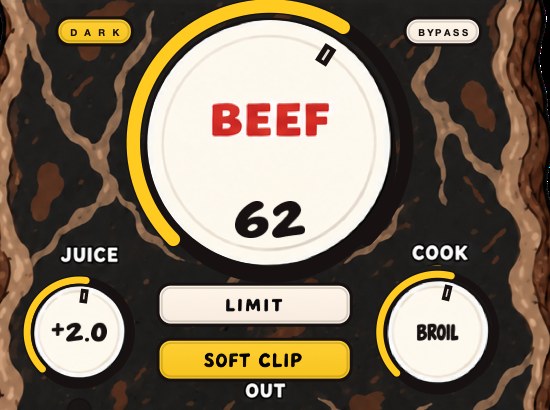
The reason SOFT CLIP opens switched on is that it handles the initial gain staging, so the clipping finds the sound without you hunting for a magic input level; you can still add more BEEF on top of it. The panel resizes, remembers its size, and starts at 80 percent, and the cow reacts to the audio, which is not a mastering feature and is not going anywhere.
Use it the way this page measures things. Put it on the element causing the overshoot — on the second test loop that is the hats and the snare, never the kick — then bounce, convert to eight times the rate and read the sample peak, once before and once after. The difference between those two readings is the gap between what your meter told you and what the converter will do, and a quarter of a decibel taken off it upstream is a quarter of a decibel the last stage never has to find. Mac 1.1.1, Windows 1.1.2.
The meter was not lying. It was answering a different question from the one the converter asks.
BEEFY — saturation and loudness plugin for Mac and Windows. There is a 28-second demo with three without/with comparisons on the page.
Keep reading
- Crest factor — Peak minus average, and why it decides how loud a track can get.
- Clipper before limiter — Why the clipper goes first, how to set both, and why the true-peak limiter stays last.
- How loud should a master be — LUFS, true peak, what Spotify does to loud masters, and how to choose a level with references.