← Gazillion Industries/Reading material
Gain staging for beatmakers
The session has forty tracks, every fader sits at zero, the master meter lives in the red, and somebody put a limiter on the master to make the red go away. Nothing sounds broken. Nothing sounds good either.
Gain staging means setting the level going into each stage (the sample, the channel, every plugin, the bus and the master) so nothing runs too hot or too quiet. As a starting point, trim channels to peak around -12 to -6 dBFS, feed hardware-style plugins an average level near -18 dBFS, keep the master peaking below 0 dBFS before any limiter, and fix levels with a trim at the top of the chain instead of the fader at the bottom.
The short version
- Channels
- peaks around -12 to -6 dBFS
- Into plugins
- average near -18 dBFS for anything modeled on hardware
- Trim first
- clip gain or a gain utility at the top of the chain
- Faders
- for balance, not for fixing input level
- Buses
- leave headroom; nothing summing into the red
- Master
- peaks below 0 dBFS before the limiter
- Loudness
- at the end, never along the way
- Too quiet
- also wrong; the make-up gain brings the noise floor with it
Headroom is a budget
Every stage spends some. A sample normalized to 0 dBFS, an EQ boost, a saturator that adds level, a bus that sums eight of those: by the time the signal reaches the master, the account is overdrawn and the limiter is the collections agency. Gain staging is keeping the books so the loud part happens on purpose, once, at the end.
Put numbers on the overdraft. Take a sample normalized to 0 dBFS, add a +3 dB shelf, then a saturator whose output sits 2 dB above its input. That channel peaks at +5 dBFS on its own. Sum eight of them and the average climbs by 10 log₁₀(8) = 9.03 dB, and any two peaks landing on the same sixteenth add 20 log₁₀(2) = 6.02 dB on top, so the bus sees +11.02 dBFS. Now trim the same sample to -12 dBFS before anything else touches it. The identical chain lands at -7 dBFS per channel and -0.98 dBFS on the coincidence. Nothing else changed. One number at the front bought twelve decibels at the back.
Why it still matters in a DAW
Most DAWs mix in 32-bit floating point, so a channel that goes over 0 dBFS inside the mix usually isn't ruined yet. It clips for real at the output, in a fixed-point bounce, or inside a plugin that isn't built to take it. So the modern case for gain staging is less about disaster and more about three practical things.
- Plugins react to level. Compressors, saturators and anything modeled on hardware sound different depending on how hard you hit them. Many are calibrated around an old convention where 0 VU equals -18 dBFS, though not all of them.
- Meters become readable. Everything pinned near the top tells you nothing.
- Faders land where they're usable. A fader parked at -30 dB has no fine control left.
What 32-bit float actually buys you
It buys range, and nothing else. A single-precision float carries a sign, an 8-bit exponent and a 24-bit significand. The exponent is where the room comes from: the largest finite value is about 3.4028 × 10³⁸, which is 20 log₁₀(3.4028 × 10³⁸) = 770.6 dB above full scale, and the smallest normal value sits 758.6 dB below it. A channel running 30 dB over 0 dBFS inside the mix is not near any edge of the format.
What it does not buy is more resolution where you need it. The significand stays 24 bits wherever the exponent puts the number, so the distance from signal to quantization error holds at 24 × 6.02 = 144.49 dB whether the signal peaks at -60 dBFS or +60 dBFS. That is the real answer to whether gain staging still matters: the container is fine, the arithmetic is fine, and everything that goes wrong goes wrong somewhere the float never reaches. At the interface output. In a fixed-point bounce. Inside a plugin whose response depends on where the input sits.
Fixed point is where the ceiling turns back into a wall. A 24-bit file has 24 × 6.02 = 144.49 dB between full scale and its least significant bit; a 16-bit file has 96.33 dB. Both of them stop dead at 0 dBFS. So does every converter. The float mixer is a grace period, not a pardon, and headroom in mixing is where that grace period gets spent.
Where the -18 dBFS number comes from
Two conventions are in circulation, both inherited from the era when the meter on the wall was a needle. Zero on that meter lines up with either -18 dBFS or -20 dBFS depending on whose convention a plugin follows, which is a 2 dB disagreement and the reason nobody can give you one number. Either way the alignment is quoted as an average, not a peak, and that is the part people miss.
Do the conversion. A sine at -18 dBFS average peaks at -18 + 20 log₁₀(√2) = -14.99 dBFS, because a sine's peak sits 3.01 dB above its own average. Program material sits much further apart than that. A drum bus with a 12 dB crest factor and a -18 dBFS average peaks at -6 dBFS, which is exactly the top of the channel range in the box at the top of this page. The two rules of thumb are one rule, stated once in peaks and once in averages.
Which is why "peak it to -18" is bad advice, and it is everywhere. Peak a drum channel at -18 dBFS and its average lands near -30 dBFS, twelve decibels under the level the plugin was voiced around, and the character you bought it for never shows up. Meter the average. VU meters exist for this one job.
How to gain stage a beat
- Set every channel fader to 0 dB.
- Put a gain utility (or clip gain) at the start of each channel.
- Play the loudest section and trim each channel until it peaks around -12 to -6 dBFS.
- Check the buses and master; if someone else will master it, leave the master peaking around -6 dBFS.
- Now balance the mix with the faders.
- Add loudness last, on the master.
The kick and the 808 usually sit near the top of that range and supporting parts below it. The numbers are a starting point, not a law; the point is that every plugin gets a sensible level and every fader has room to move.
One refinement worth the extra pass: do step 3 on the loudest eight bars of the arrangement, not on the loop you have been hearing for two hours. Parts that do not line up sum in power, so one more element of similar power raises the average by 10 log₁₀(2) = 3.01 dB and a drop that brings in three more raises it by 10 log₁₀(4) = 6.02 dB. A session trimmed against the intro pays that difference at the master.
A worked example: the forty tracks at the top of this page
Forty channels, each trimmed to peak at -12 dBFS, each with a 12 dB crest factor, so each one averages -24 dBFS. Parts that do not line up sum in power rather than in voltage: 10 log₁₀(40) = 16.02 dB. The master averages -24 + 16.02 = -7.98 dBFS before anybody touches a bus fader. That is a healthy master, and it arrived without a plugin on it.
Now the session as it actually was. The same forty channels, fed from samples normalized to 0 dBFS and never trimmed, so every average is 24 dB higher. The master sits at +16.02 dBFS and the limiter on the end is holding back sixteen decibels it was never meant to see. Pull one fader and the limiter hands that level straight back to the other thirty-nine. That is the pumping, and it is not the limiter's fault.
The arithmetic also says where the repair goes. Twelve decibels of trim on forty channels is twelve decibels off the master, and it costs one pass through the session. Twelve decibels taken at the master costs the whole record's dynamics, which is the trade making a mix louder without clipping spends its time on.
Recording and samples
Hot is not better. At 24-bit there is no reason to record near the ceiling; peaks around -12 dBFS leave room for the take that comes in louder than the soundcheck. Samples are the same story in reverse. Plenty of packs arrive normalized to the ceiling, so trim them down as soon as they land in the session, before anything else touches them.
The old argument for recording hot was bit depth, and it died with 16-bit. Each bit is worth 20 log₁₀(2) = 6.02 dB, so peaking at -12 dBFS instead of -0.1 dBFS spends 12 / 6.02 = 1.99 bits. You keep 22 of the 24, which is 132.45 dB of distance down to the least significant bit. Two bits is not the constraint. The preamp and the room are, by a very wide margin, and what those two bits buy you is the chorus that comes in 10 dB louder than the verse.
For samples, take the trim before the chop rather than after it. A pack normalized to 0 dBFS that you slice into sixteen pieces becomes sixteen clips each needing the same correction, and clip gain applied at the file keeps them consistent. Making a sample sound fuller starts from the same place.
Too quiet is its own failure
The rule cuts both ways and nobody checks the quiet side. Trim a channel 18 dB below where it belongs and three things follow: the plugins on it stop reacting, the level has to come back up somewhere later, and every bit of noise sitting under that signal comes up with it.
Here is what the last one sounds like, with the numbers attached. Two renders of the same loop, one clean and one with a steady floor added underneath. Measured off the two files this session: the loudest 200 ms window differs by 0.06 dB between them, so it is the same performance at the same level, while the quietest 200 ms window goes from digital silence to -61.45 dBFS.
Listen to the gaps, not the hits. The difference between these two files lives entirely in the parts where nothing is playing.
A floor at -61.45 dBFS is nothing on one channel inside a full mix. Make that channel up by 18 dB and the floor arrives at -43.45 dBFS. Do the same thing on twelve channels and the twelve floors sum in power: -43.45 + 10 log₁₀(12) = -32.66 dBFS of steady hiss under the record. That is audible in the gaps, it is audible on headphones, and the master limiter will keep pushing it up along with everything else.
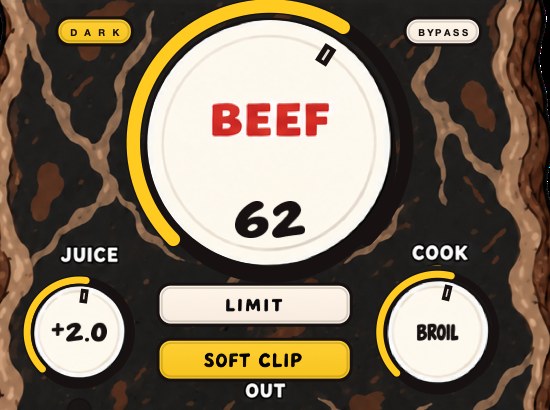
BEEFY's SOFT CLIP takes care of the initial gain staging for you, so there is no magic input level to hunt for. The demo on the page is 28 seconds.
Where the trim sits in the chain
In every major DAW the insert slots come before the channel fader. That one fact is the entire argument for trims. Pull a fader down and you change what the bus receives; you change nothing at all about what the compressor, the saturator or the clipper on that channel is being fed. Read the chain in order:
- 1. Clip or region gain
- on the audio itself, before the channel exists
- 2. Trim
- first insert slot; the number you set in step 3 above
- 3. EQ
- every boost is level into everything after it
- 4. Dynamics
- reads the level the EQ just handed it
- 5. Saturation and clipping
- the most level-dependent stage in the chain
- 6. Fader and pan
- balance only; invisible to everything above
- 7. Bus, then master
- where all the small surpluses meet
Two places that order genuinely bites. A +6 dB bell to tame or lift a resonance is +6 dB into the saturator sitting behind it, and the saturator has no idea the boost was surgical. And anything with an output or makeup control hands the next plugin a new input level, so three of those in a row means the staging you did at the front is three plugins out of date. Drum bus chain order works through the same problem on a bus.
Level-match every bypass while you work. If a plugin is louder switched on than switched off, you are judging level and calling it processing, and you will lose that argument every time, because a small level rise reads as an improvement long before it reads as a level rise. Fletcher-Munson explains why the tonal balance shifts as well.
Verify it in your own session
None of this needs to be taken on faith. Six steps on one channel and you will know exactly what your own chain does with level.
- Put a meter that shows peak and short-term average on the channel.
- Play the loudest eight bars and write down both numbers. The difference between them is that channel's crest factor.
- Pull the fader down 10 dB and watch the meter. If both numbers drop, the meter reads after the fader; if they hold, it reads before it.
- Bypass the whole insert chain and read the meter again. Any level above the trim you set was added by a plugin.
- Duplicate the channel with its chain, invert polarity on the copy, and confirm the pair falls silent.
- Now raise the trim on the copy by 6 dB and lower that copy's fader by 6 dB. Play it.
Step 6 is the one that settles arguments. The two channels are at matched output, so anything you hear is purely what the extra 6 dB did inside the plugins. A chain of clean EQ and a fader cancels to nothing at all. A saturator, a clipper or a compressor leaves a residue, and the size of that residue is how much that channel cares about input level. Run it on your drum bus and on a pad and the two answers will not be close.
Gain staging mistakes
- normalizing every sample to 0 dBFS and mixing from there
- mixing into a limiter on the master from the first bar
- pulling faders down instead of trims, so plugins still get slammed
- judging loudness on a peak meter
- leaving a trim plugin on the master bus at +12 dB "just for now" (it's never just for now)
- trimming so far down that the make-up gain at the end brings the noise up with it
- staging the channel once, then replacing the sample with a louder one
- setting the saturator, then adding an EQ boost in front of it and not going back
What each mistake sounds like
Levels are the one mix problem that never announces itself. Nothing distorts, no meter turns red, and the session just quietly stops responding to you. These are the sounds to listen for.
- Too hot into saturation
- the click goes first. A kick becomes a thud, hats lose their air, and turning the fader up stops making it louder
- Too hot into a compressor
- it never lets go. The whole channel breathes with the pattern and the release ticks along with the tempo
- Too quiet into anything
- nothing happens. You turn the knob through its range and the plugin does not answer
- Over full scale on export
- a tick or a crackle on the loudest hits only, absent in the session and present in the bounce
- Limiter on from bar one
- the mix stops responding. Raise one part and everything else ducks by the same amount
- Trim left at +12 dB
- everything is faintly harsh and no amount of EQ fixes it
The export case is the one that catches people out, because the session is telling the truth and the file is telling a different one. If a bounce ticks and the session does not, the overs are between your last plugin and the file, and true peak covers the part of that which a sample meter cannot see at all. What is clipping covers the rest.
What gain staging costs
One pass through the session, and no money at all: every DAW ships something that does it, and the card below says which. That is the whole price.
Here is the concession. Nothing about gain staging improves a sound on its own. All it does is make the tools after it behave the way they were voiced to behave, and stop the last plugin in the chain doing a job the first forty should have done. A well-staged bad mix is a bad mix at a sensible level, and no amount of tidy metering will fix an arrangement where four parts occupy the same two octaves. Why is my mix muddy is a different problem with a different answer.
Questions people ask
What are common gain staging mistakes?
Mixing from samples normalized to 0 dBFS, keeping a limiter on the master while mixing, fixing level with faders instead of input trims, and reading a peak meter as if it measured loudness. Each one either overdrives plugins or hides problems until the end.
Should gain be low or high?
Moderate. Trim channels to peak around -12 to -6 dBFS and feed hardware-style plugins an average near -18 dBFS. Too high slams every plugin and leaves no headroom; too low buries the signal in the plugin's noise and makes compressors and saturators do nothing.
Is there a gain staging cheat sheet?
The short version box at the top of this page is one: channels peaking around -12 to -6 dBFS, about -18 dBFS average into hardware-style plugins, trims before faders, master peaks below 0 dBFS before the limiter, loudness last.
Does gain staging matter in a DAW?
Yes, for different reasons than on tape. Floating-point mixing forgives most internal overs, but plugins still change their sound with input level, and a session with sensible levels is easier to mix and master.
What is gain staging in simple terms?
Setting the volume at every point a signal passes through, so each one gets a level it works well at. The sample, the channel, each plugin, the bus, the master. Too hot and things distort or over-process; too quiet and the plugins do nothing and you drag noise up later.
Does gain staging still matter with 32-bit float?
Yes, for a narrower reason. Float gives you roughly 770 dB of range above full scale and a fixed 144.49 dB of signal-to-error at any level, so nothing breaks inside the mix. It breaks at the converter, at a fixed-point export, and inside any plugin whose response depends on where the input sits, which is every compressor, saturator and clipper you own.
Should I gain stage before or after EQ?
Before. The trim goes in the first insert slot so everything downstream sees a known level. Then remember that the EQ itself is a gain stage: a +6 dB boost is +6 dB into whatever follows it, and if you set a saturator and then add that boost in front of it, go back and reset the saturator.
What level should my kick be?
Peaking around -6 dBFS on its own channel is a sensible starting point, with the rest of the kit below it. There is no correct number, because it depends on the crest factor of the sample and how much else is playing. What matters is that the kick and the 808 together do not eat the whole ceiling on the same sixteenth — see how to mix kick and 808.
Is -18 dBFS or -12 dBFS correct?
Both, for different meters. -18 dBFS is an average and -12 dBFS is a peak, so they describe the same signal if its crest factor is 6 dB. Drums run wider than that: a -18 dBFS average with a 12 dB crest factor peaks at -6 dBFS. Check which one your meter is reading before you trust either number.
Is normalizing samples bad?
Normalizing is only a gain change, so it costs nothing in quality. What it costs is the relative balance a pack was built with: normalize everything to 0 dBFS and you have forty channels that all need trimming and a kit where the ride is as loud as the kick. Normalize to a target well below the ceiling, or trim on import instead.
What is the difference between gain and volume?
Position. Gain sets the level going into the processing; volume, meaning the fader, sets the level coming out of it. Insert slots sit before the fader in every major DAW, so the fader cannot change what a plugin hears. That is the whole reason a trim exists.
Do I need to gain stage every plugin?
No. Set the level once at the top of the channel and then only correct where a plugin changes it: after an EQ boost, after anything with a makeup or output control, and at each bus. Level-match each plugin's bypass so you are comparing processing rather than loudness.
How much headroom should I leave for mastering?
Peaks around -6 dBFS with no limiter or clipper on the master is the standard hand-off, and it gives whoever masters it room to work. If you are mastering it yourself, the same number is a good place to be before you start. How loud should my master be covers what happens after that.
Why did my mix get quieter after gain staging?
Because the old level came from clipping the master, and clipping the master raises average level. Pulling the channels back to a sane level removes the overs and takes the apparent volume with them. Make the loudness back up at the end, deliberately, on the master, which is the point of doing it in this order.
Should the master fader ever move?
Leave it at 0 dB. It sits after every insert on the master, so moving it changes the output level without changing what your limiter or clipper is being fed, which makes the meter lie about the work being done upstream. Fix the level on the channels or with a trim at the top of the master chain.
How do I gain stage in FL Studio?
Use the Channel Rack volume knob, which sits ahead of the mixer insert slots, or drop Fruity Balance in the first slot of the mixer track. The mixer fader is behind the inserts and will not change what they receive. Trim on the loudest section, then balance with the mixer faders.
How do I gain stage in Ableton Live?
Set clip Gain in the Sample box for audio clips, or put Utility first in the device chain and use its Gain. Both sit ahead of the rest of the chain. The track fader is last, so use it for balance only. Saturation plugins for Ableton Live covers what goes after it.
Does gain staging make your mix louder?
No, and often the opposite in the short term. It makes the mix predictable, so the loudness you add at the end is added on purpose and holds together. The loudness itself comes from reducing crest factor with clipping, saturation, compression and limiting — see the cheapest way to make beats louder.
Stock plugins that do this
- FL Studio
- Fruity Balance, or the channel's own volume
- Ableton Live
- Utility (Gain)
- Logic Pro
- Gain plugin, or region gain
- Pro Tools
- clip gain on the clip, or a Trim insert
- Studio One
- Mixtool
- Bitwig Studio
- Tool
- Reaper
- item volume, or the track's trim
Two of those are not plugins at all. Clip gain and region gain live on the audio itself, ahead of the channel entirely, which makes them the earliest trim available and the one that survives you deleting the whole insert chain. Use them for material that arrives too hot and keep a gain utility in slot one for the channel as a whole.
FL Studio is the one that differs structurally rather than cosmetically: the Channel Rack volume knob is applied before the signal reaches the mixer track, so it works as a trim, while the mixer fader sits behind the inserts and does not. If you have been turning channels down in the Channel Rack, you have been gain staging without calling it that.
What BEEFY does
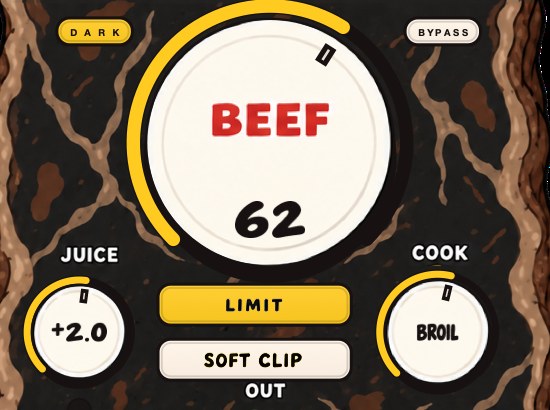
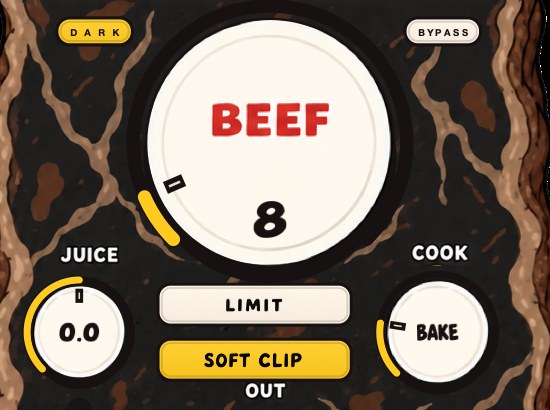
BEEFY is our saturation and loudness plugin, and it is built so gain staging doesn't become a research project. SOFT CLIP opens switched on and takes care of the initial gain staging, helping the clipping find the sound without a hunt for the right input level. JUICE sets the level going in if you want to feed it harder or back off, and the input and output clip lights keep an eye on either end.
BEEF adds weight, density and loudness from there, and LIMIT holds the output peaks if you'd rather have that.
Either output switch is a stage like any other, so the same rule applies to it: level-match before you judge it. Turn SOFT CLIP on, bring the output back to where it was, and listen to what changed about the sound rather than to how much louder it got. That comparison is the only one worth making, on our plugin or anybody's. It is $39 for Mac and Windows; the Mac build includes VST3, Audio Unit and standalone, and Windows is the 64-bit VST3.
Same forty tracks. The limiter is off, the master meter is green, and the beat finally has somewhere to go.
BEEFY — saturation and loudness plugin for Mac and Windows. There is a 28-second demo with three without/with comparisons on the page.
Keep reading
- How to make your mix louder without clipping — Low end, balance, density, soft clipping and a true-peak limiter, plus what streaming does to loud masters.
- How loud should a master be — LUFS, true peak, what Spotify does to loud masters, and how to choose a level with references.
- Clipper before limiter — Why the clipper goes first, how to set both, and why the true-peak limiter stays last.
- Headroom in mixing — How much to leave, and why the usual explanation is out of date.
- VU meters — What it measures, why the slow needle is the point, and when to trust it.
- The cheapest way to make your beats louder — Free options first, ranked by what each one buys you, then the one paid step worth making.
- Why your mix sounds harsh after mastering — A diagnostic order for a harsh master, from the limiter down to your monitoring level.
- What is a drum bus, and why put things on it? — One channel for the whole kit: how to build it, what to put on it, and why the sum behaves differently.