← Gazillion Industries/Reading material
Crest factor
There is one number that explains why a drum loop will not get as loud as a synth pad, why clipping makes things louder, and why your master stopped improving three decibels ago. Almost nobody uses it.
Crest factor is the difference between a signal's peak level and its average level, in decibels. A recording with sharp transients and quiet gaps has a high crest factor; a dense, compressed one has a low crest factor. Because the peak is what hits the ceiling and the average is what you hear as loudness, reducing crest factor is the mechanism behind every loudness tool there is: compression, clipping, saturation and limiting all do it.
The short version
- Definition
- peak level minus average level, in dB
- Sine wave
- about 3 dB
- Square wave
- 0 dB — peak and average are the same
- Live drums
- high, often in the high teens or more
- Loud master
- low, often single digits
- Why it matters
- the peak sets your ceiling, the average sets your loudness
Why it decides everything about loudness
Your output has a hard ceiling: you cannot exceed it without distortion you did not choose. What determines how loud the track sounds is not that ceiling, it is the average level underneath it. So the entire loudness question is: how much average can I get for a given peak?
A snare hit is a spike followed by almost nothing. Its peak is enormous and its average is small, so it eats the whole ceiling and delivers very little perceived loudness. A sustained distorted bass has almost no spike at all, so its average sits right under the ceiling. That is the same fact stated twice: low crest factor is loud, high crest factor is dynamic, and everything in mastering is choosing where between them to sit.
The reason this one number keeps turning up is that it is the only quantity a loudness tool can change. A plugin cannot raise your average without either moving the peak down or bending the waveform, because the ceiling does not negotiate. Every knob marked drive, threshold, input or amount is a different route to the same subtraction.
How each tool reduces it
- Compression pulls the loud parts down over time and lets you raise everything afterward, which lowers peak relative to average.
- Clipping shears or rounds only the few samples at the top, lowering peak and barely touching average. That makes it the most efficient tool per decibel, and the most destructive if overdone.
- Saturation rounds peaks and adds harmonics, raising average while lowering peak, which is why it is the gentlest loudness tool in the box.
- Limiting catches what is left, which should be very little.
They pay for it in different currencies, and that is how you choose between them. A compressor pays in time, borrowing level from the moments on either side of a peak. A clipper pays in harmonics, leaving the timing alone. Saturation pays a little of each. An arrangement change pays nothing at all, which is the argument for doing that part first.
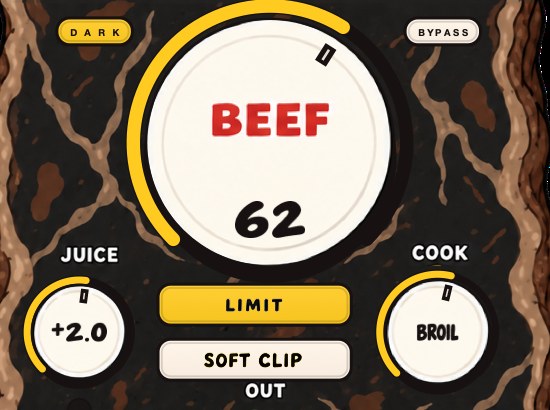
BEEFY is our saturation and loudness effect: the page describes it as squeezing some space out of the peaks, which is this article in six words.
The arithmetic, on shapes you already know
Crest factor can be calculated exactly for any waveform you can write down, and four simple ones set the whole range. Peak divided by RMS, converted with 20 log₁₀.
A sine peaks at 1 and has an RMS of 1 / √2 = 0.7071, so the ratio is √2 = 1.4142 and the crest factor is 20 log₁₀(1.4142) = 3.01 dB. A triangle wave and a sawtooth both have an RMS of 1 / √3 = 0.5774, giving a ratio of 1.7321 and a crest factor of 4.77 dB. A square wave sits at full amplitude the whole time, so its RMS equals its peak, the ratio is 1, and the crest factor is 0 dB. That is the floor. Nothing can go below it, because no signal's average can exceed its own peak.
Noise has no fixed peak at all. Gaussian noise wanders, and the longer you measure the higher the tallest sample you find, so the honest way to quote it is against a clip point: take four standard deviations as the practical peak and you get 20 log₁₀(4) = 12.04 dB. Snare bottom and hi-hat sizzle behave like this, which is why they cost so much headroom for so little loudness.
Here is the number worth carrying around. The distance between a sine and a square — between a pure tone and the flattest waveform that exists — is 3.01 dB. Every argument about loudness plugins is conducted inside that gap and the wider gaps real music opens above it.
- 0 dB
- peak is 1.00× the average — a square wave
- 3 dB
- 1.41× — a sine
- 6 dB
- 2.00×
- 9 dB
- 2.82×
- 12 dB
- 3.98× — roughly noise clipped at four sigma
- 14 dB
- 5.01×
- 18 dB
- 7.94×
- 20 dB
- 10.0×
Why the same drum hit has two different crest factors
Crest factor belongs to the passage, not to the sound. Play one hit twice as often and the number drops without anybody touching a plugin, and the arithmetic says by exactly how much.
Treat a drum hit as a tone whose amplitude decays exponentially with a time constant τ, repeating every T seconds. Over one repeat the mean square works out to roughly A²τ / 4T, so the RMS is A√(τ / 4T) and the crest factor is 20 log₁₀√(4T / τ), which simplifies to 10 log₁₀(4T / τ).
Run it. A kick with an 80 ms decay constant, one hit per beat at 90 BPM, gives T = 60 / 90 = 0.667 s. So 4 × 0.667 / 0.080 = 33.3, and 10 log₁₀(33.3) = 15.23 dB.
Now the same kick at 160 BPM. T = 0.375 s, 4 × 0.375 / 0.080 = 18.75, crest factor 12.73 dB. Two and a half decibels lower for playing it faster. Back at 90 BPM, lengthen the tail to a 200 ms constant and you get 13.3, which is 11.25 dB — four decibels below where you started. Tighten it the other way to 40 ms and it climbs to 18.24 dB.
Seven decibels of range, from one sample, decided entirely by tempo and decay. That is more than most people take off with a clipper. Before you reach for one, look at the pattern and the tails, because those moves are free and they do not add a single harmonic. What is a transient covers the front of the hit and transient shaper vs saturation covers reshaping the back of it.
What adding parts does to crest factor
Uncorrelated signals add in power, not in voltage. Four parts each with RMS r sum to r√4, which is 10 log₁₀(4) = 6.02 dB louder on average. If their peaks fall at different moments, the summed peak does not move at all.
Work an example. Four elements, each peaking at −6 dBFS with an RMS of −20 dBFS, so each one has a crest factor of 14 dB. Spread their hits across the bar and sum them: the RMS goes to −20 + 6.02 = −13.98 dBFS, the peak stays at −6 dBFS, and the crest factor of the sum is 7.98 dB. Six decibels gone, no processing anywhere.
Then the version everybody actually has. Put the kick, the snare, the 808 and a stab on the same sixteenth. Aligned peaks add in voltage, not power: 20 log₁₀(4) = 12.04 dB, so the peak jumps to +6.04 dBFS while the average barely changes. One coincidence in the grid costs twelve decibels of headroom, and the limiter you blame for the flatness is only cleaning up after it.
Move the 808 a sixteenth off the kick, duck one under the other, or shorten one of the two, and the peak comes back down on its own. How to mix kick and 808 covers that pair specifically, and how to layer kicks covers the phase side of it.
How to use it in practice
- Put a meter that shows peak and short-term loudness on your mix bus.
- Note the difference between them. That is roughly your crest factor.
- Compare it to a reference track you admire at the same point in the chain.
- If yours is much higher, you have headroom you are not using and a peak problem to solve.
- If yours is much lower and the reference sounds better, you have flattened it too far.
- Work on the elements with the highest crest factor first, which is almost always the drums.
- Take the reading over the loudest eight bars, not over the intro, so the two files are compared at the same density.
- Bounce the file and measure the bounce. Plugin latency and a live meter do not always agree with what lands on disk.
PLR, PSR, and the window your meter is using
Two crest-factor readings have names, and mixing them up is where most of the confusion starts. PLR, peak to loudness ratio, is the maximum true peak minus the integrated loudness of the whole file: one number for the track. PSR, peak to short-term ratio, is the peak minus the short-term loudness at a given moment: a number that moves as the arrangement moves.
The window matters more than people expect. EBU Tech 3341 defines momentary loudness with a sliding rectangular window of 0.4 s and short-term loudness with a window of 3 s, and the integrated measurement uses 400 ms blocks overlapping by 75 percent. A meter averaging over 50 ms and a meter averaging over three seconds will hand you crest factors several decibels apart on the same file, and neither of them is broken.
Numbers on it. A master reads −0.8 dBTP and −8.4 LUFS integrated, so the PLR is 8.4 − 0.8 = 7.6 dB. The short-term reading over the sparse second verse is −14.1 LUFS, so the PSR there is 14.1 − 0.8 = 13.3 dB. Same file, two honest answers, 5.7 dB apart.
So pick a window and stay inside it for the whole comparison. Whichever you choose, read your reference the same way, at the same point in the chain, over a section of the same density. VU meters answer a related question with a much slower window, and true peak covers why the peak half of the subtraction is not simply the tallest sample.
What crest factor costs you on streaming
Playback normalization turns your crest factor into money, or at least into decibels. Spotify states that it adjusts tracks to −14 dB LUFS according to the ITU 1770 standard, applied during playback rather than to your file, and asks for masters below −1 dB TP, or below −2 dB TP if the master is louder than −14 LUFS integrated.
Turning a loud master down is free. The interesting case is a quiet one being turned up, and Spotify publishes the exact example: a track at −20 LUFS with a true-peak maximum of −5 dB FS is only lifted to −16 LUFS, because they leave 1 dB of headroom for lossy encoding.
Do the subtraction yourself and you can see crest factor doing the damage. That track has a PLR of 20 − 5 = 15 dB. A full 6 dB of lift would put the true peak at +1 dB FS, so the lift stops at 4 dB, landing the file at −16 LUFS and −1 dB TP. Two decibels of the lift it was owed, withheld because of the gap between the peak and the average.
A master with the same integrated loudness and 4 dB less crest factor would have taken the whole six. There is also a limiter down there you never see: Spotify says the Loud playback setting at −11 LUFS applies a limiter engaging at −1 dB on sample values, with a 5 ms attack and a 100 ms decay. Whatever crest you leave hanging over the line gets dealt with by something that did not consult you. How loud should my master be has the targets.
The phone test for crest factor
A phone speaker is where crest factor stops being an abstraction. It has almost no excursion, so the peaks you spent all that headroom protecting go nowhere, and only the average makes it out of the grille. Two mixes with the same true peak and a 6 dB difference in crest factor will sound like two different budgets.
- Bounce eight bars of your loudest section and the same length of your reference.
- Move both to a phone. Lay it flat on a table, not in your hand.
- Set the volume once, at a level where the reference sounds right, and then leave it.
- Alternate the two files without touching anything.
- If the reference is obviously bigger at the same setting, the gap is your crest factor.
Concede the limits of the test. A phone flatters a thin mix, because it cannot reproduce the low end you have not fixed yet, and it will happily tell you a harsh master is exciting. Use it for loudness and take the balance questions somewhere else. How to make bass audible on phone speakers covers the other half of what a small driver does to you.
How to lower crest factor without flattening the record
Take it in stages and no single stage has to show its signature. The failure is always one plugin doing five decibels of work in front of everybody.
- Measure first, over the loudest eight bars, and write the number down.
- Fix coincident peaks in the arrangement before opening a plugin.
- Take 1 to 2 dB on the drum bus, where the crest factor is highest.
- Take 1 to 2 dB with saturation on the elements that can carry harmonics.
- Take 1 to 2 dB with a clipper on the master, ahead of the limiter.
- Leave the limiter with a decibel or less to do, and set it to true peak.
- Re-measure after each stage and stop when you reach the reference, not when you reach a target you read somewhere.
- Level-match every comparison to within 0.1 LU before deciding anything.
Three stages of 2 dB give you 6 dB of crest reduction with each stage operating in the range where its artifacts stay under the music. One stage of 6 dB gives you the same number and a record that sounds like it went through something. Clipper before limiter covers the order at the end of the chain, glue compression covers the bus stage, and soft clipping explained covers the middle one.
Failure modes and what each one sounds like
Each way of getting the number wrong has its own sound, and naming them saves you an hour of turning knobs at random.
- Papery snare
- too much taken by a clipper; the crack is gone and only the body is left
- Pumping under the vocal
- too much taken by a compressor; the release is longer than the gap between hits
- Growling bass
- the peak reduction is landing on the sub, where a long waveform spends most of its cycle near the top
- Loud and tiring
- crest factor down to single digits everywhere; no moment is bigger than any other
- Number is right, mix is small
- not a crest problem — check mono compatibility and phase cancellation
- Number moves, loudness does not
- you reduced a peak that was not the one setting the ceiling; find the actual tallest hit
- Reading changes every pass
- two different meter windows, or an intro included in one measurement and not the other
Where it costs you
Crest factor is not a quality score, and chasing a number is how records get ruined. A high crest factor on a jazz recording is the music working; a low one on a club track is the music working. The useful discipline is to know which direction you are moving and why, not to hit a target.
It is also easy to confuse with dynamic range. Crest factor is about the relationship between the peaks and the average at a moment; dynamic range in the musical sense is about how much quieter the quiet sections are than the loud ones. A record can have a low crest factor and still have a quiet intro.
There is a published measure for the second one, which makes the split easy to keep straight. EBU Tech 3341 describes Loudness Range, abbreviated LRA and measured in LU, as a quantity that captures the variation of loudness on a macroscopic timescale, supplementary to integrated loudness. LRA is the intro against the chorus. Crest factor is the snare against the two hundred milliseconds around it. You can flatten one to nothing and leave the other untouched, and most good loud records do exactly that.
The other cost is the one you pay later. Every decibel of crest factor you remove is gone from the file, so keep a bounce with it still in. The day somebody asks for a version for vinyl, for a film cue or for a platform with a different target, the flattened master is the wrong starting point and there is no undo in a WAV.
Where crest factor sits in the chain
Every stage changes the number for the stage after it, so the order decides how much work each one is asked to do.
- 1
- arrangement and pattern — free, and the biggest single move
- 2
- per-channel level and corrective EQ
- 3
- drum bus compression and saturation, where the crest factor is highest
- 4
- mix bus glue
- 5
- clipper
- 6
- true-peak limiter, with very little left to do
Two things interact with this more than they look like they should. An EQ boost above the clipper hands the peak straight back: raise a 3 kHz bell by 2 dB and the snare arrives two decibels taller, so the clipper takes 2 dB more than it did a minute ago. And a stereo widener late in the chain can push one channel's peak above where the summed meter suggested it was. Gain staging covers the levels feeding all of it.
One general point about the clipping stage, separate from any particular plugin. Clipping a waveform generates harmonics, and any harmonic that lands above half the sample rate folds back down into the audible band at a frequency with no musical relationship to the note that made it. Oversampling is the standard answer to that, and it has its own page, along with what is clipping for the shape of the curve itself.
The per-DAW detail worth knowing is the detector. Ableton's manual says Live's Compressor can be switched between Peak and RMS modes: Peak reacts to short peaks within a signal and suits limiting tasks where nothing may pass the threshold, while RMS is less sensitive to very short peaks and only compresses once the incoming level has been above the threshold for slightly longer. Choose Peak and the compressor is working directly on crest factor. Choose RMS and it is mostly ignoring it and working on the body instead. The same manual lists Compressor's lookahead options as zero, one and ten milliseconds, and ten milliseconds is enough for it to see a transient before deciding. Most compressors in most DAWs have a version of both controls, under different names, doing the same job. Compression explained covers the detector in general.
Questions people ask
What is crest factor in audio?
The difference between the peak level and the average level of a signal, expressed in decibels. It tells you how spiky the waveform is.
How do you calculate crest factor?
Subtract the average level from the peak level in decibels. A meter showing both peak and RMS, or peak and short-term loudness, gives you the two numbers directly.
What is the crest factor of a sine wave?
About 3 dB. A square wave is 0 dB, because its peak and its average are the same. Anything with transients is higher.
Does compression reduce crest factor?
Yes, and so do clipping, limiting and saturation. That is what they have in common and why all four can be used to make something louder at a fixed ceiling.
What is a good crest factor for a mix?
There is no target, only a comparison. Measure a reference you admire over a section of the same density, at the same point in the chain, and aim near it. A modern loud master often lands in single digits and an acoustic recording much higher, and both are correct for what they are.
What is the difference between PLR and PSR?
PLR is the maximum true peak minus the integrated loudness of the whole file, so it is one number per track. PSR is the peak minus the short-term loudness at a moment, so it moves as the arrangement moves. A sparse verse will show a much higher PSR than the chorus in the same song.
Can crest factor be negative?
No. The peak of a signal can never be lower than its own average, so the smallest possible value is 0 dB, which is a square wave. If a meter shows you a negative figure, it is subtracting a true-peak reading from a K-weighted loudness reading, and those two are measuring different things.
Why does every meter give me a different crest factor?
Because they average over different windows. EBU Tech 3341 sets momentary loudness to a 0.4 second sliding window and short-term to 3 seconds, while a plain RMS meter may use 50 milliseconds or less. Shorter windows track the peaks more closely and report a smaller gap. Pick one and use it for both your mix and your reference.
Is crest factor the same as dynamic range?
No. Crest factor is the peak against the average over a short window. Musical dynamic range is the quiet section against the loud one, and the measured version of that is Loudness Range, which EBU Tech 3341 defines as the variation of loudness on a macroscopic timescale. A track can be flattened to almost no crest factor and still have a hushed intro.
Does saturation lower crest factor?
Yes, from both ends at once. It rounds the tops of the peaks, which lowers the peak, and it adds harmonics that sit under the signal continuously, which raises the average. That double action is why a decibel of saturation usually sounds less obvious than a decibel of clipping. Saturation explained has the harmonics.
Why is my drum bus crest factor so high?
Because a drum hit is short and the space after it is not. The arithmetic for a decaying hit is 10 log₁₀(4T / τ), so an 80 millisecond decay at one hit per beat at 90 BPM comes out at 15.2 dB before anything is processed. Faster patterns and longer tails both bring it down.
How do I lower crest factor without losing punch?
Split the work across three stages of one or two decibels each, in this order: drum bus, then saturation, then a clipper ahead of the limiter. Re-measure after each one. Six decibels taken in three bites sounds nothing like six decibels taken in one.
Does crest factor matter for streaming?
For quiet masters it decides how much lift you receive. Spotify's own example is a track at −20 LUFS with a true peak of −5 dB FS, which gets lifted only to −16 LUFS rather than to −14, because they leave 1 dB of headroom for lossy encoding. Loud masters get turned down instead, which costs nothing.
What BEEFY does
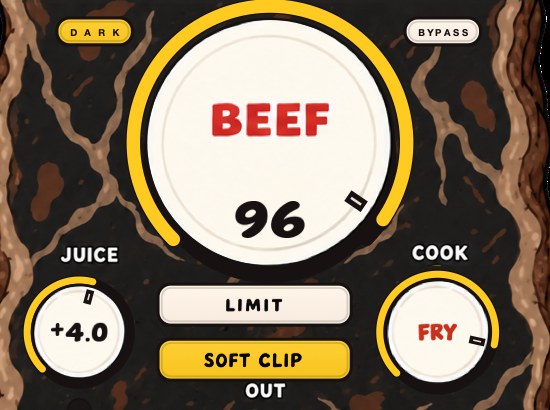
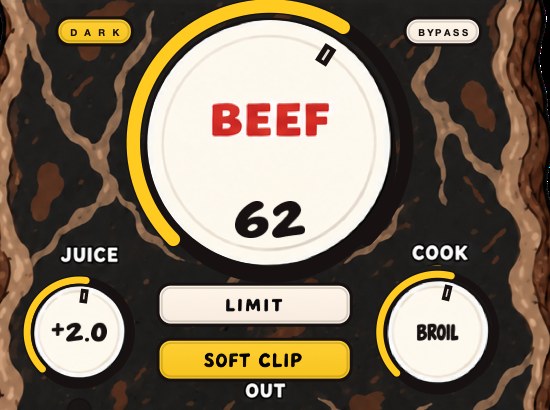
BEEFY is our saturation and loudness effect. BEEF brings more weight, more density and more loudness as you turn it up; COOK changes the color and bite from rounder toward brighter; JUICE sets the level going in. SOFT CLIP opens switched on and takes care of the initial gain staging, bringing rounded, fuzzy edges to the loudest parts, and LIMIT holds the output peaks when you want that instead. Both are optional and both are on the panel.
Read against this article, the panel is two decisions. JUICE and BEEF set how much of the signal reaches the bend, which is how far the average comes up. SOFT CLIP and LIMIT are the two ways of dealing with what is left at the top: one rounds the peak and pays in harmonics, the other holds a ceiling over it and pays in movement. A new instance opens with SOFT CLIP on, JUICE at 0 dB, BEEF at 30 and COOK at 30, which is a sensible place to take the first decibel off a drum bus before anything reaches the master.
BEEFY is $39, runs on Mac and Windows as AU, VST3 and standalone, and there is a 28-second demo with three without/with comparisons on the page.
One number, measurable in ten seconds, that explains the last decade of arguments about loudness.
BEEFY — saturation and loudness plugin for Mac and Windows. There is a 28-second demo with three without/with comparisons on the page.
Keep reading
- True peak — Why a file can read zero and still clip, and what ceiling to use.
- What is clipping in audio? — Hard versus soft, why it works on transients, and where it does damage.
- Saturation explained — Harmonics, the types, where it goes in a chain, and what it costs.
- VU meters — What it measures, why the slow needle is the point, and when to trust it.
- What is a transient? — Why the ear identifies instruments by attack, and what processing does to it.