← Gazillion Industries/Reading material
How to layer kicks
A layered kick is a relay team. The click takes the first few milliseconds, hands the baton to the body, and the body hands it to the sub. Drop the handoff and the whole team trips over itself in front of the crowd.
To layer kicks, give each layer one job and filter it to that job: a short click or top layer for attack, a body layer for punch, and a sub layer for the tail. Line up their starts to the sample, check the phase by flipping polarity, tune the body and sub to the song, shape each layer's envelope so they hand off cleanly, then glue them on a kick bus and keep the result in mono.
The short version
- Top
- click and beater snap; high-passed
- Body
- the punch; band-limited
- Sub
- the tail; low-passed, tuned
- Align
- starts lined up to the sample
- Phase
- flip polarity; keep what's fuller
- Glue
- kick bus, light compression or saturation, mono
Why layer at all
Almost no single sample has everything. One has a great click and no weight; another has a chest-thumping body and a mushy attack; a third has a sub tail that belongs in a car and nothing else. Layering lets you pick the best part of each. It also lets you change one part, say a longer sub for a slower song, without replacing the whole kick.
Picking three samples that won't fight
Choose each layer by what the others are missing, and audition it in the band it will actually occupy. A top sample you love in full range is often a full kick with a decent click on the front, and once you high-pass it the part you liked is gone.
Run the audition filtered. High-pass every top candidate at 1 kHz and play them in a row: you hear the clicks by themselves and the choice takes about ninety seconds. Do the same for subs with a low-pass at 100 Hz. The body layer is the only one you judge full range, because the body is the drum.
Three rules of thumb that hold up in a real session. A top worth keeping still has a front edge with everything under 1 kHz removed. A body worth keeping has a fundamental you can hum. A sub worth keeping is close to a sine, because a noisy sub has no single pitch and cannot be tuned to anything.
Give each layer one job
Filter every layer to its role so they don't double up. High-pass the top layer so only the click and snap remain. Keep the body layer in the middle, where the punch lives. Low-pass the sub so it's just the tail. Two layers carrying the same frequencies at once is where phase trouble and mud come from, so the filters aren't optional.
Where to put the crossovers, and how steep
Start at 1 kHz and 100 Hz and move from there. High-pass the top at 1 kHz or above, band the body from roughly 60 Hz to 1 kHz, low-pass the sub at 100 Hz. Those three ranges touch and barely overlap, which is the whole point.
Slope does more work than frequency here, and it is worth the arithmetic. A 24 dB/octave low-pass at 100 Hz is 24 dB down one octave up at 200 Hz and 48 dB down two octaves up at 400 Hz. 48 dB is an amplitude ratio of about 1 to 251, so the sub contributes nothing measurable where the body is working.
Halve the slope and the picture changes. At 12 dB/octave the same sub is only 24 dB down at 400 Hz, a ratio of about 1 to 16, which is loud enough to interact with the body every time the two coincide. Gentle slopes sound more natural on a solo'd layer and cause most of the phase arguments that follow.
How to layer kicks
- Pick up to three samples: top, body and sub.
- Trim any silence at the start of each so the transients start at the same sample.
- High-pass the top layer, band-limit the body, low-pass the sub.
- Solo body and sub together; flip the polarity of one and keep whichever sounds fuller.
- Tune the body and sub to the song's key.
- Shorten each layer's envelope so the click ends as the body lands, and the body fades as the sub takes over.
- Route all layers to a kick bus and set their balance there.
Aligning the starts, measured in samples
How precise alignment has to be depends entirely on which layer you are moving. At 44.1 kHz one sample lasts 22.68 microseconds. At 50 Hz that is 0.41 degrees of a cycle, which is nothing at all. At 10 kHz the same single sample is 81.7 degrees, most of a quarter turn.
So the sub forgives samples and the click does not. Zoom to sample level for the top layer and get it exact. The sub you can place by eye and never hear the difference. At 48 kHz a sample is 20.83 microseconds and the same reasoning applies with slightly finer resolution.
Here is what a small slip costs when two layers share a band. Offset them by ten samples at 44.1 kHz — 0.227 ms — and the sum combs, with its first null at 44,100 / 20 = 2,205 Hz and another every 4,410 Hz above that. In the top layer's territory that reads as a thin, glassy click with the meat scooped out of it.
One trap in the trimming. The first non-zero sample of a file is often not the hit: plenty of kicks open with a few samples of fade-in or a slow ramp off zero. Align the first peaks to each other, not the file starts, whenever the two disagree.
Polarity and timing are two different repairs
Flipping polarity rotates every frequency by 180 degrees at once. Moving a layer in time rotates each frequency by a different amount, more the higher you go. They fix different faults, and reaching for the wrong one is why the flip sometimes does nothing.
What two equal layers do to each other, by their phase difference at the frequency you care about:
- 0°
- +6.02 dB — the full stack
- 60°
- +4.77 dB
- 90°
- +3.01 dB — half the gain you paid for
- 120°
- 0.00 dB — two layers as loud as one
- 150°
- −5.72 dB
- 180°
- silence
Work an example. Two sub layers, both around 50 Hz, offset by 5 ms. A 50 Hz cycle is 20 ms, so 5 ms is a quarter of it: 90 degrees. The pair reads +3.0 dB where it should read +6.0 dB, and there is no obvious tell — nothing sounds broken, the kick is just three decibels smaller than the two faders promised.
The 120 degree row is the cruel one. Two layers, both audible in solo, summing to exactly the level of one. Every producer who has ever muted a layer and heard no change has met it.
Flip polarity first, because it costs two seconds and settles the near-180 cases. Then check the timing, because a single flip cannot line up every frequency at once. Phase cancellation goes further into the mechanism.
Your filters move the layers in time
The filters from two sections ago change the alignment you just made, and nothing on screen says so. An ordinary minimum-phase filter shifts phase around its corner: a 12 dB/octave high-pass is 90 degrees at its corner frequency, and a 24 dB/octave high-pass is 180 degrees.
Put numbers on it. A 100 Hz cycle lasts 10 ms, so 90 degrees at 100 Hz is 2.5 ms and 180 degrees is 5 ms. Insert a steep high-pass on the body after you aligned the raw files and you have moved the body against the sub by milliseconds nobody authorized.
The order that avoids the whole argument: filter first, align second, and judge the polarity flip with the filters engaged. Every check you run on a raw file is a check on a signal you are not going to use.
Linear-phase filters hold every frequency in step and charge for it with pre-ring, energy that arrives before the transient does. On a kick that reads as a soft gray smear in front of the hit, which is the one place you least want one. On a kick bus, minimum phase plus a careful align is usually the better trade.
Tune the body and the sub to the song
A sub layer is a bass note, so it belongs in the key. These are the fundamentals in the octave most subs live in, at twelve-tone equal temperament with A4 at 440 Hz:
- E1
- 41.20 Hz
- F1
- 43.65 Hz
- F♯1
- 46.25 Hz
- G1
- 49.00 Hz
- G♯1
- 51.91 Hz
- A1
- 55.00 Hz
- A♯1
- 58.27 Hz
- B1
- 61.74 Hz
- C2
- 65.41 Hz
To read what you have, solo the sub layer, loop the tail and put a high-resolution analyzer on it. The tallest low peak is your fundamental. Pitch the sample until that peak sits on the number in the table for the root, the fifth, or the octave below the bass line.
Now the reason it matters, in beats per second. A sub sitting at 50 Hz under a bass note at 51 Hz produces a beat at the difference, 1 Hz: one slow swell every second. At 90 BPM a quarter note lasts 666.7 ms, so that swell is slower than the pulse and wanders across the bar, making the kick sound randomly louder and quieter.
50 Hz against 51 Hz is 34 cents. Small enough that a tuner looks content, large enough that the low end never settles. Tuning the sub is the cheapest fix for a kick that seems to change size bar to bar.
The body gets tuned by ear, not by table. Move it in semitones until the punch agrees with the song and stop; a body layer has a messier spectrum and chasing exact numbers on it buys nothing.
How long the sub is allowed to be
Length at the bottom is arithmetic before it is taste. A low pitch takes real time to exist: one cycle at 50 Hz is 20 ms, and the ear needs roughly three cycles before it hears a note instead of a thud. That is 60 ms at 50 Hz, 75 ms at 40 Hz and 100 ms at 30 Hz.
Set that against the tempo. At 150 BPM a sixteenth note lasts 100 ms, so a 30 Hz sub that needs the full 100 ms to state its pitch fills the entire step and runs into the next one. At 85 BPM a sixteenth is 176.5 ms and the same sub has room to finish.
The practical conclusion: slow songs can carry lower subs, fast ones want the sub pitched higher and cut shorter. If a busy pattern turns to porridge, raise the sub an octave before you shorten it — a 100 Hz sub states its pitch in 30 ms.
Set the three faders before you glue
Three aligned layers do not sum the way three faders imply. Perfectly coincident and equal, three layers sum to 20 × log₁₀(3) = +9.54 dB over one of them. Three layers each peaking at −12 dBFS therefore land at −2.46 dBFS on the bus.
Scatter their phase relationships and the same three sum to only +4.77 dB. Which means the better your alignment gets, the hotter your bus gets, and both happen in the same ten minutes. Pull the layers down before you route them rather than discovering it at the clipper.
An order that works: set the body at the level you want the kick to be, bring the top up until the attack reads on a quiet playback, then add the sub last with your eyes off the meter and your hand slower than feels necessary. Gain staging covers the trims either side of this.
Glue them into one kick
Three layers should sound like one drum. On the kick bus, a little compression or saturation makes them react together, so the top, body and sub move as a unit. Soft clipping the bus shaves the peak where the layers stack. Keep the whole bus in mono. When it's right, bounce it to a single sample so it's easy to move between sessions.
Crest factor: what the glue actually buys
The measurable thing bus glue does to a layered kick is close the gap between its peak and its average. Three coincident transients make that gap wide, and a meter reads the spike while an ear reads the rest.
A worked pass over a four-bar loop of the kick bus alone. It peaks at −0.9 dBFS and reads −15.2 dBFS RMS, so crest factor is 14.3 dB. Leave the output alone and drive the bus until the peak reads −3.4 dBFS and the RMS reads −14.6 dBFS: crest factor is now 11.2 dB.
The peak fell 2.5 dB and the average rose 0.6 dB. Put the 2.5 dB back on the output and you have the peak you started with and 3.1 dB more average level. That 3.1 dB is why a glued kick survives a master that flattens a raw stack. More in crest factor and soft clipping explained.
BEEFY on the kick bus gives the layers more chest together. The demo on the page is 28 seconds.
Where the layered kick sits in the chain
A kick bus is a small mix of its own, and five placement decisions make most of the difference.
- High-pass into the bus, not out of it. Rumble below 25 Hz you cannot hear still drives the saturation and still eats headroom. Cut it on the way in and the same drive setting sounds cleaner for nothing.
- Sidechain the bass from the whole bus. Keying off the sub layer alone gives the ducking a different shape than the kick you actually hear. Sidechain compression.
- Transient shaper on the top layer only. It has nothing but transient in it, so the tool and the material agree. Put the same shaper on the bus and it pumps the sub. Transient shaper vs saturation.
- Reverb sends from the body, never the sub. A reverb fed 50 Hz returns a long low smear that sits under the next three hits.
- Clipper after the glue, limiter last. A bus that already gave up 2.5 dB of crest leaves the clipper less to do. Clipper before limiter and drum bus chain order.
Check it on a phone, because that is the real test
The layer you can hear least in your room is the one that decides how this lands everywhere else. A small speaker cannot move enough air to reproduce 50 Hz, so what it plays instead is the harmonic ladder above it: 100, 150, 200, 250, 300, 350 and 400 Hz.
A sub that is close to a pure sine has almost no ladder, which is exactly why a kick that shakes the room can be inaudible on a handset. The body layer and whatever saturation you put on the bus are what build that ladder. That is the job the body layer is really doing.
Bounce four bars, send it to your phone, and play it at arm's length. If the kick disappears, the body is too quiet or the sub is too clean, in that order of likelihood. How to make bass audible on phone speakers is the long version.
Mono, and what a wide layer costs you
Keep the whole kick bus in mono and take your width somewhere else. A stereo top layer with even half a millisecond of difference between the sides folds to a comb the moment a club, a phone or a streaming encoder sums it: first null at 1 kHz, another every 2 kHz above.
If you want any width at all, put it above the top layer's corner frequency and check the fold-down before you commit. A layered kick that is 1.5 dB bigger in stereo and 3 dB smaller in mono has lost the trade. Mono compatibility has the test.
Bounce it to one sample
When the three agree, commit them. Solo the kick bus, bounce four bars, trim to a
single hit and name the file with the note and the tempo you built it for —
kick_G1_90.wav beats kick_final_3b.wav in eight months.
You get three things for it: the CPU back, an end to accidental drift when a plugin changes its latency, and a kick you can drop straight into the next beat. You give up the ability to lengthen the sub without starting over, so keep the session that made it.
Per-DAW: routing, polarity and nudging
The method is identical everywhere. What differs is which button flips polarity and how finely you can move a layer.
- Ableton Live
- Group the three tracks to make the kick bus. Utility carries the phase switch for the flip test. Turn Warp off on one-shots so Live plays them at their recorded length, and nudge with snap to grid disabled.
- Logic Pro
- A Summing Stack gives you the bus. The Gain plugin has Phase Invert, and the Sample Delay utility shifts a layer by whole samples, which is the precise way to do the top layer. Keep Low Latency Mode off so delay compensation stays honest.
- FL Studio
- Route all three channels to one mixer insert and that insert to the master. The mixer channel has a polarity invert for the flip test. Nudge in the playlist with snap off, or set the offset in the sampler channel itself.
One thing that bites in every host. A plugin with internal latency on one layer and not the others will be compensated by the host, until something breaks the compensation — a freeze, a render, a bus that feeds back on itself. A 1 ms slip does not sound like an echo. It sounds like a comb with its first null at 500 Hz and another every 1 kHz, which on a kick reads as hollow.
Common problems
- Hollow or thin when layered: phase cancellation. Flip polarity or nudge the sub a few samples.
- Flam or double hit: the starts aren't aligned. Trim and zoom in.
- Muddy: two layers covering the same range. Filter harder.
- Clashes with the 808: see how to mix the kick and the 808.
- Muting a layer changes nothing: that layer is sitting near 120 degrees against another, so the pair sums to the level of one. Move it in time rather than turning it up.
- The kick changes size bar to bar: the sub is beating against the bass. A 1 Hz difference is one swell per second, slower than the pulse at most tempos. Tune the sub.
- Big in the room, gone on a phone: the sub is nearly a sine and the body is too quiet. Small speakers only get the harmonics above the fundamental.
- Glassy, scooped click: the top layer and the body are combing in the top end. Ten samples of slip is enough at 44.1 kHz.
- Shorter instead of bigger after glue: you took the peak down and never put the makeup gain back.
- A low boom that outlasts the hit: the sub tail is longer than the step. At 150 BPM a sixteenth is 100 ms.
- Sounds huge in solo, vanishes in the beat: the body lives where the bass and the snare already are. Carve the body's band rather than raising the whole bus.
What layering costs
Three layers buy a kick no single sample can give you, and they charge in four places.
Every change is now three changes. Move the kick a sixteenth and three regions move, or two move and one stays and you spend a while working out why the low end went wrong.
Three chances to slip. Each layer is a separate path with its own plugins and its own latency, and comb filtering is silent until you A/B against one layer soloed.
More total low-end energy. Two layers with content under 100 Hz eat headroom the arrangement wanted. Headroom in mixing.
It is tuned to one song. A layered kick built around G1 at 49 Hz is a slightly wrong kick in the next beat, and the part that carries over is the method rather than the file.
Questions people ask
How do I make a kick sound more punchy?
Layer a short click or top sample over a kick with good body, align their starts, keep compressor attack slow enough to let the hit through, and soft clip or saturate lightly so the kick can sit louder.
Should kick drums be mono or stereo?
Mono. The kick's low end should be centered so it stays solid on every system and doesn't cancel when the mix is summed to mono. Width belongs on room sounds and cymbals, not the kick.
How many kick layers should I use?
Usually two or three: a top for the click, a body for punch, and a sub if the body doesn't have enough low end. More layers mostly add phase problems.
What frequency should I high-pass the top kick layer at?
1 kHz is a working start, and anywhere from 800 Hz to 3 kHz is normal. Use a steep slope: at 24 dB/octave a corner at 1 kHz leaves the top layer 48 dB down at 250 Hz, so it cannot argue with the body. The test is to solo the filtered top on its own — if it still sounds like a kick rather than a click, cut higher.
Why does my kick get quieter when I add a layer?
The two are out of step at the frequency they share. Two equal layers 120 degrees apart sum to exactly the level of one, and past that they subtract. Flip the polarity of the added layer first; if that does nothing, the fault is timing, so nudge it a few samples and watch the peak meter rather than trusting your ears on one hit.
How do I align kick layers in Ableton Live?
Turn Warp off on each one-shot, disable snap to grid, and drag the layers until their first peaks line up at maximum zoom. Group the three tracks for the bus, and use Utility's phase switch for the flip test. Doing it inside a Drum Rack works too, but one clip per track is easier to zoom into while you are still deciding.
Do I need to tune my kick?
Tune the sub, always, if it is close to a sine. Tune the body by ear if it has an obvious pitch. A sub one hertz away from the bass note beats once a second, which reads as the kick changing size across the bar, and 1 Hz at 50 Hz is only 34 cents — small enough to look fine and large enough to hear.
How do I layer a kick and an 808?
Treat the 808 as the sub layer and stop the kick from duplicating it. Low-pass the 808, high-pass the kick around 80 to 100 Hz, align their starts, and check polarity with both soloed. Then decide which one carries the note: two tuned low sources on the same beat is the most common cause of a low end that moves around. Full version in how to mix the kick and the 808.
Should I layer kicks before or after compression?
Layer first, compress the bus after. Compressing each layer separately gives each one its own envelope, and three different envelopes on one drum is how a layered kick starts sounding like three drums. If a single layer needs taming, do it gently and keep the bus compressor doing the work that binds them. How to compress drums.
Why does my layered kick sound like two hits?
The starts are more than a few milliseconds apart. Below about 10 ms you hear a change of tone; above it you start hearing two events. Zoom in and align the first peaks. If the flam is deliberate, keep it under 15 ms and only on the top layer, never on anything with sub in it.
Should the sub layer be a pure sine?
A sine gives you the cleanest tuning and the worst translation. It has no harmonics, so a laptop or a handset plays nothing of it at all. Either keep the sine and let the body layer and the bus saturation supply the harmonic ladder, or use a sub sample with a little grit already in it and accept that its pitch is less exact.
How do I stop my layered kick from clipping the bus?
Pull the layers down before the bus, not after. Three perfectly aligned equal layers sum to +9.54 dB over one, so three hits at −12 dBFS arrive at −2.46 dBFS with nothing added. Set each layer 6 to 10 dB lower than feels right, then make the level back on the bus output where one fader controls all three. What is clipping.
Can I layer two full kicks instead of splitting them by band?
You can, and it works when the two were recorded in the same place, which for sampled kicks is rarely. Without filters the two share their whole spectrum, so every frequency gets its own phase relationship and you are tuning a comb rather than building a drum. If you try it, commit to one as the main and use the other at 8 to 12 dB below it.
Why does my layered kick sound worse in the beat than in solo?
The body layer is in the same range as the bass and the snare's lower half. A kick that sounds complete in solo is usually carrying more 200 to 500 Hz than the arrangement has room for. Judge it inside the beat only, and carve the body's band before you raise anything. Why do my drums sound weak.
How long should the sub layer be?
Long enough to state its pitch and shorter than the gap to the next hit. Three cycles is the rough threshold: 60 ms at 50 Hz, 75 ms at 40 Hz, 100 ms at 30 Hz. Compare that to the step — a sixteenth is 100 ms at 150 BPM and 176.5 ms at 85 BPM — and if the sub does not fit, raise its pitch an octave before you shorten it.
Does layering kicks cause phase problems?
Only where two layers carry the same frequencies, which is what the filters are for. Band-limit each layer steeply and there is very little shared content left to cancel. The phase trouble people report almost always comes from gentle slopes, wide overlaps, or a filter inserted after the alignment was done.
Should I saturate the kick bus or each layer?
The bus, first. Driving the sum makes the three layers respond to each other, which is the thing that turns a stack into one drum. Per-layer saturation is a tone move for when a single layer is dull, and it is worth remembering that saturating the sub alone produces harmonics in the body's territory. How to saturate drums.
What BEEFY does
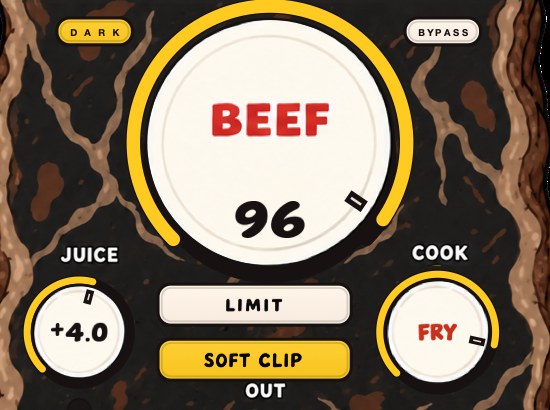
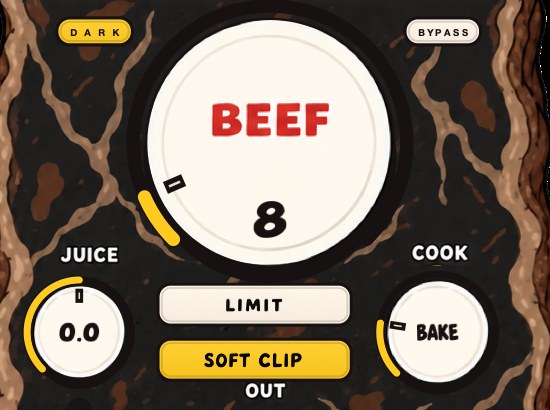
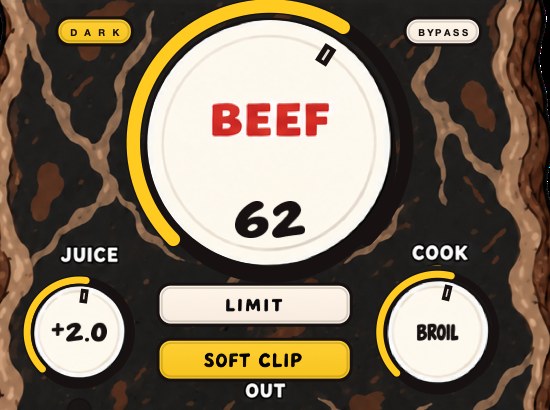
BEEFY is our saturation and loudness plugin, for kicks that need more chest. On a kick bus, BEEF adds weight, density and loudness to all the layers at once, which helps them read as one drum. SOFT CLIP, on by default, rounds off the peak where layers stack, and can give a kick a pleasantly chewed-up edge. COOK sets how round or bright the added color is.
Where it earns its place in this job is the harmonic ladder. Three layers give you a kick with the right weight in the room; the saturation is what puts content above the fundamental so the same kick still arrives on a handset. Start with BEEF low, A/B against bypass at matched level, and let JUICE put back the level the peak reduction took.
The other choice on the panel is the out stage. SOFT CLIP rounds the peak where the three transients coincide and colors it slightly; LIMIT holds a ceiling over it instead. On a layered kick the coincident peak is short and loud, which is the case a clipper handles with the least audible effort.
BEEFY runs on Mac and Windows as AU, VST3 and standalone. There is a 28-second demo with three without/with comparisons on the page.
Clean handoffs, same team. The crowd only sees one runner cross the line.
BEEFY — saturation and loudness plugin for Mac and Windows. There is a 28-second demo with three without/with comparisons on the page.
Keep reading
- How to mix the kick and the 808 — Who owns the sub, tuning, sidechain, phase, and using the 808 as the kick.
- Transient shaper vs saturation — Why they push drums in opposite directions, which one your drums need, and how to use both.
- How to make a snare hit harder — Sample and tuning, layers, transients, saturation, soft clipping and a short room.
- The TR-909 — Which voices are circuits, which are samples, and what TUNE really does.
- Phase cancellation — Why two versions of one sound cancel, and how to find and fix it.