← Gazillion Industries/Reading material
How to make a snare hit harder
A snare is a starter's pistol. It tells the whole song when to move, and if it comes out sounding like a cap gun in a parking garage, the race starts anyway and nobody runs.
A snare hits harder when its crack is sharp, its body has weight, and its peaks are controlled so it can sit loud. Pick a sample with both body and crack and tune it to the song, layer a clap or noise for extra snap if needed, let the transient through compression or boost it with a transient shaper, add saturation (snares take more than kicks), soft clip the peaks, and give it a short room to live in.
The short version
- Sample
- body and crack; tuned to the song
- Layers
- a clap or noise layer for snap, starts lined up
- Transient
- slow compressor attack, or a transient shaper
- Saturation
- more than a kick can take
- Peaks
- soft clip so it can sit louder
- Room
- a short reverb, not a wash
Body, crack and wires
A snare is three sounds at once. The body is the drum's tone, usually somewhere in the low hundreds of hertz. The crack is the stick hitting the head, higher up in the low thousands. The wires add sizzle above that. A snare that sounds weak is almost always missing one of the three, and the fix is to find out which before touching anything. Solo it and ask: no weight, no snap, or no air?
The three also stop at different times, which is why one setting rarely fixes a snare. The crack is finished in a few milliseconds. The body rings for a noticeable fraction of a beat. The wires trail off somewhere between the two. Anything you do to the first ten milliseconds barely touches the tail, and anything you do to the tail arrives too late to change the hit.
- 150–250 Hz
- body — missing it and the hit sounds like a cap gun
- 250–450 Hz
- box — a little is character, a lot is cardboard
- 700 Hz–1.5 kHz
- the wooden part of the shell
- 2–5 kHz
- stick and crack — where the backbeat gets located
- 6–10 kHz
- wires, air and the end of the sound
Treat those as places to look, not as settings. Find the real numbers on your own sample: put a bell at +6 dB with a Q around 2, sweep it slowly from 120 Hz to 6 kHz, and note the two spots that change the hit most. Keep the sweep short, because a parked boost retunes your ear inside about twenty seconds and then it starts lying to you.
Start with the sample
No plugin rescues a limp snare. Pick one that already has body and crack, and tune it to the song: a snare's body has a pitch, and when it fights the key the backbeat sounds like it's arguing with the chords. If a sample has great crack but no weight, layer a second snare for body instead of boosting the low mids into mud.
Tune the snare, in cents
Tuning is arithmetic before it is taste. A semitone is a frequency ratio of 21/12 = 1.0595, and a cent is a hundredth of a semitone. Measure the body with a tuner or with that narrow boost sweep, then work out how far it sits from a note the song actually uses. The answer is a number, not a feeling.
Work one through. Say the body reads 205 Hz and the track is in G minor. G3 is 196.00 Hz in equal temperament, so the snare sits 1200 × log2(205 / 196) = +77.7 cents above the root. Three quarters of a semitone is the worst address in the building: far enough to clash, close enough to read as a mistake. Drop it 78 cents and it lands on G. Push it up 22 cents instead and it lands on 207.65 Hz, which is G♯, and that dissonance is deliberate on plenty of records.
Pitching changes the length, so check the tail before you commit. Dropping a 300 ms sample by one semitone multiplies its length by 1.0595 and gives you 317.8 ms. At 90 BPM a sixteenth note is 60000 / 90 / 4 = 166.7 ms, so that snare is now ringing through most of the following sixteenth. On a busy pattern, tune with a shifter that leaves the length alone, or trim the tail afterward. Pitching a sample covers both routes.
Layer for snap
A clap or a short burst of noise on top of the snare adds snap that cuts through a busy beat. Line the starts up exactly, or the layers flam and the hit softens. Keep the layer quieter than the snare and filter its low end so it adds crack, not boom.
Level is the part that misleads people. Two different sounds at equal level sum to 10 × log10(2) = 3.0 dB above either one, and a layer sitting 10 dB under the main hit adds only 10 × log10(1 + 10−1) = 0.41 dB. A layer is there for content, not for level. That is why a quiet clap can change a snare completely and a loud one mostly just makes the channel loud.
Line the layers up, in samples
A flam is a comb filter you did not ask for. When two layers share content and one arrives late, the sum cancels wherever the offset is half a wavelength and reinforces wherever it is a whole one. The nulls land at (2k + 1) / (2d) and the peaks at k / d, with d the offset in seconds.
Three milliseconds of slip puts the first null at 1 / (2 × 0.003) = 167 Hz, the next at 500 Hz and the next at 833 Hz, with peaks between them at 333 and 667 Hz. The first null is sitting exactly on the body you were trying to build. That is the whole reason a layered snare can come out thinner than the sample you started with, and no amount of EQ fixes it, because the hole moves with the offset.
Three milliseconds is 144 samples at 48 kHz, 132 at 44.1 kHz, and about a meter of air (343 × 0.003 = 1.03 m). Zoom in until you can see individual samples and drag the layer until the first upward movement of both waveforms starts in the same place. Then check polarity: flip the layer, keep whichever version has more low end, and move on. Phase cancellation has the rest of it.
Protect the transient
A compressor with a fast attack flattens the stick hit. Set it around 10 to 30 ms so the crack gets through and the body comes up behind it. Or use a transient shaper and turn the attack up directly. The difference between the two approaches is in transient shaper vs saturation.
Put numbers on the window you are protecting. A snare climbs from silence to peak in roughly 5 to 20 ms depending on the sample. A compressor set to a 1 ms attack is inside all of that and shortens the stick every time. Set to 20 ms it is behind the crack and clamping the body that follows, which is the ratio you actually want: hit through, tail held. What a transient is describes the shape.
Release is where grooves quietly die. At 90 BPM a sixteenth note is 166.7 ms; at 140 BPM it is 60000 / 140 / 4 = 107.1 ms. Set a release longer than the gap and the compressor has not finished recovering when the next hit lands, so hit two comes out under hit one and the backbeat sags. Divide 60000 by the tempo, quarter it, stay under that.
Watch what you are spending while you do it. A snare peaking at −3.0 dBFS with an RMS of −20.0 dBFS has a crest factor of 17 dB. Flatten the front edge and the peak may not move at all while the crest drops, so the meter reports no change and the hit lands soft anyway. Crest factor is the number that tells you, and how to compress drums has the settings in full.
Saturate it
Snares usually take more drive than kicks, because most of what makes a snare a snare lives in the mids. Drive it until the body fattens and the crack comes forward; stop before the crack turns papery. More in how to saturate drums.
BEEFY is for snares that need more smack. The demo on the page is 28 seconds.
What saturation adds to a snare, counted
Harmonics land at whole-number multiples of what went in. Feed that 205 Hz body into a nonlinear stage and you get content at 410, 615, 820, 1025, 1230 and 1435 Hz, each order weaker than the last. Nothing appeared below 205 Hz. The energy climbed into ranges that are less crowded and that your ear weights more heavily, which is what people are describing when they say a driven snare sounds bigger.
Those multiples are musical intervals, and that is why saturators differ in character. The second harmonic is 12 × log2(2) = 12 semitones up, a plain octave. The third is 19.02 semitones, an octave and a fifth. The fourth is 24, two octaves. The fifth is 27.86, two octaves and a major third. Even orders stack octaves on the note and read as weight; odd orders add fifths and thirds and read as edge. Harmonic distortion goes further into it.
That arithmetic is also why drive beats a bell for this job. A 4 dB boost at 3 kHz lifts everything at 3 kHz, including the hats and the vocal consonants, and it lifts them in the gaps as well as on the hits. Harmonics are manufactured out of the snare, so they arrive when the snare does and leave when it leaves. Saturation explained covers the mechanism.
Fizz, aliasing and the sample rate
Every nonlinear stage makes content above what you fed it, and some of that content has nowhere to go. Digital audio carries frequencies below half the sample rate and nothing above, so at 44.1 kHz the limit is 22,050 Hz. Anything a saturator or a clipper generates past that folds back down and reappears at a frequency with no musical relationship to the note that produced it.
Count it on a crack. Take a component at 3.7 kHz. Its harmonics run 7,400, 11,100, 14,800 and 18,500 Hz, all comfortably under the line. The sixth is 22,200 Hz, which is over it, and comes back at 44,100 − 22,200 = 21,900 Hz. Keep going and the eleventh, 40,700 Hz, returns at 3,400 Hz, sitting 300 Hz under the crack that made it. The twelfth lands at 300 Hz, down in the body.
That is the metallic fizz people report on a heavily driven snare, and it explains why more drive makes the problem worse rather than simply making the hit brighter. Every decibel you add generates more of the high orders, and the high orders are the ones with nowhere to sit.
Oversampling is the general remedy. The nonlinear stage runs at a multiple of the session rate, so the new harmonics have room above the audible band, and a filter clears them out before the signal comes back down. It costs CPU and a little latency. Oversampling and what aliasing is have the detail.
You can test for it in your own session without a meter, because folded content moves when the sample rate moves and real harmonics do not. The seventh harmonic, at 7 × 3,700 = 25,900 Hz, comes back at 44,100 − 25,900 = 18,200 Hz in a 44.1 kHz session and at 48,000 − 25,900 = 22,100 Hz in a 48 kHz one. Render the loop at both rates with nothing else changed and compare the top end. If its character shifts, you found it, and the answer is less drive or an oversampled stage.
Clip the peaks, then turn it up
- Put a soft clipper on the snare channel.
- Raise its input until the tallest hits start to flatten audibly.
- Back off a dB or two.
- Raise the snare's level to use the headroom you freed.
- Compare with the clipper bypassed at matched loudness.
The mechanics are in soft clipping explained.
What that buys is countable. Take the same snare, peaking at −3.0 dBFS with an RMS of −20.0 dBFS, crest factor 17 dB. Shave 3 dB off the tallest part of the hit and raise the output 3 dB. The peak reads −3.0 dBFS again, exactly where it started, and the RMS is now −17.0 dBFS, so the crest is 14 dB. The snare got 3 dB louder on every average-reading meter and never went above where it already was.
The tallest part is also the shortest part, and that asymmetry is the whole trick. One sample at 44.1 kHz lasts 1 / 44100 = 22.68 microseconds, and a snare's absolute peak is a handful of those. Removing 3 dB from it takes away almost nothing you hear as tone, and takes away a great deal that a limiter downstream was about to spend its entire budget on. What clipping is and clipper before limiter have the order.
Past about 3 dB the round-off stops being peak control and becomes the sound. Plenty of records want that. Decide which one you are making before you go there, and match the bypassed level to within a tenth of a dB before you judge, because louder wins every unmatched comparison whether it helped or not. Gain staging covers the matching.
Give it a room
A dry snare can sound small no matter how hard it hits. A short room reverb, blended low, gives it a space to crack inside. The gated drum sound on Phil Collins's "In the Air Tonight" (1981) is the extreme version: a big room cut off abruptly, so the hit sounds enormous and still stops on time. You don't need that much, but the idea holds: size, then control.
Time the room against the grid rather than by taste. At 90 BPM a sixteenth is 166.7 ms and an eighth is 333.3 ms, so a 1.5 second tail is still sounding 1500 / 166.7 = 9 sixteenths after the hit that caused it. Nine hits of overlap is fog. A 0.5 second room is three sixteenths, which reads as a space the snare is standing in.
Pre-delay buys the crack a clear window before the room arrives. Sound covers 34.3 cm per millisecond, so 25 ms of pre-delay is the same arrival gap you would get from a wall 343 × 0.025 / 2 = 4.3 m away. Set 20 to 30 ms and the dry hit lands first, gets identified, and the reflections follow late enough to read as size instead of as blur.
Filter the return hard. High-pass the reverb bus around 300 Hz so the tail carries none of the body, and low-pass it around 8 kHz so it stops arguing with the hats. What survives is the part a listener uses to judge size, without the part that fills in the gaps the groove needs.
The phone check, worked out
Most people will hear this on a handset, and a handset speaker is a filter you cannot negotiate with. The driver is a few millimeters across with almost no enclosure behind it, so output below roughly 500 Hz falls away fast. A snare body at 205 Hz is largely not being reproduced at all.
So count what survives. A 205 Hz body has harmonics at 410, 615, 820 and 1025 Hz. The third one, 615 Hz, is the first component a phone can really move. If the snare has nothing up there, the listener gets crack with no weight under it, and adding low mids on your monitors makes that worse rather than better: the extra weight never reaches the ear and it does eat headroom on the way past. Making bass audible on phone speakers is the same argument at the bottom of the kit.
- Bounce the loop.
- Play it from a phone speaker at arm's length.
- Ask one question: can you still tell the snare from the kick?
- If the body vanished, add harmonics rather than low mids.
- Go back to monitors and check you did not make it harsh.
Do the quiet check while you are at it. Your ear's response flattens as level rises, so a loud playback hands you bass and top that you never mixed in, and a snare that only lands at volume is a snare that disappears on a laptop. Fletcher–Munson is the curve behind that, and turning the monitors down is the cheapest move on this page.
Where the snare sits in the chain
Order changes the result more than any single value. On the snare channel: EQ cuts first, then the transient tool or compressor, then saturation, then whatever catches the peaks, then the send to the room. The clipper goes near the end because everything after it is working on a signal that has already been squared off.
Two of these fight each other if you let them. A transient shaper raising the attack hands the saturator a taller peak, so the drive setting you liked a minute ago now clips considerably harder. A compressor placed after the saturator reacts to harmonics rather than to the stick. Pick the order, then set the values, and reset the values whenever you change the order.
The other decision is channel against bus. Saturating a snare on its own channel changes the snare; the same plugin on the drum bus changes the snare in the company of the kick, and the kick will be doing most of the driving. Do the character on the channel and the glue on the bus. Drum bus chain order and what a drum bus is have the routing.
Parallel is the way out when the choice is genuinely between punch and weight. Send the snare to a bus, crush and drive the copy hard, and blend it under the untouched channel so the front edge stays intact while the body fills in behind it. Parallel compression and parallel saturation both apply, and both need the two paths latency-matched or you are back to a flam.
Host by host
The arithmetic is identical everywhere and the controls are not. Three differences are worth knowing before you start.
FL Studio does the transient work through Fruity Limiter in COMP mode, where the attack and release live, and the peak work through Fruity Soft Clipper. Mixer inserts run in slot order from the top down, so the chain order above is simply a matter of which slot you drop each one into — and Fruity Blood Overdrive is the aggressive option when Soft Clipper is not doing enough damage.
Ableton Live has Drum Buss, with Transients for the front edge and Crunch for harmonics, plus Saturator for the drive. Drum Buss is built for a bus rather than a single channel, and its Boom control adds a tuned resonance underneath that is aimed at a kick far more than at a snare. On one snare, Saturator and a compressor will usually get you there with less collateral.
Logic Pro gives you Enveloper, which shapes attack and release on the envelope directly rather than through a threshold, so it is the fastest route when a hit is dull but otherwise fine. Put it before the compressor if you want the shaped hit to be what gets compressed. ChromaGlow, in Logic Pro 11 and later, covers the saturation side.
What each failure sounds like
Faults have signatures, and the symptom usually names the control. Learn these and you stop hunting.
- Crack with no weight
- high-passed too high, or a layer carrying all the top and none of the bottom
- Weight with no crack
- compressor attack under 5 ms — slow it, or shape the attack instead
- Thinner after layering
- flam — nulls from a few ms of offset; align to the sample, then check polarity
- Papery, brittle top
- too much drive landing on the crack — back it off before reaching for EQ
- Fizz that moves when the sample rate changes
- folded harmonics from a nonlinear stage
- Loud on the meter, soft in the room
- crest spent upstream — see why drums sound weak
- Hit two quieter than hit one
- compressor release longer than the gap between hits
- Great on monitors, gone on a phone
- all body, nothing above 500 Hz
- Backbeat arguing with the chords
- untuned — measure the body in cents against the root
- Blurred backbeat
- tail longer than the gap — shorten it or add pre-delay
- Clicking rather than cracking
- transient boost with no mid content behind it
What this costs
Every move here is a trade, and the honest version of a technique includes the bill. Saturation spends dynamics: take 3 dB off the peaks, give 3 dB back, and the crest factor drops by 3 with nothing downstream able to return it. Do that on the snare, again on the bus and again at the master and you have spent 9 dB of the 17 you started with.
The others have their own prices. Layers spend definition, because every extra element is another start time that has to be right, and past two or three the hit stops sounding like one object. Tuning spends tail length. A room spends the gaps. Clipping spends the top of the waveform, permanently.
None of them is expensive on its own. Stacking all five is how a snare ends up loud, bright, separate and completely characterless, which is a worse result than the cap gun you began with. Pick the two the record needs and leave the rest alone.
Questions people ask
How do I make a snare more punchy?
Let the transient through with a slow compressor attack or boost it with a transient shaper, add saturation for body, and soft clip the peaks so the snare can sit louder. Start from a sample that already has a clear crack.
How do I make a snare sound fatter?
Add body: layer a snare with more low-mid weight, saturate it, and give it a short room reverb. Tuning the snare to the song also makes its body sound fuller instead of clashing.
How do I reduce snare buzz?
On recorded drums, buzz is the snare wires ringing when other drums or bass play. Tune the snare or toms away from the offending notes, tighten the wires, or in the mix use a gate or a narrow EQ cut on the snare track where the buzz sits.
Why does my snare sound weak?
One of three things is missing: body around 150 to 250 Hz, crack between 2 and 5 kHz, or the dynamic range that makes the hit read as an impact. Solo it, decide which, and fix that one. A weak snare that measures loud has usually had its crest factor spent by a fast compressor attack somewhere upstream.
What frequency is a snare?
The body's fundamental usually sits between about 150 and 250 Hz, the stick and crack between 2 and 5 kHz, and the wires from roughly 6 kHz up. Find the actual figures on your sample with a +6 dB bell at a Q around 2, swept from 120 Hz to 6 kHz, rather than working from the ranges.
How do I tune a snare to the key?
Measure the body, then convert the distance to cents with 1200 × log2(target / measured). A body at 205 Hz against a root of 196 Hz is 77.7 cents sharp, so pull it down 78 cents. Anything inside about 20 cents is close enough that nobody hears an argument.
What compressor settings should I use on a snare?
Attack between 10 and 30 ms so the stick gets past, release shorter than the gap to the next hit, and a ratio around 4:1 with a few dB of reduction. At 90 BPM the gap between sixteenths is 166.7 ms, so a 300 ms release on a busy pattern is already too long.
Should I saturate or compress the snare first?
Compress first, then saturate, if you want the drive to react to a steady signal. Saturate first and the compressor is responding to harmonics you created a moment ago rather than to the stick. Either order works; they sound different, and the values do not transfer between them.
How much saturation is too much on a snare?
Stop when the crack turns papery or when a metallic fizz appears that was not in the sample. That fizz is usually folded harmonics rather than the drive itself, and you can confirm it by rendering at 44.1 kHz and again at 96 kHz: content that moves between the two renders was never real.
Why does my snare sound thin after layering?
The layers are flammed. A 3 ms offset puts a cancellation null at 167 Hz, right on the body, with more at 500 and 833 Hz. Zoom to sample level, align the first upward movement of both waveforms, then try flipping the layer's polarity and keep whichever has more low end.
How do I make a snare hit harder in FL Studio?
Fruity Limiter in COMP mode for the attack and release, Fruity Soft Clipper after it for the peaks, both on the snare's own mixer insert. Slots run top to bottom, so put the clipper below the compressor. Fruity Blood Overdrive is the harder option when Soft Clipper is not enough.
How do I make a snare hit harder in Ableton Live?
Saturator for the drive and Compressor with the attack around 20 ms on the snare channel; Drum Buss belongs on the bus, where Transients and Crunch do the same job across the kit. Keep Drum Buss's Boom out of it on a single snare, since that resonance is aimed lower than a snare sits.
How do I make a snare hit harder in Logic Pro?
Enveloper first to raise the attack, since it works on the envelope directly and needs no threshold, then Compressor to hold the body, then ChromaGlow for saturation on Logic Pro 11 and later. Putting Enveloper before the compressor means the shaped hit is what gets compressed.
Do I need a transient shaper for the snare?
No, although it is the quickest tool when the hit is dull and otherwise fine. A transient shaper changes the front edge directly, a compressor changes the envelope around a threshold, and saturation changes the harmonic content. Transient shaper versus saturation compares them on the same material.
Is it bad to clip a snare?
No, and it is one of the few ways to get a snare louder without making it duller. The peak of a snare lasts a few samples, and one sample at 44.1 kHz is 22.68 microseconds, so removing 3 dB from it changes almost nothing audible while freeing 3 dB for everything downstream. Past about 3 dB it becomes the sound rather than peak control.
How much reverb should I put on a snare?
Short, and timed against the grid. At 90 BPM a sixteenth is 166.7 ms, so a 0.5 second tail overlaps three sixteenths and a 1.5 second tail overlaps nine. Use 20 to 30 ms of pre-delay so the dry hit lands first, and high-pass the return around 300 Hz so the tail carries no body.
Why does my snare disappear on phone speakers?
A handset driver produces very little below roughly 500 Hz, so a 205 Hz body is simply absent. What reaches the listener is the crack and the harmonics at 615 Hz and up. Add harmonics with saturation rather than adding low mids, which will never arrive and will cost you headroom on the way.
How loud should the snare be in the mix?
Loud enough that muting it makes the arrangement fall over. There is no dBFS figure that covers both a band mix and a beat, and the two balances sit several decibels apart. Set it against the kick first, then against everything else, and check the result at a quiet monitoring level.
Can one plugin make a snare hit harder?
A saturator with a clipping stage will get a decent sample most of the way, since harmonics buy presence and the clipper buys level. It will not fix a flammed layer, an untuned body or a compressor eating the stick further up the chain. Fix those first, then see how little plugin you need.
Stock plugins that do this
- FL Studio
- Fruity Soft Clipper; Fruity Blood Overdrive
- Ableton Live
- Drum Buss (Transients, Crunch); Saturator
- Logic Pro
- Enveloper for attack; ChromaGlow (Logic Pro 11 and later)
What BEEFY does
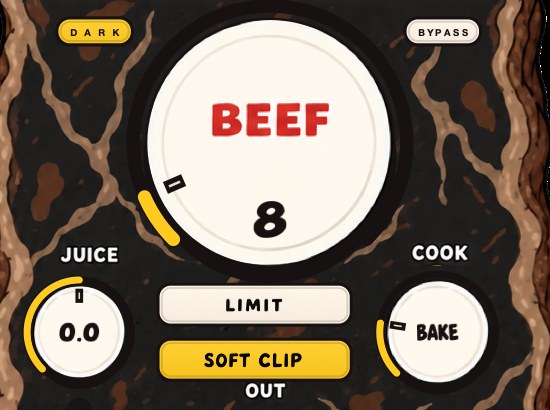
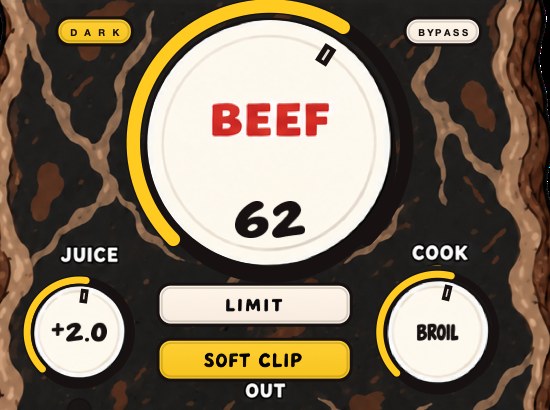
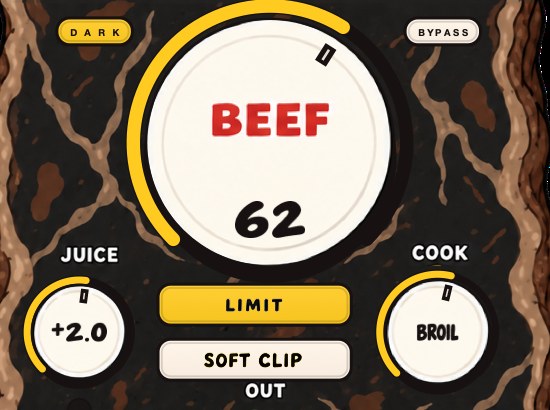
BEEFY is our saturation and loudness plugin, for snares that need more smack. BEEF adds weight, density and loudness as you turn it up. COOK moves the tone from a rounder feel toward a brighter, more cooked edge, which on a snare is where the crack lives. SOFT CLIP, on by default, rounds off the loudest parts, and LIMIT holds the output peaks instead if you'd rather.
A new instance opens with SOFT CLIP on, JUICE at 0 dB, BEEF at 30 and COOK at 30, which is a working position rather than a bypass. Set JUICE so the snare is arriving at a sensible level, raise BEEF slowly from zero, and stop at the first point where the backbeat sounds planted with everything else playing. COOK then decides whether the new harmonics land as weight or as edge, which on a snare is the difference between a hit that travels to a phone and one that gets tiring on earbuds.
SOFT CLIP and LIMIT deal with the loudest part in two different ways, and on a snare they do not sound alike. Soft clipping rounds the top of the waveform and leaves the hit feeling immediate; limiting pulls the level down around the peak and can take the front edge with it, which is exactly the thing this whole page is about protecting. Soft clipping explained and how to use a limiter cover the choice. BEEFY runs on Mac and Windows as AU, VST3 and standalone, and it is $39.
If the whole kit needs holding together rather than the snare needing weight, DRUGS is our free one-knob bus compressor for drums, Mac and Windows, with a DOSE control, a GAIN control and a soft ceiling on the way out. Judge it by bypassing the plugin rather than by turning DOSE down, because DOSE at zero is not unity and is still part of the sound.
Same starter's pistol. This time the race actually starts.
BEEFY — saturation and loudness plugin for Mac and Windows. There is a 28-second demo with three without/with comparisons on the page.
Keep reading
- How to make 808s hit harder — Tuning, the kick, the envelope, saturation, soft clipping and a mono low end.
- How to mix drums — Balance first, then EQ, compression, saturation and the bus.