← Gazillion Industries/Reading material
What is aliasing in audio
In old westerns the wagon wheels spin backward on screen. The camera isn't taking pictures fast enough to catch the spokes, so the eye gets a wrong answer that looks perfectly real. Audio does the same thing with sound, and some producers love the wrong answer.
Aliasing happens when audio contains frequencies above half the sample rate (the Nyquist frequency). Digital audio can't represent them, so they fold back down and reappear as lower, unrelated tones. It sounds metallic, glassy or out of tune, and it's most obvious on bright sounds and high notes. In mixing it's usually a flaw that oversampling prevents; in lofi and bitcrushed sounds it's part of the character.
The short version
- Cause
- frequencies above half the sample rate
- Result
- they fold back as lower, inharmonic tones
- Sounds like
- metallic, glassy, out-of-tune shimmer
- Common sources
- distortion, clipping, sample rate reduction, synths
- Prevent
- oversampling, filtering before downsampling
- Or use it
- lofi crush, digital grit
How aliasing works
A sample rate can only describe frequencies up to half its value. At 44.1 kHz, that ceiling is 22.05 kHz. Anything above it gets mirrored back below the ceiling by the same distance it went over. A simple example: at a 15 kHz sample rate the ceiling is 7.5 kHz, so a 10 kHz tone shows up at 5 kHz instead (15 minus 10). That new tone has no musical relationship to the note that made it, which is why aliasing sounds wrong rather than warm.
The mirror repeats, which is the part most explanations leave out. A rate does not fold once. It folds around every whole multiple of itself, so an alias lands at the distance between the offending frequency and the nearest multiple of the rate: the absolute value of f minus n times the rate, for any whole number n. At 44.1 kHz a 25 kHz partial comes back at 19,100 Hz. A 45 kHz partial comes back at 900 Hz, having passed one whole multiple and landed 900 Hz the far side of it. Content an octave above anything a human can hear arrives under the bass, and that is the case nobody plans for.
No filter is involved anywhere in this. The folded partial is added to whatever was already sitting at that frequency, at close to the level it had before it folded. That is why aliasing survives EQ so badly. Pull 2 kHz down and you pull the snare down with it, because by the time the signal reaches the EQ the alias and the snare are the same numbers in the same file.
Hear the fold
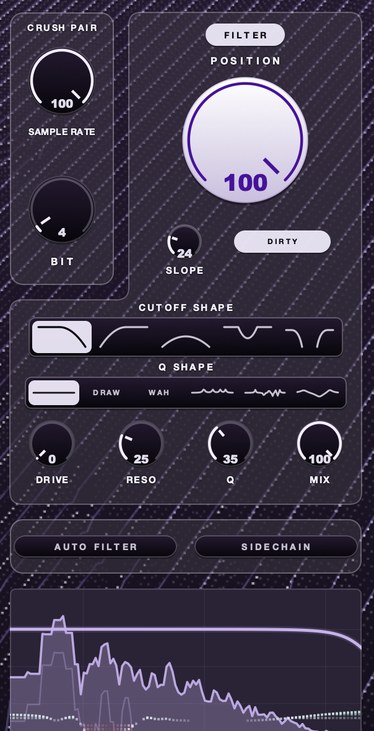
Fold-back is easier to recognize than to describe. Here is one loop four ways: clean, bit reduction on its own, sample rate reduction on its own, and both. The third file is aliasing by itself, with nothing else going on.
The same 1.049 seconds each time, through F(ilter)12. Peaks sit within 0.05 of each other and RMS within two per cent, so what moves across the four files is spectrum rather than volume.
The third file measures brighter than the first, not darker. Its 99 per cent spectral rolloff — the frequency below which ninety-nine per cent of the energy sits — moves from 869 Hz dry to 3,348 Hz, at the same RMS. Folding adds content. It never subtracts any.
What aliasing sounds like
On a sustained note it's a faint extra tone that moves the wrong way when the pitch bends: the note goes up, the alias goes down. On drums and noisy sounds it's a hard, metallic sheen on the top end. On a heavily crushed sample it's that ringing, robotic shimmer that makes the sound feel like it's coming through a broken machine. If a bright sound gets harsher in a way EQ can't fix, suspect aliasing.
That backward motion is worth hearing once on purpose, because it is the only symptom nothing else produces. Take a sine sweeping from 5 kHz up to 7 kHz and step the rate down to 8 kHz. The arithmetic says the ghost starts at 3 kHz and ends at 1 kHz. Rendered and measured, the loudest component across the first quarter second sits near 2.9 kHz and across the last quarter second near 1.1 kHz — the averages a moving window gives you. The source climbs a fifth. The ghost drops an octave and a half. Nothing acoustic does that, which is why the ear files it under machine rather than under instrument.
The failure modes, and what each one sounds like
Aliasing does not have one sound. It has a handful, in different places in a mix, which is why it gets diagnosed as five separate problems.
- A buzz under the bass. Heavy drive on a mid-range source throws harmonics past the ceiling and the far ones land in the low mids. The mix gets crowded somewhere you never processed. See why is my mix muddy.
- A ring on the hats that will not EQ out. Notch it and the hat goes with it, because the alias is sitting on the same frequency as the part of the hat you want.
- A pad that goes sour in the top octave. Hold a low chord and it is fine; play the same chord two octaves up and it detunes. The synth's own harmonics have crossed the ceiling.
- A riser that stops rising. The sweep climbs, something else starts descending underneath it, and the two cross in the middle of the build.
- Fine on monitors, brittle on earbuds. Small drivers push the 5 kHz to 10 kHz band forward, which is where most folded content lands from ordinary distortion.
Where it comes from in a mix
- Distortion and clipping: they create new harmonics, and some land above the ceiling. See soft clipping explained.
- Sample rate reduction: lowering the rate lowers the ceiling, on purpose.
- Pitching samples up in a sampler without a band-limited resampler.
- Bright synth waveforms generated without anti-aliasing.
Two of those are choices and two are accidents. Sample rate reduction is a choice, and the whole lofi category is built on it. The pitch case is the one people get wrong most often, because the usual advice is to use better interpolation. Interpolation is not the fix. Play a 15 kHz partial back at double speed and it wants to be 30 kHz; at a 44.1 kHz session rate it returns at 14,100 Hz, and it returns at 14,100 Hz whether the sampler reads the file with nearest-neighbor or with linear interpolation. Both were measured. What removes it is a resampler that band-limits before it reads, or an HQ mode that does the same thing under a friendlier name. The rest of the pitch-up picture is in how to pitch a sample.
A worked example: one 5 kHz sine, hard clipped
Distortion is the accident that costs the most, because it ends up on everything. Here is the whole problem in one test, with the numbers from running it.
Generate a 5 kHz sine in a 44.1 kHz session and hard clip it flat. Hard clipping a sine produces odd harmonics only, so the honest output is 5, 15, 25, 35, 45 kHz and upward. Two of those fit. The rest fold. Measured against the fundamental at 0 dB, the render came back like this: 15 kHz at −10.3 dB, which is real; 19,100 Hz at −16.3 dB, which is the 25 kHz harmonic folded; 9,100 Hz at −21.9 dB, which is the 35 kHz one; and 900 Hz at −28.4 dB, which is the 45 kHz one arriving under the bass. Counting everything above −50 dB inside the audible band, that file holds thirteen peaks. Two of them are the signal.
Now run the identical clip at four times the rate, low-pass it, and bring it back down — which is exactly what an oversampling switch does. The same measurement returns two peaks: 5 kHz and 15 kHz at −10.3 dB. Nothing else above −50 dB. The eleven ghosts are gone and the harmonic the distortion was supposed to add is untouched, at the same level it had before. That is the entire argument for oversampling in one pair of renders, and it is why oversampling is a switch rather than a taste question on anything you drive hard.
In F(ilter)12, SAMPLE RATE folds the top back down as new content on purpose. There's a demo on the page.
How to avoid it when you don't want it
- Turn on oversampling in distortion, clipping and saturation plugins that offer it.
- Low-pass bright material before running it through heavy nonlinear processing.
- Use a higher quality or "HQ" mode on samplers and synths when pitching things up.
- Check by sweeping a high note: if a second tone moves the opposite way, that's aliasing.
- Where a plugin offers 2x, 4x and 8x, step up until the difference stops being audible and stay there.
- Turn the setting on for the bounce even if you left it off while writing, because the render is what people hear.
- Keep bright, noisy layers off the same insert as heavy drive and run them in parallel instead.
How to test a plugin for aliasing in ten minutes
Do this once with a plugin you trust and once with a plugin you suspect. Ten minutes buys an answer a week of forum reading does not.
- Put a test tone generator on an empty track and set it to a 5 kHz sine.
- Insert the plugin after it and drive it until the effect is obvious.
- Open a spectrum analyzer after the plugin and set the range to 60 dB.
- Note every peak that is not a whole-number multiple of 5 kHz.
- Sweep the generator slowly from 5 kHz to 10 kHz.
- Watch which peaks travel downward while the tone travels up.
- Turn the plugin's oversampling or quality control on and repeat step four.
- Swap the sine for the real part, match levels, and A/B the two settings.
Step eight is the one people skip and the only one that decides anything. A plugin can alias badly on a sine and still beat the clean version on a snare. Measure first so the choice is a choice.
Where the anti-aliasing control lives in your DAW
The switch goes by three names — Oversampling, Hi-Quality, or just Quality — and in Ableton Live it is not on the device face at all. It sits in the context menu on the device title bar, or under Show Options in the same bar. Ableton's own manual puts Saturator's Hi-Quality mode there and says it lowers aliasing and improves sound quality, particularly on high-frequency signals, for a slight rise in CPU. The same manual gives EQ Eight an Oversampling option that runs the device at twice the current session rate for smoother filter behavior in the top end, and gives Glue Compressor one in the same place. Two of its warnings are worth carrying into the mix: the CPU cost is real, and with oversampling on, loud peaks can still pass 0 dB, so the switch is no substitute for watching true peak.
In every other host, check three places in this order: the device's own panel, the settings or gear menu attached to it, and the host's wrapper around third-party plugins. If none of the three has it, assume the device does not oversample and put a low-pass in front of it yourself. Stock devices that do have it usually ship with it off, because the default was chosen for CPU rather than for your mix.
Where the folded content actually lands
Lower the sample rate and everything above half the new rate does not disappear. It mirrors down. A partial at frequency f comes back at the new rate minus f, so the content that returns is not a harmonic of anything in the music, which is why it reads as metallic rather than bright. The rule is one subtraction, and it tells you in advance what you are about to hear:
- 22.05 kHz — fold line at 11,025 Hz
- a 6 kHz hat partial passes through unchanged
- 16 kHz — fold line at 8,000 Hz
- a 6 kHz hat partial passes through unchanged
- 11.025 kHz — fold line at 5,512 Hz
- a 6 kHz hat partial comes back at 5,025 Hz
- 8 kHz — fold line at 4,000 Hz
- a 6 kHz hat partial comes back at 2,000 Hz
At 8 kHz that 6 kHz hat partial lands at 2 kHz, which is in the middle of where the vocal and snare live, and a 7 kHz one lands at 1 kHz. That is the whole reason a crushed hi-hat can make a mix sound cluttered in a region you never touched. Filtering before the rate reduction removes the content that would have folded; filtering after only attenuates it once it is already sitting on top of the music.
The levels go with the arithmetic. Stepping a lone 6 kHz tone down to an 8 kHz rate and measuring the result, the 2 kHz ghost came back 9.4 dB louder than what survived of the 6 kHz original. A 7 kHz tone at the same rate put its 1 kHz ghost 16.5 dB above the source. Push the fold line up to 11.025 kHz and the gap closes to 1.5 dB. The closer a partial sits to the fold line, the gentler the fold; the further above it sits, the more the ghost dominates what you hear.
Where it goes in the chain
Put the fold where you can still undo it. Anything that aliases wants to sit early enough that a filter before it decides what is allowed to fold and a filter after it shapes what came back. Two low-passes around a crusher, one either side, give you both controls for nothing. See filter cutoff and resonance.
What comes after matters as much. A compressor after an aliasing source is reacting to energy that is not in the performance, so the ducking lands off the beat and reads as a fault in the compressor. A reverb after one sprays the ghosts across the tail, where they stop being grit and start being noise. A limiter after one spends its headroom on content that adds nothing, which is the quiet version of this problem and the expensive one — the worked example above lost eleven peaks' worth of level to material nobody asked for. Clipper before limiter covers the order that survives.
How to use it on purpose
Lofi producers reach for aliasing deliberately. Lowering the sample rate on drums, chords or a whole loop gives the crunchy, metallic top of old samplers, especially alongside bit depth reduction (see bitcrushing explained). Filter the result afterward if it gets piercing; you want grit, not a headache. Best bitcrusher plugins goes through which ones let you hear that fold-back and which ones hide it.
Pick the rate by deciding where you want the ghosts, not by turning the knob until it breaks. A fold line at 6 kHz (a 12 kHz rate) sends a 7 kHz cymbal partial to 5 kHz, near enough the source that the ear hears brightness with an edge on it. A fold line at 4 kHz sends the same partial to 1 kHz, and the ear hears a second instrument. The first is a texture. The second is an arrangement decision.
Three moves make it usable rather than merely loud. Blend it in parallel so the dry transient stays under the grit. High-pass the crushed copy around 300 Hz, because the low end gains nothing from folding and loses definition to it. And ride the blend with the arrangement: the crush that carries a sparse eight bars will bury a full chorus. Same logic as how to make a sample sound old.
What it costs you
Oversampling costs CPU, and the cost is close to linear: 4x means roughly four times the work in that plugin's stage. On a project with distortion on twenty tracks that is a real number, and it is the reason the switch ships off.
It can also cost latency. The filters that band-limit before the downsample are delay lines, and a steeper filter is a longer one. Well-behaved plugins report the delay and the host compensates; some do not, and the symptom is a track that slides a few samples late only when the switch is on. Check by copying the track, flipping polarity on the copy and bypassing the plugin on one of them. A clean null means the host is compensating.
And oversampling costs you a sound. Clean distortion is thinner than dirty distortion, because a lot of what people like about aggressive saturation is the inharmonic content underneath it. Turn the switch on, listen, and if the part got worse then leave it off on purpose. Raising the whole session to 96 kHz is the blunt version of the same trade: it doubles CPU and disk on all forty tracks to fix the three with distortion on them. Going the other way, printing a crushed render costs you the fold line — once a 2 kHz ghost is in the file, a different rate means going back to the source.
Questions people ask
What is aliasing in sound?
Aliasing is when frequencies above half the sample rate fold back into the audible range as lower, unrelated tones, adding a metallic or out-of-tune quality to the sound.
Can you explain aliasing with an example?
At a 15 kHz sample rate, the highest frequency that can be represented is 7.5 kHz. A 10 kHz tone can't fit, so it reappears at 5 kHz: 2.5 kHz below the ceiling, the same distance it went over.
What is anti-aliasing in audio?
Anti-aliasing means removing or preventing frequencies above the Nyquist limit before they can fold back, usually with a low-pass filter before downsampling, or by processing at a higher sample rate with oversampling.
What is the Nyquist frequency?
Half the sample rate. At 44.1 kHz it is 22.05 kHz, at 48 kHz it is 24 kHz, at 96 kHz it is 48 kHz. It is the highest frequency that rate can describe, and every alias is a reflection around it or around a whole multiple of the rate itself.
Why does my synth sound out of tune in the high notes?
Most likely aliasing in the oscillator. A bright waveform has harmonics stretching far above the note; play higher and they cross the ceiling and fold back at frequencies unrelated to the key. The same chord is fine two octaves down and sour at the top. Look for an HQ, Quality or Oversampling control on the instrument, or low-pass the oscillator before the amp stage.
Does recording at 96 kHz get rid of aliasing?
It reduces it a great deal and does not remove it. Measuring one 5 kHz sine hard clipped at three rates, the loudest alias sat 16.3 dB below the fundamental at 44.1 kHz and 37.8 dB below it at 96 kHz, with five audible-band peaks left instead of thirteen. The cost is that the whole project runs at double CPU and disk, while oversampling spends that only where it is needed.
Is aliasing the same as distortion?
No. Distortion adds harmonics that are whole-number multiples of the input, which is why it reads as a change of tone rather than a change of note. Aliasing adds tones at frequencies with no arithmetic relationship to the input at all. Distortion often causes aliasing, because the harmonics it creates are the material that folds. See harmonic distortion.
How do I know if a plugin is aliasing?
Feed it a single high sine, around 5 kHz, and put a spectrum analyzer after it. Any peak that is not a whole-number multiple of 5 kHz is an alias. Then sweep the tone upward: aliases move down while the source moves up, and nothing else in audio does that.
Does oversampling remove aliasing completely?
It removes the audible part in most cases. Running at four times the rate and filtering before the downsample took a hard-clipped 5 kHz sine from thirteen audible-band peaks to two, and both survivors were real signal. Harder drive can still push content past the raised ceiling, which is why some plugins offer 8x and 16x.
Why does aliasing sound metallic?
Because the frequencies it adds are unrelated to the note. The ear reads sets of whole-number harmonics as pitch and reads inharmonic sets as struck metal, which is roughly what a bell or a cymbal is. Folded partials are inharmonic by definition, so a fold puts a small, dense bell on top of whatever made it.
Can you remove aliasing after it has been recorded?
Not really. Once the fold has happened, the ghost and the music occupy the same frequencies in the same file, so whatever attenuates one attenuates the other. Narrow notches help when it is a couple of steady tones off a sustained source. For anything broadband, go back and re-render with oversampling on.
Does aliasing matter if I make lofi?
It matters more, because it is the main ingredient rather than an accident. Knowing where the fold line sits lets you put the ghosts somewhere useful instead of on top of the vocal. The trap is an aliasing crusher and an aliasing saturator in the same chain: the second folds the first one's output, and the result goes dense enough to stop reading as texture. See how to make lofi drums.
What F(ilter)12 does
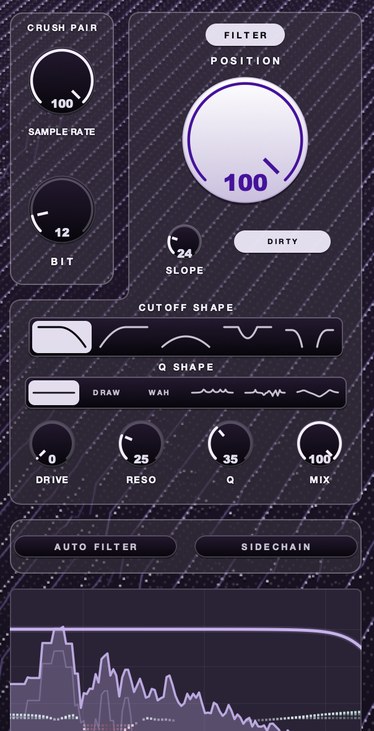
F(ilter)12 is our 12 bit sauce filter, and its lo-fi section uses this on purpose. SAMPLE RATE slows the rate the audio is sampled at, so the top goes and what was up there folds back down as new content. BIT coarsens the steps, so quiet detail rounds off. A filter with five shapes sits behind the crush to shape what comes out, and AURA helps the result sit in the mix.
The wagon wheels are still spinning backward. Now you get to decide how fast.
F(ilter)12 — a 12 bit sauce filter for Mac and Windows: a lo-fi section, five filter shapes, six resonance shapes and AURA.
Mac · Winmore info
Keep reading
- Bitcrushing explained — Bit depth, quantization noise, sample rate reduction and what 12-bit and 8-bit sound like.
- Soft clipping explained — What a soft clipper does, how it differs from hard clipping and a limiter, and where to use one.
- How to make a sample sound old — Narrow the range, add warmth and grain, wobble, noise and a small room.
- Oversampling — Why distortion needs it, EQ does not, and what it costs you.
- Best low pass and high pass filter plugins — Slope, resonance, drive and sync: what separates filter plugins, plus free picks.
- Best auto filter plugins — Resonance, envelope followers, sync and swing: how to pick an auto filter.
- Best filter plugins — Three things separate good filters from bad, and a ten-minute test that settles it.
- Best 12 bit sampler plugins — What 12 bit really does, how to test one, and the free options worth trying.
- Best bitcrusher plugins — What bit and rate reduction do, how to audition one, free and paid picks.
- How to get the sound of an old sampler without buying one — The old sampler sound is a stack of specific limitations, and you can apply each one on purpose.
- Why does my beat sound like a computer made it? — Grid timing, identical velocities, silent gaps, full bandwidth and copy-pasted bars, with a concrete fix for each.
- What does 12 bit audio actually sound like — Each bit is about 6 dB, so 12 bits gives roughly 72 dB against 16 bit's 96. The audible result is a noise floor that only exists while the music plays, quantization that sits on the signal rather than under it, and tails that go grainy and stop early. Loud material hides all of it.
- Adaptive EQ — A static EQ decides once. An adaptive one keeps re-deciding.
- Best lead synth VST: how to choose a synth lead plugin — Why a lead wants one voice, what to listen for, and the synth lead plugins people name.
- Best synth VST under 100 — Free picks, what $249 buys instead, and why one voice teaches fastest.