← Gazillion Industries/Reading material
How to make a sample sound old
A photo filter can make a phone picture look like it was taken in 1974, and everyone can tell it's a filter. Making a sample sound old has the same problem: one effect reads as a trick, and a handful of small, consistent flaws reads as history.
To make a sample sound old, narrow its frequency range, then add the flaws of old playback. Band-limit it with a high-pass and a low-pass, add gentle saturation, reduce bit depth or sample rate a little, add slow pitch wobble and a quiet noise bed, make it a little narrower or mono, and give it a small, dark room. Keep every move subtle so the result sounds aged rather than processed.
The short version
- Range
- high-pass the lows, low-pass the highs
- Warmth
- gentle saturation
- Grain
- a little bit depth or sample rate reduction
- Wobble
- slow, subtle pitch drift
- Noise
- a quiet hiss or crackle bed
- Space
- narrower stereo, a small dark room
Hear the moves separately
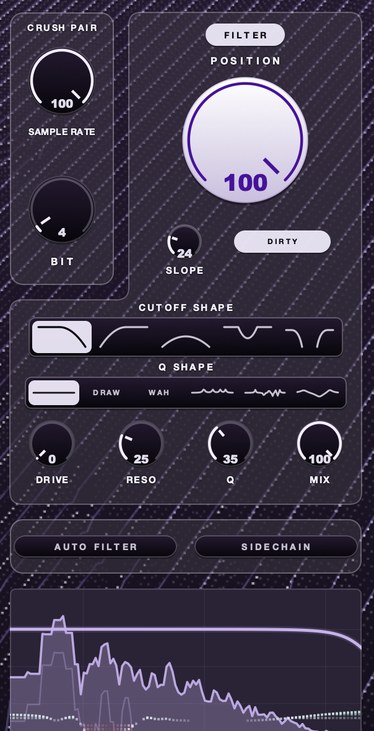
Four renders of one short source, so the words underneath have something to point at. Clean, then the band narrowed and nothing else, then bit reduction on its own, then bits and rate together.
Those four files were measured for this page rather than described from memory. In the clean render, 99 per cent of the energy sits below about 870 Hz. Narrowing the band drops the average level by 1.4 dB, which is the first thing aging a sample costs you. Bit reduction leaves that 99 per cent point at about 1.5 kHz; bits and rate together push it out to about 3.4 kHz — higher than the clean source, on a file that had nothing added to its top end. That content is folded down from above the new ceiling, and it is what people mean by grain. Rendered through F(ilter)12.
Why old recordings sound old
Old media couldn't hold much. Records, tape, early samplers and radios all lost some low end and a lot of top end, added noise, drifted in speed and blurred the stereo image, if they had one at all. Each of those is a separate move you can make, which is good news: you can choose which era of old you mean. If the era you mean is the sampler rather than the medium, 12 bit sampler plugins is the one to read.
Pick an era before you touch a knob
Old is a family of sounds, and the knobs have no opinion about which member you want. Decide what playback you are pretending to have, then spend your moves on the flaws that belong to it. Stack all of them and you get a sound nobody ever heard: a warped, hissing, crackling, band-passed, quantized object that reads as a plugin chain, because that is the only place it has ever existed.
- Worn record
- high-pass 60–100 Hz, low-pass 6–10 kHz, crackle low, slight narrowing
- Kitchen radio
- band from roughly 400 Hz to 3 kHz, hard mono, a little drive, no room
- Early sampler
- band left wide, rate stepped down, bits down, no wobble at all
- Cassette dub
- wobble and hiss lead, top off around 12 kHz, band second
- Phone line
- roughly 300 Hz to 3 kHz, mono, hard drive, nothing else
- Room next door
- low-pass first, then a long dark tail, then narrow it
Three of those have their own pages: telephone effect on vocals for the tight band, how to make music sound like another room for the muffled one, and how to make music sound like cassette for the wobble.
Narrow the range
This is most of the effect. A high-pass takes out the deep low end that old playback never had, and a low-pass takes the air off the top. The narrower the band, the older and smaller it sounds: a gentle roll-off reads as a warm record, a tight band around the mids reads as an old radio or telephone. Use a resonant filter for a little extra honk.
Slope matters as much as the corner. A 6 dB per octave low-pass at 8 kHz leaves real content at 16 kHz, one octave up and only 6 dB down, so the sample keeps its air and just sounds dull. At 24 dB per octave the same corner puts 16 kHz 24 dB down and 32 kHz off the map, and the top of the record is gone rather than softened. Start at 12 or 18, and reach for 24 when you want the edge of the band to be audible as an edge.
Resonance is the difference between a filter you hear and a filter you notice. Two to four dB of lift at the corner makes the band sound like a horn or a cone instead of a smooth curve, and buys back a little of the level the filter just took. Past about 6 dB it rings on transients and the ear finds the plugin. Filter cutoff and resonance covers what the two controls do to each other.
Add warmth and grain
Gentle saturation rounds the peaks and adds density, like a signal that went through old circuits. A little bit depth or sample rate reduction adds the grain of early digital samplers. Stack them lightly. The theory is in bitcrushing explained.
The two pull in opposite directions, which is why they work together. Saturation adds harmonics related to the source — second, third, fourth above the note — so it thickens without souring the pitch. Rate reduction adds content with no relation to the note at all. Set the drive first with the crusher bypassed, until the loudest bar is being held rather than squashed, then bring the grain in underneath. The other order has the drive distorting the grain instead of the music, and it goes to gravel fast. Saturation explained has the harmonic picture.
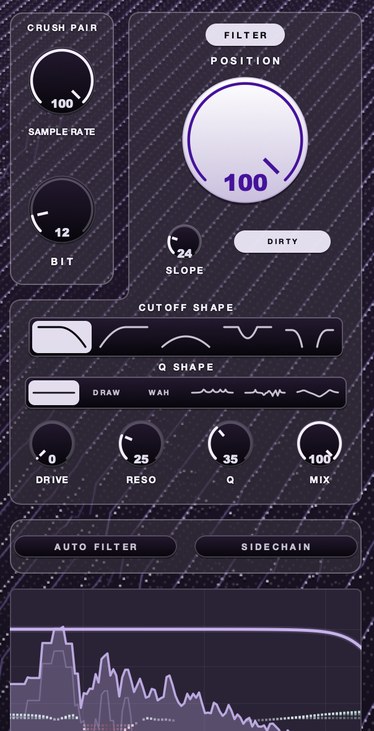
F(ilter)12 puts a filter, the crush pair and drive in one place. There's a demo on the page.
The numbers behind the grain
Bit depth and sample rate are two unrelated pieces of arithmetic sold as one knob. Knowing which one you are turning is the difference between a sample that sounds aged and one that sounds broken.
Sample rate sets a ceiling. A stream can carry nothing above half its rate, so stepping down to 8 kHz puts a hard lid at 4 kHz — and what was above the lid folds back down rather than disappearing. A 5 kHz partial at an 8 kHz rate reappears at 8000 minus 5000, which is 3 kHz, and 3 kHz is not a harmonic of anything in the source. Play a rising line and the folded content walks downward while the note walks up. That inversion is the clang, and it is the most recognizable tell of digital aging. What is aliasing in audio takes it apart properly.
Bit depth sets a floor. Each bit is worth about 6 dB of range, so 16 bit leaves roughly 96 dB between the loudest sample and the noise under it, 12 bit about 72 dB, 8 bit about 48 and 4 bit about 24. Take bits away and the floor climbs toward the music. That is why crushing is inaudible on a loud sustained chord and obvious on a decay: the tail falls into the floor and the end of the note dissolves into a fixed, grainy hiss that does not duck when the music does. If a crusher seems to be doing nothing, you are auditioning it on the loud part.
Add movement and noise
Old media never ran at a perfectly steady speed. A slow, subtle pitch wobble makes a sample feel like it's playing off a worn tape or a slightly warped record. Under it, a quiet noise bed, hiss for tape, a soft crackle for vinyl, gives the silence a texture. Keep both barely audible; the listener should feel them before they notice them.
Put a number on the wobble or you will overdo it. A 0.3 per cent speed deviation is about 5 cents, a twentieth of a semitone: you will not name the interval, you will only hear the note refuse to sit still. One per cent is about 17 cents and sounds seasick on anything sustained. Rate matters too — under 1 Hz reads as a warped disc, 4 to 7 Hz reads as a transport that needs servicing. Drums hide both and sustained horns hide neither, so wobble the pitched parts on their own. Wow and flutter is the long version; tape hiss covers the bed.
Set the bed by its distance from the music, not by its own number. Thirty to forty dB below the sample's peak is the window: audible in the gaps, gone under the loudest bar. A bed that survives the loudest bar is doing something other than age.
TRIPLE OG is our cassette tape simulation for Mac and Windows, with HISS, WOW FLUT and an AGE control running from zero to sixty years — the wobble-and-hiss half of this article in one box.
Where it goes in the chain
Order changes the result more than any single setting in it. Each step below exists because the step after it would otherwise be working on the wrong thing.
- Speed or pitch move first, so everything after it ages what you actually kept.
- Drive second, on the full band, before anything has been thrown away.
- High-pass and low-pass third, which also removes the harshest of the drive.
- Rate and bits fourth, on a signal whose top end you already chose.
- A second, gentle low-pass after the crusher to tame what folded down.
- Noise bed next, then width, then a small dark room last.
Two of those are worth an argument. Filtering before the crusher decides whether there is anything up there to fold down at all: a band already stopping at 6 kHz cannot produce much folded content at an 8 kHz rate, so if you want the clang, cut the top end after. And the bed should usually sit after anything that reacts to level — hiss in front of a bus compressor gets lifted every time the music gets out of the way, which is a pumping bed rather than a still one. If it has to go early, because you want it crushed along with the music, keep the compression after it gentle. Gain staging matters here more than usual, because three of these stages change the level.
How to make a sample sound old
- Nudge the playback speed by 1 to 3 per cent, up or down.
- High-pass the sample to remove the deepest lows.
- Low-pass it to take off the air; go narrower for an older sound.
- Add gentle saturation.
- Reduce bit depth or sample rate slightly.
- Add a slow, subtle pitch wobble.
- Add a quiet hiss or crackle bed.
- Narrow the stereo width, or go mono for anything before stereo.
- Send it to a small, dark room reverb, blended low.
- Bounce it, then listen to the bounce on a phone before you build on it.
If the sample turns thin in the process, how to make a sample sound fuller covers getting the body back. Step one is worth understanding on its own: what is varispeed explains why moving pitch and time together sounds like a machine and moving them apart sounds like software.
A worked example, one pass end to end
Numbers, so the steps above have somewhere to start. The source is a clean, wide, modern string figure and the target is a record somebody played a lot. Every value is a starting position, not a setting.
- Speed down 3 per cent. That is 53 cents flat, near enough half a semitone, and it darkens the whole thing before any filter is involved.
- High-pass at 90 Hz, 24 dB per octave.
- Drive until the loudest bar reads about 2 dB hotter than it went in, then pull the output back by the same 2 dB.
- Low-pass at 7.5 kHz, 18 dB per octave, 3 dB of lift at the corner.
- Sample rate down to 16 kHz, putting the ceiling at 8 kHz — above the filter you just set, so the grain arrives without the clang.
- Bits down to 10, leaving about 60 dB of range: the decay grains out, the body does not.
- Wobble at 0.35 Hz, depth about 6 cents.
- Hiss 36 dB below the sample's peak. Width to 65 per cent.
- Room: 0.8 s tail, 12 ms pre-delay, low-passed at 4 kHz, returned 18 dB under the dry signal. Twelve milliseconds is the round trip to a wall about two meters away, which is why it reads as a room and not as a hall.
Then take one thing away. Almost every version of this is one move too far, and the move to lose is whichever one you can name with your eyes closed.
How to check it without fooling yourself
Aging a sample makes it quieter and darker, and quieter and darker loses a straight A/B whatever you did. Level-match first: bypass, match the average by meter, then judge.
Three checks catch nearly everything. The phone, where a narrowed band and a raised noise floor have nowhere to hide and the low end you high-passed away was never audible anyway. The analyzer: play a rising line through the chain and watch for content walking downward while the note walks up, which is folded content, and now you know how much of it you have. And mono: a narrowed image survives collapsing, a stereo room over a crushed sample often does not, which is where most of these chains quietly fall apart — see mono compatibility.
The cheapest check is last. Mute the aged version, play the clean one against the rest of the track, and see which one the track wants. Doing that the next day, off a bounce, saves more work than any plugin on this page.
When it goes wrong, and what it sounds like
- Clang
- rate too low under a bright source; folded content walking the wrong way
- Gravel
- drive after the crusher instead of before it
- Mud
- high-pass too low, plus saturation, plus a room; nothing has an edge
- Seasick
- wobble over about 15 cents on sustained pitched material
- Breathing
- a noise bed in front of anything that reacts to level
Mud is the common one and the hardest to hear on your own record, because it arrives gradually and sounds warm on the way in. The test is the mix rather than the sample: if everything else has to get out of the way for the aged loop to be audible, the loop has spread rather than sat down. Why is my mix muddy has the frequency map.
Transient loss is the other one. Aging a full loop ages the drums in it, and a hit that has been low-passed, saturated and crushed has a soft front edge — vintage on its own, absent under a modern kick and snare. Either age the melodic parts and leave the drums alone, or age everything and accept that the kit now needs replacing rather than reinforcing. How to make drums sound dusty takes the second road on purpose, and what is a transient explains what you spent.
One more only shows up after you deliver. A quiet noise bed is the part of a file most likely to change when it is encoded for streaming or a messaging app, so encode a bounce at a low bitrate and listen to that before deciding the bed is doing its job.
Timing is half of it
Grid-perfect drums announce themselves faster than any amount of top end. A human drummer varies by tens of milliseconds, and the variation is not random: hats rush slightly, snares sit back, kicks land early when the player is pushing. Move a few hits and vary the velocities by 10 to 15 percent and the kit starts to sound like it has a person behind it.
The same applies to a sampled break, where the swing was already there and got quantized out of it. If you chopped it yourself, see how to chop a drum break for keeping the feel through the slicing.
What it costs
Every one of these moves takes something. Level: narrowing the band alone dropped the average by 1.4 dB on the renders at the top of this page, and the width control and the room each take their own cut. Top end, permanently — a shelf after the fact only lifts noise. Stereo width you may want later. Transients. And once you bounce you have committed, because a decision that sounded characterful at midnight is not negotiable at noon.
There is a mix cost too. An aged sample stops carrying the top of the record, so something else has to: a hat, an air band on the vocal, a shaker. Producers who age a loop and then wonder why the track went small have usually forgotten to give that job to somebody. Keep the clean render in the session, muted, on a track you can find.
Questions people ask
How do I make an audio file sound old?
Narrow its frequency range with high-pass and low-pass filters, add gentle saturation and a little bit or sample rate reduction, then a slow pitch wobble, a quiet noise bed and a narrower stereo image.
How do I make something sound like an old radio?
Band-pass it tightly around the midrange, cutting most of the lows and highs, add some distortion, make it mono, and add a little noise. The narrower the band, the smaller and older the radio sounds.
How do I make audio sound like the 2000s?
Less filtering than older eras: a slightly softened top end, some compression and saturation, and a touch of early digital grit from mild sample rate or bit reduction rather than heavy tape wobble or crackle.
How do I make a sample sound like an old record?
High-pass around 60 to 100 Hz, low-pass between 6 and 10 kHz, add a crackle bed roughly 35 dB under the peak, and narrow the width to about two thirds. Leave the bit depth alone: records were noisy and band-limited, and they were never quantized.
How do I make vocals sound old?
Go narrower than you would on music and commit to mono. Roughly 300 Hz to 3 kHz with drive into it reads as a line or a horn; 200 Hz to 6 kHz with a small room reads as an old studio. Keep the wobble off a lead vocal, because the ear finds pitch drift on a voice faster than on anything else.
Should I age a sample before or after I chop it?
Chop first, age after. Aging first bakes the bed and the wobble into every slice, so the hiss restarts on each hit and the wobble jumps between chops. Aging the chopped arrangement keeps one continuous bed across the whole thing, which is what a playback chain would have done.
What plugin makes samples sound old?
Any filter plus any saturator plus any crusher will do it, and your DAW's stock devices are listed below. A dedicated box is worth it mainly for speed: filter, drive and crush on one panel can be moved against each other instead of one at a time.
Why does my old-sounding sample turn to mud in the mix?
Usually the high-pass is too low and the saturation and room are filling everything between 150 and 500 Hz. Raise the high-pass until the sample sounds slightly thin on its own, then check it in context. A sample that sounds right soloed is almost always too full in the mix.
How much pitch wobble is too much?
About 15 cents of depth is the edge on sustained pitched material, which is roughly a 0.9 per cent speed deviation. Below 10 cents it registers as age; above 20 it registers as a broken machine, which is a fine choice as long as you meant it.
Can I make a sample sound old without making it quieter?
Not without adding gain back. Filtering removes energy, so make the level up after the chain and compare at matched loudness. If the aged version still loses at the same level, the settings are the problem rather than the loudness.
Stock plugins that do this
- FL Studio
- Fruity Love Philter; Fruity Squeeze; Fruity Blood Overdrive
- Ableton Live
- Auto Filter; Redux; Saturator; Utility for width
- Logic Pro
- Channel EQ; Bitcrusher; ChromaGlow (Logic Pro 11 and later)
Doing it with stock devices
Ableton Live. Redux is the whole grain section in one device, split the way this page is: downsampling on the left, bit reduction on the right. Rate sets the rate the signal is degraded to, Bits sets the depth, and Jitter adds noise to the downsampler's clock, which makes the result noisier and wider at once. The Filter section is the part that matters for aging — Pre puts a filter before the downsampler so there is less up there to fold down, Post puts a low-pass after it, and the Post-Filter Octave slider is set in octaves relative to half the Rate value, which is to say relative to the ceiling. Shape decides how hard the quantizer treats quiet signal against loud, so it governs whether the decay grains out before the body does. For the record read, Vinyl Distortion has a crackle generator and two modes, Soft and Hard, which Ableton describes as a dub plate and a standard record. Utility does the width: 0 per cent is mono, and Bass Mono collapses only the low end, with a frequency slider that runs from 50 to 500 Hz.
FL Studio. Fruity Squeeze is a bit reducer, a distortion and a filter in one device, with a Pre/Post switch that puts its low-pass either side of the bit reduction — the same decision as Redux's Pre and Post. Squarize is the bit depth. The Puncher section replaces samples with a fixed value, and Image-Line's manual says the best results come from low Amount settings, which is true of every other control on this page. Fruity Love Philter gives you the resonant band and the movement; Fruity Blood Overdrive is the drive to put in front of it.
Logic Pro. Channel EQ with the analyzer running is the fastest way to set the band, because you can watch where the sample's energy actually stops instead of guessing a corner. Bitcrusher covers the grain, ChromaGlow in Logic Pro 11 and later covers the drive, and Direction Mixer handles the narrowing. Turn the analyzer off before you judge the result: watching a spectrum move is the fastest way to talk yourself into a setting your ears did not choose.
The devices change; the order does not. And if you are building a wider lo-fi sound rather than aging one sample, how to make lofi beats puts these moves in the context of a whole beat.
What F(ilter)12 does
F(ilter)12 is our 12 bit sauce filter for drums and samples. The filter sets where in the spectrum things sit, with five shapes and six resonance shapes, and DRIVE for warmth. The lo-fi section, SAMPLE RATE and BIT, adds the grain. AURA on top helps the result sit better in the mix without sounding processed.
One panel rather than three plugins, for the reason this page keeps making: these controls only mean anything against each other. Set the band, hear what the rate has left to fold down, move the band again. Mac and Windows, AU, VST3 and standalone, $49, and DRUGS comes with it. There is a demo on the product page, which answers faster than a paragraph.
Nobody believes the photo filter. A sample aged one flaw at a time, they believe.
F(ilter)12 — a 12 bit sauce filter for Mac and Windows: a lo-fi section, five filter shapes, six resonance shapes and AURA.
Mac · Winmore info
Keep reading
- How to make lofi beats — Tempo, chords, swung drums, crush, noise, wobble and a gentle pump.
- Bitcrushing explained — Bit depth, quantization noise, sample rate reduction and what 12-bit and 8-bit sound like.
- How to make a sample sound fuller — Clean it first, add harmonics, compress for sustain, support it with a bass layer, and give it room.
- How to make music sound like it's in another room — The steep low-pass, the reverb, and why the low end has to stay.
- The SP-303 vinyl sim: the sound, the compressor, and a free way in — What the 2001 sampler was, what its Vinyl Simulator does, and who used it.
- RC-20 Retro Color — The six modules in order, what Magnitude does, and where it differs from a filter.
- Best 12 bit sampler plugins — What 12 bit really does, how to test one, and the free options worth trying.
- Best bitcrusher plugins — What bit and rate reduction do, how to audition one, free and paid picks.
- Why does my beat sound like a computer made it? — Grid timing, identical velocities, silent gaps, full bandwidth and copy-pasted bars, with a concrete fix for each.
- What does 12 bit audio actually sound like — Each bit is about 6 dB, so 12 bits gives roughly 72 dB against 16 bit's 96. The audible result is a noise floor that only exists while the music plays, quantization that sits on the signal rather than under it, and tails that go grainy and stop early. Loud material hides all of it.
- Free alternatives to RC-20 Retro Color, one module at a time — A free plugin for each RC-20 module, and the job none of them does.