← Gazillion Industries/Reading material
Why is my mix muddy?
It sounded enormous at two in the morning. In the car the next day it sounds like the whole record is playing through a duvet, and turning it up only makes the duvet louder.
A mix is muddy when too much energy is stacked between roughly 150 and 500 Hz, where the low mids of almost every instrument overlap. Fix it by cutting rather than boosting: high-pass everything that is not bass or kick, find the two or three tracks contributing most in that range and take 2 to 4 dB out of each with a wide cut, and check in mono, where mud is easier to hear. Reverb and too many layered parts are the other two usual causes.
The short version
- Where
- 150–500 Hz, the low mids
- First move
- high-pass everything that is not kick or bass
- Second
- wide 2–4 dB cuts on the worst two or three tracks
- Third
- fewer layers, not more EQ
- Reverb
- high-pass the returns around 300 Hz
- Check
- mono, quiet, and on a small speaker
- Why it stacks
- four equal parts sum to 6.02 dB above any one of them
- Spread the cuts
- 2 dB off four tracks beats 8 dB off one, by 1 dB
- Your room
- a 4.2 × 3.5 × 2.4 m room puts 20 axial modes in this range
Why that range and not another
Almost everything has energy between 150 and 500 Hz. The body of a kick, the fundamentals of a bass line, the warmth of a piano, the chest of a voice, the low end of a guitar, the room tone in a sampled break. Individually every one of them sounds right. Added together they produce a broad hump nobody chose, and because the ear reads that range as weight, the mix sounds heavy and unclear at the same time.
It compounds. Each track you add contributes a little more, so a mix gets muddier as it gets bigger, which is why the problem usually appears late in a session and feels like it came out of nowhere.
Measure the neighborhood before you argue with it. The span from 150 to 500 Hz is log2(500 / 150) = 1.74 octaves, out of the log2(20000 / 20) = 9.97 octaves between 20 Hz and 20 kHz. Take pink noise as a stand-in for a broadband record, equal energy in every octave, and that slice already holds 1.74 / 9.97 = 17.4% of the total, which is 7.6 dB below the whole-band level. Seventeen percent of the energy in a sixth of the spectrum, before a single part is stacked into it.
How four polite tracks build a hump
Nobody puts the hump there deliberately. It assembles itself, and the arithmetic is the boring kind. Two uncorrelated sounds at the same level sum to 10 × log10(2) = 3.01 dB above either one. Four sum to 6.02 dB, six to 7.78 dB, eight to 9.03 dB. No single track is loud in the low mids. The sum is.
Quiet contributors still count, which is the part that hides the problem. A part sitting 3 dB under the main offender adds 10 × log10(1 + 10−0.3) = 1.76 dB to the pile. One 6 dB under adds 0.97 dB. One 10 dB under still adds 0.41 dB. Three of those together are worth more than a decibel, and not one of them looks like a problem when you solo it.
Now work out where a cut lands. Say four parts contribute equally at 250 Hz. Pull 8 dB out of the worst one and the sum falls by only 1.03 dB, because the other three never moved. Pull 2 dB out of all four and the sum falls by the full 2.0 dB. Half the depth on each, twice the result, and nothing sounds gutted. That is the entire case for wide, shallow and spread out over deep and surgical, and it is why a mix keeps sounding muddy after you have hollowed out one keyboard.
One auditory filter at 250 Hz
Your ear does not read frequency off a fine ruler. It listens through a bank of overlapping filters, and two sounds landing inside one filter arrive as a single smeared event however clearly a spectrum display separates them. The accepted width for one of those filters, the equivalent rectangular bandwidth, is 24.7 × (4.37f / 1000 + 1) Hz. Run it across the mud range and the size of the problem shows up.
- 150 Hz
- 40.9 Hz wide, 130–170 Hz — about 4.8 semitones
- 200 Hz
- 46.3 Hz wide, 177–223 Hz — about 4.0 semitones
- 250 Hz
- 51.7 Hz wide, 224–276 Hz — about 3.6 semitones
- 300 Hz
- 57.1 Hz wide, 272–329 Hz — about 3.3 semitones
- 400 Hz
- 67.9 Hz wide, 366–434 Hz — about 2.9 semitones
- 500 Hz
- 78.7 Hz wide, 461–539 Hz — about 2.7 semitones
Read the right-hand column, because that is the one written in the language you compose in. At 250 Hz a single filter is 3.6 semitones wide, so the root and the minor third of a chord voiced down there land in the same slot and your ear gets one blurred event rather than two notes. At 150 Hz one filter is 4.8 semitones wide, close to a perfect fourth. The spectrum analyzer will show you two tidy peaks the whole time, which is why people trust their eyes and keep wondering what is wrong.
It also explains why the problem is a range rather than a frequency. The whole span from 150 to 500 Hz is 12 × log2(500 / 150) = 20.8 semitones, under two octaves, and it is covered by just over six auditory filters. Six slots for a kick body, a bass, a piano left hand, two guitars, a pad and a voice. There is no arrangement of a full band in which that does not get crowded.
How to clear it
- High-pass every track that is not the kick or the bass, starting around 100 Hz and moving up until you hear the track thin out, then back off.
- Solo the mix bus in mono and listen for where it clouds.
- Sweep a narrow boost through 150 to 500 Hz on the biggest offender to find the exact frequency, then turn the boost into a wide cut of 2 to 4 dB.
- Do that on no more than three tracks. If you are cutting the same frequency on ten tracks, the arrangement is the problem.
- High-pass the reverb and delay returns around 300 Hz.
- Mute the least important layer entirely and see whether you miss it.
- Check again in mono, then on a phone.
What a high-pass actually removes
Step one is the right first move, and it is worth knowing exactly how little of the mud range it touches. A high-pass is gentle above its corner. Here is a 12 dB per octave high-pass set to 100 Hz, measured across the band you are worried about.
- 50 Hz
- −12.30 dB
- 80 Hz
- −5.37 dB
- 100 Hz
- −3.01 dB, the corner
- 150 Hz
- −0.78 dB
- 200 Hz
- −0.26 dB
- 250 Hz
- −0.11 dB
- 300 Hz
- −0.05 dB
A tenth of a decibel at 250 Hz. Steepening the filter makes it worse, not better: at 24 dB per octave the same 100 Hz corner takes 0.17 dB at 150 Hz and nothing measurable at 250. To remove a usable 2 dB at 250 Hz with a 12 dB per octave high-pass you would have to put the corner at about 219 Hz, which also costs you 3 dB at 219 and everything below it. On a guitar that is a choice. On a piano it is vandalism.
So the high-pass and the wide cut do two different jobs and neither substitutes for the other. High-passing clears rumble, handling noise and sub content that no small speaker will ever reproduce, which frees up level and stops your limiter working on air. Clearing 150 to 500 Hz is the bell's job. If you have high-passed forty tracks and the mix is still cloudy, that is the expected outcome, not a sign that you did it wrong.
Find the offender in one pass
Stop guessing and measure it. This takes about as long as reading the steps, and it replaces the hour normally spent nudging faders and hoping.
- Loop eight bars of the fullest section and leave it running.
- Collapse the master to mono.
- Mute one candidate track for four bars and note how much of the cloud leaves with it.
- Unmute, move to the next, and rank them. Anything whose removal changes nothing is innocent.
- On the top three only, put a bell at +6 dB with a Q around 1 and sweep 150 to 500 Hz.
- Flip the boost to a cut of 2 to 4 dB at the worst spot, then widen it until the cut stops sounding like a hole.
- Match the bypassed level to within a tenth of a dB before you decide anything.
Step three is the measurement and step five is only the aim. Keep each sweep under twenty seconds, because a +6 dB bell parked in one place retunes your ear and then it starts agreeing with you. If you have to mute five things before the mix opens up, no EQ move on any of them will do it and the honest answer is upstairs in the arrangement.
Level matching is where most cleanup gets fooled. Take 3 dB out of the low mids of three tracks and the whole mix gets quieter, and quieter loses every blind comparison it enters. The amplitude behind a decibel is 10−d/20: 1 dB is 0.891, 2 dB is 0.794, 3 dB is 0.708, 6 dB is 0.501. Put the difference back on the output before you judge whether the cut helped. Gain staging covers the rest of it.
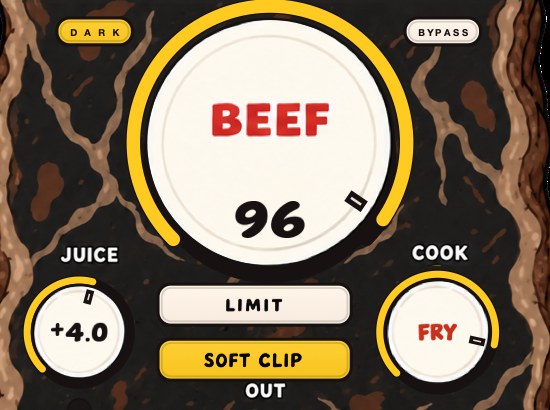
BEEFY will not fix mud — saturation adds harmonics into the range you are trying to clear. Clean first, then reach for weight.
The causes that are not EQ problems
Too many parts. Three instruments playing the same chord in the same octave is a mud generator no equalizer will defeat. Move one of them up an octave or take it out.
Reverb on everything. Reverb fills the gaps between notes, which is the definition of a less clear mix. Use fewer, shorter, and high-pass them.
Mixing too loud, or in an untreated room. Your ears hear more low end at high volume, so a mix balanced loud comes out light on bass and heavy in the low mids. A small room with no treatment exaggerates specific frequencies and hides others, which is why the car test exists.
No high end. Sometimes the mix is not muddy at all: it is dull. If nothing above 8 kHz is happening, the low mids sound proportionally larger. Check before cutting.
Saturation applied before the low end was cleaned. Harmonics arrive at whole-number multiples of what went in, so a rumbling 60 Hz component saturated on the way through produces 120, 180, 240, 300, 360, 420 and 480 Hz. Six of those seven harmonics land inside 150 to 500 Hz. High-pass the channel first and the same plugin makes half as much mess. Harmonic distortion has the mechanism.
Stereo widening on low-mid material. Width made by phase tricks rather than by panning survives on headphones and falls apart in a mono fold, so the pad you widened is one level on your monitors and another in a club, a phone, or a supermarket. Phase cancellation and mono compatibility cover what goes missing.
The sample already had it. A break lifted off a record arrives with its own room, its own bass and somebody else's low mids. Two of those stacked at the same tempo is four rooms. Cut on the sample rather than on everything you added around it.
The room is doing some of it
Some of the mud is not in the file. Every rectangular room has axial modes at 343 / (2L) hertz and at every multiple of that, where 343 m/s is the speed of sound and L is the dimension in meters. A 4.2 by 3.5 by 2.4 meter bedroom puts its fundamentals at 40.8, 49.0 and 71.5 Hz, and their multiples climb straight into the range you are trying to judge.
Count them. Between 150 and 500 Hz that room has 20 axial modes, averaging 17 Hz apart, and two of them collide: 245.0 Hz is a multiple of both the 4.2 m and the 3.5 m dimension, and 285.8 Hz is a multiple of both the 4.2 m and the 2.4 m. At a coincidence like that the room does not politely add a decibel. You are mixing against peaks and nulls you did not put in the record.
The speaker placement has its own contribution. A monitor 0.6 m from the wall behind it sends a reflection back out of step at 343 / (4 × 0.6) = 143 Hz; pull it to 0.3 m and the cancellation moves up to 286 Hz, straight into the middle of the problem. Sit in a dip like that and you will hear too little at 286 Hz, add 3 dB to compensate, and ship a record that is 3 dB muddier than the one you thought you made.
The tell is simple. 250 Hz has a wavelength of 343 / 250 = 1.37 m, so a quarter wavelength is 34 cm. Move your head 34 cm and listen again. If the low mids change substantially, you were listening to the room. That is why the car works: it is a different wrong room, and two wrong rooms that agree are usually telling the truth.
Muddy, boxy, boomy or just dark
Name it before you cut it, because four different complaints get called mud and three of them are somewhere else.
- Boomy
- 60–120 Hz — one low note far louder than its neighbors, and it rings
- Muddy
- 150–500 Hz — weight with no separation, words hard to follow
- Boxy
- 300–600 Hz — the record sounds like it is in a cupboard
- Honky
- 700 Hz–1.2 kHz — nasal, pinched, a megaphone quality
- Dark
- nothing above 8 kHz — the low mids only sound bigger by comparison
The last one deserves a number, because cutting for it makes the record worse. On the pink stand-in above, 8 kHz to 20 kHz is 13.3% of the energy. Delete it entirely and the 150 to 500 Hz share rises from 17.4% to 20.1%, a shift of 0.62 dB. Two thirds of a decibel of extra low mid, and you did it by removing air rather than by adding weight. Restore the top end and the mud halves without an EQ node anywhere near 250 Hz.
Where the cuts sit in the chain
Order changes the result more than any single setting. Corrective cuts go first on the channel, before the compressor. A 250 Hz build-up feeding a compressor makes the compressor pull the whole track down every time the build-up happens, so the part ducks on its own worst frequency and the mud survives with a pumping envelope attached to it.
High-pass before anything that adds harmonics. That is the arithmetic from the last section read in reverse: clean the fundamental you do not want, and the harmonics it would have generated in the mud range never exist. Saturating first and cutting after means removing the same energy twice, once as its cause and once as its effect.
Do the work on the channels and not on the master. A 2 dB cut at 250 Hz on the mix bus removes it from the kick body, the bass, the voice and the snare as well as from the three parts that caused it, and the record goes from cloudy to hollow in one move. The bus is for the last 0.5 dB after the channels are right.
Reach for a dynamic or multiband cut only when the build-up comes and goes. If 300 Hz is a problem when the pad plays and fine in the verse, a static bell is the wrong shape and a multiband or dynamic band that only moves when the energy arrives leaves the verse alone. Every other case, the static cut is simpler and sounds better.
Doing it in your DAW
The arithmetic is identical everywhere and the stock tools all do this job. Three host details are worth knowing before you start.
In Ableton Live, EQ Eight has a per-band audition button that solos what the band is doing as you move it. Sweeping in audition finds the frequency faster than a +6 dB boost sweep and it does not retune your ear on the way, which matters because the boost sweep is the step in the list above with a twenty-second shelf life. Utility with Width at 0% is your mono check.
In Logic Pro, Channel EQ's low cut has selectable slopes, so you can put 12 and 24 dB per octave on the same corner and hear for yourself how little either one takes out of 250 Hz. The Gain plugin has a Mono switch on the output, which belongs on the master while you work.
In FL Studio the EQ lives on a mixer insert, so check which insert you are cutting: with tracks routed into submixes it is easy to take 3 dB out of a whole group while looking at one instrument's name. Fruity Parametric EQ 2 does the cuts, and the spectrum in Wave Candy will show you the hump you are aiming at.
- Ableton Live
- EQ Eight for the cuts; Utility at 0% width for mono
- Logic Pro
- Channel EQ with the low cut slope menu; Gain for mono
- FL Studio
- Fruity Parametric EQ 2; Wave Candy for the spectrum
Where it costs you
Over-correct and you get the opposite problem: a thin, brittle mix where every track has been high-passed into a narrow strip and the record has no weight at all. The low mids are where music lives, so the goal is to decide which instrument owns which part of that range, not to empty it. Aggressive high-passing on a sampled break also removes the room the break came with, which is usually the reason you chose it.
Put a bill on it. Cut 3 dB at 250 Hz on eight tracks and every one of them drops to 0.708 of its amplitude in the band that carried its body, while the sum in that band falls the full 3 dB. The record is clearer and it is also 3 dB lighter, and the usual reaction is to add 3 dB of saturation or a louder master to get the weight back. Now you have spent an evening moving energy out of the low mids and an hour putting harmonics into them.
The other cost is time. Mud is the most over-diagnosed fault in home mixing, and a fair share of sessions spent hunting 250 Hz were sessions where the arrangement had four parts in one octave, or the monitor was 30 cm off a wall. Check the room and the parts count first. They are free, and they are the two fixes that do not make the record smaller.
What each failure sounds like
Faults have signatures. Learn the sound and you stop hunting, because the symptom names the cause.
- Heavy, no separation, louder does not help
- the 150–500 Hz pile-up itself
- Clear in solo, cloudy together
- masking — the fix belongs on the other tracks
- One low note booms, the rest vanish
- a room mode or a resonant part, not a broad hump
- Thin and brittle after an hour of cleaning
- over-high-passed; the body went with the rumble
- Cloudy only when the pad enters
- arrangement, or a case for a dynamic band
- Fine on monitors, muddy on headphones
- the room was hiding it, or width made by phase
- Fine on headphones, muddy in the car
- a mono fold summing your centered low mids
- Clean but small after cutting
- the cuts spent level and nothing put it back
- Muddy and dull at the same time
- missing top end — add air before you cut weight
- Gets muddier the louder you monitor
- your ears, not the mix — see Fletcher–Munson
Questions people ask
How do you fix a muddy mix?
High-pass everything that does not need low end, make wide 2 to 4 dB cuts between 150 and 500 Hz on the two or three worst offenders, high-pass the reverb returns, and remove a layer. Check in mono throughout.
What does a muddy mix sound like?
Heavy, unclear and indistinct, with no separation between instruments and lyrics that are hard to follow. Turning it up makes it louder but no clearer, which is the tell.
How do you clean up muddy bass?
Decide which of the kick and the bass owns the bottom and which owns the body, then cut the other one there: commonly the kick keeps 60 to 90 Hz and the bass keeps 100 to 200 Hz. See how to mix kick and 808.
What frequency causes muddiness?
Most often 200 to 400 Hz, with the surrounding range from about 150 to 500 Hz contributing. The exact frequency depends on the arrangement, so sweep and find it rather than cutting 250 Hz on everything out of habit.
Should I cut 250 Hz on every track?
No, and the arithmetic says why. Cutting the same frequency everywhere lowers the whole record by that amount and changes no ratio between its parts, so the mix gets quieter and stays exactly as cloudy. Cut only the parts that failed the mute test, and leave the ones that need their body.
How much should I cut at 300 Hz?
Two to four decibels, wide, on two or three tracks. Four parts each cut 2 dB take 2.0 dB off the pile; one part cut 8 dB takes off 1.03 dB and sounds hollow while doing it. If 4 dB is not enough, you have an arrangement problem rather than an EQ problem.
Does high-passing everything fix a muddy mix?
Only partly, and less than people expect. A 12 dB per octave high-pass at 100 Hz removes 0.78 dB at 150 Hz and 0.11 dB at 250 Hz, so it clears rumble and sub content and leaves the mud range almost untouched. The wide cuts do that work.
Why does my mix sound muddy on headphones but fine on my speakers?
Usually the room. Small rooms have peaks and nulls every few hertz through the low mids, and a null at 250 or 300 Hz hides a build-up you then never fix. Headphones have no room, so they show it. Move your head 34 cm and see whether the low mids change.
Why does my mix sound muddy in the car?
A car sums a lot of content toward the middle and adds its own cabin resonances, so anything centered and stacked in the low mids gets emphasized twice. Check the mix in mono before you bounce; most of what a car exposes is already audible there.
Is my room making my mix sound muddy?
Probably some of it. A 4.2 by 3.5 by 2.4 meter room has 20 axial modes between 150 and 500 Hz, roughly 17 Hz apart, with two frequencies where dimensions coincide. Test it by moving your listening position and by comparing on headphones and in a car. Two disagreeing rooms mean the room is talking.
Does reverb make a mix muddy?
Yes, when the tail is longer than the gaps in the music. At 90 BPM a sixteenth note is 60000 / 90 / 4 = 166.7 ms, so a 2 second tail is still sounding 2000 / 166.7 = 12 sixteenths after the note that caused it. High-pass the return around 300 Hz and shorten the tail before you touch the dry tracks.
Why does my mix get muddy as soon as I add the vocal?
The chest of a voice sits at roughly 150 to 300 Hz, on top of guitars, keys and the top of the bass. Cut the instruments rather than the voice, since the voice is the part people follow. See how to EQ vocals.
What is the difference between a muddy mix and a boxy mix?
Position. Mud is 150 to 500 Hz and reads as weight without separation. Boxiness is 300 to 600 Hz and reads as a small enclosed space around the sound. They overlap in the middle, which is why one cut sometimes fixes both complaints.
Does saturation make a mix muddy?
It can, on material that still has low content. Harmonics land at whole-number multiples, so a 60 Hz component generates 120, 180, 240, 300, 360, 420 and 480 Hz, and six of those sit in the mud range. High-pass first and the same amount of saturation costs you far less. Saturation explained has the rest.
Why is my mix muddy after mastering?
Limiting raises quiet material toward the peaks, and in most records the quiet material is low mid. A mix that was marginal at 250 Hz becomes plainly cloudy once 6 dB of gain reduction has compressed the distance between the hits and everything under them. Fix it in the mix, not at the master. See how to master a beat.
Should I use dynamic EQ or a static cut for mud?
Static when the build-up is always there, dynamic when it arrives with a particular part. A static bell that fixes the chorus takes the same energy out of a sparse verse that needed it, so match the tool to whether the problem has a schedule.
How do I fix mud without losing warmth?
Assign the range rather than emptying it. Let one part own 150 to 250 Hz, another own 250 to 400, and cut each one where the other is living. Wide and shallow keeps the character; narrow and deep on everything is how a record ends up clear and cold.
What BEEFY does
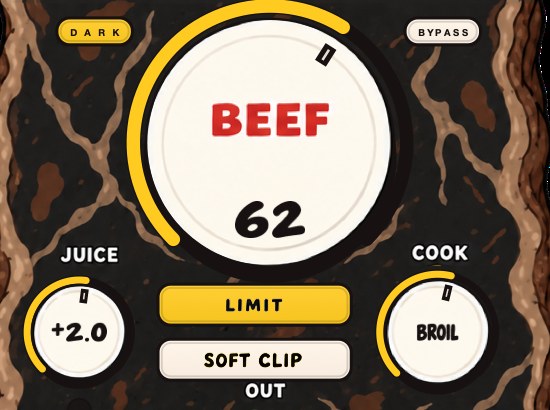
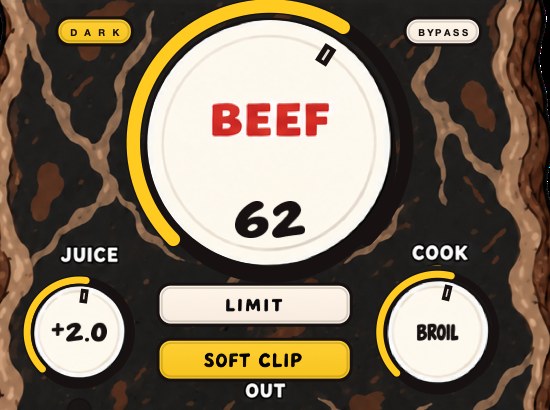
BEEFY is our saturation and loudness effect, and it is worth being clear about what it is for here. It adds body, squeezes space out of the peaks and brings out harmonics that help a sound feel bigger: useful on a thin kick or a polite break, and the opposite of what a cluttered low mid needs. BEEF adds weight and density, COOK moves the color from rounder toward brighter, and JUICE sets the input. Clear the range first, then decide what deserves the weight.
Order it the way the arithmetic above suggests. High-pass the channel, make the wide cut, and only then put BEEFY on the part that still needs weight, so the harmonics it generates are built from a fundamental you actually want. COOK moves the color from rounder toward brighter, and on a part that was already crowding the low mids the brighter end of it is the safer direction to take. SOFT CLIP and LIMIT are the two output switches, and the honest way to judge either of them is to match the bypassed level to a tenth of a dB first. BEEFY runs on Mac and Windows as AU, VST3 and standalone, and it is $39.
Two in the morning is not a listening environment. The car, unfortunately, is.
BEEFY — saturation and loudness plugin for Mac and Windows. There is a 28-second demo with three without/with comparisons on the page.
Keep reading
- How to mix drums — Balance first, then EQ, compression, saturation and the bus.
- How to make 808s hit harder — Tuning, the kick, the envelope, saturation, soft clipping and a mono low end.