← Gazillion Industries/Reading material
Parallel saturation
A good gumbo keeps the stock and the roux in the same pot without letting either one win. Parallel saturation is the same recipe: a clean signal and a burnt one, stirred together until you can't tell where one stops.
Parallel saturation means blending a heavily saturated copy of a sound under the clean original. Send the track to a return, push the saturation there much harder than you would on the channel, filter the return if the low end smears, and turn it up underneath the dry signal until the sound thickens. The clean signal keeps the transients and the low end; the saturated one adds density and harmonics.
The short version
- Setup
- send to a return; saturator 100% wet there
- Drive
- harder than you would inline
- Filter
- high-pass the return; tame fizz with a low-pass
- Blend
- up until it thickens, then back a touch
- Latency
- make sure delay compensation is on
- Best on
- drums, bass, vocals, full buses
Why blend instead of insert
On an insert, saturation changes everything it touches: more drive means more density, but also softer transients and, on bass, a smeared sub. In parallel you get to pick. The dry signal keeps the front edge of every hit and the clean low end, and the return supplies the grit and weight. So you can push the saturator somewhere you'd never leave it on the track itself, and only use as much as the mix wants.
What the blend does to the numbers
Here is a measured pass, so the trade is on the table rather than in the adjectives. A two-bar programmed loop, kick and snare and eighth-note hats, peaks at −6.0 dBFS and reads −29.6 dBFS RMS. Crest factor 23.6 dB. A copy of it through a soft curve at 24 dB of drive, trimmed back to the same −6.0 dBFS peak, reads −16.4 dBFS RMS. Crest factor 10.4 dB.
Blend that copy in 12 dB under the dry and the peak rises 1.95 dB, the average rises 6.45 dB, and crest factor settles at 19.1 dB. Pull the return to 18 dB under: 1.03 dB of peak for 3.78 dB of average. Push it to 6 dB under: 3.53 dB of peak for 10.18 dB of average.
Read the shape rather than the digits. Average level climbs roughly three times as fast as peak level, which is the entire reason the blend sounds bigger at the same fader. But peak level does climb, and that is the part people miss. An inline saturator hands back its peak reduction for free; a parallel one spends headroom to buy density. More on the measurement itself in crest factor.
How loud the return has to be to do anything
The peak half of that trade is predictable before you touch the fader. At the instant of the dry signal's loudest sample the saturated copy is sitting at its own ceiling too, so the two add in phase. A return g dB under the dry raises the peak by 20 × log10(1 + 10^(g/20)).
- Return −24 dB
- +0.53 dB peak
- Return −18 dB
- +1.03 dB peak
- Return −12 dB
- +1.95 dB peak
- Return −10 dB
- +2.39 dB peak
- Return −6 dB
- +3.53 dB peak
- Return −3 dB
- +4.65 dB peak
The measured pass above rose exactly 1.95 dB at a −12 dB return, which is the formula doing what it says. Two working consequences. A return more than 20 dB down is spending under a decibel of headroom and will be hard to hear at all. And if you are bouncing to a fixed ceiling, the return fader is a headroom decision as much as a tone one. See gain staging.
How to set up parallel saturation
- Create a return (aux or bus) track and send the source to it.
- Put the saturator on the return with its own mix control at 100% wet.
- Drive it hard, well past what you'd use on the channel.
- High-pass the return so the sub stays clean; add a low-pass if it fizzes.
- Pull the return fader down, then raise it under the dry signal until the sound thickens.
- Back it off a touch, then compare with the return muted at matched loudness.
Pre-fader or post-fader send
Post-fader is the default you want. The send level tracks the channel fader, so the ratio of burnt to clean holds when you ride the part, and muting the channel mutes the whole sound. Pre-fader keeps the send at a fixed level whatever the fader does, which means a part you pull down at the mix stage keeps its full helping of saturation and slowly turns into the return.
Pre-fader has one real use here: a channel you intend to automate down to nothing while the burnt copy hangs on underneath, as a tail. Everywhere else it is the reason a mix that balanced last week does not balance today.
How hard to drive the return
Drive and return level are not two ways of doing the same thing, and the measured pass separates them cleanly. Same loop, same −12 dB return fader, two drive settings. At 18 dB of drive: peak +1.95 dB, average +4.90 dB, crest factor down 2.95 dB. At 24 dB of drive: peak +1.95 dB, average +6.45 dB, crest factor down 4.51 dB.
The peak cost is identical, to the hundredth of a decibel, because the fader alone sets it. Everything you gained for that cost came out of the curve. So the order of operations is: set the return fader to the headroom you can afford, then drive until it sounds right, rather than the other way around.
The practical range is wider than people expect. Inline, the same curve at 12, 18 and 24 dB of drive took the loop's crest factor to 18.1, 13.9 and 10.4 dB — the last of those is a setting nobody leaves on a channel. On a return, underneath a clean copy, it is ordinary.
Filter the burnt copy
The return is where the harshness hides. Heavy saturation adds a lot of high harmonics and, on bass, a woolly low end, and both get added straight onto the clean signal. A high-pass keeps the dry sub in charge, and a low-pass or a gentle high shelf cut keeps cymbals and vocals from turning into sandpaper. Filtering after the saturator shapes what it added; filtering before changes what drives it. Both are useful.
Where to put the high-pass, and how steep
Pick the corner off the note, not off a habit. A bass part sitting on E1 has its fundamental at 41.2 Hz and its harmonics at 82.4, 123.6, 164.8, 206.0, 247.2 and 288.4 Hz. A high-pass on the return at 120 Hz leaves the fundamental and the octave to the dry signal and lets everything from the third harmonic up come through burnt. That split is the whole point of doing it in parallel.
Slope matters more than the corner, and it matters the opposite way round to the usual advice. On the same loop, a 12 dB/octave high-pass at 120 Hz on the return left the blend measuring 3.8 dB below the dry signal alone in the 20–60 Hz band. A 24 dB/octave high-pass at the same 120 Hz left it within 0.3 dB.
What is left of the sub after a gentle filter comes through phase-rotated, and it subtracts from the dry rather than adding to it. That is the mix that sounds thinner every time somebody unmutes the return and swears the saturator is eating low end. Steeper on a parallel return, always. And check it against phase cancellation if the number surprises you.
The top of the return
Above about 8 kHz the return is mostly harmonics with no fundamental in the room to justify them, plus whatever folded back down from above half the sample rate. Both read as fizz. A low-pass or a high shelf cut on the return removes it without touching the dry cymbals, which is a thing you cannot do on an insert at all.
If the fizz has a metallic, slightly out-of-tune character that moves the wrong way when the source changes pitch, that is fold-back rather than harmonics, and filtering after the curve only half fixes it. See aliasing and oversampling for the mechanism, and why is my mix harsh for the rest of the suspects.
Keep it lined up
Some saturators add latency, especially with oversampling on. Most DAWs compensate for plugin latency automatically; check that it's switched on in yours, or the blend smears, thins out, or combs. If a return makes the sound thinner instead of thicker, suspect timing or polarity before blaming the saturator.
Five samples is enough to hear
A misaligned return is a comb filter and the frequency it eats is arithmetic. Delay the copy by N samples and the first null lands at the sample rate divided by 2N, with the next ones at three times and five times that, and reinforcement halfway between each pair.
- 1 sample
- first null 22,050 Hz — inaudible
- 2 samples
- 11,025 Hz
- 5 samples
- 4,410 Hz
- 10 samples
- 2,205 Hz
- 32 samples
- 689 Hz
- 64 samples
- 345 Hz
- 128 samples
- 172 Hz
Those are 44.1 kHz figures. At 48 kHz divide 48,000 instead, so five samples puts the notch at 4,800 Hz. On the measured loop, five samples of slip — 0.11 ms, invisible in any arrange window — cost 3.3 dB out of the blend's 2–5 kHz band. Sixty-four samples, 1.45 ms, took 4.0 dB out of 200–400 Hz and 1.24 dB off the whole thing.
Notch depth follows the return fader. With the return 12 dB under, the deepest a null can go is 2.5 dB; at 3 dB under it is 10.7 dB. So a timing error bites hardest exactly when the blend is doing the most work, which is why the technique gets a reputation for being finicky on the days you need it most.
Check it in your own session
- Play the dry and the return together and flip polarity on the return.
- Note how much level you lose. On the measured pass, flipping a −6 dB return took 7.2 dB of average level off the blend.
- If flipping barely changes anything, the two paths are not lining up. Check delay compensation before anything else.
- To measure the offset, bounce a single click through the dry path and through the return alone, then count samples between the two waveforms.
- Trim the master by however much the blend added, then A/B. Six decibels of extra level will win every comparison on its own.
- Bounce it and play it on a phone speaker before you commit.
That last step is the actual test for this technique, not a formality. A phone speaker plays almost nothing under a few hundred hertz — where the roll-off starts varies a lot by model — and the return's job on bass material is to put content above that line. On the measured loop with the return 6 dB under, the 400 Hz–1 kHz band came up 13.9 dB and the 1–3 kHz band came up 12.5 dB. See how to make bass audible on phone speakers.
What each failure sounds like
- Thinner as you raise the return
- timing or polarity; check compensation, then flip
- Hollow, like a short pipe
- a handful of samples of slip — a comb in the mids
- Low end loses weight
- too gentle a high-pass on the return
- Woolly, crowded low mids
- no high-pass at all, or too many sources on one return
- Sandpaper on the hats
- high harmonics and fold-back; low-pass the return
- Great for eight bars, tiring for thirty-two
- return is 3 to 6 dB too loud
- Hiss in the gaps
- the drive lifted the source's own noise floor
- Collapses in mono
- width added in the wet path; check the sum
Where it works best
- Drums: density without losing the hit. See how to saturate drums.
- Bass and 808s: harmonics on top, clean sub below.
- Vocals: presence and edge that never fully takes over.
- Whole buses: a single return can thicken a group of parts together.
For parallel use, run BEEFY on a return track and blend it in. The demo on the page is 28 seconds.
Setting it up in each DAW
- Ableton Live
- Send to a Return track; pre/post switch in the Return's In/Out. An Audio Effect Rack with two chains keeps it inside one device
- Logic Pro
- Send on the channel strip creates an Aux; the send slot switches pre/post; the Aux fader is the blend
- FL Studio
- Route the mixer track to a second insert with the routing arrow and set the send level on the arrow itself
- Pro Tools
- Send to an Aux Input; leave Delay Compensation engaged
- Reaper
- Send to a new track; check per-track PDC if the send chain is long
- Studio One
- Sends to an FX Channel
- Bitwig Studio
- Send to an FX track, or a second layer inside the device chain
The routing differs, the arithmetic does not. In every one of them the return fader sets the peak cost and the drive sets what you get for it.
One return, or one per source
A shared saturation return does not treat its inputs separately. It bends their sum, and two frequencies through one bent curve produce their sum and their difference on top of their own harmonics. A bass note on E2 at 82.4 Hz arriving with a snare body around 200 Hz gives 282.4 Hz and 117.6 Hz, and neither of those is a harmonic of either.
Sometimes that cloud is the glue and the reason a shared return sounds like a record. Sometimes it is the low-mid crowding you spend an hour EQing out. The rule that survives sessions: share a return when the sources are meant to sound like one thing, split it when they are meant to sound like two. Harmonic distortion has the longer version.
What it costs
Headroom. The table above is the bill: a −6 dB return takes 3.53 dB off your peak ceiling before the master chain sees anything. Inline saturation costs nothing here, and a clipper gives headroom back. See clipper before limiter.
Noise. Drive lifts the floor along with the signal. A source with its noise at −60 dBFS, driven 24 dB, has a −36 dBFS floor in the return; with the return 12 dB under, the blend carries −48 dBFS where the dry carried −60. Twelve decibels of hiss you did not have, audible in the gaps and nowhere else, which is why it gets found at the master stage.
Commitment. A blend set against a half-finished mix stops being right when the arrangement changes, because the burnt copy is the part that does not move when you ride the fader. And CPU, mildly: one hard-driven instance on a return plus filters, against one gentle instance on the channel.
The loudness illusion. Every unmatched comparison favors the blend, because every blend is louder. Trim before you judge, then again on the far side of the arrangement, when the part is playing with everything else. More on why loud reads as better in Fletcher Munson.
Parallel saturation vs parallel compression
They're cousins. Parallel compression, sometimes called New York compression, blends a heavily compressed copy under the dry signal to lift the quiet detail and sustain. Parallel saturation does a similar lift and adds harmonics on top. Neither is better; compression brings up the room and the tail, saturation brings up the weight and the grit, and plenty of mixes use both.
Stacked in one return they compound, and the order inside it decides which. Compressor first hands the saturator an already-dense signal, so the curve works on the tail as much as the hit and the result is even and a little flat. Saturator first hands the compressor softer peaks, so it reacts less and lets more of the front edge through. Try both on a loop; the difference is larger than any control on either device. Full treatment in parallel compression.
The mix knob versus a real return
A plugin's own dry/wet is parallel processing with the alignment already handled, and for a quick blend it is the better tool: no send, no fader, no chance of a comb. What it cannot do is treat the wet path on its own. The moment you want a high-pass on the burnt copy only, or a compressor after it, or one burnt copy shared by four channels, the mix knob has run out and the return has not.
One caution on the master bus. A saturation return fed from a full mix sums everything into one curve, so the intermodulation described above happens between the kick and the vocal. Small amounts read as glue; past that it reads as a mix recorded through a wall. Keep it under a couple of decibels there and do the real work upstream. See how to master a beat.
Questions people ask
What is parallel saturation?
Blending a heavily saturated copy of a signal under the clean original, usually on a return track, so you get density and harmonics while the dry signal keeps its transients and low end.
What are the different types of saturation?
Common styles are tape, tube, transformer and clipper-style saturation. They differ in which harmonics they add and how they treat transients and high frequencies, but all bend the waveform with a nonlinear curve.
Is parallel compression better than parallel saturation?
Neither is better. Parallel compression lifts quiet detail and sustain; parallel saturation lifts density and adds harmonics. Use compression when you want more room and tail, saturation when you want more weight and grit.
How loud should the parallel saturation return be?
Most settings that survive a mix sit between 18 and 8 dB under the dry signal. The useful way to pick is by headroom: a return 18 dB down costs 1.03 dB of peak, 12 dB down costs 1.95 dB, 6 dB down costs 3.53 dB. Decide what you can spend, then drive the return until it earns it.
Should the saturator on the return be 100% wet?
Yes. The dry signal is already in the mix on its own channel, so any dry passed through the return is a second copy of it, arriving with whatever latency and filtering the return adds. That second copy is the usual cause of a blend that thins out as you raise it.
Does parallel saturation cause phase problems?
Only when the two paths do not line up in time, or when a filter on the return rotates phase near its corner. Latency is handled by delay compensation. Filter phase is handled by using a steeper slope, further from the content you care about, and by checking the low end against the dry signal alone.
Why does my parallel saturation sound thin?
Three suspects in order. Delay compensation is off or the return has uncompensated latency, so the blend is combing. The saturator on the return is passing dry signal as well as wet. Or the high-pass on the return is too gentle and its phase-rotated remainder is subtracting from the dry low end — on a measured pass that cost 3.8 dB in the 20–60 Hz band.
Does parallel saturation reduce peaks?
No, it raises them. Inline saturation flattens peaks and lifts the average, so crest factor falls with no headroom spent. Parallel raises both: on a measured loop a −12 dB return added 1.95 dB of peak and 6.45 dB of average. Crest factor still falls, but you pay for it in ceiling.
Does parallel saturation make a mix louder?
It makes it denser at the same peak, which survives a limiter better. On the measured loop, crest factor fell from 23.6 dB to 19.1 dB with the return 12 dB under, so 4.5 dB less of the signal is spikes that a limiter would have to spend gain on. See how to make a mix louder without clipping.
Can I use the plugin's mix knob instead of a return?
For a quick blend, yes, and it removes any chance of misalignment. Use a real return when you want to filter or compress the saturated copy on its own, or when several channels should share one burnt copy.
Should I high-pass the parallel return?
On anything with low end in it, yes, and make it steep. Pick the corner off the note: a bass on E1 at 41.2 Hz has harmonics at 82.4, 123.6 and 164.8 Hz, so a corner around 120 Hz leaves the fundamental and the octave to the dry signal. A 24 dB/octave slope there left a measured blend's 20–60 Hz band within 0.3 dB of the dry; 12 dB per octave cost 3.8 dB.
How do I set up parallel saturation in Ableton Live?
Turn up a Send on the channel to a Return track, put the saturator on the Return with its dry/wet at 100%, and use the Return fader as the blend. For a single-device version, an Audio Effect Rack with a clean chain and a saturated chain does the same thing and saves as a preset. More in saturation plugins for Ableton Live.
How do I do parallel saturation in FL Studio?
Route the source mixer track to a second insert with the routing arrow, leaving the direct route to the master in place, then set the send level on the arrow. Put the saturator on the second insert at 100% wet. The arrow's level knob is your blend control.
How do I do parallel saturation in Logic Pro?
Add a Send on the channel strip, which creates an Aux, and set the Aux fader as the blend. Leave the send post-fader unless you specifically want the burnt copy to stay up when you pull the channel down.
Can I duplicate the track instead of using a return?
Yes, and it removes any send routing questions, but you now maintain two copies of every edit and automation move. It also doubles the playback voices on a sampled part. A return is the same signal path with one source of truth.
How much drive should I use on the parallel channel?
More than feels reasonable. On a measured loop, drive settings that took crest factor to 18.1, 13.9 and 10.4 dB inline all sounded ordinary once the copy sat 12 dB under a clean one. Set the return fader first, then drive until the blend does something, then back the fader off rather than the drive.
Should compression go before or after the saturator on the return?
Compressor first gives an even, flat density; saturator first keeps more of the front edge because the compressor sees softer peaks and reacts less. On drums the second order usually wins. Related: drum bus chain order.
Does parallel saturation work on vocals?
It is one of its best uses, because a vocal needs edge without losing its quiet moments. Drive a copy hard, high-pass it around the low end of the voice, low-pass or shelf the fizz off the top, and blend it far enough under that you notice it only when you mute it. See distortion on vocals.
Does parallel saturation work on 808s?
That is the case it was made for. Keep the fundamental clean on the dry channel, high-pass the return steeply above it, and blend the harmonics back in so the note reads on speakers that cannot play it at all. See how to mix kick and 808 and how to make 808s hit harder.
What BEEFY does
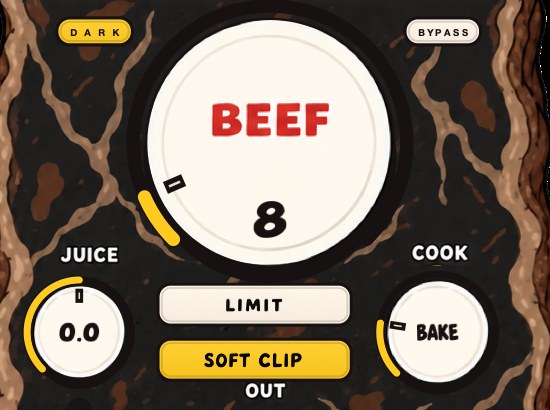
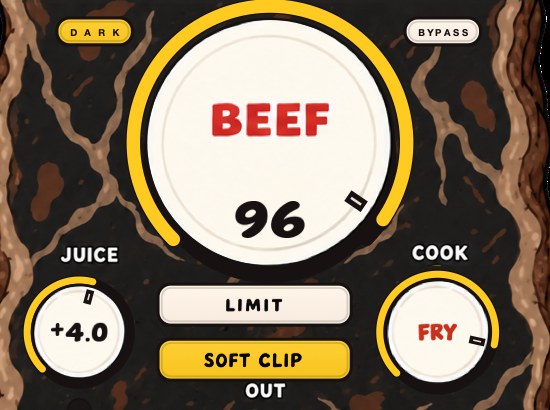
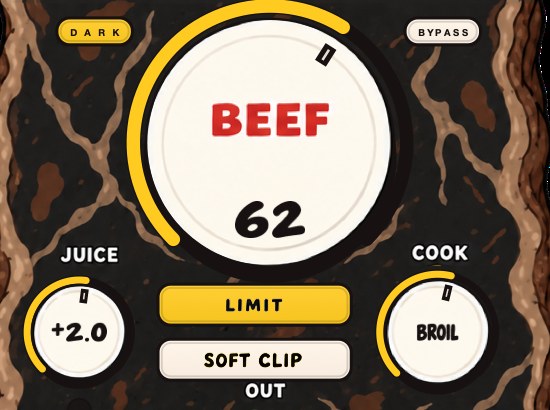
BEEFY is our saturation and loudness plugin. For parallel saturation, put it on a return track like any insert and blend the return under the dry signal. BEEF sets how far it goes, from weight and density toward something rude, and COOK moves the color from rounder toward brighter, which on a return decides how much top end you're adding. SOFT CLIP opens switched on and handles the initial gain staging.
A new instance opens with SOFT CLIP on, JUICE at 0 dB, BEEF at 30 and COOK at 30, which is a channel setting. On a return you are starting from there and going a long way past it: BEEF is where the work happens, COOK decides whether the return is adding weight or adding bite, and JUICE sets the level going in, so it is the second way to drive the curve harder. LIMIT is the alternative output stage to SOFT CLIP, and on a copy you are burying anyway it is worth hearing both.
It runs on Mac and Windows as AU, VST3 and standalone, so the return can be the same blend in whichever DAW the session ends up in, and it is $39. The standalone is the fast way to hear the drive range on a loop before you commit to routing anything.
Stock and roux, same pot. Nobody at the table asks which one they're tasting.
BEEFY — saturation and loudness plugin for Mac and Windows. There is a 28-second demo with three without/with comparisons on the page.
Keep reading
- Tape vs tube saturation — Which harmonics each adds, what they do to transients, and which to use where.
- How to use distortion on vocals — Saturation for presence, parallel distortion for aggression, and heavy drive as an effect.
- How to make drums sound bigger — Room, sustain, density, weight and width: the half of drum sound that punch doesn't cover.