← Gazillion Industries/Reading material
How to make drums sound bigger
In 1971 Led Zeppelin recorded John Bonham's drums for "When the Levee Breaks" with microphones hung up a stairwell at Headley Grange, and the kit came back sounding like it filled a cathedral. Your kit is sitting in a sample folder about the size of a closet.
Drums sound bigger when they have body, space and weight, not just punch. Add a short room reverb or room layer, bring up the sustain and room with parallel compression, add density with saturation, give the kick and toms real low-end weight, spread cymbals and room across the stereo field while the kick and snare stay centered, and leave space around the drums in the arrangement.
The short version
- Room
- short reverb or a room layer, blended low
- Sustain
- parallel compression brings up the tail
- Density
- saturation fills in the body
- Weight
- low end on kick and toms, not everything
- Width
- room and cymbals wide; kick and snare centered
- Space
- big drums need room in the arrangement
Big is not the same as punchy
Punch is the front edge of a hit; size is everything after it: body, sustain, room and width. A kit can hit hard and still sound small, like a snare cracking inside a shoebox. The punch side is covered in how to make drums hit harder. This is the other half.
Size, measured in four quantities
Size sounds like taste and measures like arithmetic. Four numbers move when drums get bigger, and every technique below moves at least one of them.
- Duration. How long a hit stays above the noise floor.
- Low-frequency energy. How much of the kit sits under 200 Hz, and whether it is on the elements that can carry it.
- Decorrelated width. How much content differs between left and right.
- Crest factor. The gap between peak and average. Close it and the kit reads louder at the same meter reading. Crest factor has the long version.
Duration is the one people underestimate. Take a close snare that falls 60 dB in 180 ms, and add a room tail that carries the same hit out to 420 ms. That is 240 ms of extra sound. At 90 BPM a beat lasts 60 / 90 = 0.667 s, so an eighth note is 333 ms and a sixteenth is 167 ms. Your 240 ms tail fills nearly three-quarters of the gap to the next eighth and all of the gap to the next sixteenth.
Which is the whole design problem in one line. Tails that reach the next hit sound like a room; tails that pass it sound like a wash.
Give them a room
Size is mostly space. A short room reverb, with a little pre-delay so the hit stays in front, puts the kit somewhere real. Blend it until the drums sound like they're in a room, then back it off until you only notice it when it's gone. Long halls make drums sound distant rather than big; keep the room short and the decay under control.
Set pre-delay and decay in milliseconds
Pre-delay is a distance. Sound travels about 343 m/s in air at 20 °C, so 1 ms of pre-delay is 34.3 cm of extra path length. Dial 20 ms and you have told the listener that the first reflection traveled 343 × 0.020 = 6.86 m further than the direct sound, which puts the nearest wall about 3.4 m away, out and back. Dial 80 ms and the wall is 13.7 m away, and you have built a gymnasium.
There is a ceiling on that. The ear fuses a reflection with the direct sound when it arrives within roughly 30 to 40 ms; past that it starts to separate into an audible slap. So 10 to 30 ms of pre-delay buys clarity on the transient and still reads as one event. Above 40 ms you are writing a delay part, which is a fine thing to do on purpose and a bad thing to do by accident.
- Set the reverb to a room or chamber program, 100% wet, on a return.
- Set pre-delay to 20 ms.
- Set the decay so the tail ends before the next hit: at 90 BPM start at 350 ms, at 140 BPM start at 220 ms.
- High-pass the return at 200 Hz and low-pass it at 8 kHz.
- Raise the return until you hear the room, then lower it 2 dB.
- Mute the return and check that you miss it.
The high-pass matters more than the reverb choice. Kick energy under 200 Hz hitting a room tail turns into a low rumble that outlasts the bar, and that rumble is the difference between a kit in a room and a kit in a basement.
Use a room layer instead of a reverb
A recorded ambience sample triggered with the hit does what a reverb does, with the room already decided. Sampled ambience arrives with the early reflections, the floor bounce and the noise of a real space baked in, and it costs no CPU. What you give up is control: the decay is whatever it is, and it does not change with the tempo.
Alignment is the trap. Put a room layer 0.5 ms behind the close sample and the two sum into a comb filter with its first null at 1 / (2 × 0.0005) = 1,000 Hz and further nulls every 2 kHz above it, which hollows out the snare exactly where its body lives. Either align the first peak of the layer to the close hit within a sample or two, or push it out past 15 ms where the ear hears it as distance instead of tone. Phase cancellation covers the arithmetic.
Bring up the tail with parallel compression
- Send the drums to a return track.
- Compress the return hard: high ratio, fast attack, a release that lets it breathe with the groove.
- Blend it under the dry drums until the room and sustain come up.
- Pull it back until the groove stops pumping, if it does.
The dry drums keep the hit and the crushed ones bring up everything behind it. The same idea with saturation instead is in parallel saturation.
What the parallel blend is actually worth
Put numbers on it and the settings stop being guesswork. Say the return peaks at −6 dBFS, the threshold is at −30 dBFS and the ratio is 10:1. The hit is 24 dB over the threshold, so it comes out −30 + 24/10 = −27.6 dBFS, which is 21.6 dB of gain reduction. The tail at −40 dBFS never crosses the threshold and passes untouched. Before you have touched the makeup gain, the tail has risen 21.6 dB relative to the hit.
Then the blend. Two correlated signals add in volts, not in dB, so a return sitting 10 dB under the dry adds 20 × log10(1 + 10−10/20) = 2.4 dB where the two agree. At 6 dB down it adds 3.5 dB, and at equal level 6.0 dB. So the useful travel on that fader is about four decibels wide, and people who say parallel compression did nothing usually had the return 20 dB down, where it is worth 0.8 dB.
Release is the other number. At 90 BPM a sixteenth is 167 ms, so a release between 120 and 180 ms lets the compressor recover before the next hat and holds the tail up in between. Set the release longer than the gap and the kit breathes on the bar instead of the beat, which sounds like the room is swallowing. Parallel compression goes further, and how to compress drums covers the insert version.
If the bus needs holding together rather than crushing, DRUGS is our free one-knob bus compressor for drums, Mac and Windows, with a single DOSE control and a soft ceiling on the way out. Judge it by bypassing the plugin rather than by turning DOSE down, since DOSE at zero is still part of the sound.
Add density
Saturation brings each hit's body up toward its peak, which reads as a bigger, fuller drum. On a bus it also pulls the kit and its room together. See how to saturate drums.
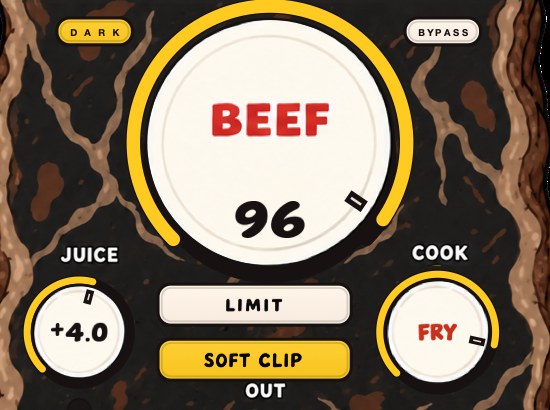
BEEFY on the drum bus pulls the hits and the body closer together. The demo on the page is 28 seconds.
Why density is what makes size survive a phone
Harmonics are exact multiples of the frequency that made them, and that is the mechanism behind big drums on small speakers. A floor tom with its fundamental at 90 Hz gets harmonics at 180, 270, 360 and 450 Hz. A phone speaker reproduces very little at 90 Hz and a good deal of 270 Hz — where exactly the roll-off sits varies by model — so on that playback the harmonics are most of the evidence the tom was ever there. Your ear reconstructs the missing 90 from the pattern above it.
This is why a kit that is big in the room can be small on a phone and the other way around. Weight added purely under 100 Hz disappears on a phone speaker; weight added as harmonics survives everywhere and can sound thin on a system if the fundamental never grew with it. Do both, and check both. More in how to make bass audible on phone speakers and harmonic distortion.
Weight and width
Big drums have low end in the right places: the kick's body and the toms' tone, not a boost on the whole bus. For width, spread the room, overheads, cymbals and percussion across the stereo field, and keep the kick and snare centered so the kit stays solid in mono. A wide kit with a centered spine sounds big; a wide kit with a wandering snare sounds lost.
Tune the kit before you widen it
An in-tune kick reads bigger than a detuned one at the same level, and the reason is interference rather than tone. Concert A is 440 Hz, so A1 three octaves below is 440 / 8 = 55 Hz. A kick whose fundamental sits at 55 Hz is an A, and in a track in G it will beat against the bass rather than reinforce it. Two tones 3 Hz apart produce three amplitude swells a second, and on a sustained 808-style kick that reads as a wobble you will chase with EQ for an hour.
Pitch it instead. A semitone is a ratio of 21/12 = 1.0595, so two semitones down from 55 Hz is 55 / 1.05952 = 49.0 Hz, which is G1. Three semitones down is 46.2 Hz, an F sharp. Find the fundamental with a spectrum analyzer on a solo'd hit, work out the interval, and move it. How to pitch a sample covers the moving, and how to mix kick and 808 covers the two of them together.
Width that survives mono
There are two kinds of width and only one of them is safe. Real width is different content in each speaker: two overhead mics, a room pair, percussion panned to where it belongs. Fake width is one signal delayed or polarity-flipped against itself, and it evaporates the moment anything sums to mono.
Work out what that costs. Offset a duplicate by 10 ms in one channel and sum to mono and you get a comb filter with its first null at 1 / (2 × 0.010) = 50 Hz and another every 100 Hz above — 150, 250, 350 Hz and on up. That is not a tone change you can EQ back. Half the spectrum has been removed at regular intervals, and a phone, a club sub and most laptop speakers will play you the comb rather than the kit.
- Pan overheads, room and percussion where the kit would actually sit.
- Keep kick, snare and anything under 120 Hz in the center.
- Sum the drum bus to mono and listen for the kit collapsing.
- If the width vanishes in mono, you widened a duplicate rather than a source.
- Un-mono it and check that the stereo version is still worth having.
Mono compatibility has the full case. The short version: the first playback most people give a beat is a phone held at arm's length, and a phone at arm's length is close to a mono source.
Layering, and the two checks that make it work
Layering is the fastest way to add weight and the fastest way to lose it. Two samples that agree add up to 6.0 dB where they overlap; two that disagree subtract, and the subtraction is always in the low end, where the wavelengths are long enough for a few milliseconds to matter.
Check polarity first. Flip the polarity of the added layer and listen: whichever way sounds fuller is the right way, and if the flipped version is fuller your two layers were fighting. Then check alignment. Line the initial peaks up within a sample or two, or move the layer deliberately past 15 ms so it reads as a second event rather than a smear. Anything between 1 and 10 ms is the danger zone, and it usually sounds like the kick lost its bottom.
Then layer by band rather than by taste: one sample for the sub, one for the body, one for the click, each high-passed or low-passed so they are not competing for the same 40 Hz. How to layer kicks works through it.
Make room in the arrangement
Drums can only be as big as the space around them. Dense pads, long reverbs on other parts and busy low mids all shrink them. Thin out what plays with the drums in the biggest sections, and the kit grows without touching a plugin.
Contrast does what no plugin can
Size is relative and the ear has a short memory, which you can spend. Pull the drum bus down 1.5 dB in the verse and high-pass it at 120 Hz, then restore both at the chorus. Nothing about the chorus changed and the chorus is bigger, because the reference the ear is holding is eight bars old and smaller.
The same trick works on frequency. Equal-loudness effects mean the low end reads as more present at higher playback level, so a verse mixed a little thinner makes the chorus land as weight rather than volume. Fletcher-Munson explains why. A kit that is at maximum size for four minutes is a kit that is never big.
Chain order for size
Each device is handed whatever the one before it produced, so order changes the result even when every setting is identical. Five placements decide most of it.
- High-pass first. Rumble under 30 Hz you cannot hear still eats headroom and still drives everything downstream. Remove it before it becomes part of the size.
- Transient shaper before saturation. Sharpen the attack first and the curve has a bigger peak to work on. Transient shaper vs saturation.
- Room send from before the saturation. Send the clean kit to the room and the room stays a room. Send the driven kit and the reverb tail gets the harmonics too, which is how a short room turns into a gritty cloud.
- Parallel compression tapped pre-fader. Otherwise riding the drum fader rides the blend and your carefully set 3.5 dB moves with it.
- Clipper and limiter last. Everything above raised the average level; the peak tools go after it, not before. Clipper before limiter and drum bus chain order.
Routing it, by DAW
The technique is identical everywhere. What differs is whether the send moves with the fader and how the host handles delay compensation on the parallel path.
- Ableton Live
- Group the drums, send to two Return tracks — one room, one crush. Sends are post-fader by default; click the pre/post switch at the bottom of the Return to lock the blend. An Audio Effect Rack with two chains keeps the whole thing in one savable device.
- Logic Pro
- Bus the kit to an Aux, then Sends from that Aux to two more. Sends are post-fader unless you switch them, and a Gain plugin at the end of the bus is the cleanest place to take a level match.
- FL Studio
- Route the drum mixer track to two extra mixer tracks alongside the master and set each amount on the routing arrow. Make sure plugin delay compensation is active on the parallel path, since an unmatched path is what makes a blend sound hollow rather than fuller.
Verify it before you commit
Bigger and louder feel the same for about four seconds, which is longer than most decisions take. Three checks, in this order. Five steps, five minutes.
- Put a loudness meter on the drum bus and loop four bars.
- Read short-term loudness bypassed, then engaged, and subtract.
- Trim the output by that difference and only then A/B.
- Sum to mono and listen for anything that disappears.
- Play the loop on a phone speaker at arm's length.
A worked one. Bypassed reads −13.8 LUFS short-term, engaged reads −11.9 LUFS, so the difference is 1.9 dB and the output trim comes down 1.9 dB. Judge it there. A chain that only wins while it is 1.9 dB louder has won nothing, and you will find out in the morning. Gain staging covers the trims.
The phone check is not a formality. It is the playback that removes everything under a few hundred hertz and most of the stereo field, which is two of the four quantities at the top of this page. What survives is duration and crest factor. If the kit still sounds big on those two alone, it is big.
What it sounds like when size goes wrong
Each of these has one cause. None of them is fixed by turning the whole thing up.
- Washy, and the groove blurs
- The reverb tail is longer than the gap between hits. Shorten the decay to under one eighth note at your tempo.
- Distant rather than big
- Too much wet, not enough dry, or a hall where a room belongs. Cut the return 3 dB and shorten the pre-delay.
- Hollow, like the snare lost its middle
- Comb filtering between a close hit and a room layer sitting a millisecond or two behind it. Align the peaks or push the layer past 15 ms.
- Big in headphones, gone on a phone
- The weight is all fundamental and no harmonic. Add density and check on the phone again.
- Big in stereo, small in mono
- The width came from a delayed duplicate. Replace it with genuinely different content in each channel.
- Pumping that fights the groove
- The parallel compressor's release is longer than the gap between hits. Shorten it to around a sixteenth note.
- Muddy below the snare
- Room reverb is being fed kick energy. High-pass the reverb return at 200 Hz.
- Shorter instead of bigger
- Peaks came down and the makeup gain never went back on. Level-match and listen again.
- Loud in solo, small in the track
- An arrangement problem wearing a mixing costume. See how to make drums cut through the mix.
What size costs
Every one of these moves takes something, and the bill shows up at the master.
Headroom. Room, sustain and density all raise average level, and the limiter at the end has correspondingly less to give. Make the drums enormous at the mix stage and the loudness you were saving for the master has already been spent. Headroom in mixing.
Tightness. Duration and definition trade against each other directly. A 420 ms tail at 90 BPM is 420 / 167 = 2.5 sixteenth notes of sound that was not there before, and on faster material it lands on top of the next hit. If the groove is the point, buy less size.
Mono robustness. Width is the first thing a phone, a club sub or a Bluetooth speaker takes back. Anything that only exists in the difference between the channels is a decoration, not a foundation.
The rest of the record. A kit that occupies 40 Hz to 16 kHz and the full stereo field leaves the bass and the vocal nowhere to be. Size is taken from somewhere, always, and deciding where is the actual work. Why is my mix muddy is what happens when nobody decides.
Questions people ask
How do I get a bigger drum sound?
Add space and sustain: a short room reverb, parallel compression to bring up the tail, saturation for density, low-end weight on kick and toms, and stereo width on cymbals and room while the kick and snare stay centered.
How do I get a punchy drum sound?
Punch is the front edge of the hit: keep the transient sharp with a slower compressor attack, soft clip the peaks, and add a little saturation. Size and punch work together, so do both.
How do I improve my drum sound?
Start with better, tuned samples, then work on punch (transients and peaks) and size (room, sustain and density), and give the drums space in the arrangement. Compare with a reference track at matched loudness as you go.
Why do my drums sound small?
Usually three things at once: no room, no sustain, and everything panned to the center. Small drums are typically dry, short and narrow. Add a short room at 20 ms pre-delay, bring the tail up with a parallel compressor, and pan the overheads and percussion out while the kick and snare hold the middle.
How much reverb should I put on drums?
Raise the return until you clearly hear the room, then lower it about 2 dB. The test is subtraction, not addition: mute the return, and if you do not miss it, it was never doing anything. If you flinch, it was too loud.
What pre-delay should I use on drum reverb?
10 to 30 ms on a room. At 343 m/s, 20 ms of pre-delay describes a reflection that traveled 6.86 m further than the direct sound, so a wall about 3.4 m away. Past 40 ms the ear stops fusing the reflection with the hit and starts hearing a slap.
Can I make drums sound bigger without reverb?
Yes. Reverb is one route to duration and the only one that supplies a space, and every quantity on the list has a route that avoids it. Parallel compression lengthens the hits, saturation raises the density, layering and tuning add low-end weight, and panning real sources adds width. Dry records can be enormous.
Why do my drums sound big in headphones and small on my phone?
Because the phone removes two of the things you added. Anything under roughly 300 Hz and anything that only exists as a difference between the channels are both gone. Sum to mono and play the loop on the phone speaker before you commit, and put your weight into harmonics as well as fundamentals.
Should the kick be mono?
The low end of it, yes. Keep everything below about 120 Hz centered so it stays intact when the signal sums, and leave any width on the click, the room and the cymbals, where losing it costs nothing.
Does saturation make drums bigger or just louder?
Both, by the same mechanism. The curve flattens peaks and adds harmonics, so average level rises relative to peak level, and the new harmonics let small speakers hear low drums they cannot reproduce. Level-match against bypass before judging it, or you are only hearing the louder part.
Why does my drum bus sound worse in mono?
Something in it is a delayed or polarity-flipped duplicate. Offset a copy by 10 ms and summing produces nulls at 50 Hz and every 100 Hz above, which no EQ will restore. Find the widener, the doubler or the misaligned layer and fix the source rather than the sum.
How do I make drums sound big in a busy mix?
Take something away. Drums read as big in proportion to what is around them, so thin the pads, shorten the reverbs on everything else, and clear 200 to 500 Hz on parts that are not drums. Then drop the kit 1.5 dB in the verse so the chorus has somewhere to grow.
What reverb decay time should drums have?
Shorter than the gap between hits. At 90 BPM an eighth is 60 / 90 / 2 = 333 ms, so start around 350 ms; at 140 BPM the eighth is 214 ms, so start around 220 ms. Long decays make drums distant rather than large.
Is parallel compression better than compressing the drum bus directly?
For size, yes, because the dry path keeps the transient while the crushed path supplies the sustain. An insert compressor has to compromise between the two. Direct bus compression is the better tool for glue and groove — see glue compression.
How do I make boom bap drums sound bigger?
Room and density rather than sub weight. A short room at low blend, parallel compression with a release around a sixteenth note, and saturation on the bus gets you most of the way, and the sample usually arrives with some of it already. How to make boom bap drums has the rest.
Stock plugins that do this
- FL Studio
- Fruity Reeverb 2 for room; Fruity Blood Overdrive
- Ableton Live
- Drum Buss; Glue Compressor on a return
- Logic Pro
- ChromaVerb for room; ChromaGlow (Logic Pro 11 and later)
What BEEFY does
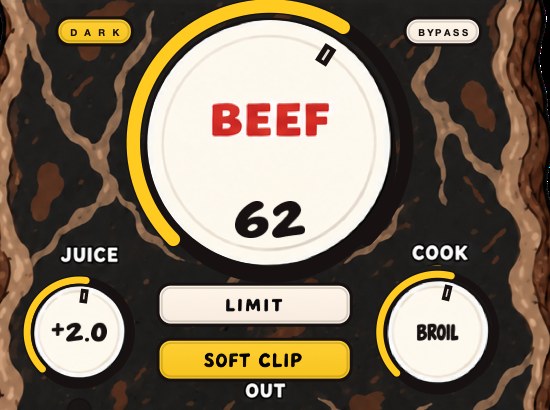
BEEFY is our saturation and loudness plugin. Try it on a whole drum bus to pull the hits and the body closer together, which is most of what "bigger" asks for. BEEF brings more weight and density as it goes up, COOK sets how round or bright the added color is, and SOFT CLIP, on by default, rounds off the loudest parts so the kit can sit louder.
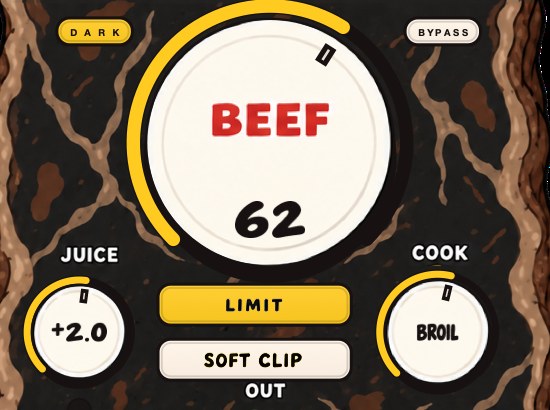
A new instance opens with SOFT CLIP on, JUICE at 0 dB, BEEF at 30 and COOK at 30, which is a working starting point on a drum bus rather than a null setting. JUICE sets the level going in, so you can feed the curve harder or back it off without touching the character controls. LIMIT is the alternative to SOFT CLIP, and on drums the two are audibly different on the same settings: the clipper takes the very top off each stick hit, the limiter pulls the whole hit down for as long as it is over. Try both on the backbeat and keep the one that leaves the snare longer.
It runs on Mac and Windows as AU, VST3 and standalone, and it is $39.
You still don't own a stairwell. The drums just stopped sounding like the closet.
BEEFY — saturation and loudness plugin for Mac and Windows. There is a 28-second demo with three without/with comparisons on the page.
Keep reading
- How to make drums cut through the mix — Fix masking, keep transients, add presence, duck busy parts, pan with purpose and tame the reverb.
- Parallel saturation — Set it up on a return, drive it hard, filter the burnt copy, and blend it under the dry signal.
- How to make boom bap drums — Tempo, sounds, a starting pattern, swing, drum bus processing and structure.
- How to mix drums — Balance first, then EQ, compression, saturation and the bus.
- How to compress drums — Attack, release and how much gain reduction, on single drums and on the bus.