← Gazillion Industries/Reading material
How to make drums cut through the mix
At a house party the loudest person in the kitchen isn't the one everyone hears. It's the one who speaks clearly in the gap between everyone else's sentences. Drums work the same way, minus the bad beer.
Drums cut through the mix when nothing else is covering their key frequencies and their transients stay clear. Instead of just turning the drums up, carve a little space in the parts that compete with them, keep the transients sharp, add harmonics in the range ears are most sensitive to, duck busy parts slightly when the kick and snare hit, pan with purpose, and keep reverb from blurring the hits.
The short version
- Masking
- cut competing parts, don't boost the drums
- Transients
- keep the front edge sharp
- Harmonics
- saturation adds presence
- Ducking
- light sidechain on busy parts
- Panning
- kick and snare center; hats, toms, percussion off it
- Reverb
- short, and not on everything
Why turning them up doesn't work
Masking. When two sounds share a frequency range, the louder one hides the quieter one, and your ear stops hearing the detail in both. Push the drum fader and the drums get louder, but so does the pile-up, and the mix hits the ceiling before the drums get clear. The fix is subtraction somewhere else.
There is a number under that. Your ear does not read frequency off a fine ruler; it listens through a bank of overlapping filters, and the width of one filter decides whether two sounds land in the same slot or in two. The standard figure for that width, the equivalent rectangular bandwidth, is 24.7 × (4.37f / 1000 + 1) Hz. At 200 Hz that is 24.7 × 1.874 = 46.3 Hz. At 3 kHz it is 24.7 × 14.11 = 348.5 Hz.
So a bass note at 190 Hz and a snare's body at 210 Hz are 20 Hz apart, which is well inside one 46 Hz filter. Your eyes see two separate shapes on a spectrum display. Your ear gets one event. Raise the drum fader and both shapes rise together, because the fader changes the sum and never the ratio.
Masking also runs downhill. A loud low sound covers a quieter high one far more effectively than the reverse, which is why a thick pad sitting at 200 Hz buries a snare while a bright pad up at 6 kHz mostly leaves it alone. The part you need to move is almost always lower than the part you were listening to.
What one auditory filter measures out to
Run the same formula across the spectrum and the shape of the problem appears. These are the filter widths, and next to each one the same width expressed in semitones, which is the unit you actually write music in.
- 100 Hz
- 35.5 Hz wide, 82–118 Hz — about 6.2 semitones
- 200 Hz
- 46.3 Hz wide, 177–223 Hz — about 4.0 semitones
- 500 Hz
- 78.7 Hz wide, 461–539 Hz — about 2.7 semitones
- 1 kHz
- 132.6 Hz wide, 934–1066 Hz — about 2.3 semitones
- 3 kHz
- 348.5 Hz wide, 2826–3174 Hz — about 2.0 semitones
- 8 kHz
- 888.2 Hz wide, 7556–8444 Hz — about 1.9 semitones
Down at 100 Hz a single filter swallows half an octave, so a kick, a bass note and the low end of a pad can all be inside it while a tuner insists they are on three different pitches. That is why low-end problems never respond to small moves and why mixing a kick against an 808 is a scheduling problem before it is an EQ problem.
Up at 3 kHz the filter is 348 Hz wide in absolute terms and only two semitones wide in musical ones. Two sounds separated by a fifth up there are genuinely separate to your ear. That is the band worth fighting for, and the next section is about who you have to fight.
Carve space in what competes
Find the parts that step on the drums. Keys, guitars and pads often crowd the snare's body in the low mids; bright synths and vocals crowd the crack higher up. Cut a little from those parts where the drum lives, a few dB and not much wider than needed, instead of boosting the drums into them. High-pass anything that doesn't need low end so the kick has the floor to itself.
Width is the part most people get wrong. A bell's bandwidth is its center frequency divided by its Q, so a Q of 4 at 300 Hz clears 300 / 4 = 75 Hz and a Q of 1 at the same spot clears 300 Hz. The auditory filter at 300 Hz is 57.1 Hz wide. The narrow bell removes roughly one filter's worth of the offending part; the wide one removes five, and takes the body of the pad with it. Start narrow and widen only if it did not work.
The arithmetic is why cutting beats boosting. Pull 3 dB out of a pad and the drums gain 3 dB against it while the master stays exactly where it was. Boost the snare 3 dB instead and you have gained the same ratio and spent 3 dB of headroom, which the limiter will take back at the end of the night. Same result on the meter, different bill.
Expect the offender to be a committee. Two unrelated sounds at the same level sum to 10 × log10(2) = 3.0 dB above either one, and four of them sum to 6.0 dB. A 300 Hz build-up that nobody can find on a single channel is usually four parts each carrying a polite rise, so cut 2 dB on two of them rather than 8 dB on one. Why a mix sounds muddy takes that further.
Find the masker in one minute
Stop guessing which track is in the way and measure it. This takes about as long as reading the steps, and it replaces the hour most people spend nudging the drum fader up and down.
- Loop four bars and let it run.
- Put a bell on the suspect track at +6 dB with a Q around 1.
- Sweep it from 150 Hz to 800 Hz and listen for where the drums get worst.
- Flip that boost to a cut of 2 to 3 dB at the spot that hurt most.
- Mute the suspect track and note how much the drums recover.
- Move to the next suspect instead of cutting deeper on this one.
Step five is the measurement, not the fix. If muting one pad brings the kit fully back, you have a single masker and a 2 dB cut will handle it. If you have to mute four things before the drums appear, no EQ move on any one of them is going to do it, and the honest answer is that the arrangement is too full. Keep the boost sweep short, because a +6 dB bell parked in one spot retunes your ear within about twenty seconds and then it lies to you.
Who competes with the drums, by range
Know the neighborhood before you start knocking on doors. These are the bands where a kit loses arguments, and the usual opponent in each.
- 40–70 Hz
- kick fundamental against the sub and the 808
- 80–130 Hz
- kick weight against bass body and low toms
- 150–250 Hz
- snare and tom body against piano left hand, low guitars, thick pads
- 250–450 Hz
- mud: everything has some, nothing needs much
- 700 Hz–1.5 kHz
- the wooden part of the snare against vocal lower mids
- 2–5 kHz
- stick, crack and hat edge against consonants and lead synths
- 6–10 kHz
- hats and cymbals against sibilance and bright pads
The 2 to 5 kHz band is the contested one because it is where hearing is sharpest. Part of that is plain physics: the ear canal is a tube roughly 25 mm long, closed at one end, and its quarter-wave resonance sits at 343 / (4 × 0.025) = 3430 Hz. Everything you put there arrives with a boost you did not apply, which is why that band is both the most valuable and the fastest route to a harsh mix.
Keep the transients
A clear front edge is what the ear locks onto first. Slow the attack on drum compression so the hit gets through, and don't bury drums in bus compression that flattens every stick. The details are in how to make drums hit harder.
Put a number on the front edge. A closed hat can go from silence to peak in under 5 ms, a snare in roughly 5 to 20 ms, a kick in 10 to 30 ms. A compressor set to a 1 ms attack is inside all three and shortens every one of them. Set it to 20 ms and it is behind the hat, at the edge of the snare and clear of the kick, which is the difference between control and blunting. What a transient is covers the shape you are protecting.
Release matters just as much and gets set by feel far too often. At 92 BPM a quarter note is 60000 / 92 = 652.2 ms, an eighth is 326.1 ms and a sixteenth is 163.0 ms. A 300 ms release under a sixteenth-note pattern has not finished recovering when the next hit lands, so hit two is quieter than hit one and the groove sags. Divide 60000 by the tempo, quarter it, and stay under that.
The sound of a lost transient is a kit that measures loud and lands soft. Your peak meter will not warn you, because the peak is exactly where it was; the thing that moved is the gap between peak and average. Crest factor is that gap, and nothing downstream puts it back.
Add presence with harmonics
Saturation adds harmonics above what a drum already plays, including the upper mids where hearing is most sensitive. A little on the snare or the drum bus makes hits read clearly without an EQ boost that turns harsh. See how to saturate drums.
BEEFY makes drums thicker, punchier and more up front. The demo on the page is 28 seconds.
Work an example. Take a snare whose body sits near 190 Hz. Saturation generates content at whole-number multiples of what went in: 380, 570, 760, 950, 1140 Hz and onward, each order weaker than the last. Nothing appeared below 190 Hz. The energy climbed into ranges that are less crowded and that your ear weights more heavily, which is what "presence" means once you take the adjective off it.
That is also why saturation beats an EQ boost at this job. A 4 dB bell at 3 kHz lifts whatever is already at 3 kHz, including the pad you were trying to get out of the way, and it lifts it during the gaps as well as during the hits. Harmonics are made from the drum itself, so they arrive when the drum does and leave when it leaves. Harmonic distortion has the mechanism in full, and transient shaper versus saturation covers when to reach for the other tool.
Small amounts, and check upward. Saturation stacks energy in the same 2 to 5 kHz band that the ear boosts on its own, so the move that made a snare cut on monitors is the move that makes it sting on earbuds. Add it, then listen to the hats and the vocal consonants rather than to the snare you were adjusting.
The phone-speaker check, worked out
A handset speaker is where most of this gets decided, and it is a brutal filter. The driver is a few millimeters across with almost no enclosure behind it, so output below roughly 500 Hz falls away fast. Your kick's fundamental is simply not being reproduced.
Count what survives. A kick at 60 Hz has harmonics at 120, 180, 240, 300, 360, 420, 480 and 540 Hz, so the first component a phone can really move is around the eighth or ninth. If the kick has no energy up there, the listener hears a gap in the pattern where the downbeat should be. Adding more 60 Hz makes that worse, not better, because it eats headroom that never reaches the ear. Making bass audible on phone speakers is the whole argument.
- Bounce the loop.
- Play it from a phone speaker at arm's length.
- Ask one question: can you still tell the kick from the snare?
- If the kick vanished, add harmonics rather than low end.
- Go back to monitors and check you did not make it harsh.
Duck the busy parts
- Put a compressor or ducking plugin on the part that masks the drums (a pad, a guitar, a sample).
- Sidechain it from the kick, the snare, or a drum bus.
- Set a fast attack and a short release.
- Duck just 1 to 3 dB, enough to open a gap on each hit.
- Listen for the drums getting clearer without the other part audibly pumping.
Time the release to the grid rather than to taste. At 88 BPM a sixteenth is 60000 / 88 / 4 = 170.5 ms; at 140 BPM the same subdivision is 107.1 ms. Set the release a little under the shortest gap between the hits you are ducking from, so the pad is back at full level before the next one arrives and the ear reads the movement as rhythm instead of as a fault.
Know what a decibel buys you here. A 3 dB duck multiplies the level by 10−3/20 = 0.708, so the pad drops to about 71% of its amplitude for the length of a hit. One decibel is 0.891, which is close to the smallest change most people notice inside a busy arrangement. Six decibels is 0.501, half the amplitude, and at that depth everybody hears the pad breathing. Sidechain compression has the routing and the rest of the settings.
Duck a band, not the whole part, when only one range is in the way. A pad that is fine above 1 kHz and fighting the snare at 200 Hz only needs the low band moving, and a multiband sidechain leaves the top of the pad untouched. The whole-part duck is simpler and it costs you the pad's presence on every hit.
Both failures have a sound. Too much and the pad inhales on every kick, which is obvious on headphones and embarrassing in a car. Too little and nothing changes at all, which is the more common outcome, because people set 1 dB, hear nothing, and conclude the technique does not work. Solo the pad against the drums while you set it, then un-solo and only then decide.
Pan with purpose
Keep the kick and snare in the center so they stay solid everywhere. Spread hats, toms, shakers and percussion to the sides, and pick one perspective (the drummer's or the audience's) so the toms move in a consistent direction. Anything moved off the center stops competing with the vocal and bass for the same spot.
Panning buys a real, countable amount of separation. Under the common −3 dB pan law a centered element sends 0.708 of its amplitude to each side. Hard-pan it and one side receives all of it, 3 dB more than it had, while the other side receives none. You moved an element 3 dB away from the middle without touching a fader, and you did it without spending any headroom.
The bill arrives in mono. A centered element sums twice in a mono fold, 0.708 + 0.708 = 1.416, which is 3.0 dB up; a hard-panned element sums once and stays at 0 dB. So every hard-panned hat is 3 dB quieter relative to the snare the moment somebody plays your beat on a single speaker. Check it before you commit. Mono compatibility and phase cancellation cover what else collapses down there.
Keep the low end in the middle regardless. Below about 120 Hz there is almost no usable stereo information for the ear to work with, the wavelengths are long enough that a room smears whatever you put there, and a wide kick loses level in exactly the mono fold above. Width belongs to hats, room mics, shakers and anything you would not miss on a phone.
Watch the reverb
Long reverb on the drums, or on everything around them, smears the gaps the drums need. Keep drum reverb short, filter the low end out of reverb returns, and let the dry hit land first.
Measure the tail against the grid. At 92 BPM a sixteenth note is 163.0 ms, so a 1.8 second tail is still sounding 1800 / 163 = 11 sixteenths after the hit that caused it. Eleven hits of overlap is not a room, it is a fog, and it fills every gap the drums were going to speak in. A 0.6 second plate is 3.7 sixteenths at the same tempo, which is a space you can hear around.
Pre-delay buys the transient a clear window. Sound covers about 34 cm per millisecond, so 30 ms of pre-delay is the same arrival gap you would get from a wall 343 × 0.030 / 2 = 5.1 m away. Set 20 to 40 ms and the dry hit lands, gets identified, and the reflections follow late enough to read as space rather than as blur.
Filter the return hard. High-pass the reverb bus at 300 to 500 Hz so the tail carries no kick weight and no snare body, and low-pass it around 6 to 8 kHz so it stops competing with the hats. What is left is the part of a room your ear uses for size, and none of the part it uses for rhythm.
Arrangement does what EQ cannot
The cheapest way to make drums cut is to give them a gap to cut into. Every technique above is a way of manufacturing a gap after the fact, at some cost, and none of them is as effective as one that was written in.
Four moves, in order of how little work they are. Move the pad up an octave and it vacates the snare's body without a single EQ node. Shorten its release so it stops between chords. Write a hole on the backbeat in whatever part is busiest. Mute one element in the section where the drums matter most and see whether anybody misses it.
The test is blunt: mute the drums and the record should fall over. If it keeps standing, the kit is not carrying enough, and no amount of saturation will change what it was asked to do. How to mix drums starts from balance for the same reason.
Where these moves sit in the chain
Order changes the result more than any single setting. On the drum bus, run corrective EQ, then compression, then saturation, then whatever catches the peaks. Saturate before you compress and the compressor is reacting to harmonics you invented a moment ago; clip first and everything after it is working on a signal that has already been squared off.
Ducking belongs on the other track, not on the drums. Put the sidechain compressor on the pad, the guitar or the sample, keyed from the drum bus, and leave the drum chain out of it entirely. Two common mistakes live here: keying from a drum bus that already has heavy compression on it, so the key signal has no dynamics left to trigger with, and keying from a full kit when only the kick should be opening the gap.
Drum bus chain order and what a drum bus is have the routing in full.
Check it four ways before you commit
- Collapse to mono and listen for anything that thins or drops.
- Bounce it and play it from a phone speaker.
- Turn the monitors down until the drums are nearly background.
- Match a reference for loudness, then switch between them.
The quiet check is the one that catches masking. Your ear's response flattens out as level rises, so a loud playback hands you bass and top you did not mix in, and a kit that only cuts at volume is a kit that will disappear on a laptop. Fletcher–Munson is the curve behind it, and turning the speakers down is the cheapest fix on this page.
Level matching is where most chains get exposed. Louder wins every blind comparison, so 3 dB of saturation with 3 dB of extra output beats the bypass whether it helped or not. Match the two to within a tenth of a dB, then decide, and be ready to take the plugin off. Gain staging covers the mechanics.
What it sounds like when it goes wrong
Faults have signatures. Learn the sound and you stop hunting, because the symptom names the control.
- Loud drums, still buried
- masking — cut the competing part instead of raising the kit
- Clicky kick with no body
- transient through, body held — slow the attack, lower the drive
- Snare with crack and no weight
- high-passed above 150 Hz — the body lives at 180 to 250 Hz
- Pad audibly inhaling
- duck deeper than 3 dB, or release longer than the gap
- Hats swimming forward and back
- bus compressor lifting them between hits — take the reduction to 2 dB
- Great on monitors, gone on a phone
- all fundamental, no harmonics above 500 Hz
- Kit thins out in mono
- width made by phase rather than by panning
- Cuts through and stings
- too much stacked in 2 to 5 kHz — see why a mix sounds harsh
- Blurred between hits
- tail longer than the gap — shorten it or add pre-delay
- Measures loud, lands soft
- crest spent upstream — see why drums sound weak
Sidechain routing, host by host
The arithmetic is identical everywhere and the routing is where the evening goes. Three differences are worth knowing before you start.
In FL Studio the key signal is a mixer routing job first. Send the drum bus track to the mixer insert holding the pad, which creates the sidechain path, then pick that input inside the plugin. Nothing appears in the plugin's menu until the routing exists, which is the step people miss.
In Ableton Live the sidechain lives in a fold-out panel on the Compressor, and the detail that matters is the pre-FX and post-FX choice on the source. Key from the pre-FX tap and the plugins on your drum bus cannot change the trigger; key post-FX and every tweak to the bus quietly changes how hard the pad ducks.
In Logic Pro the side chain selector sits at the top right of the Compressor and reads any track or bus directly, so no send is needed. Watch the order of the source's own plugins for the same reason as above, and remember the selector is per-plugin, so duplicating a channel strip carries the key assignment with it.
What cutting through costs
Every move on this page is a trade, and the honest version of the technique includes the bill. Cuts in other parts thin those parts; that is the point, and past about 4 dB the pad starts sounding like it has a hole in it rather than like it is making room.
Saturation spends dynamics. A loop peaking at −1.0 dBFS with an RMS of −17.0 dBFS has a crest factor of 16 dB. Take 3 dB off the peaks and add 3 dB back, and the peak reads exactly the same while the crest lands near 13 dB. Do it on the snare, again on the bus and again at the master and you have spent 9 dB of the 16 you started with, with nothing downstream able to return it.
Ducking spends the other part's steadiness, panning spends mono level, and short reverb spends the sense of a room. None of them is expensive on its own. Stacking all five is how a kit ends up loud, bright, separate and completely uninteresting. Decide which two the record needs and leave the others alone.
Questions people ask
How do I make drums cut through without turning them up?
Cut competing frequencies from other parts, keep drum transients sharp with a slower compressor attack, add a little saturation for presence, and lightly duck busy parts when the drums hit.
How should I pan drums in a mix?
Keep the kick and snare centered, spread hats, toms and percussion to the sides, and choose either the drummer's or the audience's perspective so the kit is laid out consistently.
Why do my drums get lost in the mix?
Usually masking: other parts share the drums' frequency ranges, or reverb blurs their transients. Carving space in those parts helps more than raising the drum level.
What frequency makes drums cut through?
Between about 2 and 5 kHz for the stick, the crack and the hat edge, and 150 to 250 Hz for the body underneath them. The upper band does the cutting because the ear canal's own resonance sits near 3.4 kHz and lifts it for free. Get there with harmonics from saturation before you get there with a bell, because a bell lifts everything else in that band too.
Why do my drums sound great in solo and disappear in the mix?
Solo removes the competition. Every choice you made in solo has an opponent in the full arrangement, usually somewhere between 250 and 450 Hz and again between 2 and 5 kHz. Use solo to find a problem and never to fix one: make the move with everything playing.
How much sidechain ducking should I use on a pad?
One to three decibels, with a release shorter than the gap between the hits you are keying from. Three decibels is 71% of the original amplitude, which is plainly audible as space and not yet audible as pumping. Past 6 dB you are writing a rhythm part rather than making room.
Does compression help drums cut through?
Only with the attack set to let the front edge past, around 10 to 30 ms. Faster than that and the compressor removes the exact thing the ear uses to locate the hit, which is why heavily compressed drums often get quieter in a mix as they get louder on a meter. See how to compress drums.
Does saturation make drums cut through?
Yes, and it is the most efficient tool for it. Saturation puts harmonics above the fundamental, into the band where hearing is sharpest and where small speakers actually work, and it only does so while the drum is sounding. A little on the snare or the bus reads as presence rather than as level. Saturation explained covers the mechanism.
How do I make drums cut through on phone speakers?
Give them content above roughly 500 Hz, which is where a handset driver starts producing anything. A 60 Hz kick is inaudible on a phone; its harmonics at 540 Hz and above are what the listener gets. Saturation creates them. More low end does not.
Why can't I hear my hi-hats?
They are usually competing with sibilance and bright pads between 6 and 10 kHz, or they are hard-panned and losing 3 dB in a mono fold. Try a 2 dB cut on the brightest competing part before you raise the hats, and check the balance in mono before you decide it is fixed.
Should I EQ before or after compression to help drums cut?
Corrective cuts before, tone shaping after. A 300 Hz build-up feeding a compressor makes the compressor react to the build-up rather than to the hit. A presence shelf placed before the compressor gets chased back down on every hit, which is the opposite of cutting through.
Should drums be louder than the vocal?
In beat-driven music the drums and the low end are the foundation and the vocal sits on them, which usually puts the kit further forward than in a band mix. There is no dB figure that covers both, and the two balances sit several decibels apart. Decide which record you are making before you start moving faders.
Do I need a transient shaper to make drums cut?
No, though it is the fastest tool when the hits are already dull. A transient shaper changes the front edge directly, while saturation changes the harmonic content and compression changes the envelope. Transient shaper versus saturation compares them on the same material.
How loud should the drum bus be in dBFS?
Leave it peaking around −6 dBFS before bus processing, so the stages after it have somewhere to work. The absolute number matters far less than the ratio between the kit and everything else, which is what cutting through actually describes.
Why do my drums sound buried after mastering?
The master stage raised the quiet material to meet the peaks, so the kit's advantage over the rest of the arrangement shrank. Check the crest factor before and after: if the kit went from 16 dB to 9 dB, the drums did not get buried during mastering so much as they ran out of room. See how to master a beat.
Can one plugin make drums cut through?
A saturator on the drum bus will get a well-balanced kit most of the way, because harmonics buy presence without buying level. It will not rescue an arrangement where four parts are sitting on the snare. Fix the masking first, then add the plugin and see how little you need.
Stock plugins that do this
- FL Studio
- Fruity Parametric EQ 2; Fruity Limiter sidechain for ducking
- Ableton Live
- EQ Eight; Compressor with Sidechain
- Logic Pro
- Channel EQ; Compressor with a side chain input
What BEEFY does
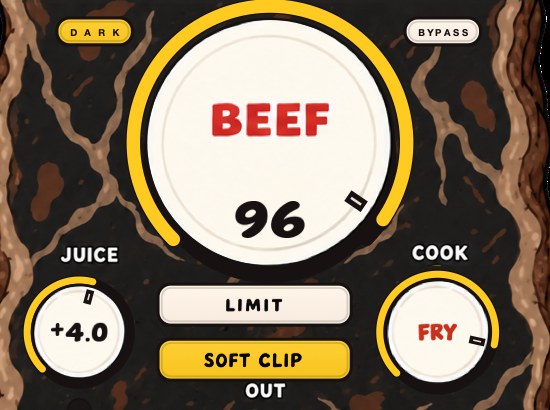
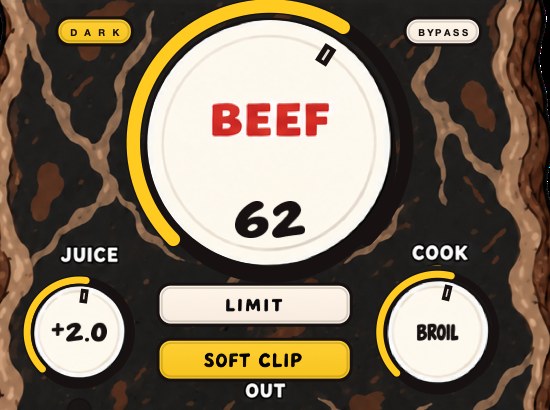
BEEFY is our saturation and loudness plugin for making sounds thicker, punchier and more up front. On a snare or the drum bus, BEEF adds weight and density and brings out harmonics that help a sound feel bigger; COOK moves the tone toward a brighter, more cooked edge when a drum needs to cut. SOFT CLIP, on by default, rounds off the loudest parts, and LIMIT holds output peaks instead if you prefer.
A new instance opens with SOFT CLIP on, JUICE at 0 dB, BEEF at 30 and COOK at 30, which is a working starting point rather than a bypass. Set JUICE so the loop is arriving at a sensible level, then raise BEEF slowly from zero and stop at the first point where the kit sounds planted against the rest of the arrangement, with everything playing. COOK decides whether the new harmonics land as warmth or as edge, which is the difference between a snare that travels to a phone and one that gets tiring on earbuds.
SOFT CLIP and LIMIT are two ways to handle the loudest parts and they do not sound alike on drums. Soft clipping rounds the top of the waveform and leaves the hit feeling immediate; limiting pulls the level down around the peak and can take the front edge with it. Soft clipping explained and how to use a limiter cover the choice. BEEFY runs on Mac and Windows as AU, VST3 and standalone, and it is $39.
If the kit needs holding together rather than thickening, DRUGS is our free one-knob bus compressor for drums, Mac and Windows, with a DOSE control, a GAIN control and a soft ceiling on the way out. Judge it by bypassing the plugin rather than by turning DOSE down, because DOSE at zero is not unity and is still part of the sound.
Same kitchen, same party. The drums just learned to talk in the gaps.
BEEFY — saturation and loudness plugin for Mac and Windows. There is a 28-second demo with three without/with comparisons on the page.
Keep reading
- How to make drums sound bigger — Room, sustain, density, weight and width: the half of drum sound that punch doesn't cover.
- How to make a snare hit harder — Sample and tuning, layers, transients, saturation, soft clipping and a short room.
- How to make your beats sound fuller — Cover the frequency range, layer and double, add saturation, width and space.
- How to mix drums — Balance first, then EQ, compression, saturation and the bus.
- Why is my mix muddy? — Where mud lives in the spectrum, how to clear it, and what else causes it.