← Gazillion Industries/Reading material
How to make your beats sound fuller
A thin beat is an apartment on move-in day: one couch, one lamp, and an echo every time you talk. It isn't missing money. It's missing furniture in the right rooms.
To make beats sound fuller, cover the whole frequency range with parts that each have a job, then add density and space. Make sure something holds the low end, the low mids, the mids and the top; double key parts with octaves or a pad underneath; add saturation so sounds take up more room; widen supporting parts while keeping the low end mono; and use reverb and delay to fill the gaps. Loudness comes last.
The short version
- Coverage
- something in the lows, low mids, mids and top
- Layers
- octave doubles, a pad under the sample
- Density
- saturation on the parts that feel thin
- Width
- supporting parts wide, bass and kick centered
- Space
- reverb and delay to fill the gaps
- Movement
- automation so it doesn't sit still
Why beats sound thin
Usually it's the arrangement, not the mix. A beat with drums, an 808 and one melody has a floor and a ceiling and nothing in between. Or everything sits in the same range, so four parts sound like one. Fullness is coverage: each part owning a different region, together filling the whole thing. Before reaching for a plugin, solo the elements and ask which range nobody is covering.
Count the empty octaves
Coverage is countable, which makes it fixable. Hearing runs from about 20 Hz to 20 kHz, and that span is log2(20000 ÷ 20) = 9.97 octaves — call it ten. Ten rooms, then, each one a doubling of frequency: 20 to 40, 40 to 80, 80 to 160, 160 to 320, 320 to 640, 640 to 1,280, 1,280 to 2,560, 2,560 to 5,120, 5,120 to 10,240 and 10,240 to 20,480 Hz.
Leave one empty and you have lost roughly a tenth of the available spectrum. The usual empty one is 160 to 320 Hz, and the usual hole is wider than that: from 150 to 400 Hz is log2(400 ÷ 150) = 1.42 octaves of nothing, sitting directly between the 808 and the melody. That gap is what people hear as thin, and no amount of limiting fills it.
- 20 to 40 Hz
- weight you feel; absent on every phone
- 40 to 80 Hz
- the 808 fundamental and the body of the kick
- 80 to 160 Hz
- kick knock, the bass's second harmonic, chest
- 160 to 320 Hz
- the empty room: sample body, keys, snare weight
- 320 to 640 Hz
- the lower half of most melodies and vocals
- 640 to 1,280 Hz
- the part of a sample you recognize as the tune
- 1,280 to 2,560 Hz
- attack and definition; where parts fight hardest
- 2,560 to 5,120 Hz
- snare crack, consonants, presence
- 5,120 to 10,240 Hz
- hats, shakers, brightness
- 10,240 to 20,480 Hz
- air; the first thing a filtered sample loses
Run a spectrum analyzer on the loudest eight bars and read the list down. You are not looking for a flat line — nothing good is flat. You are looking for a room with the lights off.
Furnish every room
- Lows: the 808 or bass, and the kick.
- Low mids: the body of the sample, keys or a pad. This is the room thin beats leave empty.
- Mids: the melody, the lead, the vocal's space.
- Top: hats, shakers, air, a bright texture or noise layer.
You don't need more parts, you need parts in different places. A soft pad under a sample or a counter-melody an octave up often does more than a fourth drum layer.
Layer and double
Doubling a melody an octave down, quietly, gives it body. A pad holding the chords under a chopped sample fills the gaps between chops. Keep layers lower than the part they support and filter them to their own range so they add fullness, not mud. If a single sample is the thin part, see how to make a sample sound fuller.
What a quiet double actually adds
Almost no level, and that is the point. Two sources that are not copies of each other sum by power, so a layer sitting 10 dB under the part it supports raises the total by 10 × log10(1 + 10^−1.0) = 0.41 dB. At −6 dB it adds 0.97 dB. At −3 dB, 1.76 dB. Your meter barely moves and the room fills anyway.
Now do it wrong. Duplicate the track, leave it identical and in phase, and the two add by voltage instead: 20 × log10(2) = 6.02 dB, which is a fader move wearing a costume. A double has to differ — a different octave, a different sound source, a few cents of detune, a handful of milliseconds of offset. Difference is what buys you content instead of gain.
Practical starting values: octave-down double at −10 to −14 dB relative to the part, low-passed around 400 Hz so it stays furniture and never becomes the melody. Octave-up double at −12 to −18 dB, high-passed around 1 kHz. A pad under a chopped sample at −15 dB, band-passed to 200 Hz to 2 kHz, is the single most reliable fix for a beat that empties out between chops. More on thickening one sound at how to make a synth sound thicker.
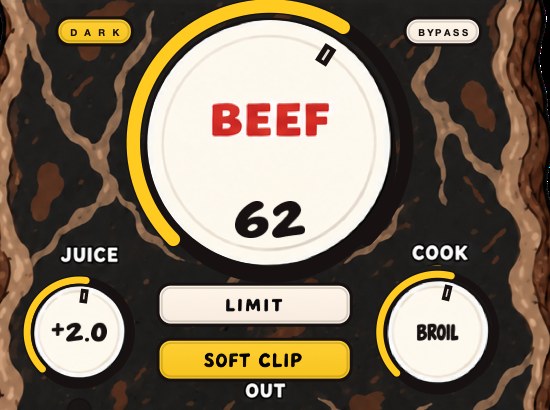
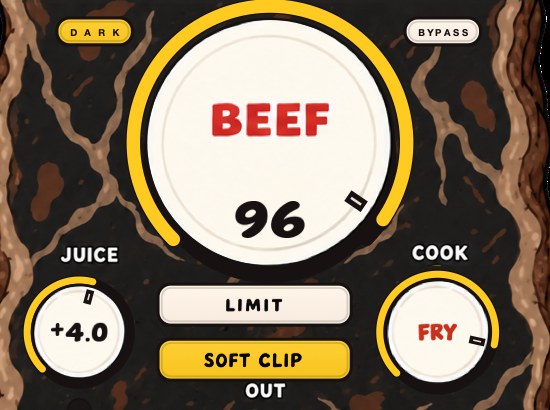
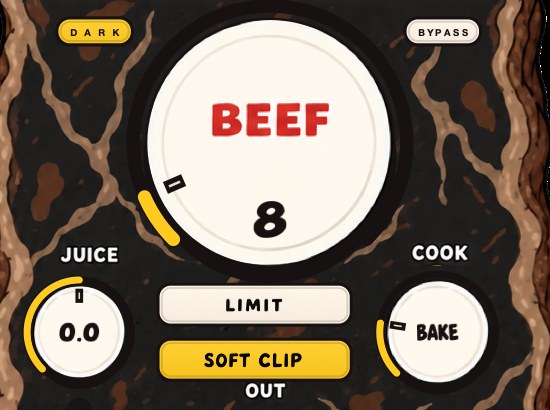
A quiet top layer is the same arithmetic in the other direction, and it is worth hearing rather than taking on trust. The same source twice: clean, then with a noise bed added and nothing else touched. Nothing was played, arranged or EQ'd between the two.
Rendered offline through TRIPLE OG at the settings shown. No other processing, no master bus, no edits.
The second one occupies the top two octaves the first one leaves open, and on a phone the difference is larger than it is on monitors. It is also the limit of the trick: noise fills a room, it does not play a part. Use it to stop the top from sounding switched off, not to avoid writing a hat pattern.
Set the low end before anything else
The bottom two octaves decide how much room the rest of the beat gets. Take a low E on an 808, E1, which at A4 = 440 Hz in equal temperament is 440 × 2^(−41/12) = 41.20 Hz. Its harmonics land at 82.4, 123.6, 164.8, 206.0, 247.2, 288.4 and 329.6 Hz. Those upper ones are not decoration. They are the note, everywhere the fundamental cannot travel.
A phone's useful response gives out around 500 Hz, and 500 ÷ 41.2 = 12.1, so the first twelve harmonics of that note are all underwater on a handset. Saturation on the bass is what puts audible energy above the corner; see how to make bass audible on phone speakers for the full arithmetic. Meanwhile the kick, usually fundamental somewhere between 50 and 60 Hz, is trying to use the same octave as the 808. Two parts in one room is how a low end goes both loud and small at once — sort that with how to mix kick and 808 before you add a single pad.
Add density
Saturation makes a sound take up more space by adding harmonics and bringing its quieter parts up. On a thin synth, a sample or the drum bus, a little goes a long way. Use it on the parts that need it rather than across the whole beat. More in how to use saturation in a mix.
The mechanism is arithmetic, not magic. Round the peaks of a 100 Hz part and you generate energy at integer multiples of it: 200, 300, 400, 500, 700 Hz and on up. A symmetric soft clip produces mostly odd multiples — 300, 500, 700 — while an asymmetric one adds the even ones too. Look at where those numbers land: 160 to 320 Hz and 320 to 640 Hz, the two rooms a thin beat leaves empty. Saturation furnishes them using the parts you already have, which is why it reads as fullness rather than as an added instrument. The detail is at saturation explained and harmonic distortion.
Drive far enough and the same process starts eating the transient that made the part hit. That is the trade, and it has a number.
Crest factor: the number under the word "full"
Crest factor is peak level minus average level, in dB, and it is the closest thing to a measurement of full. A beat peaking at −0.3 dBFS with an RMS of −14 dBFS has a crest factor of −0.3 − (−14) = 13.7 dB. Fill the empty octaves and add density until the same bounce reads −9 dBFS RMS at the same peak and the crest factor is 8.7 dB: 5 dB more average level, identical ceiling, nothing touched on the master.
Five dB of average level for free is what people are chasing when they say a beat sounds small. Keep going and you start buying it with punch instead: the gap between the hit and everything around it is the same gap you are closing. Read the number before and after every stage and watch where your own beat stops gaining body and starts losing attack — crest factor explains how to measure it, and what is a transient covers what you are spending.
Width and space
A beat where everything is dead center sounds narrow. Spread pads, textures, doubles and percussion across the stereo field and keep the kick, bass and main melody centered. Then give the beat a space: one shared short reverb, and a delay on the melody or a vocal throw to fill the gaps between phrases. Space fills a beat the way sound in a room fills silence.
Width has a failure mode with a formula. Widen by delaying one side and the two sides cancel, when summed to mono, at every frequency where the offset equals half a wavelength: f = 1 ÷ (2t), plus the odd multiples. A 10 ms offset nulls at 50, 150, 250 and 350 Hz. A 20 ms offset nulls at 25, 75, 125 and 175 Hz. Those are the exact rooms you spent the last hour furnishing, and a phone speaker, a club sub and most Bluetooth speakers will hand you the mono sum whether you planned for it or not. Widen with genuinely different signals instead, keep everything below about 150 Hz mono, and check the fold every time — mono compatibility and phase cancellation have the tests.
Space has a clock. At 90 BPM one beat is 60 ÷ 90 = 666.7 ms, an eighth 333.3 ms, a sixteenth 166.7 ms, a dotted eighth 500.0 ms, and a bar of four runs 2.667 s. At 140 BPM the same figures are 428.6, 214.3, 107.1, 321.4 ms and a bar of 1.714 s. Set the delay to the sixteenth or the dotted eighth and it fills gaps; set a reverb tail longer than the bar and it fills the next bar too, which is how a beat gets both fuller and vaguer in one move. Start with a tail around 0.8 to 1.2 s and 20 to 40 ms of predelay, so the attack of each hit stays dry and only the sustain goes into the room.
Where fullness sits in the chain
Order changes the result, because every stage feeds the next one different material. The working order is arrangement, then per-part EQ, then per-part saturation, then bus glue, then width, then space, then loudness. Two interactions matter more than the rest. EQ before saturation decides which frequencies get harmonics generated from them, so a low cut before the drive is a different sound from the same cut after it. And every dB of density you add upstream is a dB the limiter no longer has to find, which is the whole argument in clipper before limiter.
Set levels once, early, and stop moving them: gain staging is what keeps a fullness pass from turning into a loudness pass by accident. When the beat is arranged and dense and still needs to compete, that is mastering, and it is a separate job — how to master a beat.
BEEFY makes sounds thicker, punchier and more up front, on drums and everything else. The demo on the page is 28 seconds.
How to make a beat sound fuller
- Solo each part and note which frequency range it covers.
- Add or adjust a part to fill any empty range, usually the low mids or the top.
- Double the main melody or sample with an octave or a pad, mixed low.
- Saturate the parts that still feel thin.
- Widen supporting parts; keep kick, bass and lead centered.
- Add one short reverb and a delay for the gaps.
- Automate filters or levels so sections change over time.
- Only then work on loudness.
- Sum the master to mono and confirm no part disappears.
- Bounce, play it on a phone speaker at normal volume, and note what is missing.
- Compare against a released track at matched loudness, not at matched fader.
For loudness, see how to make your mix louder without clipping.
Check it where it gets heard
A fullness decision made only on headphones is a guess. Bounce the beat and play it four ways: a phone speaker in your hand, earbuds, a car, and whatever you mix on. The phone is the honest one, because it removes the two bottom octaves entirely and leaves you listening to the middle you actually built. If the beat holds up there and on monitors, it holds up.
Match level before you judge anything. Louder reads as better while the levels are unmatched, and loudness and tone move together — low end and top end read as louder than the mids at the same meter reading, which is what the Fletcher-Munson curves describe. Put a gain utility last in the chain, bypass the work, trim until the two read the same on a loudness meter, and only then decide whether the fuller version is actually better. Half the "fuller" moves on the internet are 2 dB louder and nothing else.
Failure modes, and what each one sounds like
- Too much in 200 to 400 Hz
- boxy and closed-in; worse on laptop speakers; the vocal loses its seat
- Everything saturated
- loud and flat, no punch; hats turn to gravel; the beat tires you out in 30 seconds
- Width by delay or phase trick
- impressive in headphones, hollow on a phone, quieter in the mono fold
- Reverb doing the arranging
- distant and smeared; the grid softens and the beat stops pushing
- Octave double too loud
- the double becomes the melody and the original sounds like an effect on it
- Sub layer with no harmonics
- huge on monitors, silent on every phone and laptop
- Loudness first
- nothing left to add; each new part pushes something else down
The middle three read to most people as "my mix is bad" rather than as a diagnosis. Work down the list against one bounce and each identifies itself in about fifteen seconds. If the verdict is mud rather than thinness, why is my mix muddy is the other end of this same problem.
Stock plugins that do this
- Ableton Live
- Spectrum to find the empty octave; EQ Eight to band-limit each layer; Saturator for harmonics; Utility for width, the mono check and the level-matched A/B
- Logic Pro
- Channel EQ and its analyzer; Clip Distortion or Phat FX for density; Direction Mixer's Spread for width; the Gain plugin to trim and to fold to mono; MultiMeter for correlation
- FL Studio
- Wave Candy to see the gap; Fruity Parametric EQ 2 to place each layer; Fruity Waveshaper or Fruity Soft Clipper for harmonics; Fruity Balance to match level; Fruity Reeverb 2 for the shared room
Nothing on that list is the reason a beat is full. The reason is that six parts ended up in six different rooms. The plugins only make each one occupy its room properly.
What fullness costs
Headroom, first. Every layer, every harmonic and every reverb tail is level you then have to fit under the same ceiling, and a beat that gained 5 dB of average level has 5 dB less room for a vocal that has not been recorded yet. Leave the low mids deliberately lighter than sounds right when you know a voice is coming.
Dynamic range, second. Density works by lifting the quiet parts toward the loud ones, so the difference between a hard hit and a ghost note narrows every time you turn something up. And time, third: six parts take longer to mix than three, and a sixth part that duplicates the range of the fifth costs you an hour and buys you mud. The cheapest fullness in the list is still an octave-down pad at −15 dB.
Questions people ask
How do I make my beats sound more professional?
Cover the full frequency range with distinct parts, keep levels organized with gain staging, add density with saturation and space with reverb, and compare against released tracks at matched loudness. Most of the gap is arrangement and balance, not plugins.
How do I fix a muffled mix?
Cut low-mid buildup from parts that don't need it, let one or two elements carry the brightness, and check that samples haven't had their top end filtered away. Boosting the whole mix's highs usually just adds harshness.
Why do my beats sound so low?
If they sound quiet, the peaks, often from the kick and 808, are hitting the ceiling before the average gets loud. If they sound thin, part of the frequency range is empty. Fix the arrangement and low end first, then the loudness.
Why does my beat sound empty?
Count the octaves. Most empty-sounding beats have the 40 to 160 Hz region and the 640 to 2,560 Hz region occupied and nothing living in 160 to 640 Hz, so the low end and the melody never connect. A pad or a filtered octave-down double placed in that gap fixes more empty beats than any processing does.
How do I make a beat fuller without making it louder?
Add content rather than gain. A layer 10 dB below the part it supports raises the sum by 0.41 dB, which is inaudible as level and obvious as body. Then match the output to bypass with a gain utility before you judge it, so you are comparing fullness and not volume.
How many layers is too many?
When a new layer does not change the spectrum analyzer, it is too many. Two parts covering the same octave at similar levels usually sound like one thicker part with worse transients. Band-limit every layer to its own region and the count stops mattering.
Why does my beat sound full in headphones but thin on a phone?
Headphones play the bottom two octaves and a phone does not. If the fullness lived at 40 to 80 Hz, a handset loses all of it. Give the bass harmonics above 500 Hz with saturation, and put real content in 160 to 640 Hz, which every speaker can play.
Should the bass be mono?
Below about 150 Hz, yes. Stereo information down there survives headphones and disappears in any mono sum, and delay-based width nulls at 50, 150 and 250 Hz for a 10 ms offset. Keep the sub and the kick centered and spend width on pads, textures and percussion.
Does saturation make a beat fuller or just louder?
Both, and they are separable. Match the saturated version to the bypassed one on a loudness meter. What remains once the level is equal — harmonics at 2×, 3× and 5× the fundamentals, a smaller gap between the quiet and loud parts — is the fullness. If nothing remains, you added gain.
What plugins make beats sound fuller?
A spectrum analyzer to find the gap, an EQ to band-limit layers, a saturator for density, a stereo utility for width and a reverb for space. Every DAW ships all five. The list above says which ones in Live, Logic and FL Studio.
Why does my beat sound flat next to songs on streaming?
Usually crest factor. Import the track you are comparing against, run a meter on its loudest section and on yours, and subtract average from peak on both. A beat with empty octaves and untouched dynamics reads a wider gap and sounds small at any fader position. Close it with arrangement and density first, limiting last.
Is reverb making my beat fuller or further away?
Check the predelay and the tail. With 20 to 40 ms of predelay the attack stays dry and only the sustain goes into the room, which reads as fullness. With no predelay and a tail longer than a bar — over 2.667 s at 90 BPM — the transients go into the room too, and that reads as distance.
What BEEFY does
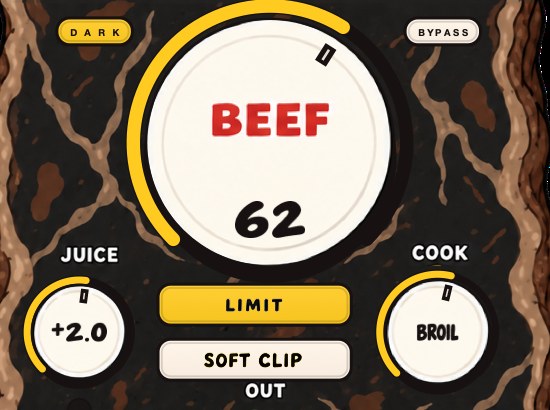
BEEFY is our saturation and loudness plugin, and there's no drum-only rule. Feed it a thin synth, a chopped sample or an electric piano and it adds body, squeezes some space out of the peaks, and brings out harmonics that help the sound feel bigger. A little can fill things out; a lot can get rude. BEEF is the main control, COOK sets the color, and SOFT CLIP, on by default, handles the initial gain staging.
A new instance opens at BEEF 30, COOK 30, JUICE at 0 dB and SOFT CLIP engaged, which is the reference point for everything above: drop it on the part that sounds thin, A/B it against bypass, and move BEEF before you move anything else. LIMIT is the alternative out stage when you want the peaks held rather than rounded, and the two do not sound the same on the same material. It runs on Mac and Windows as AU, VST3 and standalone, and it is $39. If soft clipping itself is the unfamiliar part, soft clipping explained covers it.
Same apartment, same rent. Somebody finally bought furniture.
BEEFY — saturation and loudness plugin for Mac and Windows. There is a 28-second demo with three without/with comparisons on the page.
Keep reading
- How to make a sample sound fuller — Clean it first, add harmonics, compress for sustain, support it with a bass layer, and give it room.
- How to make a synth sound thicker — Unison, oscillators, a mono sub, chorus, saturation and layering, without the harshness.
- How to make your mix louder without clipping — Low end, balance, density, soft clipping and a true-peak limiter, plus what streaming does to loud masters.