← Gazillion Industries/Reading material
How to make boom bap drums
A lot of boom bap was made in basements with carpet stapled to the walls, on drums lifted off records that were already old when somebody first looped them. The sound is the room, the dust and the swing, and none of it came with a preset.
To make boom bap drums, start with punchy, slightly dusty sounds (chopped breaks or one-shots), program a simple pattern around 80 to 100 BPM with the snare on 2 and 4, add swing so the groove leans, then process the kit as a whole: filter the samples, squash the drum bus with compression, add saturation for density, and leave some room sound in. Keep it simple; the pocket matters more than the parts.
The short version
- Tempo
- roughly 80 to 100 BPM
- Sounds
- chopped breaks or dusty one-shots
- Pattern
- kick on 1, snare on 2 and 4, hats in eighths
- Swing
- enough that the hats lean
- Bus
- compression for squash, saturation for density
- Texture
- filtered highs and lows, some room left in
What boom bap drums are
The name is the sound: the boom of the kick and the bap of the snare, heavy and upfront, usually over sampled music. The drums are typically either a break sampled from a record or individual hits taken from one, which is where the dust and character come from, and they sit at a relaxed tempo where the snare has room to crack.
Where the tempo sits, in milliseconds
Choose the tempo and the whole grid falls out of it. At 90 BPM a beat lasts 60 / 90 = 0.667 s, so a bar of 4/4 runs 2.667 s, an eighth note is 333 ms and a sixteenth is 167 ms. Drop to 80 BPM and the sixteenth stretches to 187.5 ms. Push to 100 BPM and it shrinks to 150 ms.
That 37.5 ms of spread is the whole argument for the range. A sampled snare with a 200 ms decay needs a gap it can finish in, and at 80 to 100 BPM it gets one. Speed the same kit to 140 BPM and the sixteenth falls to 107 ms, the tail lands on the next hit, and the crack turns into a smear.
- 80 BPM
- beat 750 ms · eighth 375 ms · sixteenth 187.5 ms · bar 3.00 s
- 86 BPM
- beat 697.7 ms · eighth 348.8 ms · sixteenth 174.4 ms · bar 2.79 s
- 90 BPM
- beat 666.7 ms · eighth 333.3 ms · sixteenth 166.7 ms · bar 2.67 s
- 93 BPM
- beat 645.2 ms · eighth 322.6 ms · sixteenth 161.3 ms · bar 2.58 s
- 100 BPM
- beat 600 ms · eighth 300 ms · sixteenth 150 ms · bar 2.40 s
Keep that table near you. Every release time, every delay, every nudge below is a fraction of one of those numbers, and once you know the sixteenth in milliseconds you stop guessing at settings.
A starting pattern
In a bar of sixteen steps, this is a common place to start:
- Kick
- steps 1 and 11, with a pickup on 8 or 9 for variation
- Snare
- steps 5 and 13 (beats 2 and 4)
- Hats
- every odd step (eighth notes), with swing
Then break it: move a kick, drop a hat, add a ghost note before the snare. The best boom bap patterns sound like someone played them, not like a grid.
Swing is the pocket
Straight eighths sound stiff. Push the offbeat hats late with your DAW's swing or groove setting until the beat leans back, then nudge individual hits by hand. Slightly late snares feel lazy in a good way; slightly early ones feel anxious. Chopped breaks bring their own swing, so match your programmed parts to the break rather than to the grid.
Swing in percent, milliseconds and ticks
Swing percentage says where the offbeat lands inside a pair of notes. At 50% it sits exactly halfway and the pair is even. At 66.7% it lands two-thirds of the way in, which is a triplet feel. Everything interesting for boom bap lives between those two figures, and it is worth converting to milliseconds so you know what you are actually asking for.
Take sixteenth-note swing at 90 BPM. A pair of sixteenths spans one eighth, 333.3 ms. Multiply by the percentage and subtract the straight position of 166.7 ms, and you get the delay on the offbeat.
- 54%
- offbeat at 180.0 ms — 13.3 ms late — barely there, the groove just stops being square
- 56%
- offbeat at 186.7 ms — 20.0 ms late — audible lean
- 58%
- offbeat at 193.3 ms — 26.7 ms late — the classic range
- 62%
- offbeat at 206.7 ms — 40.0 ms late — heavy, close to a shuffle
- 66.7%
- offbeat at 222.2 ms — 55.6 ms late — full triplet
Eighth-note swing doubles all of it, because the pair spans a whole beat of 666.7 ms. At 58% the offbeat eighth lands 53.3 ms late instead of 26.7 ms. That is why the same percentage feels violent on eighths and subtle on sixteenths, and why a number copied out of a tutorial rarely lands where the writer meant it.
Convert to whatever unit your editor counts in. At 44.1 kHz, 13.3 ms is 13.3 × 44.1 = 587 samples; at 48 kHz it is 638. On a 960-tick quarter note at 90 BPM, one tick is 666.7 / 960 = 0.694 ms, so the same nudge is 19 ticks. Write the number down once and hand-nudging stops being a feel exercise.
One more figure decides your compressor. Swing at 58% splits the eighth into a 193.3 ms gap before the offbeat and a 140.0 ms gap after it. Uneven gaps are the groove. Anything with a release time has to recover inside the shorter of the two or it will smooth the lean back out, which is the most common way a swung beat comes out of the bus sounding straight again.
Setting swing in each DAW
The control has a different name everywhere and the arithmetic above works in all of them. What differs is whether the DAW hands you a percentage or an amount that scales a template.
- FL Studio
- a swing knob on the step sequencer, applied globally, plus per-channel time shift for hand nudges
- Ableton Live
- grooves from the Groove Pool, with a Timing amount that scales the template's offsets rather than setting a percentage directly
- Logic Pro
- a swing value inside the quantize setting, applied per region, so the drums can swing while the sample loop does not
- Studio One, Reaper, Bitwig
- swing is a property of the grid itself, so it moves the snapping as well as existing notes
Two habits survive the move between them. Apply swing to the hats and ghost notes and leave the kick and backbeat on the grid, so the spine stays firm while the top leans. And check what the setting did to the audio rather than to the display, because a groove applied at the clip level and a groove applied at the track level will not always land on the same millisecond.
Tune the kick and the snare
Sampled drums arrive at whatever pitch the record was cut at, which is rarely the key of your loop. Equal temperament multiplies frequency by 21/12 = 1.0595 per semitone, so a kick whose fundamental reads 58 Hz drops to 58 × 2−3/12 = 48.8 Hz three semitones down, which is close enough to G1 at 49.0 Hz to sit under a loop in G minor without arguing with the bass.
Decide how you move it. Resampling changes speed and pitch together, so a 600 ms kick pitched up two semitones plays back at 600 / 1.1225 = 534.5 ms, shorter and tighter. A pitch shifter holds the length and leaves the transient alone, which is safer on snares and duller on kicks. Both are useful, for different problems. How to pitch a sample has the detail, and what is varispeed covers the speed-and-pitch route.
The same arithmetic solves a break that will not sit at your tempo. A loop that clocks at 96 BPM played at 87 is a speed ratio of 87 / 96 = 0.906, which is 12 × log2(0.906) = −1.7 semitones of pitch drop. Under two semitones usually reads as warmth. Past four it starts to sound like a different instrument, and that can be the point.
Layer rather than replace
A sampled kick that has body but no click, or a snare with crack and no weight, is fixed by adding rather than swapping. Put the missing half underneath and keep the character of the original on top.
Alignment decides whether that works. Two copies of related low content offset by 1.2 ms comb together, with the first null at 1 / (2 × 0.0012) = 417 Hz and further nulls every 833 Hz above it, which scoops the body straight out of a snare. Line the first peaks up within a sample or two, or push the layer past 15 ms where the ear reads it as a second event. How to layer kicks and phase cancellation carry the arithmetic further.
Process the kit as one
Boom bap drums sound like a single performance because they're treated like one. Route everything to a drum bus. Low-pass the samples a little to take the digital sheen off the top, and high-pass anything below the kick's body. Compress the bus until it squashes and the room comes up (drum bus compressor settings has the numbers), then add saturation for density (how to saturate drums).
BEEFY is for a break that needs to stop being so polite. The demo on the page is 28 seconds.
Chain order on the drum bus
Order changes the result, because every stage feeds the next one a different signal. A working default for a sampled kit:
- High-pass and low-pass, to stop the stages below wasting their range on content you will never hear.
- Bus compressor, for glue and groove.
- Saturation, for density and harmonics.
- Soft clipper, to take the last peaks off.
- Meter, so you can read what the chain did.
Filtering first matters most on a break. Rumble under 30 Hz carries real energy and no audible pitch, and a compressor that sees it will duck the whole kit on a thump nobody can hear. Drum bus chain order works through the alternatives, including the case for saturating before compressing.
Filter numbers for a sampled break
Give the filters real values instead of eyeballing the curve. A second-order high-pass at 30 Hz is 3 dB down at its corner and 12.3 dB down an octave below at 15 Hz, which removes the rumble and leaves the kick alone. A first-order low-pass at 8 kHz is 3 dB down at 8 kHz and 7 dB down at 16 kHz, a gentle tilt rather than a lid.
Steepness is the choice people skip. Six decibels per octave sounds like the top has been leaned on; 24 dB per octave at the same corner is 24 dB down at 16 kHz and sounds like a door closing. For dust, use the shallow one and set it low. For the sound of an old sampler, use the steep one.
Bandwidth does most of the aging on its own. Halve the sample rate and the highest frequency the system can carry halves with it, so a 22.05 kHz playback rate puts a hard ceiling at 11.025 kHz, above which nothing exists. Bit depth handles the other axis: dynamic range runs about 6.02 dB per bit, so 12 bits gives 72.2 dB against 96.3 dB at 16, and the missing 24 dB is the noise you can hear between the hits. What does 12-bit sound like plays the difference.
F(ilter)12 is our 12 bit sauce filter, with five filter shapes, six resonance shapes and AURA, $49 with DRUGS included free.
Compression that keeps the swing
Set the bus compressor from the tempo, not from a preset name. At 90 BPM with 58% swing the two gaps inside an eighth are 193 and 140 ms, so a release of 140 to 170 ms recovers between every pair of hits. Longer than 200 ms and the compressor rides the bar instead of the beat, and the lean you dialed in quietly disappears.
The threshold is arithmetic too. Put the threshold at −18 dBFS with a 4:1 ratio and feed it a kick peaking at −6 dBFS: the hit is 12 dB over, so it comes out at −18 + 12/4 = −15 dBFS, which is 9 dB of gain reduction on the loudest thing in the kit. Ghost notes at −24 dBFS never cross and stay untouched, which is exactly the relationship you want: the backbeat gets pulled down toward the ghosts, and the kit reads as a performance in a room.
Attack sets how much transient survives. A 1 ms attack catches the stick and rounds it; 10 to 30 ms lets the front edge through and compresses the body behind it, which on a break is usually what you want. Four to eight decibels of gain reduction on the loudest hits is plenty for glue. How to compress drums and glue compression go further.
If you would rather have one control than six, DRUGS is our free one-knob bus compressor for drums, Mac and Windows, with DOSE plus GAIN and a soft ceiling on the way out. Judge it by bypassing the plugin rather than by turning DOSE to zero, since zero is still part of the sound.
Saturation and clipping on the break
Saturation earns its place on boom bap drums for two reasons at once. It bends the loudest parts of the waveform, which closes the gap between peak and average, and it generates harmonics at whole-number multiples of whatever went in, which gives small speakers something to hear.
Crest factor is the number that tracks the first job. It is peak level minus average level, in decibels: a loop peaking at −1.0 dBFS with an RMS of −13.5 dBFS has a crest factor of 12.5 dB. For reference, a pure sine is 20 × log10(√2) = 3.01 dB and a square wave is 0 dB, so an unprocessed kit at 12 to 18 dB is mostly silence with spikes in it. Measure yours before and after the chain and write both numbers down; crest factor explains what the change is worth.
The second job is audibility. A kick with a 55 Hz fundamental driven into a saturation curve puts energy at 110, 165, 220 and 275 Hz, spaced 55 Hz apart. A speaker that cannot move air at 55 Hz can reproduce all four, and the ear reconstructs the pitch from the spacing. That is how a laptop plays a kick it physically cannot produce.
Clipping is the blunter version and it belongs last. Taking 3 dB off the tallest hits and adding 3 dB of makeup raises the average by less than 3 dB, and how much less depends entirely on how much of the loop was above the ceiling, which is why the meter is the only honest answer. Soft clipping explained and clipper before limiter cover the ordering, and true peak covers what survives an encoder.
How to make boom bap drums, step by step
- Set the tempo between about 80 and 100 BPM.
- Load a chopped break, or kick, snare and hat one-shots with some grit.
- Program the starting pattern above and add swing to the hats.
- Nudge a few hits off the grid by hand.
- Route the drums to a bus; low-pass and high-pass gently.
- Compress the bus for squash, then add saturation.
- Soft clip the loudest hits so the drums can sit up front.
- Compare with a reference at matched loudness.
Dust, hiss and the drift of a worn deck
The grit on old records is three separate things and they are worth separating. Broadband noise sits under the whole loop. Bandwidth loss takes the top and the bottom off. Speed instability moves the pitch around slowly, and that last one is the part people miss when they try to age a beat with an EQ.
Speed instability is measurable. A deck running between 0.951 and 1.059 times nominal speed moves pitch by 12 × log2(1.059) = +0.99 semitones at the top and 12 × log2(0.951) = −0.87 semitones at the bottom. Nobody wants a full semitone of drift on a hi-hat. A few cents is the usual target, and the reason a chopped break sounds hand-made is often nothing more than a few cents of wander across the bar.
Two passes of the same eleven seconds, so you can hear noise and drift working separately from any filtering.
Keep the noise floor honest. Hiss that reads at −45 dBFS under a kit peaking at −1 dBFS is 44 dB down and sits underneath everything; the same hiss after a bus compressor pulling 9 dB on the hits comes up with the rest of the floor and can end up nearer −36. Add texture after the compressor if you want to keep control of it. How to make drums sound dusty, tape hiss and wow and flutter take each strand separately.
TRIPLE OG is our cassette tape simulation, $39, with TONE, DRIVE, AGE from 0 to 60 years, HISS and WOW FLUT, plus a transport of SLAM, SCRUB and CATCH.
Check the loop on a phone speaker
A phone speaker is a driver about a centimeter across and it rolls off steeply below a few hundred hertz, with the exact corner varying a lot by model. Everything your kick does at 55 Hz is inaudible on it. What survives is the harmonics you put there and the midrange body of the snare, so a loop that only has weight and no harmonic content simply vanishes.
Sum the loop to mono before you test. Anything that exists only as a difference between the two channels disappears in the sum, which on a drum kit usually means the room and the widened hats. Mono compatibility has the checks, and how to make bass audible on phone speakers is the long version of the harmonic argument.
Level matters more than you would like. Ear sensitivity to low frequencies falls away as playback level drops, so the same loop played quietly loses bass before it loses anything else, and a kit balanced at a whisper comes back boomy in the car. Fletcher-Munson is the curve behind it. Bounce the loop, play it on the phone at arm's length, and fix what is missing there rather than what sounds good on headphones.
Structure
Boom bap beats are usually a four- or eight-bar loop that changes by subtraction: drop the kick for the intro, pull the drums out for a bar before the hook, strip back to kick and snare under a verse. The drums hold the song together; the changes keep the rapper interested.
Five ways boom bap drums go wrong
Each of these has a sound, and naming the sound is most of the diagnosis.
- Quantized to death. Everything lands on the grid and the loop feels like it is counting rather than playing. The tell is that the second bar is indistinguishable from the first.
- Swing eaten by the bus. The pattern reads late in the editor and straight through the speakers, because a compressor release longer than 200 ms at 90 BPM is smoothing the gaps back out.
- Mud at 200 to 400 Hz. Kick body, snare body and sample body all stacked in the same octave. The kit sounds thick and reads quiet, and it is the first thing that falls apart on a phone.
- Snares smearing into the next hit. Too much room, or a decay longer than the gap. At 90 BPM you have 167 ms before the next sixteenth, so a 400 ms tail is arriving late to somebody else's beat.
- Flat from over-clipping. Push the last stage too hard and the kit stops moving: no dynamics between the backbeat and the ghosts, and everything reads at one level. Why do my drums sound weak and how to make drums cut through the mix pick this apart.
What the technique costs
Every move above takes something. Heavy bus compression buys glue and spends dynamic range, so the gap between a ghost note and a backbeat shrinks and the performance flattens. Saturation buys density and spends clarity in the midrange, where added harmonics pile up on the sample you are drumming over. Filtering buys character and spends the top two octaves, which you cannot get back.
Swing has a cost too, and it is a musical one. Past about 60% the kit stops fitting other material: a straight bassline played against heavily swung hats sounds like two records at once. Print a version at 54% before you commit to 62%, and see which one you still like after a day. Loudness decisions have the same shape — how loud should my master be and gain staging cover the bookkeeping.
Questions people ask
What drums are used in boom bap?
Punchy kicks and cracking snares, usually sampled from old records, either as a full break or as individual hits, with hats or a shaker. The character comes from the sampled source and from heavy bus compression and saturation.
What is the drum pattern for a boom bap beat?
A common starting point is the kick on the first beat and the "and" of the third beat, the snare on beats 2 and 4, and swung eighth-note hats, at around 80 to 100 BPM. Variations on the kick placement give each beat its bounce.
How do I structure a boom bap beat?
Build a four- or eight-bar loop, then arrange by taking things away: an intro without drums or kick, drop-outs before the hook, and lighter drums under verses. Most of the arrangement is subtraction.
What BPM is boom bap?
Roughly 80 to 100, with a lot of it between 86 and 93. The reason is the gap between hits: at 90 BPM a sixteenth is 60 / 90 / 4 = 167 ms, which is long enough for a sampled snare to finish decaying before the next event arrives. Above about 105 the tails start colliding and the kit stops cracking.
How much swing should I use for boom bap?
Start at 56 to 58% on sixteenths and adjust by ear. At 90 BPM that puts the offbeat 20 to 27 ms behind the grid. Halve the percentage's effect by moving to sixteenths from eighths, since an eighth-note pair is twice as long and the same percentage produces twice the delay.
Should I quantize boom bap drums?
Quantize the kick and the backbeat so the spine holds, then leave the hats, ghost notes and any hand-played percussion where you put them. A fully quantized loop and a fully loose one both sound like mistakes; the contrast between a firm spine and a loose top is the groove.
Do I need to sample vinyl to make boom bap?
No. The record supplies bandwidth limiting, a noise floor and slight speed drift, and all three can be added to a clean sample deliberately, with more control than a turntable gives you. What a record also supplies is a performance played by people in a room, and that part is worth going looking for. How to flip a sample and how to chop a drum break cover the sampling side.
Why do my boom bap drums sound weak?
Usually crest factor and midrange. The kit peaks fine and averages low, so it reads quiet next to a reference, and the body of the kick and snare is buried under the sample in the 200 to 400 Hz region. Measure peak minus RMS, clear the overlap with the loop, then use compression and saturation to close the gap.
How do I make boom bap drums hit harder?
Tune the kick to the track, keep the transient by using a compressor attack of 10 ms or more, then close the peak-to-average gap with saturation and a soft clipper at the end of the bus. How to make drums hit harder and how to make snare hit harder have the settings.
What is the difference between boom bap and lofi drums?
Mostly intent and how much of the damage is on purpose. Boom bap wants the kit loud and upfront with the dust as a side effect of sampling; the lofi approach treats the degradation as the subject and often sits the drums further back and softer. Same tools, opposite balance. How to make lofi drums covers the other side.
Can I make boom bap drums with only stock plugins?
Yes. The chain is a filter, a compressor, some kind of drive and a clipper, and every DAW ships all four. What third-party plugins buy is speed and a particular character, not a result you cannot reach otherwise.
How loud should boom bap drums be in the mix?
Loud enough that muting them collapses the track, which in practice means the kit is the loudest element and the sample sits behind it. Set the balance at a quiet monitoring level, then check it loud, because low-frequency sensitivity changes with level and a balance set softly comes back bass-heavy.
Which producers should I listen to for boom bap drums?
Start with the ones whose drum sound is a signature rather than a style: DJ Premier for the hard, filtered kit, J Dilla for what happens when the grid is abandoned entirely, and Madlib for the dust. There are walkthroughs at how to make Dilla type beats and how to make Madlib type beats.
Stock plugins that do this
- FL Studio
- Fruity Limiter in compressor mode on the bus; Fruity Blood Overdrive or Fruity Soft Clipper for the drive
- Ableton Live
- Glue Compressor for the bus; Drum Buss for drive and crunch; Auto Filter for the bandwidth
- Logic Pro
- Compressor in VCA or FET mode; Clip Distortion, or ChromaGlow on Logic Pro 11 and later
What BEEFY does
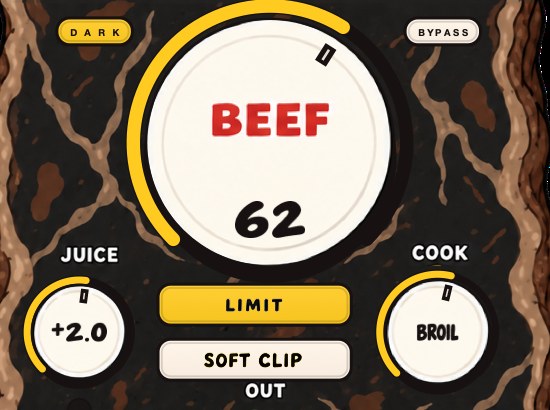
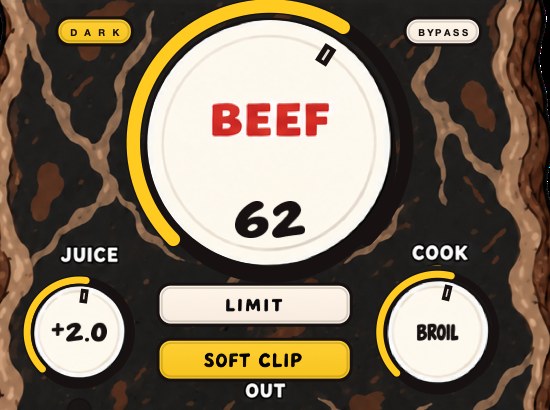
BEEFY is our saturation and loudness plugin. On a drum bus it pulls the hits and the body closer together, and it's there for a break that needs to stop being so polite. BEEF adds weight, density and loudness, COOK moves the tone from rounder toward brighter and more bitten, and SOFT CLIP, on by default, rounds off the loudest hits.
A new instance opens with SOFT CLIP on, JUICE at 0 dB, BEEF at 30 and COOK at 30, which is a working position on a drum bus rather than a null setting. JUICE sets the level going in, so you can feed the curve harder or back it off without moving the character controls. That separation matters on a break: drive it with JUICE when you want more of the same texture, and reach for COOK only when you want the texture itself to change.
LIMIT is the alternative to SOFT CLIP, and on a swung kit the two are audibly different at identical settings. The clipper takes the top off each stick hit and leaves the gaps alone. The limiter pulls the whole hit down for as long as it is over, which on a 58% swing at 90 BPM means it is still recovering through a 140 ms gap. Try both on the backbeat and keep the one that leaves the ghost notes audible.
It runs on Mac and Windows as AU, VST3 and standalone, and it is $39.
No carpet on your walls, probably. The drums can still sound like there is.
BEEFY — saturation and loudness plugin for Mac and Windows. There is a 28-second demo with three without/with comparisons on the page.
Keep reading
- How to make a sample sound fuller — Clean it first, add harmonics, compress for sustain, support it with a bass layer, and give it room.
- How to make drums sound bigger — Room, sustain, density, weight and width: the half of drum sound that punch doesn't cover.
- The SP-404 and the sound of Los Angeles — How a cheap sampler its makers underestimated became the instrument of LA's beat scene.
- How to make a sample sound old — Narrow the range, add warmth and grain, wobble, noise and a small room.
- How to chop a drum break — Finding a break, slicing it, keeping the swing, making it sit.
- J Dilla — The life, the machines, how the drums really work, and the claims that do not hold up.
- The creation of the MPC — The machines that failed first, what Akai and Linn each did, and how swing works.
- Best synth VST for hip hop — The three jobs a hip hop synth has to do, and the controls in order.
- Best arpeggiator VST — Why a MIDI arp and a built-in arp are different tools.
- Free boom bap plugins: chop, swing, dust and squash — The free plugin chain behind boom bap drums.