← Gazillion Industries/Reading material
Dithering
The last checkbox in the export dialog, the one nobody understands, sitting there asking whether you want to add noise to a record you just spent a week cleaning up. The answer is usually yes, and the reason is a genuinely strange piece of engineering.
Dither is a tiny amount of noise added deliberately before you reduce bit depth, because the errors caused by that reduction are worse than the noise. Truncating a 24-bit file to 16-bit produces rounding errors that follow the signal, which the ear hears as distortion on quiet material. Adding noise first makes those errors random instead, turning a correlated distortion into an unobtrusive hiss. Apply it once, at the very end, only when you are actually reducing bit depth.
The short version
- What
- noise added before reducing bit depth
- Why
- it converts rounding distortion into steady noise
- When
- only when going to a lower bit depth, usually 16-bit
- Where
- last, after the limiter, once and only once
- Type
- triangular is the standard safe choice
- Noise shaping
- moves the noise to where the ear cares less
Why rounding is worse than noise
A 24-bit sample has far more possible values than a 16-bit one. When you convert, every value has to move to the nearest available step, and the amount it moves is the error. That error is not random: it depends on the signal, so it tracks the music, and anything that tracks the music is heard as distortion rather than as background.
On a loud passage the error is minuscule compared to the signal and nobody will ever hear it. On a fade-out, a solo piano note decaying into silence, or a quiet ambient passage, it is audible as a grainy, gritty edge that gets worse as the music gets quieter, which is exactly backwards from how noise behaves.
Dither breaks the correlation. Add a small amount of random noise before the conversion and the errors stop following the signal, because the thing being rounded is now signal plus noise. You trade a distortion that appears when the music is quiet for a constant noise floor a few decibels above where it would otherwise be. In every listening test that matters, that is the better trade.
The numbers, exactly
A 16-bit file has 65,536 available values and a 24-bit file has 16,777,216, so one 16-bit step spans 256 of the 24-bit ones. In a file scaled to plus or minus one, a 16-bit step is 1/32768 of full scale, which is −90.31 dBFS. The whole argument turns on that one number.
Round to the nearest step with nothing added and the error lands anywhere inside half a step with roughly equal likelihood, which gives a root-mean-square error of the step divided by the square root of twelve: −101.10 dBFS. Add triangular dither two steps wide and the total error becomes exactly half a step, −96.33 dBFS. The gap between those two figures is 10 log10(3), or 4.77 dB. That is the entire price of dither, and it covers every quiet passage on the record.
−96.33 dBFS is the familiar 6.02 dB per bit times sixteen, which is why a properly dithered 16-bit file measures at the textbook floor for its depth and never below it.
- One 16-bit step
- 1/32768 of full scale, −90.31 dBFS
- Rounded, no dither
- error floor at −101.10 dBFS, correlated
- Triangular dither
- error floor at −96.33 dBFS, random
- What dither costs
- 4.77 dB of floor, once
- One 24-bit step
- −138.47 dBFS, error floor −149.27 dBFS
- Flat noise density
- −139.76 dBFS in any single hertz at 44.1 kHz
Put that in a room. If your playback is set so 0 dBFS reads 105 dB SPL, which is loud, the dithered 16-bit floor sits at 8.7 dB SPL, under the noise of an empty room with the air conditioning off. Spread flat from 0 Hz to the 22,050 Hz Nyquist of a 44.1 kHz file, that same floor works out at −139.76 dBFS in any one hertz. The thing everybody argues about is that quiet.
What the error does as a fade gets quiet
The rounded error holds at roughly one level all the way down. What moves is where that energy sits in the spectrum, and that is the part you hear. Measured here this session: a 997 Hz tone, eight seconds, reduced to 16-bit both ways, the error isolated and its spectrum split into energy sitting on harmonics of the tone against everything else.
- Tone at −60 dBFS. Rounded: error at −100.96 dBFS, 5.7% of it on harmonics. Dithered: −96.32 dBFS, 0.25% on harmonics.
- Tone at −80 dBFS. Rounded: error at −101.81 dBFS, 64.1% on harmonics. Dithered: −96.33 dBFS, 0.23%.
- Tone at −90.31 dBFS, a peak of exactly one step. Rounded: error at −102.25 dBFS, 76.8% on harmonics. Dithered: −96.33 dBFS, 0.17%.
Read those two columns against each other. Across a 30 dB drop in the music the rounded error barely moves in level, while the share of it locked to the note climbs from one twentieth to three quarters. Dither holds that share under 0.3% at every level tested. That is what decorrelated means in practice: the error stops being a function of the signal.
The reason is arithmetic. A waveform peaking at −40 dBFS reaches 328 steps, about 9.4 bits of description. At −60 dBFS it reaches 33 steps, 6.0 bits. At −80 dBFS, 3.3 steps, 2.7 bits. At −90.31 dBFS it has become a three-level staircase, up one, back to zero, down one, and a staircase of that shape carries harmonics the way a square wave does.
Now a case you meet every session. A reverb tail with an RT60 of 2.5 seconds decays at 24 dB per second. Start it at −10 dBFS and it crosses −60 dBFS at 2.08 seconds and −90.31 dBFS at 3.35 seconds. That leaves 1.26 seconds of every tail running on fewer than six bits. Hang a tail like that off every snare in a four-minute record and the grain stops being an edge case.
At 16 bits the error is too quiet to put on a web page. Pull the depth down far enough and the same error becomes the loudest thing in the file, which is the only honest way to demonstrate it. Here is a clean loop, then the same loop with bit depth reduced and nothing else touched. Measured off these two files: relative to each one's own internal balance, the reduced version carries 19.8 dB more energy from 6 to 12 kHz and 40.0 dB more above 12 kHz.
Both files come from F(ilter)12, where the reduction is the point rather than the problem. The hash sitting on top of the loop is rounding error, and it moves with the music instead of under it. At 16 bits it is the same thing, far quieter, sitting on your fade. More on the mechanism in bitcrushing explained.
Why triangular, and not just any noise
Any noise breaks the correlation. Only one width holds the floor still. The distinction turns up in export dialogs as RPDF against TPDF, and it is worth ten seconds of your attention, because the wrong one leaves a fault that is harder to hear and much harder to diagnose than plain grain.
Rectangular dither is one step wide, drawn flat between minus half a step and plus half. Its variance is one twelfth of a step squared, the same as the rounding it is treating, so the two add to one sixth and the error floor lands at a step over the square root of six: −98.09 dBFS. Triangular is two steps wide, the sum of two independent rectangular draws, so its variance is one sixth on its own, and with the rounding on top the total is one quarter — half a step, −96.33 dBFS. Triangular therefore costs 10 log10(3/2) = 1.76 dB more than rectangular.
That 1.76 dB buys the thing rectangular cannot give you. Rectangular dither randomizes the average error but leaves its size a function of the signal, so the hiss swells and shrinks with the music instead of sitting under it. The name for that is noise modulation, and it sounds like a background that breathes.
Measured here this session: a 997 Hz tone fading from −60 to −100 dBFS over six seconds, reduced to 16-bit three ways, the error isolated and its level taken in 250 ms blocks.
- No dither. Block level wanders across a 3.49 dB range over the fade.
- Rectangular. 1.76 dB range. Better, and still tied to the music.
- Triangular. 0.17 dB range. Flat enough to call constant.
Go further down and the two part company altogether. Steady tones from −20 to −100 dBFS leave the triangular floor inside 0.05 dB of −96.33 dBFS at every level. Hand rectangular dither a tone at −140 dBFS, far below a single step, and its floor collapses to −116.85 dBFS, because signal plus dither stops reaching the rounding boundary often enough to keep generating noise. Triangular reads −96.31 dBFS on that same file, unmoved.
So: triangular by default, and where a host offers a width in steps, two is the number. One step is the setting that sounds nearly right and measures wrong.
Types, briefly
- Triangular (TPDF) is the standard choice and the one to use if you do not want to think about it. It fully decorrelates the error at the cost of a slightly higher noise floor.
- Noise shaping adds more total noise than flat dither but moves most of it into frequency ranges the ear is less sensitive to, usually the top octave. It measures worse and sounds better.
- Aggressive noise shaping pushes that further. On material destined for further processing it is a bad idea, because that shaped noise is now baked in.
What noise shaping actually trades
Noise shaping feeds the quantizer's own error back through a filter so the error spectrum comes out tilted: down where the ear is sharp, up where it is dull. The catch lives in the total, and the total does not hold still.
For a causal, minimum-phase shaper the log-average of the noise spectrum is fixed, so every decibel taken out of one part of the band has to be paid back somewhere else. Because the accounting runs in logs while the power adds linearly, the bill is larger than the saving. Work it through at 44.1 kHz, where Nyquist is 22,050 Hz. Cut 15 dB across 0 to 15,000 Hz, which is 68.0% of the band. The remaining 7,050 Hz then has to rise by 15 x 0.680 / 0.320 = 31.91 dB to keep the log-average where it was, and total noise power goes up by 26.96 dB.
In absolute terms that moves the floor from a flat −96.33 dBFS to −111.33 dBFS below 15 kHz and −64.41 dBFS above it. A meter reading total RMS noise reports the shaped file as roughly 27 dB worse. Your ears report it as quieter, because almost none of that 27 dB lands anywhere they are working. Both readings are honest and they are answering different questions.
That arithmetic also explains the warning attached to the aggressive settings. −64.41 dBFS of hash sitting just under Nyquist is harmless on its way to a speaker and anything but harmless on its way into a saturator, a sample rate conversion or an encoder. See aliasing and oversampling for what becomes of it there.
The simplest shaper, worked all the way through
One line of arithmetic runs the most common noise shaper there is, and working it yourself is the fastest way to stop treating the feature as a mystery. Take the quantizer's error from the previous sample and subtract it from the current input. That is a first-order error feedback loop, and its effect on the noise is the filter 1 − z⁻¹.
The gain that filter applies to the noise at any frequency is 2 sin(πf/fs). At 44.1 kHz that works out as:
- 50 Hz
- −42.95 dB
- 100 Hz
- −36.93 dB
- 1 kHz
- −16.93 dB
- 3 kHz
- −7.45 dB
- 7,350 Hz
- 0.00 dB, the crossover
- 15 kHz
- +4.88 dB
- 22,050 Hz
- +6.02 dB
Read the crossover first. 2 sin(πf/fs) equals one when f is exactly fs/6, which is 7,350 Hz at 44.1 kHz, 8,000 Hz at 48 kHz and 16,000 Hz at 96 kHz. Below that point the shaper takes noise away. Above it the shaper puts noise back, and every decibel removed from the midrange lands in the top two octaves.
Now the total. Averaged across the band the squared gain of 1 − z⁻¹ comes out at exactly 2, so the shaper adds 10 log10(2) = 3.01 dB of noise power while handing you 16.93 dB of relief at 1 kHz and 36.93 dB at 100 Hz. Its log-average is zero, the same constraint that governed the aggressive example above. Modest shaping is a bargain. The arithmetic only turns punitive when you ask for 15 dB across the whole midband.
In absolute terms, against a flat dithered density of −139.76 dBFS in any one hertz, a first-order shaper reads −156.69 dBFS in a hertz at 1 kHz and −133.74 dBFS at Nyquist. A meter that sums noise power across the band reports it 3.01 dB worse than flat dither. All 3.01 dB of that sits above 7,350 Hz, while the region your hearing is sharpest in has dropped by more than 15 dB. See fletcher munson for why those two statements agree with each other.
What changes at 48 and 96 kHz
Sample rate has nothing to do with whether you dither and everything to do with what shaping can buy. Depth sets the floor. Rate sets how much room sits above the audible band to push noise into. Take the two export settings one at a time and the confusion goes away: depth decides the dither, rate decides none of it.
Total noise is identical at every rate, because it depends on step size alone. What moves is the density, since the same power is spread across a wider band.
- 44.1 kHz
- −139.76 dBFS in any one hertz
- 48 kHz
- −140.13 dBFS
- 88.2 kHz
- −142.77 dBFS
- 96 kHz
- −143.14 dBFS
Now run the aggressive shaping example again at each rate: 15 dB of relief across 0 to 15,000 Hz, paid for above. At 44.1 kHz the quiet band is 68.03% of everything available, the rest has to rise 31.91 dB, and total noise power climbs 26.96 dB. At 48 kHz the quiet band is 62.50%, the rise is 25.00 dB and the total is 20.74 dB. At 96 kHz the quiet band is 31.25%, the rise is 6.82 dB, and the total climbs 5.20 dB.
Read the last figure against the first. Identical relief costs 26.96 dB of total noise at 44.1 kHz and 5.20 dB at 96 kHz, because 96 kHz leaves 33,000 hertz above 15 kHz to absorb it where 44.1 kHz leaves 7,050. That is the argument for shaping hard at high rates, and it is also why 16-bit 44.1 kHz — the one delivery that actually obliges you to dither — is the worst place to be aggressive about it.
BEEFY lives much earlier in the chain than this: saturation and loudness, with SOFT CLIP holding the peaks long before anything gets exported.
The rules
- Dither only when reducing bit depth. Exporting 24-bit from a 24-bit session needs none.
- Dither once, on the final export. Dithering a file that was already dithered adds noise without benefit.
- Put it last, after the limiter. Anything after dither re-quantizes and undoes the point.
- If you are delivering 24-bit masters to a distributor, let them dither when they encode. Do not do it for them.
- Triangular unless you have a reason. The reason is usually quiet classical or acoustic material, where noise shaping earns its keep.
Where dither sits in the export chain
Last means last, and the order is worth spelling out because two of these steps get swapped constantly.
- Mix and master processing, including gain staging and anything else that changes a sample value.
- Sample rate conversion, if the delivery rate differs from the session rate. Conversion calculates entirely new sample values, so it re-quantizes, and dither placed before it is thrown away.
- The final ceiling, set with a limiter or a clipper. See true peak for what that ceiling should be and how loud should my master be for how hard to drive it.
- Dither.
- Nothing.
Playback loudness normalization on a streaming service runs on their side, in the player's own floating-point path, long after your file has been decoded, so it has no bearing on where dither goes. Neither does the listener's volume knob.
A 32-bit float export needs none of this. A float sample carries a 24-bit mantissa and an exponent that moves with the value, so its rounding error stays around 144.5 dB below whatever that sample happens to be, at every level. An error that scales with the signal can never sit underneath the music as a fixed floor, and it can never turn into grain on a fade. Export float, or export 24-bit, and walk past the checkbox.
Lossy encoding is the last case worth knowing. An encoder discards what it judges you cannot hear, and a flat floor at −96 dBFS is near the front of that queue, so dithering on the way into an encoder spends 4.77 dB on something the encoder is likely to throw out. Hand the encoder the deepest file you have and let it work from that.
What each delivery needs
One question answers all of them. Is this file's bit depth lower than the depth you worked at? Everything below follows from that, and none of it depends on genre, loudness or who is receiving the file.
- CD master, 16-bit 44.1 kHz
- dither, triangular, once, last
- Distributor or aggregator upload
- 24-bit, no dither
- To a mastering engineer
- 24-bit or 32-bit float, no dither, headroom left
- Stems coming back into a session
- session depth or float, no dither
- Sample pack at 24-bit
- no dither
- Sample pack a spec insists on at 16-bit
- dither once, per file, at the end
- Reference bounce for the car
- whatever is quickest, and nobody will hear it
- Archive
- the deepest file you have, no dither
The sample pack row catches people out, because a pack is two hundred files rather than one. Batch-convert a folder of 24-bit one-shots down to 16-bit with dither on and every file carries its own independent floor, which is correct. Send that same folder through the converter a second time and every file carries two floors, 3.01 dB for nothing. Convert from the masters, never from the last export.
Where the control lives, by DAW
The rule is identical in every host. The control sits in a different place in each, and one of them handles it differently enough to cause most of the accidental double-dithering in the world.
- Ableton Live — Export Audio/Video, a Dither Options menu. It only becomes selectable once Bit Depth is set to 16. Choose the depth first, then the dither.
- Logic Pro — the Bounce dialog, a Dither menu beside file format and resolution. Leave it off for 24-bit bounces.
- Reaper — the Render dialog, with dither and noise shaping as separate checkboxes, and a second set for stem output. Two sets of boxes is two chances to do it twice.
- FL Studio — the export dialog, near the depth selector.
- Pro Tools — a plugin on the last insert of the master rather than a checkbox in the bounce window. It stays there between bounces and it has no idea what depth you picked, which makes it the easiest place in any host to dither a 24-bit file by accident.
- Anything else — open the export dialog, set bit depth to 16, and watch which control wakes up. That is the dither. If nothing wakes up, read the manual before assuming the host has quietly done it for you.
One check covers all of them. If the dither control is dimmed or has no effect, your export is not reducing bit depth, and you do not need it.
Test it in your own session
Take none of this on trust. Ten minutes and you will never have to read about it again.
- Render ten seconds of one sustained note, or a reverb tail decaying from about −10 dBFS into silence. Keep the session at 24-bit or higher.
- Export that file to 16-bit three times: dither off, triangular, and whichever noise shaping your host offers.
- Import all three into a fresh 24-bit session, lined up on separate tracks.
- Turn your monitors down before you unmute anything.
- Put a gain plugin set to +60 dB on each of the three tracks.
- Play the last two seconds of each and compare them.
- Invert the triangular file against the undithered one and play the sum.
At +60 dB a −96.33 dBFS floor arrives at −36.33 dBFS, which is audible on anything, including a laptop. The undithered tail gives a grainy, buzzing edge that changes as the note changes. The triangular one gives steady hiss that sits still. The shaped one gives quieter hiss with a thin, airy top to it. On the null test, the residual measured −95.25 dBFS in the version rendered for this page, and that residual is the whole disagreement, at full size.
Put a number on it instead of an opinion
Ears settle this argument slowly and a meter settles it in a minute. If the listening test above left you unsure, measure the three files rather than replaying them. Every figure on this page is reproducible at your own desk with a level meter, a spectrum analyzer and a phase invert.
- Solo the last two seconds of the undithered export, after the music has gone. A reading near −101 dBFS is the rounded error floor. This session measured −100.96 dBFS on a −60 dBFS tone and −102.25 dBFS on a tone peaking at one step.
- Do the same on the triangular export. It should read −96.33 dBFS, and it should read that on every file you try, whatever the music was doing. The constancy is the result.
- Invert one against the other and measure the sum. Around −95 dBFS is correct. This session measured between −95.06 and −95.24 dBFS depending on the tone level.
- Put a spectrum analyzer on the undithered residual and look for peaks at exact multiples of your test tone. On a tone at −80 dBFS, 64.1% of the error energy sat on those multiples. The same measurement on the dithered residual read 0.2%.
If your meter bottoms out before it reaches −96 dBFS, put a +60 dB gain plugin ahead of it and subtract 60 from whatever it says.
What a constant floor sounds like
The hard part of hearing dither is that it works by being ignorable. A floor that holds still disappears into the background within a couple of seconds of listening, which is precisely the property you are buying. Here is that property at a level a phone speaker can show you.
Dither at 16 bits sits far too low to demonstrate on a web page, so this is the same principle raised about 35 dB. A loop with silence in its gaps, then the same loop with a steady floor underneath and nothing else changed. Measured off these two files: the loudest 200 ms window differs by 0.06 dB between them, while the gaps go from digital silence to −61.45 dBFS.
Both come from TRIPLE OG, where a floor like that is something you dial in rather than something you inherit. Play the second one twice and notice how quickly you stop hearing the noise while the music runs. The dithered 16-bit floor is the same trick 34.88 dB further down, which is why nobody complains about it. Tape hiss is the long version of that argument.
The five ways it goes wrong, and what each sounds like
- Dithering twice. Two independent noise floors add in power, so the total climbs by 10 log10(2) = 3.01 dB. Once is inaudible. Four bounces through the same chain is 6.02 dB, and by then it is hiss you can pick out on headphones in a quiet room.
- Dither, then sample rate conversion. The conversion invents new sample values and quantizes them afresh, so the correlated error returns while the old dither noise gets smeared across the band by the interpolation. Sounds like the grain coming back with hiss on top of it.
- Dithering a file that gets processed again. Everything downstream re-quantizes at its own output, so your dither is now a signal being compressed, equalized and limited along with the music. On a heavy master chain that noise gets pumped up under the quiet parts with everything else, which is audible long before the dither itself would be.
- Aggressive shaping into something nonlinear. The worked example above put −64.41 dBFS between 15 kHz and Nyquist. Saturate that, or convert its rate carelessly, and it folds back into the audible band as tones unrelated to the music, moving the wrong way when the pitch moves. Compare crest factor, where the arithmetic is similarly unforgiving.
- Dithering a 24-bit export. This raises a floor from −149.27 dBFS to −144.49 dBFS. It sounds like absolutely nothing, which is why nobody has ever caught anybody doing it.
Where it costs you
Honestly: on a loud modern master, very little either way. The noise floor of a 16-bit file is low enough that the difference between dithered and truncated is inaudible under a record that never drops below a moderate level. The people who genuinely need this are working on material with real quiet passages. Everyone else should do it because it is free and correct, not because they will hear it.
The real cost is double-dithering and dithering at the wrong stage, both of which add noise for no reason.
Questions people ask
Should dithering be on or off?
On, if the export is reducing bit depth, usually to 16-bit. Off if you are exporting at the same bit depth you worked at, or handing a 24-bit file to someone who will process it further.
Does dither lower quality?
It raises the noise floor very slightly and removes a distortion that would otherwise appear on quiet material. By any measure that matters musically, it improves the result.
Should I add dither to my master?
If the master is being delivered as a 16-bit file, yes, on the final export only. If you are delivering 24-bit, no.
What does dithering mean in music?
Adding low-level noise before a bit-depth reduction so that the rounding errors become random noise rather than signal-dependent distortion.
Should I dither when exporting 24-bit?
No. A 24-bit step is −138.47 dBFS and the undithered error floor lands at −149.27 dBFS, which is 52.94 dB below the floor of a dithered 16-bit file. There is no audible distortion down there to convert into anything.
What bit depth should I export at?
24-bit for masters going to a distributor, a mastering engineer or an archive, with no dither. 16-bit with dither when something specifically calls for 16-bit. 32-bit float for anything that is coming back into a session.
Do I need dither for streaming?
No. Upload the deepest file the service accepts, normally 24-bit, and let their encoder work from that. Dither belongs on a 16-bit delivery.
Does dither change LUFS or loudness?
Not measurably. Triangular dither puts 4.77 dB onto a floor sitting near −96 dBFS, which is more than 80 dB under any integrated loudness figure you are likely to deliver. It changes nothing about how loud the record sounds.
Is dither audible?
On a loud master at normal listening levels, no. Raise the file by 60 dB and it is obvious. The people who hear it unaided are working on material with genuine silence in it — solo piano, classical, spoken word — where the tail of a note runs down into the last few bits.
What is TPDF dither?
Triangular probability density function: noise two steps wide whose values cluster around zero and taper toward the edges. That shape is what fully decorrelates the rounding error. It is the default in most hosts and the right answer whenever you do not want to think about it.
What is the difference between dither and noise shaping?
Dither decides whether the error comes out as noise or as distortion. Noise shaping decides where in the spectrum that noise sits. You can have dither with no shaping, and shaping with no dither is a poor idea, because it tilts a correlated error rather than a random one.
Should dither go before or after the limiter?
After. A limiter changes sample values, and anything that changes sample values after dither re-quantizes and undoes it. Dither is the last plugin in the chain, or the export dialog's own checkbox, with nothing following it.
Dither before or after sample rate conversion?
After. Conversion calculates new samples from old ones, which is a fresh quantization, so dither applied before it gets discarded and replaced by exactly the error you were avoiding.
Does 32-bit float need dither?
No. A float sample's rounding error stays around 144.5 dB below that sample's own value at every level, because the exponent tracks the signal. There is no fixed floor to raise and no grain to appear on a fade.
What happens if I dither twice?
The two noise floors add in power and the total goes up 3.01 dB. Once, that is inaudible. It accumulates, though, so a workflow that bounces through three or four stages with dither left on each time gives away 4.77 to 6.02 dB of floor for nothing.
Which dither should I use for beats?
Triangular, and only on a 16-bit delivery. A loud rap or electronic master never approaches the bottom of the 16-bit range, so noise shaping has nothing to buy you there, and its ultrasonic peak is a liability if anything downstream is nonlinear.
Why is the dither option dimmed in my DAW?
Because the export is not reducing bit depth. Set bit depth to 16 and the control becomes available. If it stays dimmed at 16-bit, you are looking at the wrong dialog.
Can I dither a stem or a bounce I will use again?
No. Export stems at the session depth or higher with no dither. Every later stage re-quantizes anyway, and dithering each stem separately stacks noise floors that all end up summed together in the same mix.
Does dither fix clipping?
No, and the two are unrelated. Clipping happens at the top of the range and dither works at the bottom of it. For the top, see what is clipping and how to use a limiter. For the room you leave above the mix, headroom in mixing.
What does dither sound like?
Steady, featureless hiss that holds still while the music moves. That constancy is the whole point. The ear discounts a background that stays put and fastens onto anything that tracks the note.
Do I need to dither if I export at 44.1 kHz?
Sample rate has nothing to do with it. Dither answers a question about bit depth. A 24-bit 44.1 kHz export needs none, and a 16-bit 96 kHz export needs it. Look at the depth field, not the rate field.
What is the difference between RPDF and TPDF dither?
Width. Rectangular is one step wide and lands its floor at −98.09 dBFS. Triangular is two steps wide and lands at −96.33 dBFS, 1.76 dB higher. The extra 1.76 dB buys a floor that holds still: measured over a fade this session, the rectangular error level moved across a 1.76 dB range, while the triangular one moved across 0.17 dB. That the measured range and the cost come to the same figure is a coincidence, and a memorable one.
Does dither remove noise?
The opposite. It adds a small amount of noise in order to remove a distortion. Anything sold as dither that reduces your noise floor is doing something else.
Does dither add latency?
No. Dither is one addition per sample, and even a noise shaper only looks at errors it has already made, so neither needs to see into the future. Nothing about it delays your export or shifts your file in time.
Should I dither going from 32-bit float to 24-bit?
Only if the material genuinely lives down near the bottom of 24 bits, which almost nothing does. A 24-bit step is −138.47 dBFS. The rounding distortion you would be treating is already 52.94 dB below the floor of a dithered 16-bit file. In practice, export 24-bit with dither off.
Does dither affect true peak?
By an amount no meter will show you. Dither adds noise peaking around one step, −90.31 dBFS, to a signal peaking near 0 dBFS. It cannot push a compliant master over a ceiling. For what does, see true peak.
What dither should I use for a CD master?
Triangular, once, on the 16-bit 44.1 kHz render, with nothing after it. CD is the one delivery format that forces the decision, since its depth is fixed at 16 bits. Noise shaping is legitimate here if the record has real quiet in it, and unnecessary on anything loud.
Does my DAW dither automatically?
Some do on a 16-bit export and some do not, and the ones that do are not always loud about it. Set bit depth to 16 in your export dialog and watch which control becomes available. If a dither menu wakes up, the host is waiting for you to choose. If nothing wakes up, check the manual before assuming either way.
Is truncation the same as no dither?
Close enough to make no practical difference and not quite identical. Truncation throws away the low bits and always errs in one direction, which adds a tiny DC offset of half a step on top of the distortion. Rounding to nearest, which is what most hosts do, errs both ways. Both are signal-dependent and both are what dither exists to fix.
Can there be too much dither?
Yes, and stacking is how it happens. Two passes add 3.01 dB, four add 6.02 dB. Widening the dither beyond two steps also raises the floor with no further benefit, because two steps already fully decorrelates the error. Two steps, once.
Should I dither a sample pack?
Not at 24-bit, which is how packs should ship. If a spec forces 16-bit, dither each file once on the conversion from your 24-bit masters, and never by re-converting files that were already converted.
Does dither matter for vinyl?
Not at your end. Send the cutting engineer 24-bit and let them handle the transfer. A record lathe is fed an analog signal, so there is no 16-bit step anywhere in the chain for dither to be treating.
Why does my 16-bit export sound thinner than the 24-bit one?
Almost certainly not the depth. A properly dithered 16-bit file measures a noise floor at −96.33 dBFS and is otherwise sample-for-sample the same record. Look instead at sample rate conversion, a normalization step you forgot, or a limiter still engaged on one export and not the other. See why does my beat sound digital.
Does dither help a podcast or a voiceover?
More than it helps a loud record, and still not much. Spoken word has real gaps in it, so the quantization grain has somewhere to show, but speech is almost always delivered as a lossy file where an encoder discards a −96 dBFS floor immediately. Deliver the deepest file the platform takes and skip the checkbox.
How loud is dither in decibels?
Triangular dither at 16 bits produces a floor of −96.33 dBFS, which is half of one 16-bit step. Undithered rounding sits at −101.10 dBFS. The difference between those two numbers, 4.77 dB, is the entire cost of the technique.
What BEEFY does
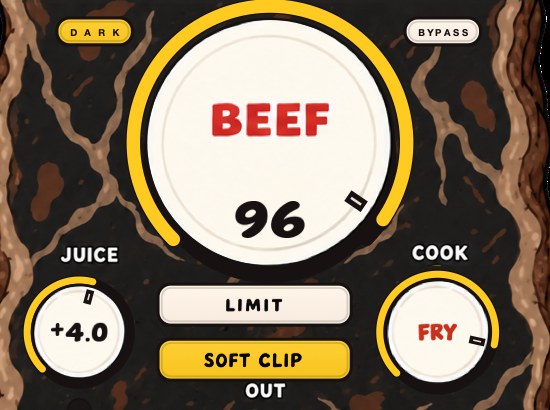
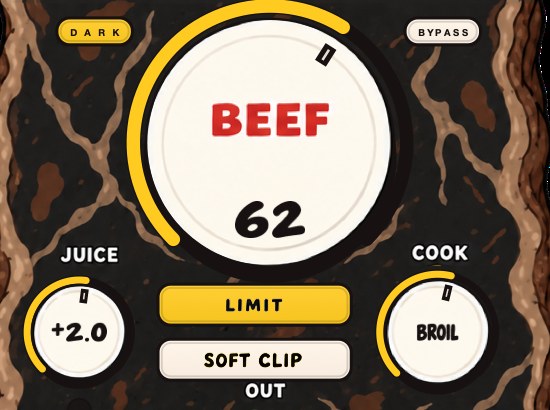
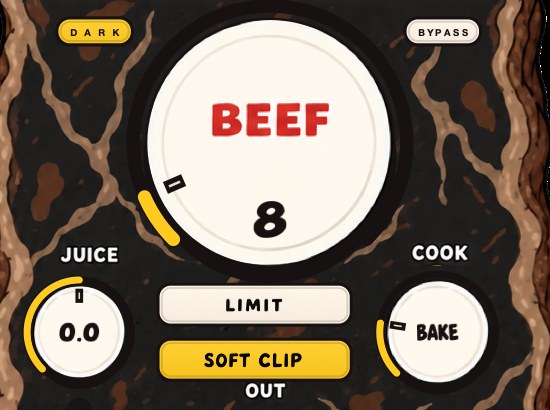
BEEFY is our saturation and loudness effect, and the reason it appears in an article about dither is the shape of the chain. BEEF, COOK and JUICE do their work on the source or the bus; SOFT CLIP opens switched on and rounds the loudest parts so the peaks are dealt with early; LIMIT holds the output when you want that instead. Dither is the very last thing that happens, after all of it, in the export dialog.
Three controls shape the sound, JUICE, BEEF and COOK, and two switches handle the output, SOFT CLIP and LIMIT. $39, Mac and Windows, AU, VST3 and standalone. None of it has any bearing on the checkbox in your export dialog, which is the point worth carrying away: by the time you reach that dialog, every decision that changes how the record sounds has already been made. Dither only keeps them intact on the way out. If you want the rest of that sequence, how to master a beat walks the chain from the top.
One number puts the two ends of the chain in proportion. A master peaking at −1 dBFS sits 95.33 dB above a dithered 16-bit floor. Saturation and loudness are jobs you do at the top of that range, where the music is; dither is a job you do in the bottom decibel of it. BEEFY — JUICE, BEEF and COOK, with SOFT CLIP or LIMIT on the output — belongs to the first job and the export checkbox to the second. They never meet, which is why the checkbox can be an afterthought and the saturation cannot.
Add noise on purpose, at the end, to make the quiet parts sound cleaner. Engineering is not always intuitive.
BEEFY — saturation and loudness plugin for Mac and Windows. There is a 28-second demo with three without/with comparisons on the page.
Keep reading
- True peak — Why a file can read zero and still clip, and what ceiling to use.
- Headroom in mixing — How much to leave, and why the usual explanation is out of date.
- How to master a beat — Headroom, a plain chain, clipping before the limiter, and the checks.