← Gazillion Industries/Reading material
How to use an auto filter
A pad that never moves is wallpaper. Somebody walks past it for eight bars and nobody remembers the pattern. Put a filter on it that breathes and suddenly the wall is a window.
An auto filter is a filter whose cutoff moves on its own, usually driven by an LFO synced to tempo or by an envelope that follows the input level. Set the filter type and cutoff, choose how far and how fast it moves, add a little resonance so the movement is audible, and sync the rate to the beat. It adds motion and groove to pads, chords, drums and samples without writing any automation.
The short version
- What
- a filter that moves itself
- LFO mode
- cutoff moves in a repeating shape, synced to tempo
- Envelope mode
- cutoff follows how loud the input is
- Sidechain
- cutoff follows a different track, like the kick
- Depth
- how far it moves
- Resonance
- makes the movement audible
How an auto filter works
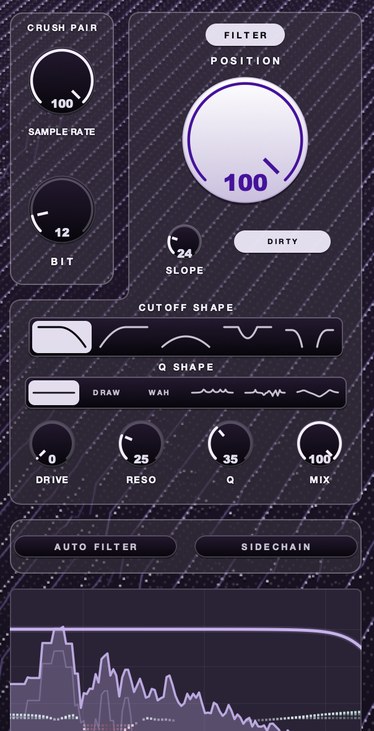
A filter removes frequencies above or below its cutoff. An auto filter moves that cutoff for you. In LFO mode, a low-frequency oscillator swings it up and down in a shape (sine for smooth, square for choppy, sample-and-hold for random steps) at a rate you set, usually in note values like quarter notes or bars. In envelope mode, the cutoff opens as the input gets louder and closes as it quiets, so the filter reacts to the performance.
Sidechain filtering
Point the envelope follower at a different track and the filter moves with that instead. Follow the kick and a pad's brightness ducks and returns with every hit, a softer, more tonal version of sidechain compression. Follow a vocal and the beat opens up when the rapper comes in. It's a way of making two parts react to each other without touching their levels.
How to use an auto filter
- Put an auto filter on a pad, chord, sample or drum loop.
- Pick a low-pass for warmth or a band-pass for a wah-like sweep.
- Set the cutoff near the middle of where you want it to move.
- Choose LFO mode, sync the rate to the tempo, and start with a slow value like one bar.
- Raise the depth until you hear the movement, then back it off.
- Add a little resonance so the sweep has a voice.
- Try a faster rate or a stepped shape for rhythm.
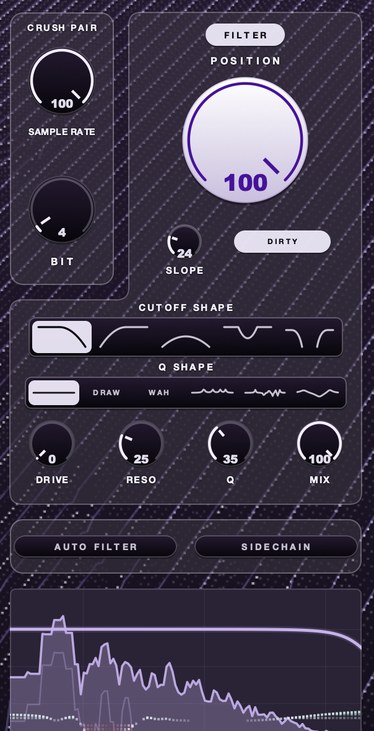
F(ilter)12 has both: AUTO FILTER on a clock with swing, and SIDECHAIN that follows another signal. There's a demo on the page.
Groove, not just movement
A synced LFO moves in perfect time, which can sound mechanical against swung drums. If your auto filter offers swing or a grid, push its steps off the beat the same way the hats are swung, and the filter will sit in the pocket instead of marching over it. For one-time sweeps into a drop, automation is the better tool: see how to make a filter sweep.
Where it works
- Pads and chords: slow low-pass movement so a loop breathes.
- Drum loops: band-pass or high-pass at a rhythmic rate for variation.
- Lofi textures: gentle movement on a crushed sample (see how to make lofi beats).
- Bass: envelope mode for funky, touch-sensitive movement.
What to look for in an auto filter plugin
Most hosts ship something that will move a filter. The differences between one of those and a plugin built for it come down to four things, and only one of them is the filter.
What drives it. An LFO gives you movement locked to a rate; an envelope follower gives you movement that answers the material. A plugin with only an LFO can sound like a filter being swept at the music, which is a different effect and a much more obvious one.
What the resonance does at the top. Cheap resonance either squeals or disappears. On a moving filter you hear that constantly, because the resonant peak is sweeping across the material rather than sitting still, so anything ugly about it gets toured across the whole spectrum.
How many shapes. Low-pass alone gets old. Band-pass moving across a loop is the sound most people are actually after, and notch and high-pass are what keep a filtered part from disappearing in a busy arrangement.
Whether it aliases. A moving filter with resonance generates content well above the source, and without oversampling some of it folds back down as a metallic ring that moves in the opposite direction to the sweep. Once you have heard it you cannot unhear it.
Auto filter against the other ways to get movement
Three techniques get confused with each other and produce noticeably different results.
An auto filter changes the tone over time, so the part stays present and its color moves. Nothing disappears.
Sidechain compression changes the level over time, so the part ducks and returns. The tone is unaffected; the part goes away and comes back. Covered separately in sidechain compression.
A filter driven from another signal is the hybrid: the tone moves, but it moves in answer to something else in the arrangement rather than to itself. That is a different setup with different uses, and it has its own guide.
If a part is fighting the kick, the level technique is usually right. If a part is static and boring, the tone technique is. Reaching for the wrong one is why people end up with a mix that pumps and is still boring.
Questions people ask
What does an auto filter do in music?
It moves a filter's cutoff automatically, either in a repeating pattern from an LFO synced to tempo or in response to the input's level, adding motion to a sound without manual automation.
What is a sidechain filter?
A filter whose cutoff is controlled by a different signal, such as the kick, so one track's brightness moves in response to another. It creates a pumping or ducking effect that's more tonal than sidechain compression.
What's the difference between an auto filter and a filter sweep?
An auto filter repeats its movement automatically for as long as it runs. A filter sweep is usually a one-time move, written with automation, like a low-pass opening into a drop.
What is the best auto filter VST?
The one whose resonance behaves at the top of its range and whose movement can be driven by the signal rather than only by an LFO. Those two decide how it sounds on real material; the number of filter shapes decides how often you reach for it.
Is an auto filter the same as sidechain?
No. An auto filter changes tone over time and the part stays present. Sidechain compression changes level, so the part ducks and returns. A filter driven from another signal is the hybrid of the two.
Stock plugins that do this
- FL Studio
- Fruity Love Philter
- Ableton Live
- Auto Filter
- Logic Pro
- AutoFilter
What F(ilter)12 does
F(ilter)12 can move its filter two ways, one at a time. AUTO FILTER hands it to a clock: a shape, a division, a grid, and SWING to push it off the grid. SIDECHAIN hands it to a signal instead: what it follows, what it hears, which way it travels, how far, and how eagerly it makes up its mind. The filter itself has five shapes and six resonance shapes that travel with the knob.
Same pad, same eight bars. Now people look out the window.
F(ilter)12 — a 12 bit sauce filter for Mac and Windows: a lo-fi section, five filter shapes, six resonance shapes and AURA.
Mac · Winmore info
Keep reading
- How to make a filter sweep — High-pass and low-pass builds, automation curve, resonance, and what to sweep.
- How to make lofi beats — Tempo, chords, swung drums, crush, noise, wobble and a gentle pump.
- How to make your beats sound fuller — Cover the frequency range, layer and double, add saturation, width and space.
- Filter cutoff and resonance explained — The corner frequency, the slope, the resonant peak, and what each costs.
- How to make music sound like it's in another room — The steep low-pass, the reverb, and why the low end has to stay.
- Best low pass and high pass filter plugins — Slope, resonance, drive and sync: what separates filter plugins, plus free picks.
- Best auto filter plugins — Resonance, envelope followers, sync and swing: how to pick an auto filter.
- Best filter plugins — Three things separate good filters from bad, and a ten-minute test that settles it.