← Gazillion Industries/Reading material
Best cassette plugins
Gazillion Industries · · updated
A cassette is not a small reel-to-reel. It runs at a fraction of the
speed, on a quarter of the width, through a transport built to a price, and every one of
those compromises is audible. A plugin aimed at cassette should sound like those
compromises, not like a studio machine with the top rolled off.
The best cassette plugins model the things a cassette did badly: narrow bandwidth,
audible hiss, speed that wanders, and a transport that struggles. What separates them is
which of those they take seriously, and whether the transport does anything at all.
The short version
- Cassette vs reel
- slower, narrower, noisier, less stable
- Must have
- hiss, bandwidth loss, wow and flutter
- Separates them
- whether the transport moves at all
- Tape types
- ferric, chrome, metal; a real difference in brightness
- Prices
- roughly $29 to €59 across the category
- Our answer
- TRIPLE OG, $29, Mac and Windows
TRIPLE OG is our cassette sim for Mac and Windows, with the transport on the face rather than in a menu. There is a demo on the page.
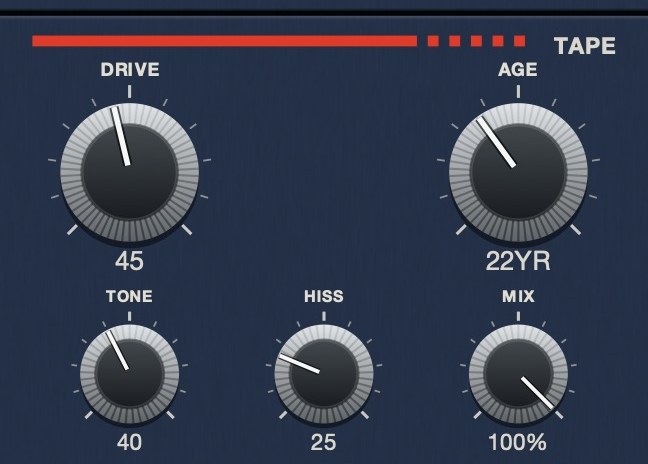 The medium, as five controls. AGE on TRIPLE OG reads in years rather than a percentage, because that is what the quantity is — here it is set to 22.
What makes a cassette sound like a cassette
Four things, and a plugin that skips any of them gives itself away.
Speed. A cassette runs at 1⅞ inches per second. A studio reel runs at
15 or 30. Less tape passes the head each second, so there is less material to hold the
signal, and everything that follows comes from that one fact. The relationship is in
tape speed and pitch.
Noise. Narrow, slow tape means less signal relative to the noise floor,
which is why cassettes hiss and studio reels mostly do not. Noise reduction systems existed
to fight exactly this, and the hiss is the first thing people recognize. See
tape hiss.
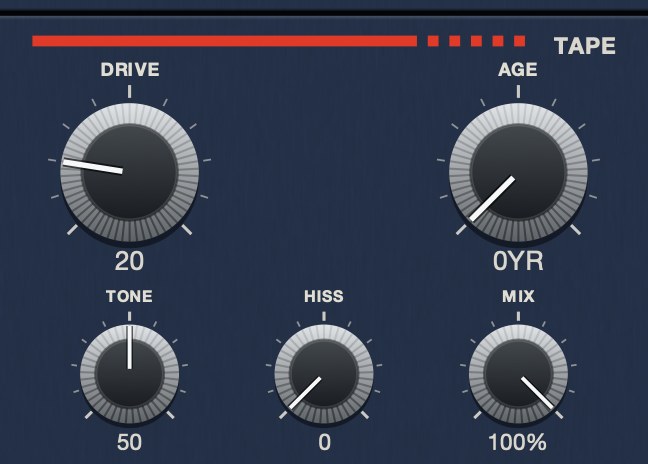 HISS at 0. The tape is quiet; everything you hear is the material.
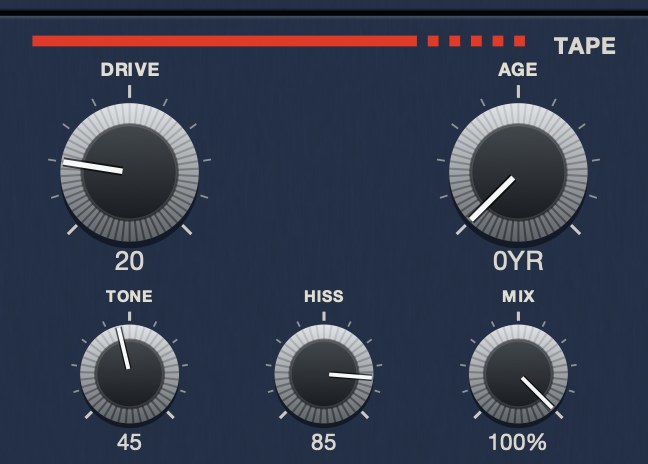 HISS at 85. Same panel, same everything else. The bed sits under the music rather than on top of it.
Instability. A consumer transport holds speed less well than a studio
one, and the result is wow and flutter: slow
drift and fast warble. This is the single most identifiable cassette artifact, and it is
also the one most often set far too low.
 WOW/FLUT at 0. The transport holds speed.
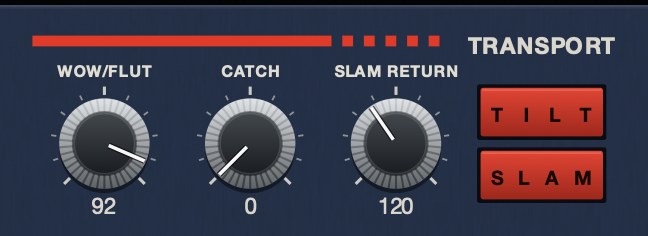 WOW/FLUT at 92. Slow drift and fast warble at unrelated rates, not one sine.
Bandwidth. The top end goes soft rather than disappearing, and it
softens more as the tape wears. A plugin that models this as a low-pass filter sounds
muffled; a plugin that models it as saturation of the highs sounds old.
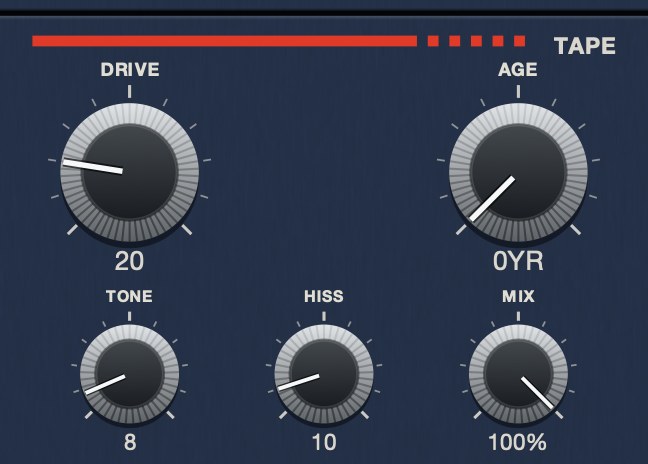 TONE at 8. A dull playback system — not a filter sweep, a darker machine.
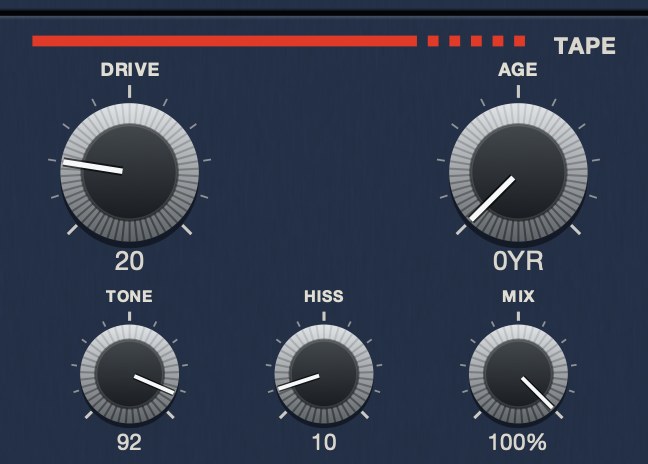 TONE at 92. Bright, and still a cassette rather than a clean path.
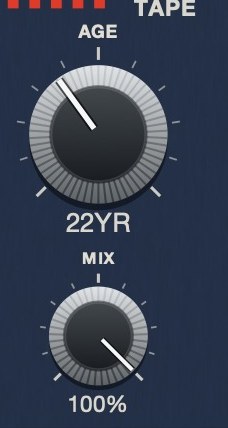 AGE is in years because that is what the quantity is. Nought to sixty, darker and noisier and less steady as it climbs.
Tape types, and whether they matter
Cassettes came in formulations, and the brightness genuinely differed. Type I was
ferric oxide and dates from the 1960s. Type II used chromium dioxide and arrived in the
early 1970s. Type III was ferro-chrome and existed between the mid-1970s and the early
1980s. Type IV was metal-formulated and appeared at the end of the 1970s.
Some plugins expose these as a switch — Wavesfactory's Cassette models all four, for
example. It is a real distinction, and it is also a smaller one than the difference
between a fresh tape and a worn one. If you are choosing between plugins, weight wear and
transport above tape type.
TRIPLE OG
is our cassette tape simulation, $29 for Mac and Windows. AGE runs from
nought to sixty years in one control, and the transport is on the face rather than in a
menu. There's a demo on the page.
What the field costs
Cassette plugins sit in a narrow band. Aberrant DSP's SketchCassette II lists at $36 and
describes itself as cassette-inspired degradation, drawn from four-track cassette recorders
and reaching from subtle warble to what its makers call unearthed-from-the-attic
destruction. Wavesfactory's Cassette lists at €59, models the four tape types along
with hiss, asperity noise, wow, flutter and crosstalk, and includes a control that runs its
processing more than once. Caelum Audio's Tape Cassette 2 works from Type I characteristics
and puts wow and flutter on controls its makers say go past what the hardware could manage;
it runs as VST3, AU, AAX and AUv3, which is the widest format list in this group.
TRIPLE OG is $29.
Two names come up in the same conversation and are not cassette at all. Softube's Tape
models three studio machines at component level, and Chow Tape Model — free and open
source, and unusual in this category for having come out of a university class and a 2019
conference paper — emulates a reel-to-reel. Both are good at what they do. Neither is
aimed at the thing a cassette does wrong, which is the whole point of a cassette.
Prices in this category move, so check before you buy. The more useful comparison is
what each one does with the transport, because that is where they actually differ.
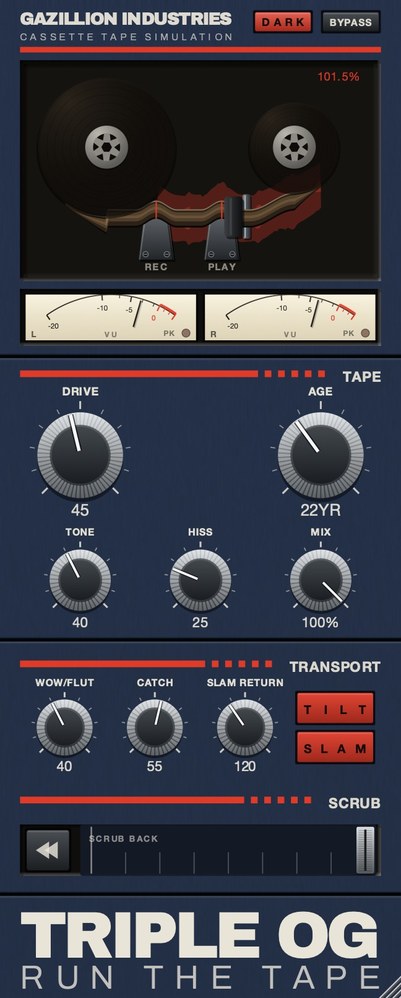 The whole thing. Top half is the machine, bottom half is the tape, and the SCRUB strip along the bottom is played by hand.
How to set one up
Start with everything off and put the noise in first. Bring hiss up until you can hear
it in the gaps and then back it off until you cannot, and leave it there. That level is
almost always lower than it feels like it should be, because hiss reads as a texture under
music and as a fault in silence. If the track has real silence at the top, the hiss will be
the loudest thing in the room for a second, and that is usually the tell.
Then speed. Set the instability while listening to a held note or a sustained chord,
never a drum loop, because percussive material hides pitch movement almost completely. Turn
it up until the note is obviously seasick, then come down until it stops being a thing you
notice and becomes a thing you feel. On most material that landing point is much lower than
the setting that sounded right on drums.
Bandwidth last, and less than you think. The instinct is to roll the top off hard,
because that is what an old tape sounds like in memory. In practice a few decibels of
softening plus the hiss and the speed movement reads as far older than a heavy filter with
nothing else going on. Memory exaggerates the darkness because it was remembering all four
faults at once.
What makes it sound fake
Four failures, roughly in order of how often they turn up.
Perfectly steady instability. If the wow is a clean sine wave, the ear
finds the period within a couple of seconds and stops hearing tape, because nothing
mechanical wavers that tidily. Real transport error is several things at once at unrelated
rates, plus occasional events that do not repeat.
Hiss that does not belong to the tape. Noise layered on top as a
separate sound sits in front of the music instead of behind it. On a real machine the noise
and the signal came off the same piece of oxide, so they share the same top-end limit. If
the hiss is brighter than the music it will always read as an overlay.
Low-passing instead of aging. A filter takes the top away. A worn tape
loses the top while getting slightly thicker and dirtier underneath, so the balance shifts
rather than the treble just leaving. Filtered material sounds muffled; aged material sounds
like it has been somewhere.
Stereo that stays perfect. Two channels on a narrow tape, read by a
head that was never quite square, do not stay identical. A cassette sim that keeps the
image locked dead center is missing one of the easiest cues there is.
 Stereo VU against a 0 VU reference, with a peak lamp. Tape level is read here, not on a bar graph.
Hear TRIPLE OG
Where it goes in the chain
On a bus rather than a track, most of the time. The effect is partly about everything
arriving through the same narrow window, and you only get that if things are already
summed. A cassette sim on each of eight tracks gives eight separate machines, which is
eight separate hiss beds and eight unrelated wobbles, and it will sound like a mess long
before it sounds like tape.
Put it after compression if you want it to shape the sound, and before if you want the
compressor to react to what the tape did. The second is closer to how the material was
actually made, since a compressor downstream of a real deck heard the wobble and the noise
along with everything else. Neither is wrong; they are different orders and they sound
different.
On drums, keep the instability low and let noise and bandwidth do the work. On sustained
material — keys, pads, vocals, anything held — instability is the effect, and you
can push it much further than you would dare on a beat. On a whole mix, treat it as a
finishing move and use less of everything than felt right in solo.
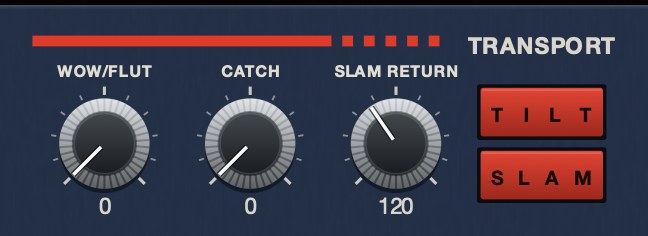
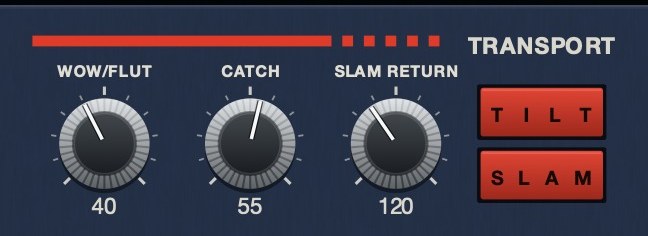 The machine rather than the tape. SLAM is a stop you press, SLAM RETURN sets how long it takes to fall, and CATCH is the drag and the sprint back.
The thing most cassette plugins leave out
Almost every cassette plugin models the tape. Very few model the machine. A cassette
deck had buttons, and the buttons did things you could hear: the tape sagged to a stop,
ran backward when you rewound, and took a moment to come back up to speed. Those are
performances, not settings, and they are most of what a cassette meant to anyone who
actually used one.
If a plugin has no transport, adding one is not possible afterwards; you can automate a
pitch control and get an approximation. If a plugin has a transport you can play, that is a
different instrument. It is worth deciding which you want before comparing anything else.
Hear it
Every page in this category describes how a cassette sounds and then shows you a screenshot. Here are the three things that actually make the sound, one at a time, and then together.
Dry — no processing — speed holds at 1.000
Wow and flutter 65 — speed moves between 0.941 and 1.071
Hiss 60, tone 45 — a noise bed, nothing else
Age 35, hiss 45, drive 30, wow 40 — a worn deck — speed 0.951 to 1.059
The same eleven seconds each time, rendered offline through TRIPLE OG at the settings shown. No other processing, no master bus, no edits.
Lofi cassette, specifically
A cassette sim and a lofi cassette sound are related but not the same request. The first
is a medium; the second is that medium in poor condition, which means the settings that
make a convincing cassette and the settings that make a convincing lofi cassette are quite
far apart.
A well-kept deck playing a fresh tape is close to clean. It is slightly soft at the top,
slightly noisy in the gaps, and the speed is steady enough that you would have to listen
for it. That is the sound most cassette plugins ship at, because it is the flattering
setting and the one that survives being put on anything.
The lofi version is the same machine after fifteen years in a car. The top is gone
rather than softened, the noise is part of the arrangement rather than under it, and the
speed wanders enough that held notes are visibly unwell. Getting there is not a matter of
turning one knob up: it is age, noise, bandwidth and instability all moving together, which
is why plugins that bundle those into a single age or wear control tend to be much faster
to use for this than plugins that make you build it from five.
If a lofi cassette is what you actually want, judge plugins at the far end of their
ranges rather than in the middle. Most of them sound broadly similar at moderate settings
and separate completely at the extremes, and the extreme is where this particular sound
lives.
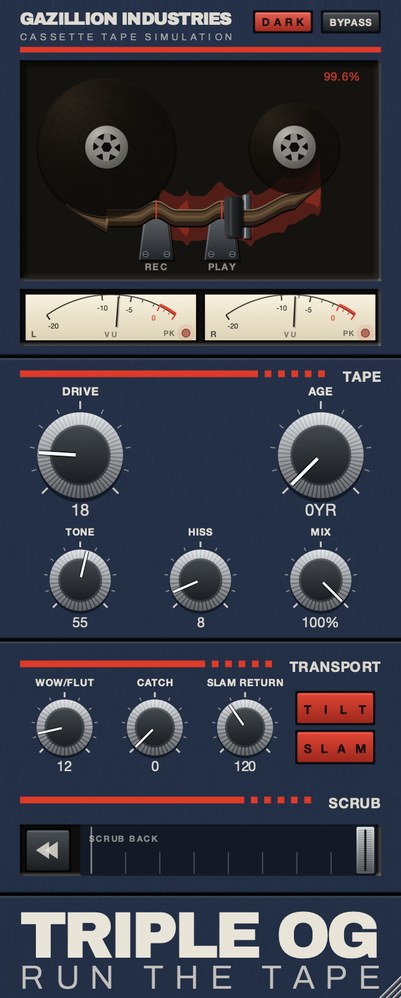 A well-kept deck. AGE at nought, hiss at 8, barely any speed movement.
This is the flattering setting and the one most cassette plugins ship at.
A well-kept deck. AGE at nought, hiss at 8, barely any speed movement.
This is the flattering setting and the one most cassette plugins ship at.
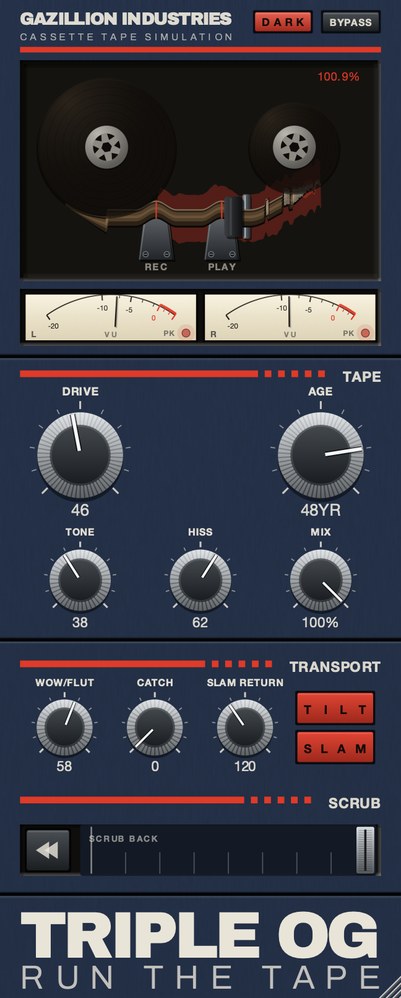 The same machine, forty-eight years on. Four things moved together —
age, noise, bandwidth and instability. Turning any one of them up on its own does not get
here, which is the whole point.
The same machine, forty-eight years on. Four things moved together —
age, noise, bandwidth and instability. Turning any one of them up on its own does not get
here, which is the whole point.
What a cassette did to the stereo image
Two tracks sharing a narrow tape, read by a head that was never perfectly square, do not
stay perfectly matched, and that mismatch is one of the most recognizable things about the
format even though almost nobody could name it.
There are three parts to it. The channels pick up small independent differences in level
and timing. Their high frequency response differs slightly, because head alignment affects
the top end first. And they leak into each other, so hard-panned material never stays fully
separated.
The audible result is a stereo image that is a little wider, a little less certain at
the edges, and slightly unstable over time. A cassette plugin that keeps both channels
identical is giving you mono tape twice, and it is one of the quickest ways to tell a
serious implementation from a cosmetic one. Check it by listening in mono and then in
stereo: if nothing at all changes about the character, the plugin is processing both
channels with the same numbers.
Everything below is answered the same way we built TRIPLE OG — the tape is the easy half, the transport is the half almost nothing does.
Questions people ask
What is the best cassette plugin?
For tape character alone, several are close and the choice comes down to taste and
price. If you want the deck as well as the tape, narrow it to plugins with a transport you
can play, because that is the part you cannot add later.
Is there a free cassette VST?
Free tape plugins exist and some are very good on the tape side. The usual gap is
instability and transport: free tools tend to give you saturation and a filter, and stop
short of speed movement you can perform.
What is the difference between a cassette plugin and a tape plugin?
Most tape plugins model studio reel machines, which are fast, wide, stable and quiet. A
cassette is slow, narrow, unstable and noisy. Both are tape; they sound nothing alike, and
the reel is the wrong reference for a lofi sound.
Does tape type actually change the sound?
Yes, mostly in brightness and headroom, with metal formulations holding more high end
than ferric. It is a genuine difference and a smaller one than how worn the tape is.
Should I use a cassette plugin on the whole mix?
It works, and it is the setting where restraint matters most. Everything the plugin does
is applied to everything at once, so the hiss sits under the quietest passage and the speed
movement lands on every held note in the song. Use less than sounded right in solo.
Why does my cassette plugin sound muffled instead of old?
Almost always too much filtering and not enough of everything else. Bring the top back
up and add noise and speed movement instead; the combination reads as age, while the filter
on its own just reads as a blanket.
Do I need a cassette plugin if I already have a tape plugin?
If the tape plugin models a studio reel, yes, they do different jobs. A reel machine was
built to be fast, quiet and stable, and a cassette was built to a price. Turning a reel
emulation down does not get you to cassette, because the faults are not the same faults.
What is the difference between a cassette sim and a lofi cassette sound?
A cassette sim is the medium; a lofi cassette is that medium in poor condition. A
well-kept deck with a fresh tape is close to clean. The lofi version needs age, noise,
bandwidth loss and instability all moving together, which is why one-knob wear controls get
there faster than building it from five separate ones.
What TRIPLE OG does
TRIPLE OG is our cassette tape simulation for Mac and Windows. TONE
sets playback brightness, DRIVE the thickness, HISS the
broadband bed under it, and AGE runs from nought to sixty years, making
the tape darker, noisier and less stable as it climbs. WOW FLUT is the
speed instability. The transport is the other half and it is on the face:
SLAM drags the tape to a halt and returns it to speed in sync,
SCRUB runs the head backward and springs home, and CATCH
makes it drag and then sprint to catch up.
Everybody models the tape. The deck is the part you could hear from across the room.
“Most tape plugins treat the transport as something to model quietly in the background, but this one hands it to you as an instrument.”
Best Tape Emulation Plugins · AudioColour.com
TRIPLE OG — cassette tape simulation for Mac and Windows, with a transport
that drags, jams and sprints to catch up. There is a demo on the page.
Hear it
Keep reading
- How to make music sound like a cassette tape — Softer highs, saturation, hiss, wow and flutter, channel mismatch and dropouts.
- Tape hiss — Where it comes from, how to reduce it cleanly, and how to add it on purpose.
- Wow and flutter — What causes them, what they sound like, and how to add them on purpose.
- Tape speed — Why faster tape is cleaner, and what each standard speed sounds like.
- Best lofi tape plugins — Mastering tape and lofi tape want opposite settings. Which to invert.
- Best tape emulation plugins — Reel and cassette are different products. Pick the machine first.
- Best free tape plugins — What free tape plugins do well, and where they run out.