← Gazillion Industries/Reading material
Best tape emulation plugins
Gazillion Industries · · updated
"Best tape plugin" is an unanswerable question, because the category
contains two products that sound nothing alike. A studio reel machine and a cassette deck
are both tape, and one of them was built to be quiet, fast and stable while the other was
built to a price. Pick the reference first and the shortlist writes itself.
Choose the machine, then the behaviors, then the format. Reel simulations lead on
saturation and stability and suit mixing and mastering. Cassette simulations lead on noise,
bandwidth loss and instability and suit lofi and character work. Almost every bad purchase
in this category is a reel plugin bought for a cassette job.
The short version
- Step one
- reel or cassette; they sound nothing alike
- Reel is for
- mix bus, mastering, saturation, head bump
- Cassette is for
- lofi, character, drums, anything sampled
- Step two
- which behaviors: noise, speed, transport
- Free first
- an open-source reel model costs nothing to try
- Our answer
- TRIPLE OG, cassette, $29, Mac and Windows
TRIPLE OG is our cassette sim for Mac and Windows, with the transport on the face rather than in a menu. There is a demo on the page.
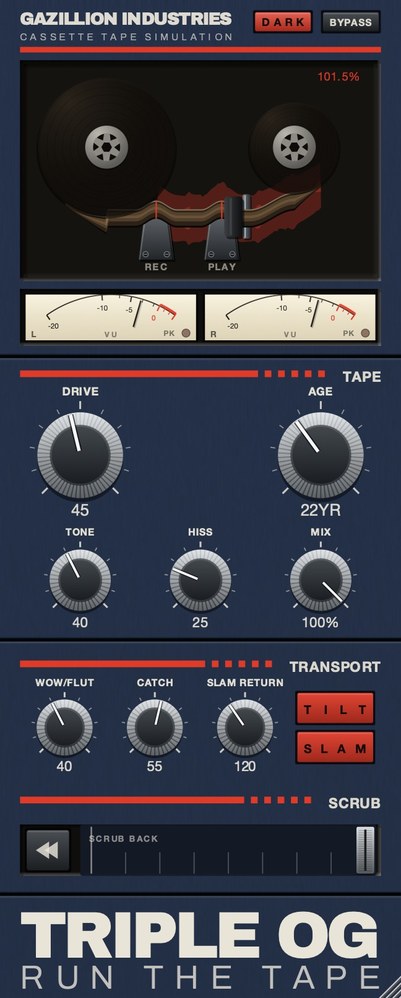 The whole thing. Top half is the machine, bottom half is the tape, and the SCRUB on TRIPLE OG strip along the bottom is played by hand.
Step one: which machine
A studio reel runs at 15 or 30 inches per second on wide tape, through a machine that
somebody aligned. It is quiet, stable and bright. A cassette runs at 1⅞ inches per second
on tape that everyone calls eighth-inch and that
is actually 0.15 inches wide, through a consumer transport. It hisses, it loses top
end, and it does not hold speed. Both are tape.
So a faithful reel plugin is a fairly clean-sounding thing, and a faithful cassette
plugin is not. Turning the knobs on a reel model will not get you to the second, because
its makers spent the modeling effort on the behaviors of a well-maintained machine. The
full comparison is in
cassette plugins, and the background
is in how a tape machine
works.
Step two: which behaviors you need
Tape emulation bundles six separate things: saturation, compression, high-frequency
loss, noise, speed instability and transport movement. Every plugin picks a subset, and the
subsets are what people are really arguing about when they argue about which is best. Each
one, and how to test for it, is in
tape sim plugins.
The short guidance: saturation is available from dozens of plugins you already own and
is the weakest reason to pick one. Speed instability is available from almost nothing else,
and a playable transport from less still. Weight your decision toward the things that are
hard to get elsewhere.
TRIPLE OG
is our cassette tape simulation, $29 for Mac and Windows, with the transport on the face
rather than in a menu. There's a demo on the page.
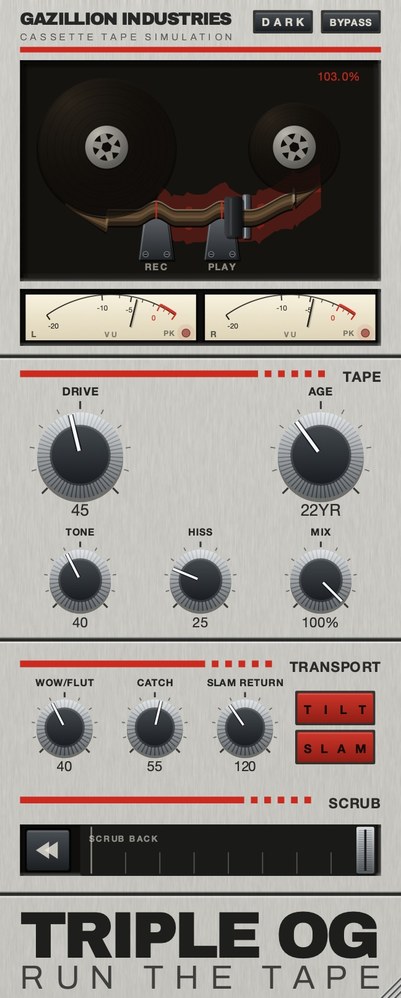 The same panel in its light finish. A finish, not a theme — every control sits where it did.
What the field looks like in 2026
On the free side, open-source physical models of reel machines are genuinely good.
CHOW Tape Model is a physical model of an analog tape machine, originally based on a Sony
TC-260, described in a paper presented at the DAFx conference in 2019 and released under
the GPL, in VST, VST3, AU, AAX, AUv3 and CLAP. What to expect from free, and what it
leaves out, is in
free tape plugins.
On the cassette side, Aberrant DSP's SketchCassette II lists at $36 and describes itself
as cassette-inspired degradation. Wavesfactory's Cassette lists at €59 and models four
cassette tape formulations — ferric oxide, chromium dioxide, ferro-chrome and metal —
along with hiss, asperity noise, wow, flutter and crosstalk. TRIPLE OG is $29.
On the reel side, Softube's Tape lists at €99. AudioThing's Reels sits across both,
billed as a tape plugin with echo and a tape stop effect, running on macOS, Windows and
Linux in every common format, with a trial that goes silent for three seconds every
forty-five. Every price here was read off the maker's own page in September 2026;
they move, so check before you buy.
Worth knowing if you are chasing the lofi end rather than the tape end: iZotope's
Vinyl is a free download, and vinyl noise is a different medium with different artifacts
from tape. People reach for it expecting cassette and get crackle.
Step three: what you are putting it on
Drums. The most revealing source, because the grid is what you are
listening to and speed instability shows immediately. Placement and settings are in
tape plugins for drums.
A lofi chain. Mastering tape and lofi tape want inverted settings, and
the inversion is the whole job. See
lofi tape plugins, and for the wider
chain, lofi plugins.
An effect rather than a finish. If what you want is the machine doing
something — stopping, dragging, rewinding — that is a small subcategory and worth choosing
on directly. See tape stop plugins.
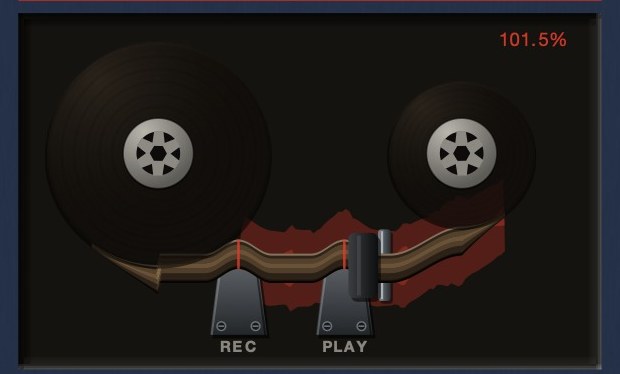 The readout is speed, not level. At 101.5% the transport is running fast.
How to audition one in ten minutes
Demos are all mixed to flatter the plugin, so audition on your own material and run the
same four checks on every candidate. The whole point is to find where each one stops being
convincing, because that is what you will hear on the twentieth listen rather than the
first.
One: the null check. Put it on a bus at its most neutral setting and
bypass it back and forth at matched level. If the difference is nothing, the plugin is
charging you for a filter. If the difference is large at the neutral setting, its idea of
neutral is a colored one, which is fine as long as you know before you build a mix on
it.
Two: the held note. Feed it something sustained. Any speed error shows
up immediately on a held note and is nearly invisible on drums, so a plugin auditioned only
on a break will seem stable when it is not, and one auditioned only on a pad will seem
wild.
Three: the quiet gap. Find a passage with a real silence in it. That is
where the noise floor lives, and where you learn whether the noise was generated with the
signal or laid on top of it. Noise that keeps going at full level through a silence was
never part of the tape.
Four: drive it. Push the input well past sensible and listen to how it
falls apart. Every one of these plugins sounds fine in the middle of its range; they differ
entirely at the ends, and the end is where you reach when a mix needs rescuing at one in the
morning.
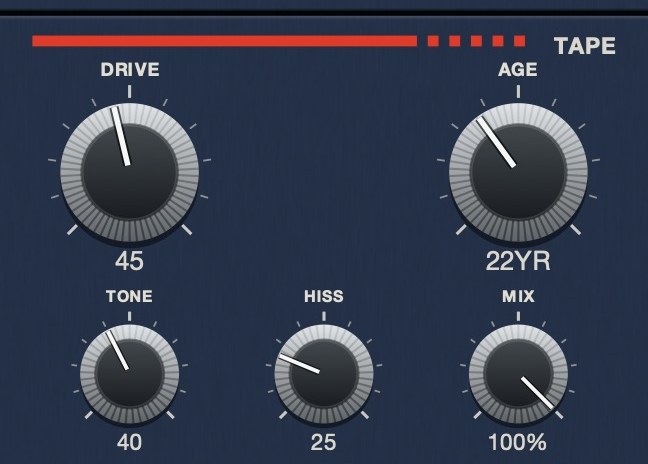 The medium, as five controls. AGE reads in years rather than a percentage, because that is what the quantity is — here it is set to 22.
Hear TRIPLE OG
What component-level modeling actually changes
Some plugins describe themselves as modeling a machine at component level, others as
applying an effect. The difference is not marketing, and it is also not a straightforward
ranking.
A physical model computes the machine's behavior from its parts, so its controls
interact the way the hardware's did: change the speed and the frequency response moves, the
noise moves and the saturation moves, because on a real deck those were never separate. That
is why a model can surprise you, and why a setting that worked on one source can behave
differently on another.
An effect-style plugin gives you the results directly, as independent controls. That is
easier to aim and easier to keep, and it will not produce the interactions you did not ask
for. For a producer who wants a specific sound rather than a specific machine, this is
frequently the better tool, and saying so is not a criticism of either approach.
The practical read: if you want to explore, take the model. If you know the sound you
want and need it to stay put across forty sessions, take the controls.
Tape on the master
Tape on a full mix does something different from tape on a bus, and the difference is
mostly about what the faults now apply to. Saturation across a summed mix is doing gentle
level control on everything at once, which is much of why the technique earned its
reputation. Speed error across a summed mix applies to every held note in the song at the
same time, which is a far more conspicuous thing than the same amount on one group.
So on a master: keep the saturation, cut the instability to a fraction of what sounded
good elsewhere, and check the low end before and after. Tape treatments frequently shift
weight at the bottom, and on a bus that reads as character while on a master it reads as a
mix decision you did not make.
If the goal is loudness rather than character, tape is the slow way round.
Getting a mix louder
without clipping covers the direct route.
 Stereo VU against a 0 VU reference, with a peak lamp. Tape level is read here, not on a bar graph.
When not to use tape
Worth saying, because the category is usually written as though more tape is always
better.
On anything that has to stay legible in mono. Tape treatments often
widen and destabilize the image slightly, which is pleasant in stereo and can cost you
definition when a club system, a phone speaker or a radio sums it.
On sub bass you care about. Saturation generates harmonics above the
fundamental, so the low end appears to grow on small speakers while the fundamental itself
is unchanged or slightly reduced. If the track lives or dies on sub weight, put the tape on
everything else.
On material already recorded through analog gear. Two sets of the same
artifacts stack rather than combine, and the second one mostly removes definition without
adding character, because the character was already there.
When the actual problem is arrangement. If two parts are competing, a
tape stage gives you a softer version of the same competition. Tape is a finishing texture
and it is very bad at fixing structural problems, which is most of what it gets asked to
do.
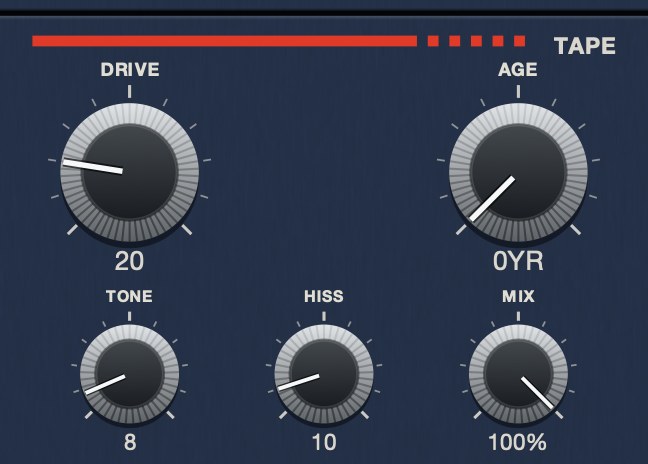 TONE at 8. A dull playback system — not a filter sweep, a darker machine.
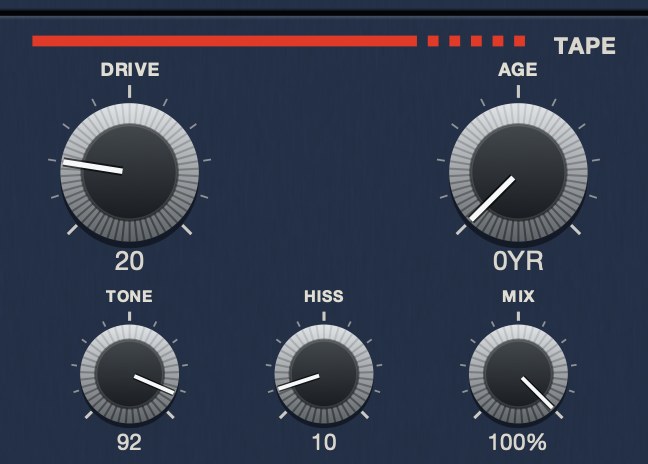 TONE at 92. Bright, and still a cassette rather than a clean path.
Speed, and why it is the setting that matters most
On a real machine, tape speed was the master control that moved everything else, and
plugins that expose it are giving you far more than a pitch knob.
Faster tape means more material passing the head each second, so the top end extends,
the noise drops relative to the signal and the low end tightens. Slower tape reverses all
three at once: darker, noisier, and softer at the bottom. This is why a studio machine at
high speed and a cassette sound so different despite being the same technology, and it is
why turning the treble down on a reel emulation does not get you to cassette. Only one of
those changes the noise floor and the low end along with the top.
If a plugin gives you a speed control, set that before anything else and treat the rest
as trim. If it does not, you are working with somebody's fixed choice of machine and speed,
and the honest question to ask is which one they chose.
Hear it
Speed error is the behavior most often described and least often demonstrated. Here is one loop steady, then with the transport allowed to wander, then through a deck with age and noise on it as well.
Dry — no processing — speed holds at 1.000
Wow and flutter 65 — speed moves between 0.941 and 1.071
Age 35, hiss 45, drive 30, wow 40 — a worn deck — speed 0.951 to 1.059
The same eleven seconds each time, rendered offline through TRIPLE OG at the settings shown. No other processing, no master bus, no edits.
Everything below is answered the same way we built TRIPLE OG — the tape is the easy half, the transport is the half almost nothing does.
Questions people ask
What is the best tape emulation plugin?
There is no single answer, because reel and cassette simulations are different products.
Decide which machine you are after first; the shortlist inside each is short and the
choices within it come down to taste and price.
Is tape emulation worth it?
For saturation alone, probably not, because you already own several things that
saturate. For speed instability, cassette noise and transport movement, there is no other
way to get it, and that is what the money buys.
What is the best free tape emulation VST?
An open-source physical model of a reel machine, of which CHOW Tape Model is the best
known. It is strong on the tape and has nothing for the machine.
Where does a tape plugin go in the mix?
On a bus rather than on every channel, after compression, before the mix bus. On a
drum bus specifically, put it after whatever glues the kit together.
Does tape emulation actually make a mix louder?
Not directly. Saturation rounds peaks, which can let you raise the level afterwards
without the peaks getting in the way, so the effect arrives at loudness by a detour. If
loudness is the aim, a clipper or a limiter is the honest tool and tape is the scenic
route.
Is a physical model better than an effect-style tape plugin?
Different, not better. A model's controls interact the way a machine's did, which is
good for exploring and unpredictable across sources. An effect-style plugin gives you the
results as independent controls, which is easier to aim and easier to repeat.
How much tape is too much?
The usual answer is that you should stop at the point where you can hear it working on
the thing you are listening for. If you set it in solo, halve it in the mix; almost every
setting that sounded right alone is roughly double what the arrangement wanted.
When should I not use a tape plugin?
On sub bass you need to stay tight, on material already recorded through analog gear,
and any time the real problem is the arrangement. Tape is a finishing texture, and it is
very bad at fixing structural problems.
What TRIPLE OG does
TRIPLE OG is our cassette tape simulation for Mac and Windows. TONE
sets playback brightness, DRIVE the thickness, HISS the
broadband bed, and AGE runs from nought to sixty years, making the tape
darker, noisier and less stable as it climbs. WOW FLUT is the speed
instability. The transport is the other half: SLAM drags the tape to a
halt and returns it to speed in sync, SCRUB runs the head backward and
springs home, and CATCH makes it drag and then sprint to catch up.
One machine, six controls and a hand on the reel.
“Most tape plugins treat the transport as something to model quietly in the background, but this one hands it to you as an instrument.”
Best Tape Emulation Plugins · AudioColour.com
TRIPLE OG — cassette tape simulation for Mac and Windows, with a transport
that drags, jams and sprints to catch up. There is a demo on the page.
Hear it
Keep reading