← Gazillion Industries/Reading material
Best tape plugins for drums
Gazillion Industries · · updated
Tape on a drum bus does a specific thing: it thickens the hits,
rounds the top, and puts a small amount of instability under the groove so the loop stops
sounding stamped out by a machine. On drums, more than anywhere else, the instability is
the point.
The best tape plugin for drums is the one whose speed moves. Saturation thickens a
break, but every plugin on the market saturates. What separates a tape plugin on a drum
bus is wow and flutter, a top end that falls away as you push it, and a transport you can
drag, stop and let rebound.
The short version
- Put it
- on the drum bus, after the glue, before the mix bus
- Look for
- speed instability, not just saturation
- On breaks
- it takes the digital edge off a sampled loop
- Watch
- the top end; tape gives it away as you push
- Best move
- a short transport stop caught against a snare
- Our answer
- TRIPLE OG, cassette tape simulation with the transport on the face
TRIPLE OG is our cassette sim for Mac and Windows, with the transport on the face rather than in a menu. There is a demo on the page.
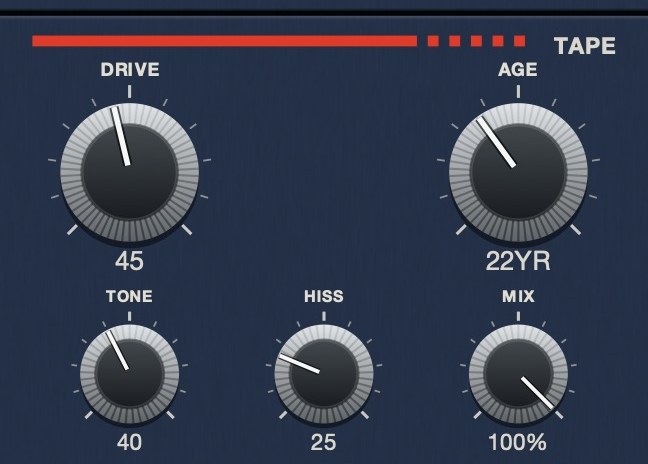 The medium, as five controls.
Why drums show tape more than anything else
A drum hit is a transient followed by a decay, and both halves react to tape. The
transient meets a medium that cannot follow it exactly, so the attack softens and the body
gets denser. The decay picks up the noise floor, which is why a break through tape sounds
like it is sitting in a room rather than in a file.
Then there is the speed. Sustained material hides small speed variation; a synth pad
drifting a few cents is atmosphere. Drums do not hide it, because the grid is exactly what
you are listening to. A hi-hat pattern through a machine with a little
wow and flutter stops being a metronome,
and that is usually the difference between a loop that sounds programmed and one that
sounds played.
 Stereo VU against a 0 VU reference, with a peak lamp. Tape level is read here, not on a bar graph.
Where to put it
On the drum bus, after whatever you use to glue the kit together and before the mix
bus. Compression first, then tape: you want the tape reacting to a kit that is already
moving as one thing, not flattening the compressor's work on the way in.
On individual hits it is usually a waste, with one exception. A sampled break you have
chopped and rebuilt often has each slice sitting slightly too clean at the edges. Running
the rebuilt loop through tape as one piece glues the slices back together, because they
all pick up the same noise and the same speed wobble, which is what they would have had
coming off a record in the first place.
TRIPLE OG
is a cassette tape simulation for Mac and Windows. On a drum bus, WOW FLUT
and AGE do most of the work, and SLAM is the transport
stop. There's a demo on the page.
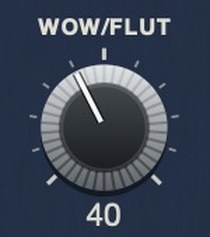 WOW/FLUT on TRIPLE OG is composite instability, not one sine wave. Slow drift and fast warble at unrelated rates.
Settings that work on a break
- Start neutral. Get the tape in the path with everything low, and
check the level match before you judge anything.
- Drive until it thickens, then back off a little. The point where a
break stops sounding thin is usually a long way before the point where it sounds
distorted.
- Add wear slowly. A small amount reads as a recording. A large
amount reads as an effect. Both are useful, but decide which one you want.
- Set the speed movement by ear on the hats. They are the fastest
thing in the loop and the first place instability becomes audible.
- Check in mono. Noise and modulation that sound wide can collapse,
and drums are usually the most mono-critical thing in the mix.
- A-B against bypass at matched level. Tape makes almost anything
sound better when it is also louder.
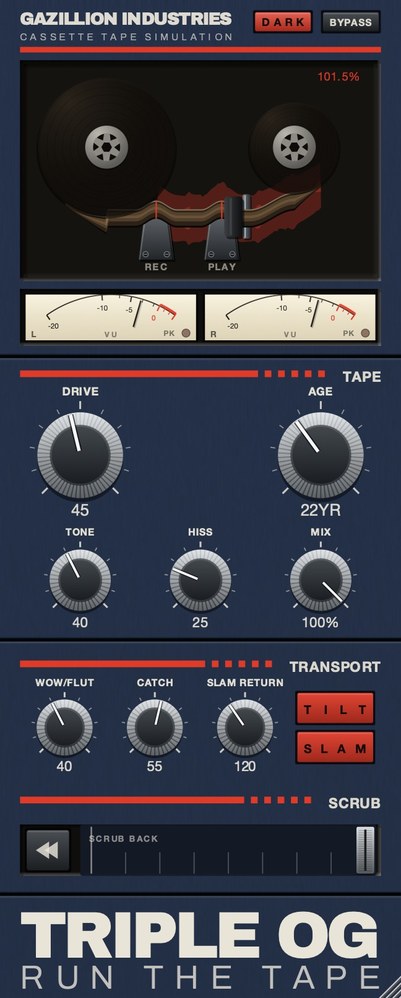 The whole thing. Top half is the machine, bottom half is the tape, and the SCRUB strip along the bottom is played by hand.
Lofi drums, specifically
The lofi drum sound people are chasing is usually three things at once: a narrower
bandwidth, a noise floor, and timing that is not quite locked. Tape supplies all three
from one plug-in, which is why it turns up in every lofi chain.
The bandwidth is the part most people overdo. Rolling the top off a break makes it
duller, not older; what makes it sound like a cassette is that the top end goes soft
rather than disappearing, and that the noise underneath comes up to meet it. That is
tape hiss, and the full chain is in
how to make music sound
like a cassette tape.
Breaks, programmed drums and live kits
The three take tape completely differently, and a setting that suits one will usually
embarrass another.
A sampled break has already been through a chain once, often including
tape, so it arrives with its own noise and its own top-end limit. Adding much more stacks
two sets of the same artifacts and the result gets cloudy fast. Keep noise low, use the
saturation for weight, and let the existing character carry the age.
Programmed drums are the opposite case, and they are where tape earns
the most. They are perfectly quantized, perfectly repeated and perfectly clean, so every
behavior the tape adds is doing something the source had none of. This is the one place
where pushing the speed instability harder than feels sensible is usually right, because
the machine timing has no variation to compete with it.
A live kit already has air, bleed and a room in it. Tape on top mainly
changes the top end and the noise floor, and the risk is losing the room rather than
gaining a machine. Use less, and check the cymbals first — they are where a tape
treatment on live drums shows its limits immediately.
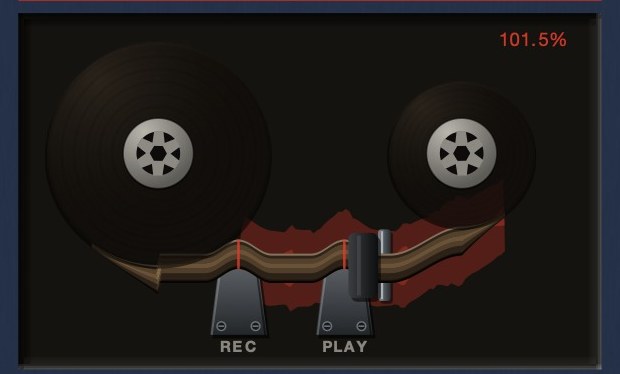 The readout is the speed, not a level. At 101.5% the transport is running fast and the tape between the reels is under tension.
Hear TRIPLE OG
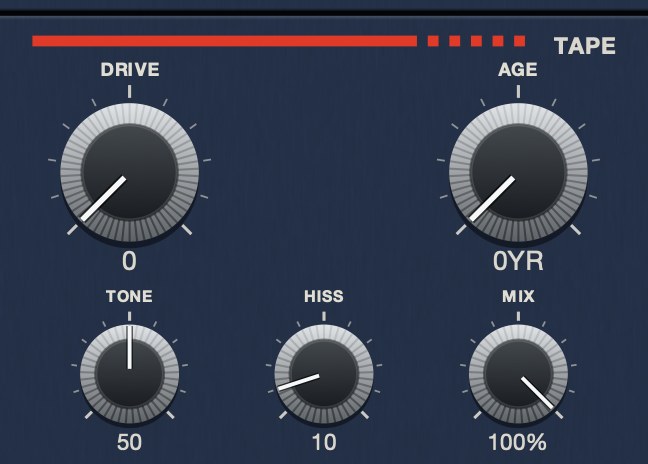 DRIVE at 0. The medium, doing nothing to the level.
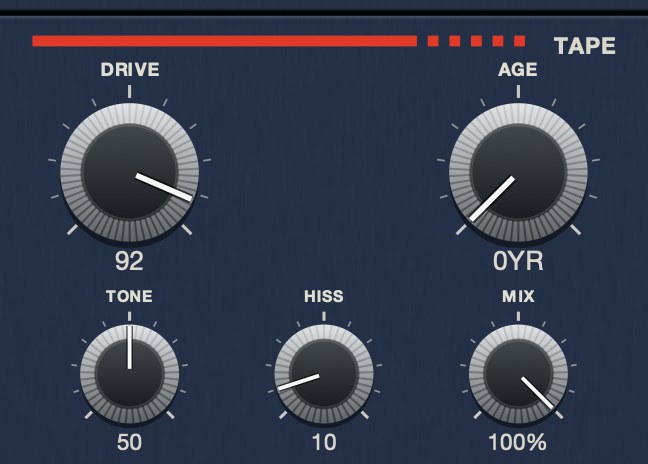 DRIVE at 92. Soft asymmetric saturation, oversampled, with the level held flat across the travel.
Tape and the low end
The single most common problem with tape on drums is what happens underneath, and it is
worth checking deliberately every time rather than noticing it a week later.
Saturation generates harmonics above the fundamental, so a kick through a driven tape
stage picks up content in the low mids that reads as more weight on small speakers and as
less on large ones. It sounds bigger on a laptop and thinner on a system, which is exactly
backwards from what most people are checking for.
Speed instability affects the bottom too. Pitch movement on a sustained low note is much
more audible than the same movement higher up, so an 808 or a long kick tail will wobble
conspicuously at settings that are invisible on the rest of the kit. If the drums need
instability and the low end cannot take it, split them: age the top of the kit and leave the
bottom alone.
Parallel tape
Running tape in parallel rather than in series solves most of the objections to tape on
drums, and it is underused because the category is usually discussed as an insert.
The method is a send to a bus with the tape stage on it, aggressively driven, returned
underneath the dry drums. The transients stay intact because the dry path is untouched, and
the weight, noise and saturation arrive underneath where they can be balanced to taste
rather than committed to. If it turns out to be too much a week later, it is one fader.
Two details make the difference. Filter the return so the parallel path is not competing
in the sub, where saturation harmonics tend to make a mess. And check the timing: if the
tape plugin reports latency and the host is compensating, the two paths stay aligned, but if
it does not report accurately, the parallel path can smear the transients it was supposed to
leave alone. Test by nulling the return against the dry path with the tape bypassed.
Drum bus order
On a drum bus, tape is usually competing for the same slot as the compressor, and which
goes first changes the result more than either plugin's settings do.
Tape first means the compressor reacts to material whose peaks have already been
rounded, so it works less hard and the result is smoother and less obviously compressed.
Compressor first means the tape sees a signal that is already level, so its saturation is
more consistent across the bar and the drums sound denser but flatter.
Neither is correct. The first is closer to how the material was originally made, since a
compressor downstream of a real deck heard the tape. The second is easier to control. Worth
trying both on the same session once, deliberately, so you know which one you prefer rather
than inheriting whichever order you happened to build first.
Hear it
Drums show tape faster than anything else. Here is a loop clean, the same loop through a worn deck, and the noise bed on its own so you can hear what it adds under a break.
Dry — no processing — speed holds at 1.000
Age 35, hiss 45, drive 30, wow 40 — a worn deck — speed 0.951 to 1.059
Hiss 60, tone 45 — a noise bed, nothing else
The same eleven seconds each time, rendered offline through TRIPLE OG at the settings shown. No other processing, no master bus, no edits.
Everything below is answered the same way we built TRIPLE OG — the tape is the easy half, the transport is the half almost nothing does.
Questions people ask
What is the best tape plugin for drums?
One whose speed moves, not just one that saturates. On drums the wow and flutter and
the transport movement are what you can hear; the saturation is available from a dozen
other plug-ins you already own.
Should tape go before or after compression on the drum bus?
After, in most cases. Glue the kit first so the tape reacts to a kit moving as one
thing. Putting tape first is a valid effect, but it softens the transients the compressor
was going to work on.
Does tape emulation make drums sound better?
It makes them denser, darker and less rigid. Whether that is better depends on the
track. It is doing the opposite of what a transparent chain does, and on sampled breaks
that is usually what you want.
How do I get lofi drums?
Narrow the bandwidth without simply cutting the top, bring a noise floor up underneath,
and add a small amount of speed instability so the grid loosens. Tape does all three at
once.
Should tape go on the drum bus or individual drums?
The bus, almost always. Part of the effect is everything arriving through one narrow
window, and you only get that if the parts are already summed. Separate instances give you
separate machines, separate noise beds and unrelated wobble.
Does tape make drums sound bigger or smaller?
Both, on different speakers. Saturation adds harmonics in the low mids, which reads as
weight on small speakers and can read as thinner on large ones. Check a kick on more than
one system before committing.
How much wow and flutter is right on drums?
Less than on anything sustained, except on programmed drums, where more is usually
right. Machine-timed parts have no variation of their own, so instability is adding
something the source genuinely lacks.
Should I run tape on drums in parallel?
It solves most objections to tape on drums. A send to a driven tape bus returned under
the dry kit keeps the transients intact and makes the weight a fader rather than a
commitment. Filter the return so it is not competing in the sub.
What TRIPLE OG does
TRIPLE OG is our cassette tape simulation. WOW FLUT is the speed
instability, AGE runs from nought to sixty years and makes the tape
darker, noisier and less stable as it climbs, and HISS is a continuous
broadband bed under the whole thing. TONE sets the playback brightness and
DRIVE the thickness. The transport is the other half:
SLAM stops the tape and returns it to speed in sync,
SCRUB runs the head backward and springs home, and CATCH
makes it drag and then sprint to catch up.
A break that came off a record was already on tape once. Putting it back is not
nostalgia, it is just finishing the job.
“Most tape plugins treat the transport as something to model quietly in the background, but this one hands it to you as an instrument.”
Best Tape Emulation Plugins · AudioColour.com
TRIPLE OG — cassette tape simulation for Mac and Windows, with a transport
that drags, jams and sprints to catch up. There is a demo on the page.
Hear it
Keep reading
- Wow and flutter — What causes them, what they sound like, and how to add them on purpose.
- Tape hiss — Where it comes from, how to reduce it cleanly, and how to add it on purpose.
- How to make music sound like a cassette tape — Softer highs, saturation, hiss, wow and flutter, channel mismatch and dropouts.
- Best tape stop plugins — What separates a real tape stop from a pitch bend, and what to look for.
- Tape speed — Why faster tape is cleaner, and what each standard speed sounds like.
- Best tape emulation plugins — Reel and cassette are different products. Pick the machine first.
- Best tape plugins for vocals — Why a voice shows tape differently, and how low to set it.
- Tape plugins for Ableton Live — Live covers saturation. Speed, noise and transport need TRIPLE OG.
- Tape plugins for Logic Pro — ChromaGlow covers saturation. Speed, noise and transport need TRIPLE OG.