← Gazillion Industries/Reading material
Best lofi plugins
Gazillion Industries · · updated
Search for the best lofi plugin and you get two completely different
answers mixed together: instruments that come pre-damaged, and effects that damage
whatever you already have. They solve different problems, and buying the wrong one is the
usual reason a chain full of lofi plugins still sounds clean.
The best lofi plugins fall into four jobs: a tape or cassette effect for bandwidth and
instability, a noise source for the floor, a bitcrusher or sampler effect for the digital
side, and an instrument already recorded with the character baked in. Most producers need
the first two and overbuy the third.
The short version
- Tape or cassette
- bandwidth, saturation, speed instability
- Noise
- hiss, room, crackle, a floor under the quiet parts
- Bit and rate
- the digital half; aliasing, not just distortion
- Instruments
- keys and drums recorded dirty, so nothing has to be faked
- Buy first
- one good tape effect; it covers three of the four
- Our answer
- TRIPLE OG for the tape side, on Mac and Windows
TRIPLE OG is our cassette sim for Mac and Windows, with the transport on the face rather than in a menu. There is a demo on the page.
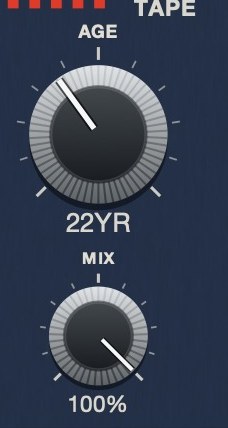 AGE on TRIPLE OG is in years because that is what the quantity is. Nought to sixty, darker and noisier and less steady as it climbs.
What people actually mean by lofi
Lofi is not a genre of plug-in, it is a set of limits that older equipment imposed and
that everybody now adds back on purpose. Narrower bandwidth. A noise floor you can hear.
Timing that is not perfectly locked. Distortion that arrives gradually rather than as a
cliff. Each of those was a fault once, and each of them is now a control.
The reason this matters when choosing is that one plug-in rarely does all four, and the
four are not equally important. Bandwidth and instability carry most of the impression. A
bitcrusher on its own, with no noise floor and no speed movement, usually just sounds
broken.
The four jobs, and what to look for in each
- Tape or cassette. The workhorse. Look for speed instability as well
as saturation, because the instability is what a stock saturator cannot give you. The
difference is covered in
wow and flutter.
- Noise. Look for a filtered, level-controlled bed rather than a
sample loop, and for something that is not identical in both channels, or it collapses
in mono. See tape hiss.
- Bit depth and sample rate. The digital half. Judge these on whether
the aliasing is musical, because at low rates the aliasing is most of the sound.
- Instruments. Lofi keys, lofi drums, lofi guitar. These are sample
libraries recorded through the character rather than plug-ins applying it, and they are
a shortcut rather than a tool. Useful, but they do not help with the rest of your mix.
TRIPLE OG
is a cassette tape simulation covering three of the four jobs at once: bandwidth with
TONE and AGE, noise with HISS, and
instability with WOW FLUT and the transport. There's a demo on the page.
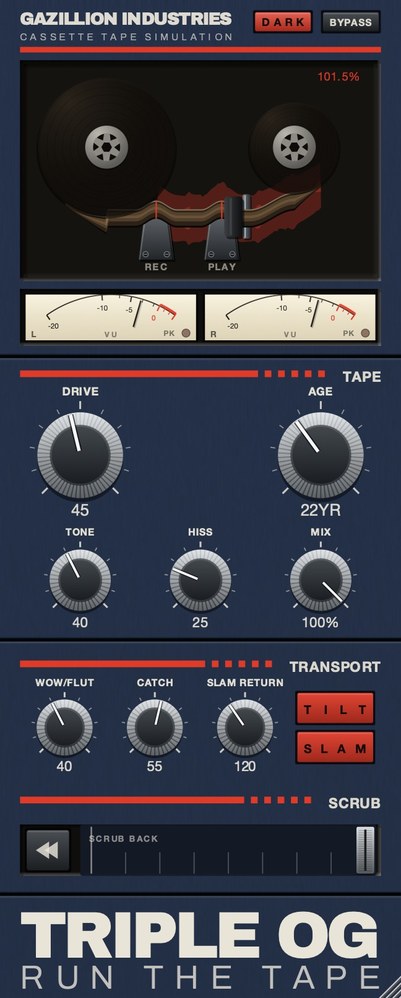 The whole thing. Top half is the machine, bottom half is the tape, and the SCRUB strip along the bottom is played by hand.
Why a lofi chain often still sounds clean
Three reasons, in the order they usually apply.
The first is that the whole chain is doing the same job. Three plug-ins all rolling off
the top end give you a duller track, not an older one. What sells age is different kinds
of damage at once: less bandwidth and a noise floor and a grid that is
slightly loose.
The second is that everything stays perfectly in time. Older equipment could not hold
speed exactly, and the ear knows it. A mix that is bandwidth-limited and noisy but
metronomically rigid still reads as a modern recording with a filter on it.
The third is level. Every one of these processes changes loudness, and louder almost
always sounds better in an A-B. Match the level before judging, or you will keep choosing
the setting that is simply hotter.
Buying order, if you are starting from nothing
Buy the tape or cassette effect first. It covers bandwidth, noise and instability in one
plug-in and it works on anything: drums, keys, a full mix, a bounced loop. Whatever you buy
after that is filling gaps rather than doing the main job.
Second, if you work with sampled drums, is something that handles the digital side, so
you have both halves of the sound available. Third, and only if the writing needs it, is an
instrument library. The instrument is the least transferable purchase of the three, because
the character is fixed in the recordings and you cannot apply it to anything else.
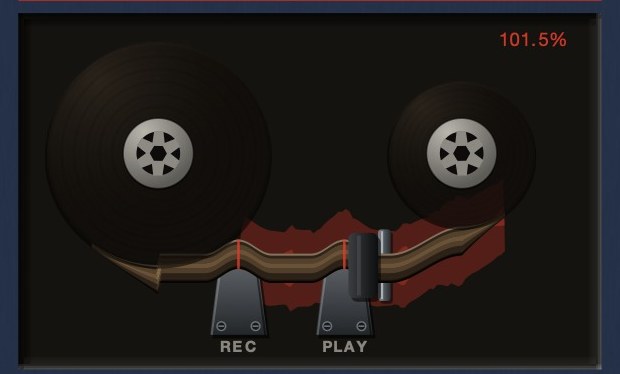 The readout is speed, not level. At 101.5% the transport is running fast.
The order to process in
Lofi chains go wrong in the order as often as in the settings, because each stage
changes what the next one is looking at.
Pitch and speed effects belong first, while the material still has its full bandwidth.
Anything that shifts speed resamples the signal, and doing that to something already
filtered and noisy drags the artifacts along with it, so the noise ends up moving in pitch
with the music, which nothing real does.
Bit and rate reduction next. These generate aliasing that lands at frequencies unrelated
to the source, and a filter after them will tidy some of it away. Put the filter first and
you are throwing away material before the stage that needed it.
Tape and noise near the end, because the tape is the medium and the medium is what
everything was recorded onto. Noise last of all, or at least after the filtering, or it
gets processed by stages that in the real chain happened before the noise existed.
That order also explains a common complaint. If a chain sounds harsh rather than warm,
the bit reduction is usually after the filter instead of before it, so nothing is smoothing
the aliasing.
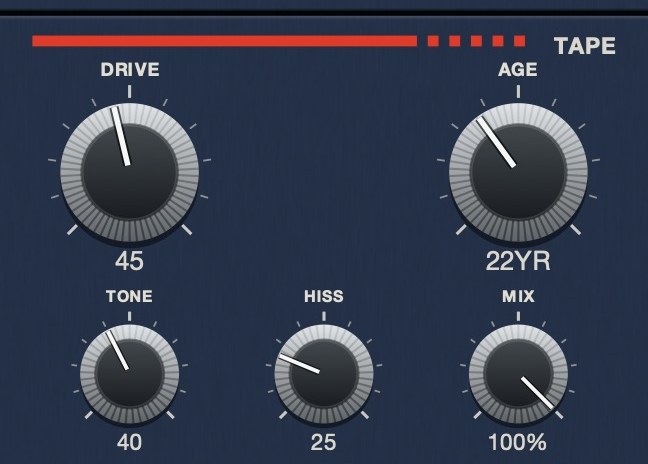 The medium, as five controls. AGE reads in years rather than a percentage, because that is what the quantity is — here it is set to 22.
Hear TRIPLE OG
Lofi that still sounds like a record
The difference between a lofi track and a damaged one is usually restraint in three
specific places.
Keep one element clean. A single bright, undegraded part gives the ear
a reference, and everything else reads as deliberately aged rather than accidentally
broken. Without it there is nothing to compare against and the mix just sounds low quality.
Keep the low end honest. Bit reduction and heavy saturation both do
unpredictable things at the bottom. Check the kick and bass before and after, and if they
have lost pitch definition, pull the processing off those parts and leave it on the rest.
Keep the timing. Speed effects are the most convincing part of a lofi
chain and the fastest way to make a track unusable. A little wander over a bar reads as
tape; enough to move a downbeat reads as a mistake.
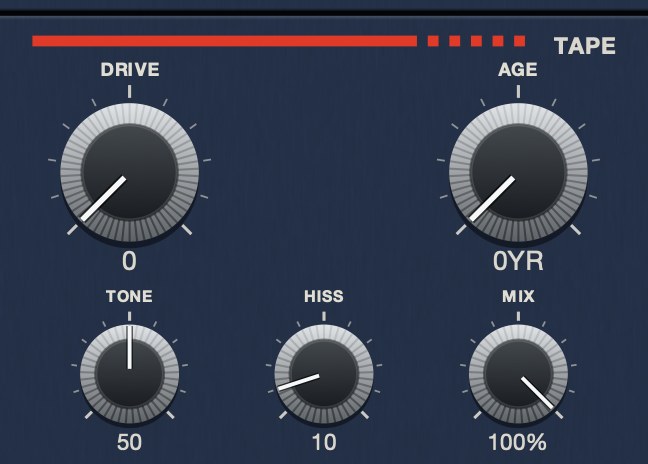 DRIVE at 0. The medium, doing nothing to the level.
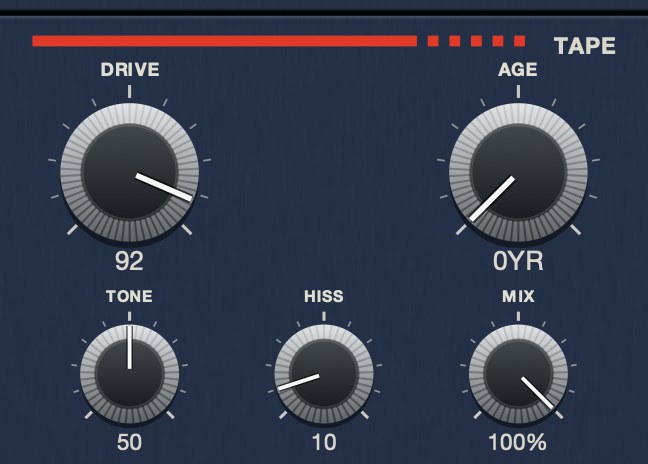 DRIVE at 92. Soft asymmetric saturation, oversampled, with the level held flat across the travel.
Bit depth and sample rate, and what they actually do
These two get used interchangeably in lofi discussions and they do completely different
things, which is why chains built on a vague understanding of them tend to sound harsh
instead of old.
Bit depth sets how finely each sample's level is described. Reducing it
makes the quiet parts grainy first, because the error is a fixed size while the signal is
not. It produces a gritty noise that rides with the material and is at its most audible in
fades and tails.
Sample rate sets how often the level is measured. Reducing it removes
the top end, and anything above what the new rate can carry folds back down into the audible
range at unrelated frequencies. That folding is aliasing, and it is what makes heavy rate
reduction sound metallic and slightly wrong rather than simply dull.
The practical consequence is that these are two different textures and should be reached
for separately. If the goal is grit and noise, reduce bits. If the goal is a narrow,
clangorous, sampled-on-old-hardware character, reduce the rate. If the result is
unpleasantly harsh, it is almost always the rate, and a filter after it rather than before
it will tame most of the damage.
Getting lofi without a lofi plugin
A lot of what people reach for a lofi plugin to do is already available in any host, and
knowing that makes the plugins easier to judge.
Pitching a sample down and back up loses information on the way and is the oldest trick
in this category. Recording something out to a speaker and back in through a microphone
puts a real room and a real cheap transducer in the chain, which nothing models exactly.
Bouncing through a lossy codec at a low bitrate produces a specific, recognizable set of
artifacts. Printing a part to audio and editing it destructively, rather than keeping
everything live and reversible, produces the small irreversible commitments that most old
records are full of.
None of that is an argument against buying a plugin, which is faster and repeatable and
does not require a microphone. It is an argument for knowing which part of the sound you are
paying for, so you can tell whether a given plugin is actually giving you something you
could not get in ten minutes with what you already own.
Hear it
Three of the textures this page describes, so the words have something to point at. Clean, then a noise bed on its own, then age and drive and speed movement together.
Dry — no processing — speed holds at 1.000
Hiss 60, tone 45 — a noise bed, nothing else
Age 35, hiss 45, drive 30, wow 40 — a worn deck — speed 0.951 to 1.059
The same eleven seconds each time, rendered offline through TRIPLE OG at the settings shown. No other processing, no master bus, no edits.
Everything below is answered the same way we built TRIPLE OG — the tape is the easy half, the transport is the half almost nothing does.
Questions people ask
What is the best lofi plugin?
For most people, a tape or cassette effect, because it covers bandwidth, noise and speed
instability at once and works on any source. Instrument libraries are a faster route to a
specific sound and a slower route to a whole mix.
What is the best free lofi VST?
Free options exist in every one of the four jobs, and your DAW almost certainly ships a
bitcrusher and a filter already. The gap in free tools is usually speed instability and a
playable transport, which is where paid plug-ins earn the difference.
How do I make my beats sound lofi?
Narrow the bandwidth without simply cutting the highs, bring a noise floor up under the
quiet parts, and loosen the grid with a little speed movement. Doing all three lightly
beats doing one of them heavily. The full chain is in
how to make music sound
like a cassette tape.
Is lofi just a low-pass filter?
No. A filter removes top end; a tape path makes the top end go soft while noise comes up
underneath and the speed drifts. The filter is one quarter of it, and on its own it reads
as a muffled modern recording.
What order should lofi plugins go in?
Speed and pitch first, bit and rate reduction next, filtering after that, tape and noise
near the end. If a chain sounds harsh rather than warm, the bit reduction is usually sitting
after the filter instead of before it.
Why does my lofi sound broken instead of warm?
Usually because nothing in the mix is clean. One bright, unprocessed element gives the
ear a reference and makes everything else read as deliberate. Check the low end too, since
heavy processing often takes the pitch out of the kick and bass.
What is the difference between bit reduction and sample rate reduction?
Bit depth sets how finely each sample's level is described, so reducing it makes quiet
passages grainy. Sample rate sets how often level is measured, so reducing it removes the
top and folds what was above it back down as aliasing. Grit comes from bits; metallic
clangor comes from rate.
What TRIPLE OG does
TRIPLE OG is our cassette tape simulation. TONE sets playback
brightness and DRIVE the thickness. AGE runs from nought
to sixty years and makes the tape darker, noisier and less stable as it climbs.
HISS is a continuous broadband bed, partly decorrelated across the
channels. WOW FLUT is the speed instability, and the transport is the
other half: SLAM stops the tape and returns it to speed in sync,
SCRUB runs the head backward and springs home, and CATCH
makes it drag and sprint to catch up.
Four kinds of damage, one machine, and none of it drawn on afterwards.
“Most tape plugins treat the transport as something to model quietly in the background, but this one hands it to you as an instrument.”
Best Tape Emulation Plugins · AudioColour.com
TRIPLE OG — cassette tape simulation for Mac and Windows, with a transport
that drags, jams and sprints to catch up. There is a demo on the page.
Hear it
Keep reading
- How to make music sound like a cassette tape — Softer highs, saturation, hiss, wow and flutter, channel mismatch and dropouts.
- Tape hiss — Where it comes from, how to reduce it cleanly, and how to add it on purpose.
- Wow and flutter — What causes them, what they sound like, and how to add them on purpose.
- Best lofi tape plugins — Mastering tape and lofi tape want opposite settings. Which to invert.
- Best tape plugins for drums — Why drums show tape more than anything else, and where to put it.
- Best tape emulation plugins — Reel and cassette are different products. Pick the machine first.
- Best free tape plugins — What free tape plugins do well, and where they run out.
- Tape plugins for FL Studio — Distructor covers the distortion. Speed, noise and transport need TRIPLE OG.
- Best auto filter plugins — Resonance, envelope followers, sync and swing: how to pick an auto filter.
- Best filter plugins — Three things separate good filters from bad, and a ten-minute test that settles it.
- Best 12 bit sampler plugins — What 12 bit really does, how to test one, and the free options worth trying.
- Best bitcrusher plugins — What bit and rate reduction do, how to audition one, free and paid picks.
- Best lofi VST plugins — The four we make, sorted by job: bandwidth, tape, speed and drum bus density.