← Gazillion Industries/Reading material
How to change pitch without changing tempo
For most of recorded history, pitch and tempo were married. Change one and the other came with it, like a turntable spinning faster. Pitch shifting and time stretching are the divorce, and like most divorces they're possible, useful, and never entirely clean.
To change pitch without changing tempo, use pitch shifting; to change tempo without changing pitch, use time stretching. Both are built into every modern DAW. Pick the algorithm that suits the material (one for drums, one for melodic parts, one for full mixes), keep the change as small as you can because artifacts grow with the amount, and turn on formant preservation for vocals so voices don't turn chipmunk or cartoon-deep.
The short version
- Pitch only
- pitch shifting
- Tempo only
- time stretching (warping)
- Both linked
- varispeed or repitch
- Drums
- a transient-preserving mode
- Melodic and mixes
- a high-quality tonal or complex mode
- Vocals
- preserve formants
- One semitone
- a ratio of 1.0595, or 5.95% of speed
- One percent of speed
- 17 cents of pitch
- 44.1 kHz played at 48
- 8.84% fast, 147 cents sharp
- The bill
- artifacts scale with the size of the move
How the separation works
Time stretching slices audio into tiny overlapping pieces and either repeats or skips them to change the length, then blends the seams. Pitch shifting stretches the audio in time and resamples it back to the original length, so the pitch moves while the duration stays. The better the algorithm, the better it hides the seams, but every method trades something: smeared transients, a phasey or metallic tone, or a watery sound on sustained notes.
Two families do the work, and they fail in opposite directions. A time-domain method, which is what most transient-preserving modes run, cuts the file into overlapping grains, hunts for the point where the next grain best matches the last, and crossfades there. A frequency-domain method, a phase vocoder, takes a short window of samples, works out the amplitude and phase of every frequency bin inside it, advances its read clock at a different rate than its write clock, and builds new audio from the result. The first keeps attacks intact and struggles with held tones. The second is the reverse. That is the whole argument behind the mode menu.
The window length is where the trade lives, and it is measurable rather than a matter of taste. A 2048-sample window at 44.1 kHz is 46.4 ms long and resolves frequency to 21.5 Hz. Halve it to 1024 samples and you get 23.2 ms and 43.1 Hz: sharper in time, blunter in pitch. Double it to 4096 and you get 92.9 ms and 10.8 Hz, clean on a sustained low note and hopeless on a snare, because a snare's front edge is over in a few milliseconds and the window is twenty times longer than the event it is describing. Every mode in every DAW is a different guess about where to sit on that line.
Semitones, cents and percent: the arithmetic
All three units describe one ratio, and converting between them in your head kills most of the guesswork. A semitone is two to the power of one twelfth, 1.0595, so a semitone up is 5.95% faster and an octave is exactly double. A semitone splits into 100 cents. Backward, 1% of speed is 17 cents, which is why a nudge you can barely see on a fader is plainly audible against a held chord. At A440 a single cent is a quarter of a Hertz, and two copies five cents apart beat against each other 1.27 times a second — the mechanism behind detune.
The tempo conversion is the one that catches people. Take a 90 BPM loop up three semitones as a speed change and the ratio is 1.1892, so it runs at 107.03 BPM. Run it the other way and a tempo nudge from 90 to 93 BPM is a ratio of 1.0333, which is 57 cents — more than half a semitone, from a change most people would call small. Sample rate does the same to you by accident. Play a 44.1 kHz file at 48 kHz and it runs 8.84% fast, 147 cents sharp, and that 90 BPM loop arrives at 97.96 BPM. If a borrowed loop is mysteriously a semitone and a half out, check its rate before you reach for a shifter.
A worked example: eight bars at 90
Eight bars of 4/4 at 90 BPM is 32 beats, and at two thirds of a second a beat that is 21.33 seconds of audio. Here is one +3 semitone intention, spent three ways.
- Varispeed, +3 semitones. Rate 1.1892. Length falls to 17.94 s, 15.9% shorter, and the loop sits at 107 BPM. Nothing is invented; everything moves together, hiss and room included.
- Pitch shift, +3 semitones, tempo held. Length stays 21.33 s, tempo stays 90. Inside, this is the varispeed move plus a time stretch of 1.1892 dragging 17.94 s back out to 21.33 s. The stretch is the half with the artifacts in it.
- Time stretch to 107 BPM, pitch held. Length falls to 17.94 s and the key stays put. Same ratio, same artifacts, spent on the clock instead of the key.
Read the middle line again. A pitch shift is a speed change plus a stretch that cancels the length change, so you pay for the stretch either way; the only question is whether you spend it on the key or on the clock. When you can live with the linked result you spend nothing at all.
Choose the mode for the material
- Drums and loops: modes that detect and preserve transients, so hits stay sharp.
- Melodic parts: tonal modes that keep sustained notes smooth.
- Full mixes: the highest-quality complex modes, which cost more CPU.
- For character: repitch or varispeed, which doesn't separate them at all. See what is varispeed.
Match the window to the fastest event in the file rather than to the name of the instrument. A plucked upright bass is transient material even though bass is a melodic part, and a pad with no attack will take the longest window you own and thank you. A break with a sung sample over the top has no single right answer, which is the argument for splitting it onto two tracks and giving each one its own mode.
How to change pitch without changing tempo
- Select the audio clip or region.
- Make sure it's set to follow the project tempo (warping or flex on).
- Choose a stretch mode that suits the material.
- Transpose it in semitones, and use cents for fine tuning.
- For vocals, turn on formant preservation if the mode has it.
- Listen for artifacts, and try another mode if it sounds phasey or smeared.
Two things the steps cannot carry. Transposing a region is non-destructive in most hosts, so the file on disk is untouched and you can walk the value back — right up until you bounce. And the host holds an advantage a plugin never will: it can look at the whole clip before playing a sample of it, while an insert only sees the next block arriving. That is why a clip transposition on a settled part sounds a shade cleaner than the same move made live, and why the live move is the only one you can perform.
How to change tempo without changing pitch
- Set the clip to follow the project tempo.
- Choose a transient-preserving mode for drums or a tonal mode for melodic parts.
- Change the project tempo, or stretch the clip to the new length.
- Check the hits and the sustained notes for smearing.
Then check the length instead of trusting it. Solo the clip, look at where it ends against the bar line, and confirm it lands where the grid says. Warping works from markers the host drops on detected transients, and one marker on the wrong hit will drag half a bar while the rest stays still. On anything swung or dragged, the marker set is usually what is wrong, and no amount of switching modes fixes a marker.
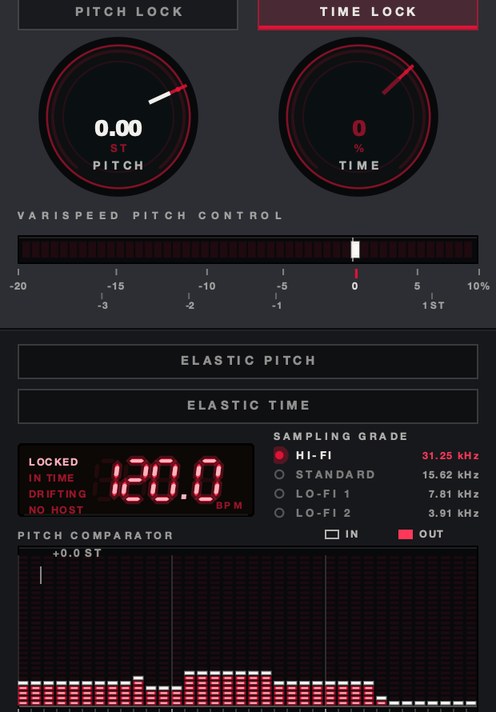
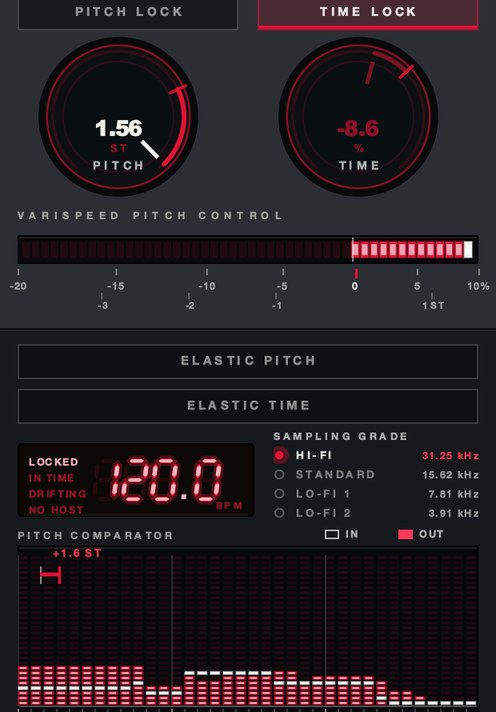
SKRUU puts pitch and time on separate knobs you can play, and lets either spring back.
Test it in your own session
Measure what a stretch costs instead of arguing about it. Ten minutes, any DAW.
- Duplicate the track so you have two copies of the same clip, A and B.
- On copy B, pitch shift up 12 semitones with the tempo held.
- Bounce copy B in place, then pitch that bounce back down 12 semitones.
- Bounce again, so B has been through the algorithm twice and should now match A.
- Line the two up to the sample and flip the polarity of one of them.
- Play both together. What you hear is everything the algorithm failed to put back.
- Repeat at 1 semitone and compare the two residues.
Two round trips is harsher than anything you would do on purpose, and that is the point: it magnifies the error until you can name it, and once you can name it you spot it at normal sizes. The leftover from a transient-preserving mode is a rattle of tiny attack fragments. The leftover from a phase vocoder is a soft pitched wash with no edges in it anywhere.
Formants, and why voices go cartoon
A voice carries two independent pitch systems and a shifter moves both. The vocal folds set the fundamental, and that is the note. The throat, mouth and nose form a resonant tube whose peaks — the formants — sit at frequencies fixed by the shape of the tube, and they stay put when the singer jumps from a low note to a high one. That is how your ear tells one person singing a wide interval from two people singing a note each.
A rate change moves every frequency by the same ratio, formants included. Resonance in a tube runs inversely with its length, so doubling every formant is the acoustic signature of a throat half the size, and the ear reads that as a smaller body rather than a higher note. Formant preservation measures the spectral envelope, shifts the harmonics underneath it and puts the envelope back. Turn it on for anything with a voice in it, and off when the cartoon is the point — see chipmunk soul and formant shifting. One warning, because the control gets left on out of habit: it is a second estimation stacked on the stretch, and a full mix gives it no single envelope to hold, since drums and bass live in the same spectrum as the voice. On a stereo mix it usually sounds worse than off.
Where it goes in the chain
Put the stretch ahead of anything that reacts to level, time or pitch. A compressor after a shift hears the material you actually kept and sets its attacks against it. A compressor before one has its own release times stretched along with the audio, which arrives at your ears as a fault in the compressor rather than a move in the music. Same for gates, transient shapers and anything fed from a sidechain. Anything you tuned by ear before the shift is out of tune after it, so set pitch first and tune second.
Delay and reverb are a decision rather than a default. After the shift, the tails move with the source and it reads as one room doing one thing; fed from a send off the unshifted signal, you get a stationary space with a moving source inside it, which reads as two recordings glued together. Either can be right — make the call on purpose. Tempo-synced delays are the trap, because they follow the project tempo, so a clip you moved with a speed change is now in a different tempo from the delay feeding off it. Set the delay by hand or bounce the clip first. The slowed case is worked through in how to make slowed and reverb.
The failure modes, and what each one sounds like
- Smearing. A hit loses its front edge and turns into a short swell. Cause: a window longer than the attack. Fix: a transient mode, or a shorter window where one is exposed. Background in what is a transient.
- Pre-echo. A faint copy of the hit arrives before the hit, up to roughly a window's length early. Cause: transient energy spread backward across the analysis window. Fix: shorter window, transient mode, or move the hit on its own.
- Metallic or phasey tone. A thin ringing cast over sustained material, worst on cymbals and distorted guitars. Cause: the phases of the partials no longer line up after resynthesis. Fix: a better mode, a smaller move, or commit to it as a sound.
- Watery shimmer. A slow wobble under held notes. Cause: grain crossfades landing at a slightly different phase each time around. Fix: a tonal mode.
- Flamming. One hit comes back as two. Cause: a grain boundary sitting inside the attack. Fix: nudge the clip start a few milliseconds, which often moves the boundary off the hit entirely.
- Loop drift. The loop stops ending on the bar. Cause: warp markers on the wrong hits, or a ratio that does not divide into the loop length. Fix: markers first, algorithm second.
All of them scale with the size of the move and with how much the material looks like noise to the analyzer. A sine wave survives two octaves without complaint. A cymbal crash does not survive two semitones cleanly, and a full mix has a cymbal in it.
Per-DAW: where the control actually is
Ableton Live. Warp on in the clip, then Transpose in semitones and Detune in cents in Clip view. The Warp Mode chooser holds Beats, Tones, Texture, Re-Pitch, Complex and Complex Pro. Re-Pitch refuses to separate the two, so if your pitch moves whenever the tempo does, that is the mode you are in. Complex Pro carries a Formants control, and that is the one for vocals.
Logic Pro. Flex Time moves length, Flex Pitch moves individual notes, and the Region inspector has Transpose for a whole region. Flex Time's algorithms run Slicing, Rhythmic, Monophonic, Polyphonic, Speed and Tempophone; Speed is the one that links pitch back to length. For a whole-project move there is a Varispeed readout in the control bar — the full tour is in varispeed in every DAW.
FL Studio. Channel Settings, the Time stretching and pitch shifting panel, and the Mode menu inside it. The élastique modes hold pitch while time moves; Resample links them. Pitcher and NewTone are the note-level tools when a region transpose is too blunt. Pro Tools puts it in Elastic Audio: Polyphonic, Rhythmic, Monophonic, X-Form or Varispeed, with Varispeed the linked one and no controls of its own. Reaper gives an item a playrate and a separate pitch adjustment in semitones, with a checkbox deciding whether pitch follows the rate; the shifter itself is selectable per item, which is unusually honest about the algorithm being a choice.
Cubase uses AudioWarp and Musical Mode on the élastique algorithms, with transpose on the info line. Studio One sets a timestretch mode per event, transpose and tune beside it. Bitwig keeps stretch modes on the clip, including a repitch mode that links the two back together. GarageBand has region transpose and no varispeed at all. And Audacity is the clearest teacher here, splitting the three operations by name in the Effect menu: Change Pitch holds the tempo, Change Tempo holds the pitch, Change Speed links them.
What it costs you
Say the price out loud before you commit. A stretch costs CPU, and the modes worth using cost the most — across thirty warped clips that is the difference between a project that plays and one that stutters, which is why bouncing is a discipline and not a tidying habit. A rate change costs top end on the way down, because every frequency travels with it: a cymbal at 10 kHz lands at 8.4 kHz three semitones down, and no EQ puts back air that is no longer in the file. And it costs sync the moment the ratio is wrong — run a clip 4% slow across eight bars at 90 BPM and its end arrives 0.89 seconds late, about a beat and a third.
The last cost is a decision. Every generation of stretching stacks on the one before it, so a clip you shift, bounce, shift and bounce again carries four passes of artifacts and no road back. Bounce once you are sure, keep the untouched file beside it, and write the semitone value down. You will want to move it 40 cents next week.
Keep it clean
Small moves hide best. A semitone or two, or a few BPM, usually sounds natural; a big jump in either direction exposes the algorithm. If you need a large change, try splitting it: move part of the way with varispeed, which sounds natural, and the rest with pitch shifting. And bounce the result once you like it, so you're not stacking stretch on top of stretch. For samples specifically, see how to pitch a sample.
Questions people ask
Can you change pitch without changing speed?
Yes. Pitch shifting changes the pitch while keeping the tempo and length the same. DAWs do it with stretch algorithms; small changes sound most natural.
How do I change the tempo without changing the pitch?
Use time stretching: set the clip to follow the project tempo with a suitable stretch mode, then change the tempo. The pitch stays where it was.
Why does pitch shifting sound bad sometimes?
Large shifts expose the algorithm's artifacts: smeared transients, a metallic or phasey tone, and unnatural formants on voices. Use the right mode, keep changes small, and turn on formant preservation for vocals.
How do I change the pitch of a song without changing the speed?
Import it, set it to follow the project tempo with a complex or high-quality stretch mode, and transpose the region in semitones. Keep the move small and leave formant preservation off on a full mix, because there is no single voice for it to hold on to. Try the linked version first: a small speed change across a whole record is often less noticeable than the artifacts of holding the tempo still.
How do I change tempo without changing pitch in Audacity?
Select the audio and use Effect, then Change Tempo, which moves the length and leaves the pitch alone. Change Pitch does the opposite. Change Speed links the two, which is the speed-change case.
How many semitones can I shift before it sounds bad?
There is no fixed limit, but the shape is reliable: damage scales with the ratio. A pad or a bass line will take five or six semitones. Drums and full mixes show seams at two or three. Noisy content breaks first — cymbals, distorted guitar, room ambience. Find your own limit with the null test above rather than reading a number off a page.
Does changing the pitch change the key?
Yes, by exactly the amount you shifted. Twelve semitones is an octave, so the key letter comes back around to itself; three semitones up takes A minor to C minor. Cents change the tuning rather than the key name, and 50 cents is a quarter tone, which will sit badly against anything tuned to concert pitch.
Is it better to pitch the sample or change the project tempo?
Change the project tempo while the arrangement is still flexible, because it costs nothing and processes nothing. Pitch or stretch the sample once the arrangement is settled, or when the two disagree by more than the sample can absorb. On a chopped sample the tempo route almost always wins, since every chop you stretch is another edge to blur — see how to chop samples.
Why does my drum loop lose its punch when I stretch it?
The analysis window is longer than the attack. A kick's front edge is a handful of milliseconds and a 46 ms window smooths straight over it, so the hit arrives as a swell. Switch to a transient-preserving mode, or slice the loop at the hits and move the slices rather than stretching through them.
Does pitch shifting lose quality?
Always, by some amount, because audio is being played that was never recorded. The loss is smallest on sustained harmonic material and largest on transients and noise. A speed change is the exception: it alters the playback rate and invents nothing, which is why it stays clean at sizes that would wreck a shifter.
What is the difference between transpose and pitch shift?
Transpose is usually the name of the control and pitch shift the name of the operation underneath it. Transposing an audio region by a semitone runs a pitch shifter on it. Transposing a MIDI region does not, because there is no audio to process, which is why a MIDI part transposes perfectly and an audio part never quite does.
Can you change pitch without changing tempo in real time?
Yes. Plugin shifters do it on an insert while the track plays, and DAW stretch modes run live rather than rendering first. The trade is lookahead: a host working through a whole clip can see what is coming and an insert cannot, so a live shift on percussive material is the harder of the two cases.
Stock plugins that do this
- FL Studio
- sample channel stretch modes; Pitcher for vocals
- Ableton Live
- Warp modes: Beats, Tones, Texture, Re-Pitch, Complex, Complex Pro
- Logic Pro
- Flex Time and Flex Pitch
- Pro Tools
- Elastic Audio: Polyphonic, Rhythmic, Monophonic, X-Form, Varispeed
- Cubase
- AudioWarp and Musical Mode, on the élastique algorithms
- Reaper
- item playrate and pitch, with a preserve-pitch checkbox
- Studio One
- timestretch mode per event, transpose and tune in the inspector
- Bitwig
- per-clip stretch modes, including a repitch mode
- GarageBand
- region transpose only, up to 12 semitones
- Audacity
- Change Pitch, Change Tempo and Change Speed, as three effects
What SKRUU does
SKRUU is our varispeed pitch and time stretch plugin: two knobs that don't touch each other. PITCH moves the pitch, from −20% to +10%, reading out in semitones as well as speed. TIME moves the length, from −50% to +25%. Speed it up while pitching down, or the other way round. PITCH LOCK and TIME LOCK hold one while the other moves, and ELASTIC makes either knob spring back along a return shape you choose. Zero samples of latency.
The bottom half of the panel is about what happens when you let go. RETURN sets how long the trip home takes, BITE how hard the knob commits to it, and sixteen SLOPE shapes decide the road back, while DRAG sets how long a new speed takes to arrive. SAMPLING GRADE steps the rate down through 31.25, 15.62, 7.81 and 3.91 kHz. AU, VST3 and standalone, Mac and Windows. It is the linked half of this page rather than the separated half, which is the honest way to use it next to a stretch: take as much of the move as you can stand to hear as a speed change, where nothing is invented, and leave only the remainder for an algorithm to guess at.
The divorce went through. They still get along better than you'd think.
SKRUU — varispeed pitch and time stretch for Mac and Windows. Pitch and time move independently, with sixteen elastic return shapes.
Keep reading
- What is varispeed — Speed and pitch together: the math, how it differs from pitch shifting, and how it's used.
- How to pitch a sample — Find the key, repitch or pitch shift, pitch the chops, and automate for movement.
- How to make slowed and reverb — Slow it with varispeed, add a long dark reverb, and make sped-up versions too.
- Best pitch shifter plugins — Which family to use, what formant control buys, and the free options worth having.
- Best time stretch plugins — Which algorithm for which material, how to test one in ten minutes, and the free routes.
- Varispeed plugin: which one, and how to choose — What the rate control has to do, how to test one, and the free options worth downloading.
- Best detune plugins — Cents, beating and mono: how to pick a detune plugin, free or paid.
- Varispeed in every DAW — What each DAW has built in, where the setting hides, and when a plugin wins.
- Best slowed and reverb plugins — Why it takes two plugins, which ones, and the settings that make it work.
- Tape speed plugins — What rate change does, the free routes, and how to test a tape speed plugin.
- Best formant shifter plugins — What formant shift moves, how to test one, and the free plugins worth installing.
- How to make robot vocals — The three effects people call a robot voice, and the no-mic route.
- Free time stretch plugins, and where free runs out — What stretches for free, how far, and the one move that costs $29.