← Gazillion Industries/Reading material
Saturation vs distortion
In 1964 Dave Davies of the Kinks cut slits in his amp's speaker cone with a razor blade, and the guitar on "You Really Got Me" came out torn at the edges. Sixty-odd years later people still argue about what to call that sound, usually in a comment section, usually while selling a plugin.
Saturation and distortion are the same process at different intensities. Both bend a signal's waveform, and a bent waveform carries new harmonics. "Saturation" usually means the gentle end: a little added harmonic content, slightly softened peaks, more density without an obvious effect. "Distortion" means you can plainly hear it. Overdrive and fuzz are points further along the same line.
The short version
- Same thing
- a nonlinear curve that adds harmonics
- Saturation
- gentle; felt as density and presence
- Overdrive
- obvious but warm; the curve is pushed
- Distortion
- plainly audible grit
- Fuzz
- close to a square wave
- The difference
- how hard it's driven, and the shape of the curve
What's actually happening
Every one of these is a curve. Quiet signal passes nearly straight through, and as it gets louder the curve bends, so the output stops growing as fast as the input. That bending changes the shape of the waveform, and a changed waveform contains frequencies that weren't there before: harmonics, at whole multiples of the notes going in.
Drive it gently and the curve barely bends. Drive it hard and the tops of the waveform flatten toward a square, which is why heavily fuzzed guitar sounds like a buzzing wall. Same machine, different pressure on the pedal.
Call the curve by its proper name: a transfer function, a rule that maps every incoming sample to an outgoing one. A straight line through the origin is no processing at all, one in and one out. Every nonlinearity is a departure from that line, and the size and shape of the departure is the whole story. A hyperbolic tangent curve, the standard soft shape, runs almost straight up to about a quarter of full scale and then starts leaning over. A hard clipper runs straight all the way to its ceiling and then stops dead.
Two curves can generate the same total amount of harmonic content and sound nothing alike, because what matters is which harmonics arrive and how fast they arrive as you push. The soft shape brings them in gradually and keeps the high ones small. The hard shape jumps: the instant a peak touches the ceiling, a full ladder of harmonics appears at once, which is why a hard clipper can sound spotless on one hit and spiteful on the next one 2 dB louder.
How much drive is that, in decibels?
Drive is level into a fixed curve, so it can be stated exactly. Below is a sine run through a tanh soft clipper at six input levels, with the output peak normalized each time so only the shape is being compared. THD is total harmonic distortion — the combined level of everything the curve invented, as a percentage of the fundamental that went in.
- −12 dBFS in
- THD 0.5%; third harmonic 46 dB down; nothing else measurable
- −6 dBFS in
- THD 2.0%; third 34 dB down; fifth 67 dB down
- 0 dBFS in
- THD 6.7%; third 24 dB down; fifth 45 dB down
- +6 dBFS in
- THD 17%; third 16 dB down; seventh now audible at 41 dB down
- +12 dBFS in
- THD 30%; third 11 dB down; ninth at 32 dB down
- +18 dBFS in
- THD 39%; third 10 dB down — half a decibel off a square wave
Two things fall out of that table. The first is that percentages and decibels are the same statement twice: 1% THD is 40 dB below the fundamental, 3% is 30.5 dB down, 10% is 20 dB down. A spec sheet quoting a tenth of a percent is quoting 60 dB down, which on music is a rumor.
The second is that the useful range is narrow and it is early. Between −12 and 0 dBFS each 6 dB of extra drive multiplies THD by about three and a half, and the sound goes from untouched to plainly fuller. Past +6 dBFS the curve has run out of room to bend: the last 6 dB, from +12 to +18, buys nine more points of THD and mostly adds sourness at the top. That is the whole argument for setting drive with a trim in front of the plugin rather than by feel, which is gain staging doing its real job.
A hard clipper reaches the same places from a different direction. Driven 3 dB into its ceiling it measures 14% THD; at 6 dB in, 23%; at 10.5 dB in, 33%. It gets to a given THD figure with less drive than the soft curve, and it gets there with more energy in the upper harmonics, which is the audible difference people are describing when they call one warm and the other hard. The mechanism is laid out in soft clipping explained and what is clipping.
Odd and even harmonics
The shape of the curve sets the color. A symmetric curve, one that bends the top and bottom of the wave the same way, adds mostly odd harmonics (three times, five times the frequency), which tend to sound edgier and more aggressive. An asymmetric curve adds even harmonics too (twice, four times), which tend to sound rounder, closer to the note itself. Most real devices mix both, which is why "warm" and "gritty" are adjectives and not measurements.
There is a musical reason behind the adjectives, and it is arithmetic. Measure each harmonic's interval above the fundamental in cents. The second harmonic lands 1,200 cents up, a dead octave. The fourth lands 2,400, two octaves. Those are the same note, so even harmonics read as body rather than as new content. The third lands 1,902 cents up: an octave plus a fifth, two cents sharp of the tempered one, still musical. The fifth lands 2,786, two octaves plus a major third that sits 13.7 cents flat.
Then the seventh. It lands 3,369 cents up, two octaves plus a minor seventh that is 31 cents flat of the tempered interval — nearly a third of a semitone out, against a note the listener is still holding in their ear. That single number explains more complaints about harsh distortion than any frequency chart does. Push a symmetric curve until the seventh and ninth are within 20 dB of the fundamental and the part stops sounding bright and starts sounding sour.
Asymmetry has a cost nobody mentions. Bending the top of the wave harder than the bottom shifts the average of the waveform away from zero, and that offset is DC. Take a tanh curve driven at +6 dBFS with a modest asymmetry: the second harmonic arrives at 13 dB below the fundamental, rounder and thicker, and the output also carries a steady DC offset of 22% of full scale. That is roughly 2 dB of headroom gone before the music starts, plus a click at every region boundary where the offset switches on and off. A high-pass at 20 Hz after the stage costs nothing and removes it. Most plugins do this for you. Check yours by watching whether a silent passage sits on zero.
Where those harmonics land in the spectrum
Harmonics are whole multiples, so where they end up depends entirely on what went in, and that is why the same setting is invisible on a bass and vicious on a hi-hat.
Take a 100 Hz bass note. The second harmonic is 200 Hz, the third 300, the fifth 500, the seventh 700. Every one of those is still bass. The twentieth is 2 kHz and the thirtieth is 3 kHz, which is the pair that makes a saturated bass audible on a laptop, because the phone or the laptop reproduces 3 kHz perfectly and reproduces 100 Hz not at all. The fundamental never reaches the listener. The harmonics do, and the ear supplies the missing note.
Now take an 8 kHz hat in a 44.1 kHz session, where nothing above 22,050 Hz can exist. The second harmonic is 16 kHz and passes. The third is 24 kHz, over the ceiling, so it folds back to 44,100 − 24,000 = 20,100 Hz. The fourth, 32 kHz, folds to 12,100 Hz. The fifth, 40 kHz, folds to 4,100 Hz. The sixth folds to 3,900 Hz and the seventh to 11,900 Hz.
Not one of those numbers is a multiple of 8,000. They are landing in the middle of the mix, at frequencies with no relationship to the note, and they move the wrong way when you play the sample higher. That is aliasing, and it is the single biggest reason a saturator that sounds solid on a bass sounds brittle on a full drum bus. Full treatment in what is aliasing in audio; the fix is in oversampling.
Where the words come from
- Saturation comes from recording gear: tape and circuits that softly run out of room as you push them.
- Overdrive comes from guitar amps played past the point where they stay clean.
- Distortion is the umbrella term, and also what people call it once it's obvious.
- Fuzz is the extreme end: clipped nearly square.
- Bitcrushing gets filed alongside them, but it's a different mechanism entirely: fewer bits and lower sample rates, not a bent curve.
That last bullet is worth hearing rather than taking on trust. The same one-second source three times: clean, then bit depth reduced with the rate left alone, then sample rate reduced with the depth left alone. Neither of the two is a bent curve, and neither sounds like one. Rendered with our F12.
Saturation adds content that is related to the note. Bit reduction adds a noise floor that rises and falls with the signal, and rate reduction adds the folded tones described two sections up, on purpose. They get grouped because they all make a source sound less pristine. They behave differently the moment you change the pitch of the source, and bitcrushing explained walks through why.
What the harmonics buy you in loudness
Bending the waveform lowers its crest factor, the gap between its peak and its average, and that gap is the currency of loudness. A sine has a crest factor of exactly 3.01 dB, because its peak is the square root of two times its RMS. A square wave has a crest factor of 0 dB, because it is at its peak the entire time.
So the absolute maximum a curve can win on a sine, at a fixed peak ceiling, is 3.01 dB. Measured on the same tanh runs as before, peak normalized each time: at 0 dBFS in you get 0.57 dB more average level. At +6, you get 1.41 dB. At +12, 2.24 dB. At +18, 2.65 dB — four decibels of extra pushing for the final four-tenths of a decibel of loudness.
That is the whole shape of the deal in one line: the first few decibels of drive are close to free, the last few are extortion. Program material starts from a higher crest figure than a sine, so there is more on the table, but the return curve bends the same way. Crest factor has the full arithmetic, and how to make a mix louder without clipping has the practical version.
Which one you want
Pick by what you want the listener to notice. If they should hear a thicker, more present sound without hearing an effect, that's saturation: a few dB of drive, checked at matched loudness. If the grit is the point (a growling 808, a vocal with teeth), push into distortion and commit. The in-between is where mixes go muddy, because it's too much to be invisible and too little to be a choice.
The practical side is in how to use saturation in a mix and how to saturate drums.
BEEFY covers the whole range with one big knob, from a little weight to a lot of rude. The demo on the page is 28 seconds.
Where it sits in the chain
A nonlinearity multiplies whatever you hand it, so the order of the stages around it changes the result more than the choice of plugin does.
Filtering before. Low end costs the most. A 40 Hz fundamental and a 3 kHz hat going into the same curve do not simply each get their own harmonics; the curve also generates sum and difference tones between them, and on a busy bus those land as a low-mid haze that no EQ move afterward takes off cleanly. A high-pass at 30 to 40 Hz ahead of the stage, or a split that keeps the sub out of it entirely, is the difference between a fuller bus and a blanket over one.
EQ after. Once the harmonics exist they are signal like any other, and a gentle tilt after the stage is cheaper than fighting the curve with more drive. If a saturated part needs a decibel off at 3 kHz, take it off at 3 kHz.
Compressor before or after. Compress then saturate and the drive into the curve is steady, so the harmonic content is consistent from bar to bar and the effect reads as a tone change. Saturate then compress and the compressor is reacting to peaks the curve just rounded off, so it works less and the dynamics survive. Neither order is wrong. They are different sounds, and the second one keeps more of the performance.
Before the limiter, always. A saturator lowers crest factor by shaping, which is gain change inside a single cycle. A limiter lowers it by moving gain over milliseconds, which is audible as pumping when you ask for too much. Giving the fast peaks to the shaper and the slow ones to the limiter is the reason for a clipper before the limiter.
Parallel, when dynamics matter. Running the distorted signal alongside the dry one keeps the transient intact and adds the density underneath. See parallel saturation, and watch the latency: an oversampled plugin reports extra delay, and if your host does not compensate the parallel branch, the blend will cancel in the low mids and you will blame the plugin.
Setting it in one pass
- Put a gain trim before the plugin and a second one after it.
- Set the plugin's own output so the meter reads the same bypassed and active.
- Raise the input trim in 3 dB steps, listening in context, never in solo.
- Stop at the first step where you can hear the change with the mix playing.
- Take 3 dB back off the input trim.
- Lower the output trim until bypassed and active match on a loudness meter over the same eight bars.
- Switch between them five times. Keep it only if active wins every time.
Step five is the one that gets skipped, and it is the one that saves the mix. The setting that sounds best in the moment is almost always one step past the setting that still sounds good tomorrow.
How to tell which one you are hearing
The line between them is a matter of degree rather than mechanism, but there are reliable tells once you know what to listen for.
Can you still hear the source? Saturation leaves the identity of the sound intact — a saturated piano is a piano that sounds warmer. Distortion replaces it — a distorted piano is a new sound that used to be a piano. That is the practical boundary and it matters more than any definition.
What happens to the noise floor? Heavy distortion brings everything underneath the music up with it, so room tone, hiss and bleed become audible and stop sounding like background. If the quiet parts got loud, you are past saturation.
Does it change with playing dynamics? Saturation responds to level, so quieter passages get less of it and the performance stays intact. Aggressive distortion tends to flatten that out, which is why heavily distorted parts often feel static.
Does it survive the car? Saturation usually gains in a bad listening position, because the harmonics it added sit where small speakers work and the fundamental it thickened does not. Distortion usually loses, because the upper content it piled on is exactly what a phone speaker exaggerates. Bounce the loop and play it in the car before deciding which one you did.
The words on the plugin do not mean much
Saturation, distortion, overdrive, drive, color, warmth, character and heat are marketing terms as often as technical ones, and no standards body polices any of them.
What does carry information is the description of the mechanism — whether a plugin says it is clipping, waveshaping, modeling a circuit, or generating harmonics at specified orders. Two plugins labeled saturation can do completely different things, and two labeled differently can do nearly the same thing.
So treat the name as a hint about intended flavor, and decide by ear on your own material at matched level. That last part is the one people skip, and level matching is the difference between a real comparison and preferring whichever one was louder.
Measure it yourself in ten minutes
Every claim above is checkable with a tone generator and a spectrum analyzer, both of which came with your DAW. Do it once on the plugin you use most and you will stop guessing about it.
- Generate a 1 kHz sine at −12 dBFS on an empty track.
- Put the saturator on that track and an analyzer after it.
- Note which harmonics appear: 2 kHz means the curve is asymmetric, 3 kHz with no 2 kHz means it is symmetric.
- Raise the input in 3 dB steps and watch which harmonic grows fastest.
- Change the generator to 8 kHz and look below the fundamental. Anything there is folded content, not harmonics.
- Turn the plugin's oversampling on and repeat step five. The junk below 8 kHz should drop or vanish.
For the trims, use whatever your DAW gives you: Fruity Balance in FL Studio, Utility in Ableton Live, the Gain plugin in Logic Pro. What genuinely differs between hosts is not the analyzer, it is delay compensation on parallel branches — so do the aliasing test on a single serial chain, where no host can confuse the result.
What the technique costs
Every one of these stages takes something. Say it plainly before you commit.
Dynamics. The curve reduces the distance between loud and quiet by definition. On a drum bus that reads as glue. On a vocal it can read as a singer who stopped caring.
Headroom and separation. Harmonics occupy space. Four stages each adding content in the 2 to 5 kHz region will crowd each other, and the result is the fatigue described in why is my mix harsh.
CPU. Oversampling is how aliasing gets fixed, and running a plugin at four times the session rate costs roughly four times the processing. On thirty tracks that is a decision, not a default.
Reversibility. Harmonics cannot be removed once printed. Bounce the dry take alongside the processed one, and keep it.
Questions people ask
Is overdrive the same as saturation?
They're the same process at different strengths. Saturation is the subtle end, where you hear density rather than an effect; overdrive is pushed far enough to hear the grit, a term that comes from guitar amps.
Is saturation just distortion?
Yes: mild distortion. Both bend the waveform and add harmonics. Saturation is the name for the gentle end of that range.
What are the types of distortion?
By intensity: saturation, overdrive, distortion and fuzz. By curve: soft clipping (rounded), hard clipping (flat-topped), and asymmetric shapes that add even harmonics. Bitcrushing is often grouped with them but works by reducing bit depth and sample rate instead.
Should you put saturation on everything?
No. A little on the parts that need weight or presence helps; stacked on every track, the added harmonics pile up and the mix turns harsh and crowded. Use it where you can name what it's fixing.
How can I tell saturation from distortion by ear?
Ask whether the source is still itself. Saturation leaves the identity intact and responds to playing dynamics; distortion replaces the sound and tends to flatten dynamics while bringing the noise floor up with it.
What is THD?
Total harmonic distortion: the combined level of the harmonics a device adds, as a percentage of the fundamental. The percentage converts straight to decibels — 1% is 40 dB below the fundamental, 3% is 30.5 dB down, 10% is 20 dB down. A gentle saturation setting typically measures a few percent.
Does saturation make things louder?
It makes them louder at the same peak level, by reducing crest factor. The ceiling on a sine is 3.01 dB, the whole gap between a sine and a square wave, and most of that costs more drive than the sound will take. Real gains on program material are the first decibel or two.
Is clipping the same as distortion?
Clipping is one kind of distortion: the curve is flat above a fixed level. Soft clipping rounds the corner and hard clipping does not. Both add harmonics, and the hard one adds more of the high ones for the same amount of drive.
What is the difference between saturation and compression?
A compressor changes gain over time, in milliseconds, and leaves the waveform shape alone. A saturator changes the waveform shape within each cycle and adds harmonics. Both reduce dynamic range, which is why they get confused, and they sound nothing alike doing it.
Does distortion add odd or even harmonics?
Symmetric curves add odd harmonics only. Asymmetric curves add both. Even harmonics land on octaves and octave-plus-third intervals, so they sound like body; odd harmonics include the seventh, which sits 31 cents flat of the tempered minor seventh and reads as sour when it gets loud.
Why does my saturation sound harsh?
Usually one of three things: aliasing, which you fix with oversampling; too much low end going in, which you fix with a high-pass ahead of the stage; or several saturation stages stacked, which you fix by bypassing from the master down and keeping the one that was doing the work.
Is tape saturation different from tube saturation?
The curves differ, and so does what surrounds them — tape adds speed variation and a noise floor, tubes tend toward asymmetry and more even harmonics. Compared side by side in tape vs tube saturation.
How much saturation is too much?
When you can hear it with the full mix playing and you did not want to. Find the first setting that is audible in context, then take 3 dB of input back off, then level-match and A/B five times.
Is fuzz just heavy distortion?
Effectively, yes. Fuzz circuits drive hard enough that the output is close to a square wave, whose harmonic series sits at 9.5 dB down for the third, 14 dB for the fifth and 17 dB for the seventh. Past that point more drive changes very little.
What BEEFY does
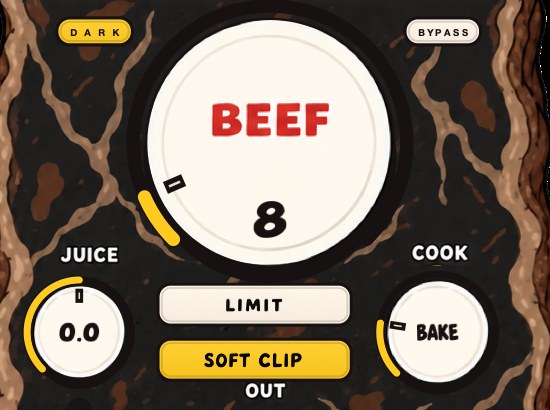
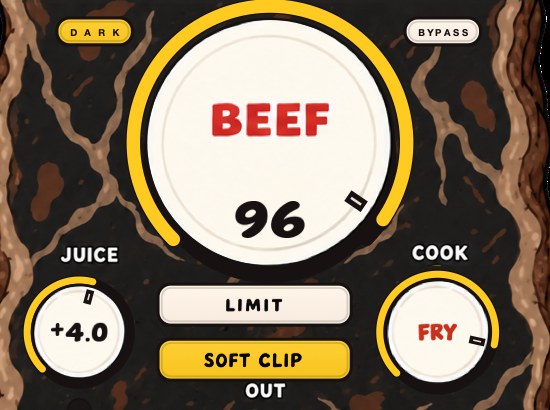
BEEFY is our saturation and loudness plugin, and it goes from the subtle end to the obvious one. A little BEEF fills things out; a lot gets rude. COOK moves the color from a rounder feel toward a brighter, more cooked edge, and SOFT CLIP, on by default, brings rounded, fuzzy edges to the loudest parts. There is no drum-only rule: it works on synths, samples, keys, guitar and vocals too.
JUICE is the input trim from the steps above, built in, so the drive can be set with a number instead of a hunt, and LIMIT holds the output peaks if you want the ceiling handled in the same box. Input and output clip lights tell you which end is complaining. It runs as AU, VST3 and standalone on Mac and Windows, and it costs $39.
Dave Davies never needed the word. He needed the razor blade, and then he needed to stop.
BEEFY — saturation and loudness plugin for Mac and Windows. There is a 28-second demo with three without/with comparisons on the page.
Keep reading
- Tape vs tube saturation — Which harmonics each adds, what they do to transients, and which to use where.
- How to use distortion on vocals — Saturation for presence, parallel distortion for aggression, and heavy drive as an effect.
- How to use saturation in a mix — Bass, drums, vocals, synths, buses and the master: what saturation is for and how much to use.
- Saturation explained — Harmonics, the types, where it goes in a chain, and what it costs.
- How to get analog warmth without buying hardware — Four mechanisms hide behind one word, and naming the one you want is most of the work.
- Why your mix sounds harsh after mastering — A diagnostic order for a harsh master, from the limiter down to your monitoring level.
- How to saturate a drum bus in Ableton when Roar is already on it — Roar covers most of what a drum bus needs. The second stage only earns its place when it does a different job.