← Gazillion Industries/Reading material
How to mix vocals
The beat is finished, the rapper is good, and the vocal is either sitting on top of the track like a sticker or buried somewhere behind the hats. There is no in-between setting, and no plugin fixes it, because the problem happened before the plugins.
Mix vocals in this order: get the level right against the beat with no processing, cut the problems with EQ, control the performance with compression, add saturation or clipping if it needs weight, then place it in space with delay and reverb. The single biggest improvement for most people comes before any plugin: riding the level line by line so the words are all the same size before a compressor ever sees them.
The short version
- Order
- level, EQ, compression, saturation, space
- High-pass
- 80–120 Hz on most rap and pop vocals
- Compression
- 3:1, 3–6 dB, or two stages of 3 dB each
- Rides
- automate level before compressing, not after
- Space
- one short delay, one reverb, both on sends
- Check
- phone speaker, and at conversation volume
Level first, and level again
A vocal take has a 15 dB range between the quietest word and the loudest, and no compressor handles that gracefully on its own. If you ask one to, it will pump on the loud words and let the quiet ones vanish. Draw the level line instead: go through the take and raise the words that disappear and lower the ones that jump, until the waveform looks roughly even. Then compress what is left, which will be a few decibels rather than fifteen.
This is boring and it is the difference between an amateur vocal and a professional one. It is also how it was done before plugins, by hand, on a fader.
Put the range in numbers before you decide how much work it needs. Fifteen decibels is an amplitude ratio of 1015/20 = 5.62, so the loudest word is pushing the meter more than five times as far as the quietest one. Get that down to 4 dB, a ratio of 1.58, and the take has gone from something a compressor has to rescue to something it only has to finish.
Rides belong in front of the fader. Clip gain, region gain or an automated trim plugin placed first all change the level arriving at the first insert; the channel fader changes the level leaving the last one. Ride on the fader and the compressor still sees the original fifteen decibels, still grabs four dB off the loud words, and you have automated the symptom while the cause sits upstream untouched. Gain staging is the same argument applied to a whole channel.
Work in whole decibels and expect a long list. Two dB is about the smallest move that reads as a change on a single word; anything under one dB is mostly you persuading yourself. A sixteen-bar verse at 90 BPM lasts 16 × 4 × 60 / 90 = 42.7 seconds, and forty seconds of rap holds enough words that twenty to forty individual moves is an ordinary count. Nobody enjoys this part. It is still the part that shows.
Drawing the level line, move by move
- Bypass every plugin on the vocal channel.
- Play the verse against the beat at conversation volume.
- Mark every word you cannot make out and every word that jumps out.
- Change those words with clip gain, in 2 dB steps, not with the fader.
- Play it again and repeat until nothing disappears and nothing jumps.
- Edit the breaths that the rides just brought up, before inserting anything.
- Insert the compressor last, once the take is already even.
Verify it with a meter rather than with optimism. Put a level meter after the rides with everything else bypassed, run the verse, and watch the peak hold. If the loudest words land inside a 4 to 5 dB window, the rides are finished. If the window is still ten dB wide you stopped early, and the compressor downstream is about to do that work badly and audibly. A VU meter is the friendlier tool here, because it reads something close to what your ear weighs rather than the peaks your ear ignores.
What the recording already decided
Some takes fight the rides, and the reason sits upstream of the session. Two things are fixed at the microphone and no fader undoes either: how much room came in with the voice, and how steady the distance was while the rapper moved.
Distance is arithmetic. Level from a source falls as the square of distance, so halving the gap from 30 cm to 15 cm raises the direct sound by 20 × log10(30 / 15) = 6.02 dB. The reflection off the wall behind the singer travels almost the same path either way and arrives at the level it always did. Move in by half and the ratio of voice to room improves by that whole 6.02 dB, which is a larger change than anything else on this page will make. A directional microphone also thickens as it closes in, which is a property of the pattern rather than a fault, and it is one reason the right high-pass corner depends on how the take was sung as well as on the voice.
The room arrives as a comb filter, and you can write the nulls down. A reflection whose path is 0.6 m longer than the direct path lands 0.6 / 343 = 1.75 ms late. Nulls fall at (2k + 1) / (2d), so 286 Hz, then 857 Hz, then 1,429 Hz, with peaks between them at 572 and 1,143 Hz. That pattern is baked into the file. EQ can lower a peak. Nothing refills a null. Phase cancellation is the same mechanism you will meet again between two doubles.
Converter headroom is the one resource nobody has to ration. A 24-bit file carries 6.02 × 24 = 144.5 dB of theoretical range, so a take peaking at −18 dBFS still sits 126.5 dB above the floor of the box that recorded it. Set the input gain once, put the peaks near −18 dBFS, and leave it there for the session. Chasing a hot input buys nothing measurable and costs you the one take where the performance actually went somewhere.
Tuning belongs ahead of step one
If the take is getting tuned, tune it before anything else touches it. A corrector tracks the fundamental, and every stage below either changes the balance between that fundamental and its harmonics or manufactures new harmonics outright. Hand a tracker a saturated signal and you have given it five extra components to argue with.
Put the correction in numbers before you set the speed. One semitone is a frequency ratio of 21/12 = 1.059463, which is 5.95 percent. A note 30 cents flat sits at a ratio of 230/1200 = 1.01748, so an A4 that should be 440.00 Hz arrives at 440.00 / 1.01748 = 432.4 Hz, seven and a half hertz low. Thirty cents is just under a third of a semitone, and it is around where a listener starts calling the note out.
Retune speed is a time constant, and what it competes with is vibrato. Measure the singer's own rate: count the wobbles in one held note against the grid. At 5.5 Hz a cycle lasts 1 / 5.5 = 182 ms, so a retune faster than about 91 ms is inside the vibrato and starts ironing it into a straight line, while a retune slower than 182 ms never catches a short note at all. Everything audible about the effect lives between those two numbers, and both of them come from the performance rather than from a preset.
Large intervals carry the formants with them when the tool is the simple kind. Push a note up a semitone and a 2,800 Hz formant goes to 2,800 × 1.059463 = 2,966 Hz, which is the sound people describe as a smaller singer standing further away. Formant shifting is the control that separates the two, and changing pitch without changing tempo covers the wider case.
Print the tuned take to a new file before you start the rides. Forty clip-gain moves drawn against audio you are about to replace is forty moves drawn twice.
The chain
- Set the vocal level against the beat with everything bypassed.
- High-pass at 80 to 120 Hz, higher for a thin voice, lower for a deep one.
- Cut the resonances that stick out, narrow and only where you hear a problem.
- Compress: 3:1, attack 5 to 10 ms, release 60 to 150 ms, 3 to 6 dB on the loud words.
- If it needs more control, use a second compressor doing 3 dB rather than one doing 8.
- De-ess after compression, because compression brings sibilance forward.
- Add saturation or a clipper for density and to stop the peaks running away.
- Send to one short delay and one reverb, and duck both under the dry vocal.
- Check on a phone before you decide anything is finished.
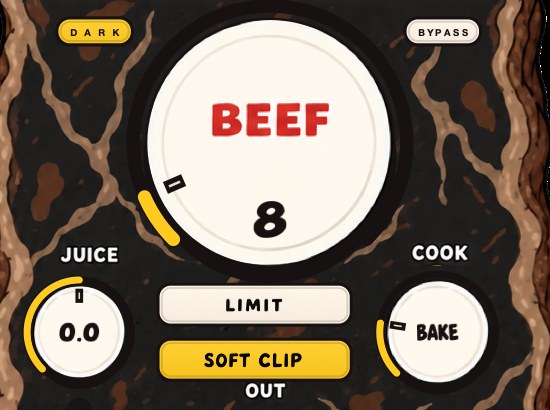
BEEFY is our saturation and loudness effect, and the page says it plainly: feed it a vocal that could use some attitude. SOFT CLIP holds the peaks while BEEF adds the weight.
Set the high-pass by measuring the voice
A high-pass filter answers one question: where does this particular voice stop? Find the lowest sustained note in the take with a tuner. With A4 at 440 Hz and equal temperament, A2 is 110.00 Hz, G2 is 98.00 Hz and E2 is 82.41 Hz. Put the corner under that note and the rumble still goes.
The slope decides what that corner actually does, and the standard maximally flat response gives exact figures. Cornered at 100 Hz, a 12 dB per octave filter is 3.01 dB down at 100 Hz, 12.30 dB down at 50 Hz and 24.10 dB down at 25 Hz. A 24 dB per octave filter at the same corner is also 3.01 dB down at 100 Hz, then 24.10 dB down at 50 Hz and 48.16 dB down at 25 Hz. Every order meets at the corner and separates below it.
Above the corner the steeper filter is the gentler one, which catches people out. At 120 Hz the 12 dB per octave filter is 1.71 dB down while the 24 dB per octave filter is only 0.91 dB down. A steep slope set at the right corner disturbs the voice less and clears more rumble. A steep slope only does damage when the corner has been set too high, and then it does a lot.
Work one through. The voice bottoms out on G2, 98.00 Hz. Set the corner at 120 Hz and the fundamental sits 1200 × log2(120 / 98) = 351 cents — three and a half semitones — inside the filter's working range, so you are pulling down the note the singer is actually on. Set it at 80 Hz and everything the voice produced survives while the desk rumble and the chair go. The 80 to 120 Hz range gets recommended because most voices land above it; measure once and you will know instead of guessing.
Plosives need a different tool. A hard p or b pushes a slug of air at the capsule and makes a low thump with almost no pitch, much of it under 40 Hz. Forty hertz sits log2(100 / 40) = 1.32 octaves below a 100 Hz corner, where a 12 dB per octave filter is 16.03 dB down and a 24 dB per octave filter is 31.84 dB down. Sixteen decibels of attenuation still leaves a thump you can hear. Draw a short clip-gain dip over the plosive rather than steepening the filter up into the voice. The rest of the frequency work is in how to EQ vocals.
Compression in milliseconds you can count
Attack and release are arithmetic against the rate of the words. Six syllables a second is 1 / 6 = 167 ms a syllable. At 90 BPM a sixteenth note is 60000 / 90 / 4 = 166.7 ms, which is the same number, and that is why rap phrasing and sixteenths keep landing on top of each other. At 140 BPM a sixteenth drops to 107.1 ms.
Release shorter than the gap between syllables lets the compressor recover between words. Release longer than the gap means it never lets go: word two arrives with the gain still pulled down from word one, and the verse sags in a way that sounds like the rapper running out of breath. Divide 60000 by the tempo, quarter it, and stay under that number. At rap tempos that lands you in the 60 to 150 ms range on the dial.
Attack decides how much consonant survives. The burst at the front of a hard consonant is over in 5 to 20 ms. An attack of 1 ms is inside all of it and rounds the front of every word; an attack of 10 ms lets the burst through and clamps the vowel behind it, which is where the level lives anyway. What a transient is covers the shape you are protecting.
Ratio and threshold are one decision spread across two boxes. At 3:1, a word arriving 9 dB over threshold leaves 3 dB over, so the meter reads 6 dB of reduction. At 4:1 the same 6 dB needs only 8 dB over. Pick the ratio whose sound you like and then move the threshold until the meter shows the reduction you wanted, rather than the other way round. What a compressor does has the mechanism in full.
Two gentle stages beat one hard one. A compressor pulling 3 dB is close to invisible; the same unit pulling 8 dB is audibly working on every syllable. Two in series at 3 dB each give you 6 dB total from two small gestures, and they can hold different jobs — a slow one riding the overall level across a bar, a fast one catching the single consonant that got away.
De-essing, and why it comes after the compressor
Compression makes sibilance worse, which decides its place in the chain. A compressor turns down the loud vowels and leaves the s where it was, so the s ends up relatively louder than it started. Saturation makes it worse again: harmonics of a 3 kHz component land at 6 kHz and 9 kHz, directly on top of the range that was already stabbing.
Find the frequency rather than trusting a default. Put a bell at +9 dB with a Q around 6 and sweep it from 4 kHz to 10 kHz over a line with a hard s in it. Stop where it becomes unbearable and read the number. Remove the boost, put a de-esser or a narrow band compressor at that frequency, and take 3 to 6 dB off only while the s is happening. Keep the sweep quick: a parked boost retunes your ear in about twenty seconds and then it starts lying to you.
Check a held vowel afterward. A de-esser working over too wide a band takes the top off the whole voice, and the signature is a singer who seems to turn away from the microphone on every word containing an s. Multiband compression is the same idea with more bands.
Breaths, room noise and why a gate usually loses
Compression is what turns a breath into a problem, and the arithmetic says by exactly how much. Take a breath sitting 20 dB under the words. Six decibels of reduction lands on the words and none of it on the breath, so the gap closes to 14 dB. Add the 6 dB of makeup that puts the words back where they were and the breath rides up with it: the same 14 dB gap, and a breath that is now 6 dB louder in absolute terms than when you started. That is the plugin doing exactly what you asked it to do.
The meter will not help you here. A breath 20 dB down adds 10 × log10(1 + 10−2) = 0.043 dB to the channel, which is nothing. The ear catches it anyway, because it arrives in a gap with no word on top of it.
A gate is the obvious tool and it usually loses. At six syllables a second a syllable lasts 167 ms, and the silent closure inside a hard consonant is shorter than that, so any hold time quick enough to shut between lines is also quick enough to shut inside single words. You hear that as chattering. Raise the hold above roughly 150 ms to stop the chatter and the gate no longer closes anywhere you wanted it to.
- Set the rides and the compressor first, so you edit breaths at the level they will have.
- Pull each breath down 6 to 10 dB with clip gain and leave it audible.
- Delete a breath only where the beat covers the hole.
- Crossfade every deletion by 5 to 10 ms so the room tone does not step.
- Play the verse against the beat and check the rapper still sounds like he inhales.
Silence is the tell. A verse with every breath stripped reads as manufactured before a listener can say why, because a voice that never takes air is a thing nobody has heard in a room.
Parallel compression, and the arithmetic of a blend
Parallel compression raises the quiet detail in a voice without flattening the loud words. Send the vocal to a bus, compress that copy hard — 10:1, fast attack, 10 dB or more of reduction — and blend it underneath the dry channel.
Blend level adds coherently, because both paths carry the same performance, and that makes it louder per decibel than the double arithmetic further down this page. A return sitting 6 dB under the dry adds 1 + 10−6/20 = 1.501, which is 20 × log10(1.501) = 3.52 dB. At 3 dB under it is 1 + 0.708 = 1.708, or 4.65 dB. Two separate takes summing incoherently give you 3.01 dB for the same fader position, and the gap between 3.52 and 3.01 is the reason a blend gets loud faster than a stack does. Parallel compression has the general case.
Latency is the failure everybody meets. If the parallel chain carries a delay the host has not compensated, the two paths comb: 1 ms of offset puts the first null at 1 / (2 × 0.001) = 500 Hz, and 2 ms puts it at 250 Hz, straight through the chest of the voice. Test it in ten seconds. Bypass the compressor on the return, match its level to the dry, flip the polarity, and listen. An aligned pair cancels to silence. Whatever is left over is offset, and it was being added to your mix as tone.
Filter the return before you judge the blend. High-pass it at 200 to 300 Hz and it brings presence, consonants and breath without stacking more of the chest you already set with the channel high-pass. Parallel saturation is the same routing with a different device in it.
The cost is specific and it is not small. A parallel path raises exactly the quiet material it was built to raise, which on a rap vocal means mouth noise, chair, air conditioning and every breath you had just finished taming. Budget an editing pass for it or use less of it.
Saturation on a vocal, counted
Saturation manufactures harmonics at whole-number multiples of what went in, and on a vocal that is worth counting. A voice with a 110 Hz fundamental comes out with content at 220, 330, 440, 550 and 660 Hz. A phone speaker is a few millimeters across with almost no enclosure behind it, and its output falls away fast below roughly 500 Hz, so the fundamental and the first three harmonics are barely reproduced at all. The fifth, at 550 Hz, is the first component the handset can really move.
That arithmetic settles a common argument. Adding low mids on monitors to fix a thin vocal on a phone changes nothing on the phone and eats headroom everywhere else. Adding harmonics puts energy where the small speaker works, and it arrives only when the voice arrives, because it is manufactured out of the voice. Saturation explained and harmonic distortion go further into it.
The orders have characters, and the intervals say why. The second harmonic is 12 × log2(2) = 12 semitones up, a plain octave, and reads as weight. The third is 12 × log2(3) = 19.02 semitones, an octave and a fifth, and reads as edge. On a voice the edge turns into harshness before the weight turns into mud, because the odd orders pile into the 2 to 5 kHz range the ear already treats as loud. Why a mix sounds harsh is mostly this.
Two cautions belong to vocals specifically. Drive lands on sibilance, so either de-ess after the saturation or de-ess twice. And every nonlinear stage makes content above what you fed it: digital audio carries frequencies below half the sample rate and nothing above, so at 44.1 kHz the ceiling is 22,050 Hz and anything past it folds back down to a frequency with no musical relationship to the voice. Aliasing and oversampling have the rest, and distortion on vocals has the heavier end of the treatment.
Clip the peaks, and count what it buys
A rap vocal is mostly peaks nobody hears. Take a ridden, compressed vocal peaking at −3.0 dBFS with an RMS of −18.0 dBFS: crest factor 15 dB. Shave 3 dB off the tallest consonants and raise the output 3 dB. The peak reads −3.0 dBFS again, exactly where it began, and the RMS is now −15.0 dBFS, so the crest is 12 dB. The vocal is 3 dB louder on every average-reading meter and never went above where it already sat. Crest factor is the number to watch.
The tallest part is also the shortest part, and that asymmetry is the whole trick. One sample lasts 1 / 44100 = 22.68 microseconds at 44.1 kHz and 20.83 microseconds at 48 kHz, and the absolute peak of a consonant is a handful of those. Removing 3 dB from it takes away almost nothing you hear as tone, and takes away a great deal that the mix limiter was about to spend its entire budget on.
- Put a soft clipper after the compressor and the de-esser.
- Raise its input one dB at a time until the loudest consonants start to flatten.
- Back off one dB.
- Match the bypassed level to within a tenth of a dB.
- A/B, and keep it only if the words got clearer rather than merely louder.
Past about 3 dB the round-off stops being peak control and becomes the sound. On a rap vocal that is frequently the point; on a sung ballad it rarely is. The mechanics are in soft clipping explained, the running order against a limiter is in clipper before limiter, and true peak explains why a clipped vocal can still trip a meter after encoding.
Making it fit rather than sit on top
A vocal that sounds stuck on the front is usually competing with the beat rather than sharing with it. Three things fix it. Carve a small dip in the instrumental where the voice lives, around 1 to 3 kHz, using a compressor on the beat bus triggered by the vocal if you want it automatic. Match the spaces: a dry vocal over a wet beat always sounds pasted on. And commit to a level choice: in rap the vocal usually sits further forward than in almost any other genre, and trying to split the difference produces something that reads as neither.
For the beat side of that conversation, see how to make drums cut through the mix.
Put a number on the dip. Two to three decibels across 1 to 3 kHz on the instrumental is usually the whole job, and it is a better trade than adding the same 3 dB to the vocal. Both moves change the distance between the two by 3 dB. Only one of them raises the peak arriving at the master. Headroom is the account that gets charged.
If you do the dip with a sidechained compressor on the beat bus, the time constants matter more than the amount. Attack around 5 ms so the duck arrives with the word. Release matched to the syllable rate, so under 167 ms at 90 BPM, so the beat lifts again in the gaps instead of staying down for the bar. Two decibels of reduction is usually enough to hear the vocal get clearer without hearing the beat move at all. Sidechain compression has the routing.
Matching the spaces is a measurement as well as a taste. If the beat's reverb decays in 1.2 seconds, that is 1200 / 166.7 = 7.2 sixteenths at 90 BPM. A vocal in a 0.4 second room is standing 2.4 sixteenths deep, in a different building from the track, and turning it up never fixes an address.
Delay and reverb, timed to the tempo
Calculate the delay times rather than twisting a knob until it sounds vaguely right. At 90 BPM a quarter is 60000 / 90 = 666.7 ms, an eighth 333.3 ms, a dotted eighth 500.0 ms, a sixteenth 166.7 ms and an eighth triplet 222.2 ms. At 140 BPM the same list reads 428.6, 214.3, 321.4, 107.1 and 142.9 ms.
The dotted eighth is the rap default because it sits across the grid: 500.0 ms at 90 BPM is three sixteenths, so the repeat lands in the hole between phrases instead of doubling the next word. Set the feedback so each repeat falls about 3 dB, which gives ten repeats before it reaches −30 dB and vanishes under the beat.
A slapback is a different animal and it ignores the grid entirely. 80 to 120 ms, one repeat, no feedback. A hundred milliseconds is the arrival gap you would get from a surface 343 × 0.100 / 2 = 17.2 m away, which is why it reads as a room the singer is standing in rather than as an effect somebody switched on.
Reverb gets pre-delay so the words land before the room does. Thirty milliseconds of pre-delay is the same gap as a wall 343 × 0.030 / 2 = 5.1 m away, and it hands every syllable a clear 30 ms window in which to be understood. Then filter the return hard: high-pass the reverb bus around 300 Hz so the tail carries no chest, and low-pass it around 8 kHz so it stops rebuilding the sibilance you just spent a plugin removing. Making something sound like another room is the extreme version of the same controls.
Both effects on sends, both ducked under the dry vocal, is the arrangement that keeps a rap vocal intelligible at any wetness. Key a compressor on the reverb bus from the dry vocal and the tail is held down while the words happen and blooms in the gaps, which is the only way to have a big space and a clear verse at the same time.
Doubles, stacks, and the flam you can hear
A doubled vocal means two performances. Copy one track and pan the copy and you get 20 × log10(2) = 6.02 dB of level in the middle and no width at all; two separate takes sum incoherently for 10 × log10(2) = 3.01 dB and sound wide, because the differences between them are the width.
Timing slip between two takes is a comb filter nobody ordered. With an offset of d seconds the nulls land at (2k + 1) / (2d) and the peaks at k / d. Fifteen milliseconds of slip puts nulls at 1 / (2 × 0.015) = 33.3 Hz, then 100 Hz, then 166.7 Hz, with peaks between them at 66.7 and 133.3 Hz. The second null sits exactly in the chest of the voice. That is how a double ends up thinner than the single it came from, and EQ cannot fill the hole, because the hole moves whenever the slip does. Phase cancellation has the full picture.
Above roughly 30 ms the ear stops fusing the two and starts hearing a second voice, so useful slip is either under about 10 ms and tightened, or over 30 ms and deliberate. Sum to mono before you commit: a stack that sounds wide in stereo and disappears in mono is a stack full of nulls, and most listening happens on one small speaker. Mono compatibility is the check.
Ad-libs take the lead's treatment and then go further — more delay, more filtering, less level. A quiet ad-lib sitting 10 dB under the lead adds 10 × log10(1 + 10−1) = 0.41 dB to the channel. It is there for content rather than for level, which is the permission you needed to keep it low.
The vocal bus, and what belongs on it
Route the lead, the doubles and the ad-libs to one bus and the group starts acting like a single instrument against the beat. One fader then moves the whole vocal, which is the move you will make twenty times before the mix is finished, and it is the move that keeps a chorus from drifting 2 dB away from the verse.
Keep the bus gentle and keep it general. One to two decibels of reduction on a slow compressor is the entire job. The bus is there to tie the parts together, and every decibel it takes is a decibel off a crest that three earlier stages have already been spending. Glue compression is the name for that small amount.
Three things stay on the channel. De-essing, because a lead and a filtered ad-lib do not share a sibilance frequency and one detector cannot serve both. Rides, because they were written against one specific performance. And heavy saturation, because a nonlinear stage acting on a sum lets the loud part modulate the quiet one: the lead pushes the ad-libs down on every word and drags them back up in the gaps, which is a kind of ducking nobody asked for.
Print it when the decisions stop changing. Bounce the finished vocal bus to one file at the project rate and depth and keep the session beside it. A printed vocal loads instantly on the device you are checking it on, it survives the plugin you uninstall next month, and it forces the decision that a chain full of live plugins lets you postpone for weeks.
Host by host
The arithmetic is identical in every DAW and the controls are not. Four differences are worth knowing before you start drawing lines.
Ableton Live does the rides as clip gain in Clip View, which sits ahead of the device chain, so the compressor sees the ridden level exactly as it should. Compressor's sidechain tab handles the beat-bus duck, Multiband Dynamics does the de-essing with only the high band active, and Saturator covers the drive. Automate a Utility placed first if you would rather see the rides on the timeline than inside the clip.
Logic Pro carries region gain in the Region inspector for the same job, and DeEsser 2 for sibilance, where the detector frequency and the suppressor frequency are separate controls, so you can trigger on one band and reduce another. Logic's Compressor offers several circuit styles inside one plugin, so the two-stage approach can be built without leaving it. ChromaGlow, in Logic Pro 11 and later, is the saturation stage.
FL Studio does the rides with automation clips on a Fruity Balance volume placed first in the channel, or by slicing the take in the playlist and setting each clip's gain. Fruity Limiter in COMP mode is the compressor, Maximus with a single high band is the de-esser, and Fruity Soft Clipper takes the peaks. Mixer inserts run top down, so the chain order above is simply which slot you drop each one into.
Pro Tools has Clip Gain, which is the cleanest expression of this whole page: the rides live on the clip as a visible line, ahead of every insert, and they survive when you rebuild the chain above them.
REAPER puts the same control on the take rather than on the track. Take volume and take volume envelopes sit ahead of the track FX chain, so a ride drawn there reaches ReaComp already corrected. ReaEQ handles the high-pass and ReaXcomp with only the top band active does the de-essing.
Studio One keeps Event Volume and an event volume envelope on the audio event itself, both ahead of the channel inserts, so the rides live on the clip in the arrangement where you can see them. Fat Channel carries the high-pass, the gate and the compressor in one insert slot if you would rather not stack four plugins on a vocal.
Cubase carries clip gain in the Info Line and a volume handle on every audio event, and VariAudio does the tuning inside the sample editor. Both of those keep the pitch work and the level work ahead of the inserts, which is where this page has been arguing they belong.
Bitwig Studio sets gain per audio event in the clip editor, and a Tool device dropped first in the chain gives you an automatable trim in front of the compressor when you want the line drawn on the timeline instead of inside the clip.
One thing worth checking in whichever you use: delay compensation on a parallel path. All of these compensate plugin latency across an ordinary insert chain. Sends into a bus are where hosts and plugins differ, and the polarity test above settles it for your setup in the time it takes to read this sentence.
A whole verse, with the numbers written down
Here is one pass end to end at 88 BPM, so every setting on this page arrives with a figure attached. Sixteen bars at 88 BPM runs 16 × 4 × 60 / 88 = 43.6 seconds. A quarter is 60000 / 88 = 681.8 ms, an eighth 340.9 ms, a sixteenth 170.5 ms. Every time constant below comes out of those three numbers.
- Tune. Retune speed 100 ms, just above half of this singer's 182 ms vibrato cycle. Print to a new file.
- Ride. Loudest word to quietest measures 16 dB. Around thirty clip-gain moves in 2 dB steps close it to 4 dB. Peak now reads −6.0 dBFS.
- High-pass. The voice bottoms out on A2, 110.00 Hz. Corner at 90 Hz, 24 dB per octave. The fundamental sits 1200 × log2(110 / 90) = 347 cents above the corner, where the filter is 0.79 dB down, less than half the 2 dB that reads as a change on a word.
- Cut. One bell, −3 dB at 240 Hz, Q 4, on the single note that booms.
- Compress. 3:1, attack 8 ms, release 120 ms, under the 170.5 ms sixteenth. Threshold set for 5 dB on the loud words, so those words are arriving 7.5 dB over it: 7.5 − 7.5 / 3 = 5.
- De-ess. The sweep found the sting at 6.8 kHz. Take 4 dB, only while the s happens.
- Saturate. The 110 Hz fundamental gets company at 220, 330, 440, 550 and 660 Hz. The 550 Hz one is the first a handset can really move.
- Clip. Three decibels off the tallest consonants, 3 dB back on the output. Peak returns to −6.0 dBFS, average rises 3 dB, crest falls from 15 dB to 12 dB.
- Duck the beat. 2 dB of reduction on the instrumental bus keyed from the vocal, attack 5 ms, release 150 ms so it lifts again inside the sixteenth.
- Delay. Dotted eighth, 1.5 × 340.9 = 511.4 ms, which is exactly three sixteenths. Feedback at 10−3/20 = 0.708, about 70 percent on a dial marked in percent, giving 3 dB per repeat and ten repeats before it is 30 dB down.
- Reverb. Pre-delay 30 ms, high-pass the return at 300 Hz, low-pass at 8 kHz, ducked from the dry vocal.
- Check. Bounce it, play it off a phone at arm's length, and write down what you cannot follow.
Add up what the chain spent. Three decibels at the clipper, plus at most the 5 dB the compressor took if all of it came off peaks, which it never quite does. Starting from a raw take with 20 dB of crest you are handing the mix bus something around 12 dB, and that remainder is the entire budget the master has to work with. Getting a mix louder without clipping is an argument about this number, and how loud a master should be is the other half of it.
How to check it in your own session
- Bounce the verse and play it from a phone speaker at arm's length. If the words are hard to follow, look between 500 Hz and 4 kHz rather than at the low end.
- Turn the monitors down to conversation level and listen again.
- Sum the whole mix to mono and check the stacks survive it.
- Solo the beat, then unsolo, and ask whether the vocal came forward or the beat just went quiet.
- Bypass the entire vocal chain with the output level matched to a tenth of a dB, and decide honestly which version you prefer.
- Sleep on it and check in the morning.
Step two is the cheapest improvement available to anybody reading this. Your ear's response flattens as the level rises, so a balance set loud hands you bass and top you never actually mixed, and the vocal you placed perfectly at 95 dB arrives thin on a laptop. Fletcher–Munson is the curve underneath that.
What each failure sounds like
- Words vanishing under the beat
- level line not drawn — rides, not more compression
- Loud and still unclear
- energy piled below 500 Hz; intelligibility lives from 1 to 4 kHz
- Pumping on the loud words
- release longer than the gap between syllables
- Front of every word rounded off
- compressor attack under 5 ms
- Breaths and room noise arriving
- the compressor is doing too much — ride first, compress less
- Sibilance stabbing
- de-esser placed before the compressor, or saturation placed after it
- Thin in mono, wide in stereo
- comb nulls between doubles — align them or spread them past 30 ms
- Sitting on top like a sticker
- dry vocal over a wet beat, or no room made in the instrumental
- Great on monitors, gone on a phone
- all fundamental, nothing above 500 Hz
- Harsh on earbuds
- drive landing in the 2 to 5 kHz range — see why a mix sounds harsh
- Cloudy under the verse
- 200 to 400 Hz stacking up across doubles — see why a mix sounds muddy
- Tuning audible as a slide between notes
- retune speed faster than half the singer's vibrato cycle
- Breath louder than the word before it
- makeup gain raised the breath by the same amount it raised the words
- Gate chattering inside words
- hold shorter than a syllable — edit the breaths by hand instead
- Parallel blend comes out thinner
- uncompensated offset on the send — bypass, flip polarity, listen for the null
- Ad-libs ducking whenever the lead sings
- a nonlinear stage on the vocal bus letting the loud part modulate the quiet one
- Chorus and verse at different levels
- no vocal bus — you have been balancing four faders against each other
- Room arriving with the voice
- microphone distance, not EQ — halving it buys 6.02 dB of direct sound
- Great soloed, lost in the mix
- you mixed the vocal instead of mixing the record
Where it costs you
Every stage here takes something. High-passing takes weight off a deep voice if you go too far. Compression brings up breaths, room noise and mouth sounds, all of which you then have to edit. Saturation adds harmonics in exactly the range where sibilance lives. And reverb buys space at the cost of clarity, which is why a rap vocal usually gets a short delay rather than a long reverb.
The dynamics bill is the one that compounds. Take 3 dB off the peaks on the vocal channel, 3 dB again on the vocal bus and 3 dB again at the master and you have spent 9 dB of crest, and nothing downstream can give any of it back. A vocal with a 15 dB crest that arrives at the master with 6 dB has nowhere left to go. Mastering a beat assumes you left some behind.
The money cost is small and worth saying plainly. Every step on this page runs on tools already installed: clip gain, a stock EQ, a stock compressor, a stock de-esser, a stock delay and a stock reverb. Nothing here requires a purchase. What a paid saturation or clipping plugin buys is a particular character and a quicker route to it, and the only honest test is a level-matched bypass against whatever came with the DAW. Soft clippers and saturation plugins list both kinds.
Questions people ask
What is the correct order for mixing vocals?
Level and rides, then subtractive EQ, then compression, then de-essing, then saturation, then time-based effects on sends. The order matters because each stage changes what the next one reacts to.
How do I make vocals fit in the mix?
Make room rather than turning the vocal up: a small dip in the instrumental around 1 to 3 kHz, matched reverb between the voice and the track, and level rides so no word disappears. Turning it up alone gets you a vocal that is loud and still unclear.
Is it better to mix vocals quiet or loud?
Make decisions at conversation volume, where your ears are flattest, and check loud occasionally. A vocal balance set at high volume almost always turns out too quiet the next day.
How much compression should a vocal have?
Three to six decibels on the loudest words, or two stages of about three decibels each if the take is uneven. If you need more than that, ride the level first and compress afterward.
What high-pass frequency should I use on vocals?
Below the lowest note the voice actually sings. Find it with a tuner: A2 is 110.00 Hz, G2 is 98.00 Hz, E2 is 82.41 Hz. A corner at 120 Hz on a voice bottoming out at 98.00 Hz is 351 cents up into the fundamental, which thins the take. 80 to 120 Hz suits most voices, and measuring beats the range.
Should I use clip gain or volume automation for vocal rides?
Clip gain, because it sits ahead of the inserts, so the compressor receives the corrected level. Fader automation happens after the plugins, so the compressor still reacts to the original fifteen-decibel spread.
Where should saturation go in a vocal chain?
After compression and after de-essing. Saturation generates harmonics of everything it is given, including sibilance, so driving an s at 3 kHz puts new content at 6 and 9 kHz. Order it last among the level tools and before the sends.
How do I stop vocals sounding harsh?
Back off the drive before reaching for EQ. Odd harmonic orders land 19.02 semitones above the source, an octave and a fifth, which piles into the 2 to 5 kHz range the ear treats as loudest. Then narrow the de-esser: a wide band takes the top off the entire voice rather than off the s.
Why do my vocals sound thin on my phone?
A handset speaker rolls off fast below roughly 500 Hz. A 110 Hz voice has harmonics at 220, 330, 440 and 550 Hz, and the 550 Hz one is the first the phone can really move. Add harmonics with saturation rather than low mids with EQ; the low mids never arrive and they cost headroom on the way past.
What delay time should I use on a rap vocal?
A dotted eighth, which is 500.0 ms at 90 BPM and 321.4 ms at 140 BPM, with feedback set so each repeat drops about 3 dB. It lands across the grid, so the repeat fills the gap between phrases instead of blurring the next word.
Should I compress before or after EQ on vocals?
Cut with EQ first, so the compressor is not being triggered by a resonance you were about to remove. Any tone-shaping boosts go after the compressor, where they will not change how hard it works.
How loud should the vocal be against the beat?
There is no universal number, and the check beats the number anyway: bounce the loop, play it from a phone at arm's length, and see whether you can follow every word. Rap sits further forward than most genres, so if it feels slightly too loud on monitors it is often right on a handset.
Do I need to double my vocals?
Only where the arrangement wants weight. Two real takes sum for about 3.01 dB and sound wide; a copied track sums for 6.02 dB and sounds louder in the middle. Watch the timing, because 15 ms of slip puts a null at 100 Hz, right in the chest of the voice.
How do I mix vocals for beginners?
Two moves, and ignore everything else until they are done. Set the vocal level against the beat with every plugin bypassed. Then go through the take with clip gain and raise the words that disappear and lower the ones that jump. Those two get most of the distance. Add one compressor at 3:1 taking 3 dB once the take is already even.
Where does autotune go in the vocal chain?
First, ahead of everything, on the raw take. A corrector tracks the fundamental, and compression, saturation and clipping all change the relationship between the fundamental and its harmonics. Print the tuned take to a new file before you start the rides.
Should I tune vocals before or after mixing?
Before. Tuning replaces the audio, so any rides or edits drawn against the old audio have to be drawn again. Doing it first costs nothing, because pitch correction changes nothing about level.
How do I get rid of breaths in vocals?
Pull them down 6 to 10 dB with clip gain rather than deleting them, after the compressor is set, because the compressor's makeup gain is what made them loud in the first place. A breath 20 dB under the words adds 0.043 dB to the channel, so no meter is going to help. Strip them all out and the verse reads as manufactured.
Is parallel compression worth it on vocals?
When you want the quiet detail up and the loud words left alone, yes. Both paths carry the same signal, so they add coherently: a return 6 dB under the dry adds 3.52 dB, against the 3.01 dB two separate takes would give you. Check the send for latency first, because 1 ms of uncompensated offset puts a comb null at 500 Hz.
Do I need a de-esser?
Only if the s is stabbing after the compressor. Sweep a +9 dB bell with a Q around 6 from 4 kHz to 10 kHz to find the frequency first. Plenty of takes turn out to want 3 dB at one spot rather than a plugin with a preset on it.
Why do my vocals sound muffled?
Look at the reverb return before you look at the voice. A tail that has not been high-passed stacks 200 to 400 Hz behind every word, and a de-esser working over too wide a band takes the top off the whole take. Then check you are not answering a 1 to 4 kHz shortage by adding low mids, which buries it further.
How do I mix vocals in Ableton?
Same order, Ableton's controls. Rides go in Clip View as clip gain, which sits ahead of the device chain, so Compressor receives the corrected level. Multiband Dynamics with only the high band active is the de-esser, Saturator is the drive, and Compressor's sidechain tab does the duck on the beat bus.
Should reverb go on the vocal channel or on a send?
A send. The dry vocal keeps its own path, one reverb serves the lead, the doubles and the ad-libs at three different amounts, and you can key a compressor on the return from the dry vocal so the tail is held down while the words happen and blooms in the gaps.
Should the vocal be in mono or stereo?
The lead sits in the middle on almost every record you like. Width comes from the doubles and ad-libs placed around it and from the delay and reverb returns. Sum to mono and check: a lead that changes level when you do has a stereo effect sitting on the channel that belongs on a send.
What sample rate should I mix vocals at?
The project rate. The only number on this page it moves is the ceiling: at 44.1 kHz digital audio carries nothing above 22,050 Hz and at 48 kHz nothing above 24,000 Hz, and whatever a saturator makes past the ceiling folds back down. Handle that at the saturator rather than by rebuilding the session.
How loud should the vocal be for streaming?
Loudness normalization applies one gain change to the whole file, so it moves the vocal and the beat by the same amount and changes nothing about the balance between them. Set the balance for the record and let the platform set the level.
Why does my vocal sound different in headphones and on speakers?
Headphones hand each ear one channel with no crosstalk and no room, so a double or a wide reverb reads far wider than it will over speakers. Decide the width on speakers, confirm it in headphones, and sum to mono for the verdict.
What is the best compressor setting for rap vocals?
3:1, attack 8 to 10 ms so the consonant burst survives, release under a quarter of a beat so it recovers between syllables, and threshold set for 3 to 6 dB on the loud words. At 90 BPM that release ceiling is 60000 / 90 / 4 = 166.7 ms.
How many plugins should be on a vocal?
Fewer than are on it now, in most sessions. The chain on this page is a high-pass, one compressor, a de-esser and a saturator, with a delay and a reverb on sends. A second compressor earns its slot when the first one is being asked for more than 6 dB.
How far from the microphone should the vocal be?
Close, and steady. Halving the distance from 30 cm to 15 cm raises the direct sound by 6.02 dB while the reflection off the back wall arrives at the level it always did, so the voice gains that whole 6.02 dB on the room. The cost is that a directional microphone thickens as it closes in, and that every head movement becomes a level move you will be drawing back out later.
What BEEFY does
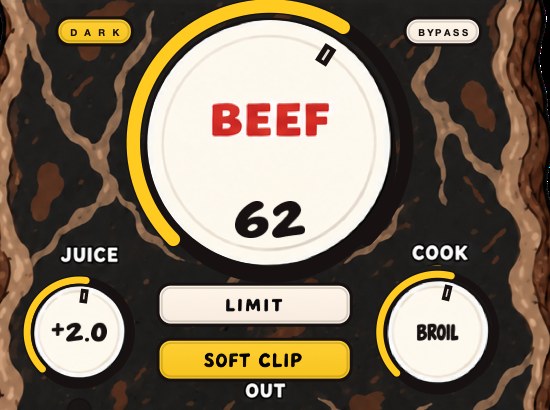
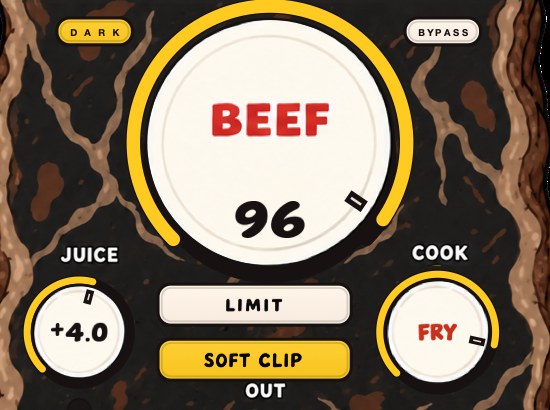
BEEFY is a saturation and loudness effect for making sounds thicker, punchier and more up front. There is no drum-only rule: the page invites a thin synth, a chopped sample, an electric piano, a guitar or a vocal that could use some attitude. BEEF brings weight, density and loudness; COOK changes the color and bite from rounder toward brighter; JUICE sets the level going in. SOFT CLIP opens switched on and brings rounded, fuzzy edges to the loudest parts.
On a vocal, placement decides most of the result. Put it after the compressor and after the de-esser, so it is driving a signal that already has an even level and no stabbing s. JUICE sets what arrives, BEEF decides how much weight gets built, and COOK decides whether that weight reads as body or as bite. On a voice, bite is the setting that turns into harshness first, so move COOK last and in small steps, with the beat playing.
SOFT CLIP and LIMIT are two answers to the same loudest consonant, and on a voice they do not sound alike. Soft clipping rounds the top of the waveform and leaves the word feeling immediate. Limiting pulls the level down around the peak, which can take the front edge of the consonant with it — the exact thing this page spent a section protecting. Soft clipping explained and how to use a limiter cover the choice. The product page says SOFT CLIP opens switched on and takes care of the initial gain staging, so the first move is to raise BEEF and listen rather than to hunt for a magic input level. BEEFY runs on Mac and Windows as AU, VST3 and standalone, and it is $39.
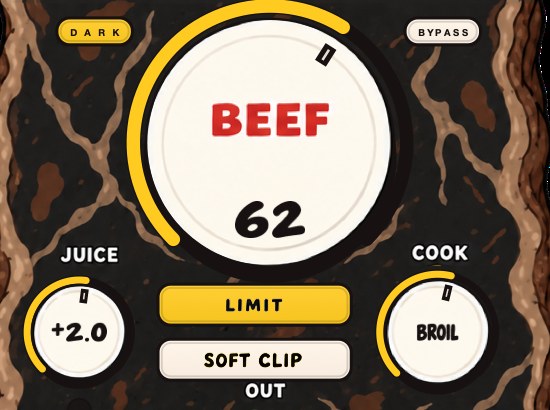
Two practical notes for a vocal session. The panel opens at 80 percent and remembers whatever size you leave it at, which counts for something when it is sharing a laptop screen with a de-esser, a delay and the arrangement. And the input and output clip lights are the quickest read on whether JUICE is feeding it too hard, before you have decided anything at all about BEEF.
You can also run it alongside the dry voice rather than across it. Put BEEFY on a send, blend it under the channel, and the arithmetic from the parallel section applies unchanged: a return 6 dB under the dry adds 3.52 dB, a return 3 dB under adds 4.65 dB. Bypass the plugin rather than winding BEEF down when you A/B it, match the levels to a tenth of a dB, and keep it only if the words got clearer. Parallel saturation has the routing, and saturation plugins lists what else is in the category, free and paid.
If the beat underneath is the part that needs holding together rather than the voice on top, DRUGS is our free one-knob bus compressor for drums, Mac and Windows, with a DOSE control, a GAIN control and a soft ceiling on the way out. Judge it by bypassing the plugin rather than by turning DOSE down, because DOSE at zero is not unity and is still part of the sound.
The sticker or the basement. Neither, once the level line is drawn.
BEEFY — saturation and loudness plugin for Mac and Windows. There is a 28-second demo with three without/with comparisons on the page.
Keep reading
- How to mix drums — Balance first, then EQ, compression, saturation and the bus.
- How to make 808s hit harder — Tuning, the kick, the envelope, saturation, soft clipping and a mono low end.